How to Convert a Unix Timestamp to a Date: Seconds vs Milliseconds
Convert Unix timestamp to date by hand, in code or with a free tool. Tell seconds from milliseconds, avoid the 1970 bug and learn what happens in 2038.
By TheTextKit Team
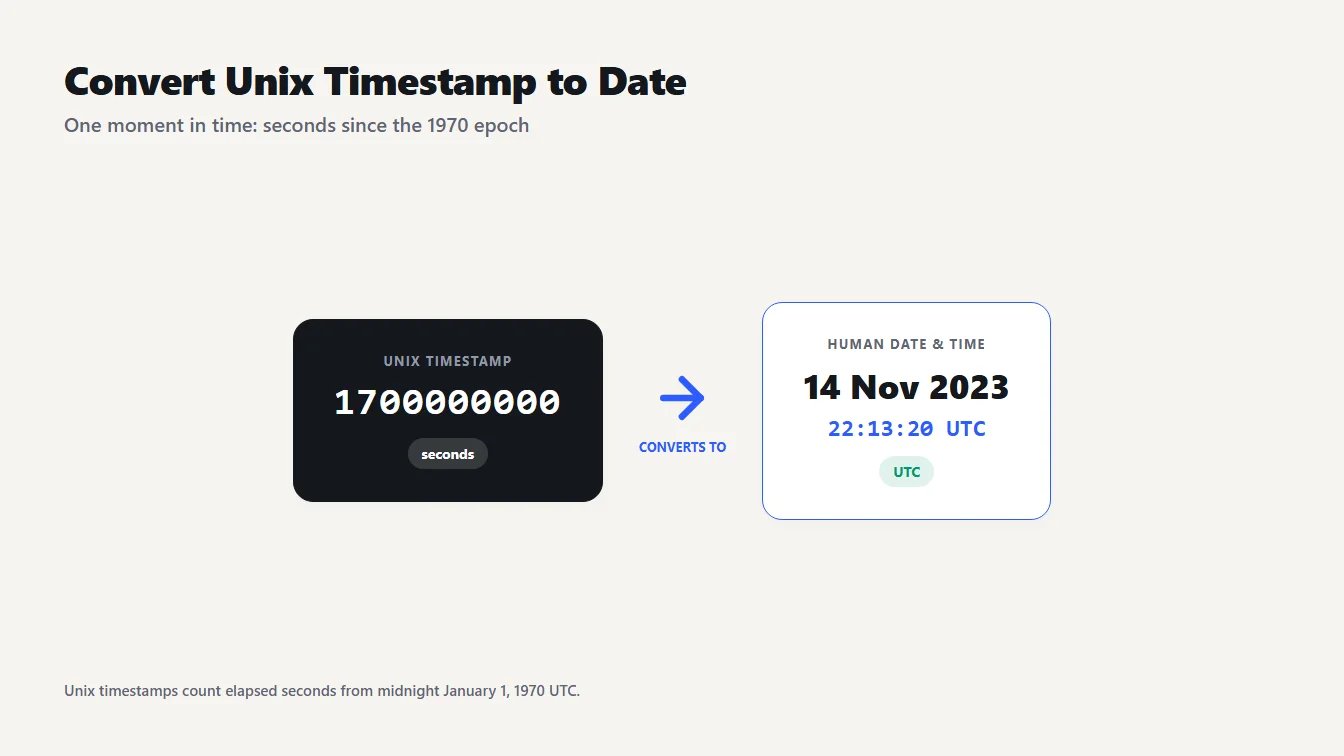
A tile reading 1700000000 beside a calendar card showing November 14, 2023 at 22:13:20 UTC, illustrating how to convert a Unix timestamp to a date.
You find 1700000000 in a log file and need to know when it happened. To convert Unix timestamp to date values like this one, decide whether the number counts seconds or milliseconds, then count that many from midnight UTC on January 1, 1970. Here 1700000000 seconds is November 14, 2023 at 22:13:20 UTC.
The quickest route is the Unix Timestamp & Epoch Converter. Below you'll see how to tell seconds from milliseconds, how to convert in code, why a timestamp has no time zone, and what really happens in 2038.
Convert a Unix timestamp to a date in three steps
- Count the digits. About 10 digits means seconds. About 13 means milliseconds. 1700000000 has 10, and 1700000000000 has 13.
- Paste it into the Unix Timestamp & Epoch Converter. It detects the unit for you and prints the UTC time, the ISO 8601 string and your local time.
- Check the zone. The UTC line is the same everywhere. The local line depends on your computer's time zone.
Both of those example numbers are the same moment, because the second is the first multiplied by 1000. They convert to 2023-11-14T22:13:20Z, which is 5:13:20 PM in New York and 7:13:20 AM on November 15 in Tokyo.
Doing the arithmetic yourself
You can convert Unix timestamp to date by hand, and it shows what the number really means. A day has 86,400 seconds, so divide: 1,700,000,000 ÷ 86,400 is 19,675.9. That is 19,675 whole days after January 1, 1970, which lands on November 14, 2023. The leftover 0.9 of a day is 80,000 seconds, which is 22 hours, 13 minutes and 20 seconds. Put together: November 14, 2023 at 22:13:20 UTC.
What a Unix timestamp actually counts
A Unix timestamp is the number of seconds since the epoch: 00:00:00 UTC on January 1, 1970. That makes 0 the epoch itself and 86400 exactly one day later, January 2. Moments before 1970 use negative numbers, so -1 is 23:59:59 on December 31, 1969.
One detail surprises people. POSIX, the standard behind Unix time, states that each and every day is accounted for by exactly 86400 seconds. Leap seconds are not counted, and MDN notes that JavaScript's date functions ignore them too. The two seconds on either side of midnight on New Year's Eve 2016 show it: 2016-12-31T23:59:59Z is 1483228799 and 2017-01-01T00:00:00Z is 1483228800, consecutive numbers.
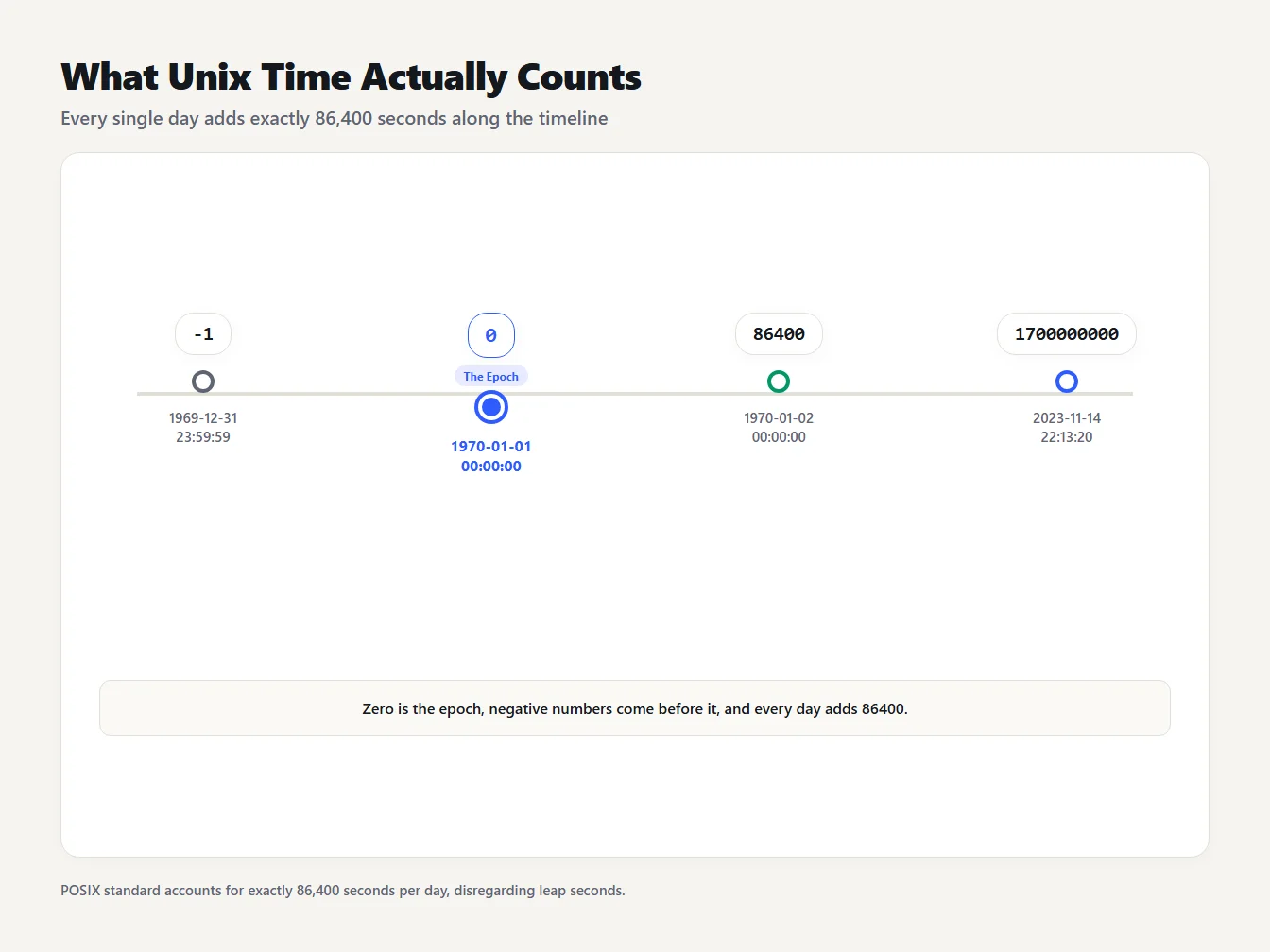
A timeline of four Unix timestamps: -1 is 1969-12-31 23:59:59, 0 is the 1970 epoch, 86400 is one day later, and 1700000000 is 2023-11-14 22:13:20, all in UTC.
Seconds or milliseconds? A digit-count rule
Classic Unix time counts seconds. JavaScript, Java and many web APIs count milliseconds, which is the same instant multiplied by 1000. Because the two differ by exactly three digits, you can usually tell them apart by length:
| Digits | Unit | Dates covered |
|---|---|---|
| 10 | Seconds | 2001-09-09 to 2286-11-20 |
| 13 | Milliseconds | 2001-09-09 to 2286-11-20 |
The converter applies a size rule that matches this: any value of 100 billion or more (12 or more whole digits) is milliseconds, and anything smaller is seconds. It also accepts decimals, so 1700000000.5, the kind of value Python's time.time() returns, reads as 22:13:20.5 UTC.
Every digit rule has blind spots, and it is better to know them. Milliseconds before March 3, 1973 have fewer than 12 digits. So 86400000, one day after the epoch in milliseconds, looks like seconds and converts to 1972 instead of January 2, 1970. At the other end, a seconds value of 100 billion or more is a date in the year 5138 or later, which no real log contains. For anything from 1973 to 5138, the digit count is reliable.
If the number comes from a JSON Web Token, it is always seconds. RFC 7519 defines the date format for claims such as exp and iat as the number of seconds since 1970-01-01T00:00:00Z UTC, ignoring leap seconds. A token that expires at 1700000000 expires on November 14, 2023, not in 1970.
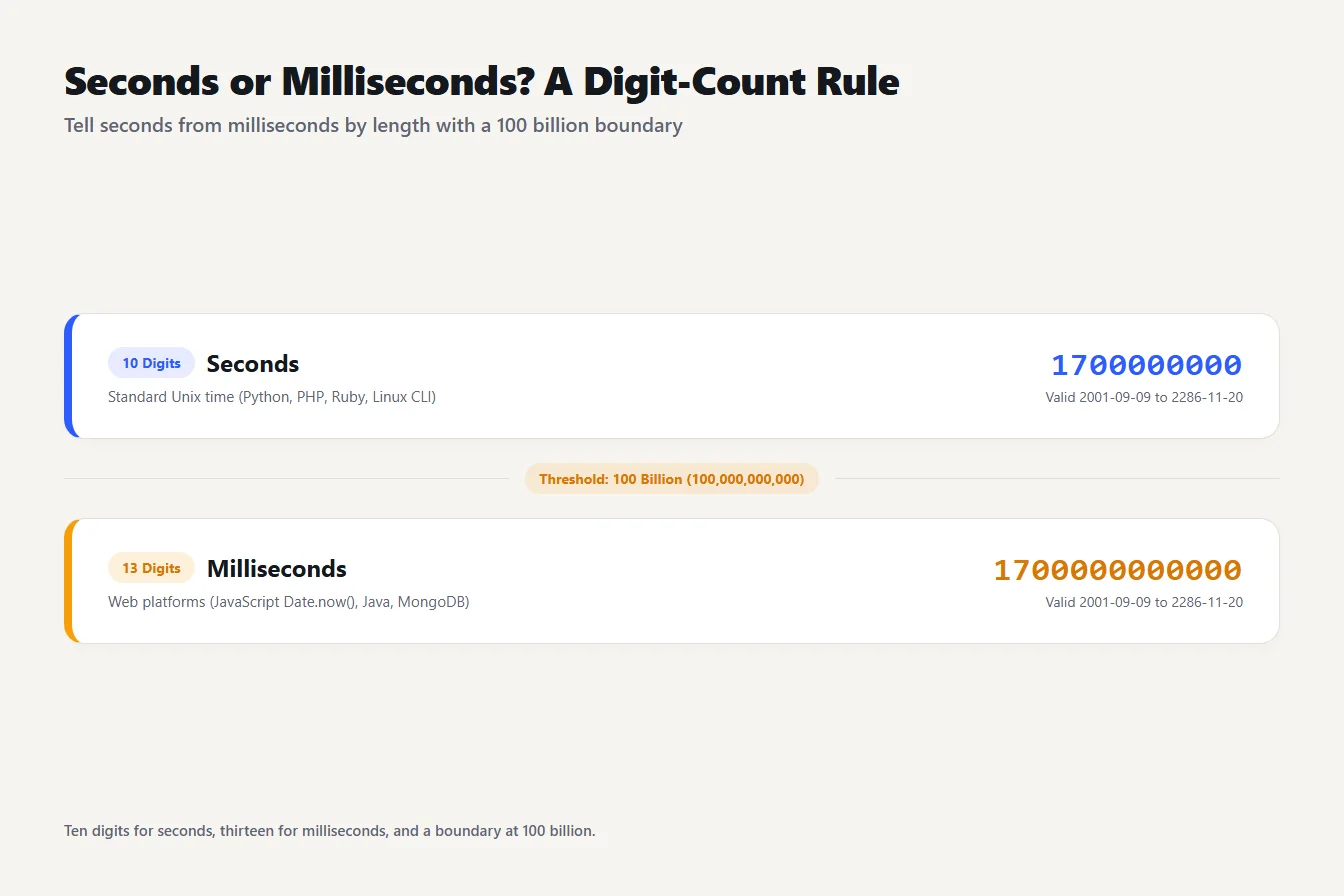
Compares a 10 digit Unix timestamp in seconds with a 13 digit timestamp in milliseconds, and marks the 100 billion boundary the converter uses to tell them apart.
The 1970 bug: seconds passed to a milliseconds API
If you see a date in January 1970, a timestamp in seconds went into something that expects milliseconds. JavaScript's Date constructor is the classic case. new Date(1700000000) treats the number as milliseconds, which is only 19 days after the epoch, and returns 1970-01-20T16:13:20Z.
The fix is to multiply by 1000: new Date(1700000000 * 1000). Going the other way, divide and round down, as in Math.floor(Date.now() / 1000), to get the current time in seconds. A date near 1970 almost always means a missing * 1000.
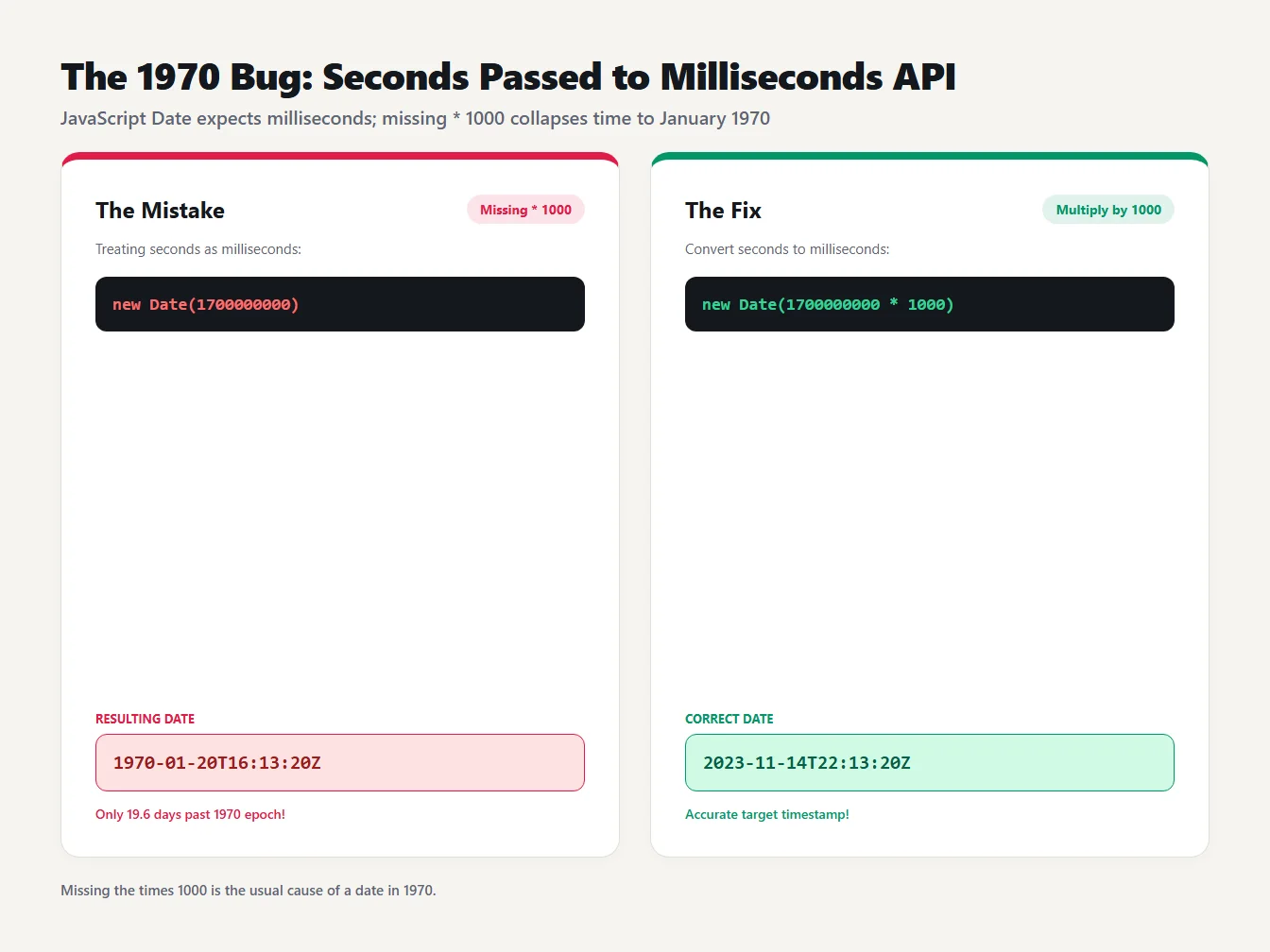
new Date(1700000000) returns a date in January 1970 because the number is read as milliseconds, while new Date(1700000000 * 1000) returns the correct 2023 date.
Convert a Unix timestamp to a date in code
To convert Unix timestamp to date values in code, here are four ways. I ran each one on 1700000000.
// JavaScript
new Date(1700000000 * 1000).toISOString()   // 2023-11-14T22:13:20.000Z
# Python
from datetime import datetime, timezone
datetime.fromtimestamp(1700000000, tz=timezone.utc).isoformat()   # 2023-11-14T22:13:20+00:00
# PowerShell
[DateTimeOffset]::FromUnixTimeSeconds(1700000000).ToString('yyyy-MM-ddTHH:mm:ssZ')   # 2023-11-14T22:13:20Z
# GNU date on Linux, macOS with GNU coreutils, or Git Bash
date -u -d @1700000000 '+%Y-%m-%dT%H:%M:%SZ'   # 2023-11-14T22:13:20Z
Notice the tz=timezone.utc in the Python line. Without it Python converts to your local time zone, which is a common source of off-by-hours bugs. In .NET, FromUnixTimeSeconds accepts values from -62,135,596,800 up to 253,402,300,799, which is the span from year 1 to the end of year 9999. If the timestamps come from an API response, the JSON Formatter makes it easy to spot which field holds the number.
A timestamp has no time zone
A Unix timestamp marks one exact moment. It carries no zone, so the clock time you see depends only on where you display it. The same 1700000000 reads like this:
| Where | Local time |
|---|---|
| UTC | Nov 14, 2023, 10:13:20 PM |
| London | Nov 14, 2023, 10:13:20 PM GMT |
| New York | Nov 14, 2023, 5:13:20 PM EST |
| Tokyo | Nov 15, 2023, 7:13:20 AM |
Tokyo is already on the next calendar day. That is why logs, databases and APIs usually keep timestamps in UTC and convert to a zone only when a person reads them. If two people look at the same timestamp and disagree about the date, they are almost certainly looking at different zones.
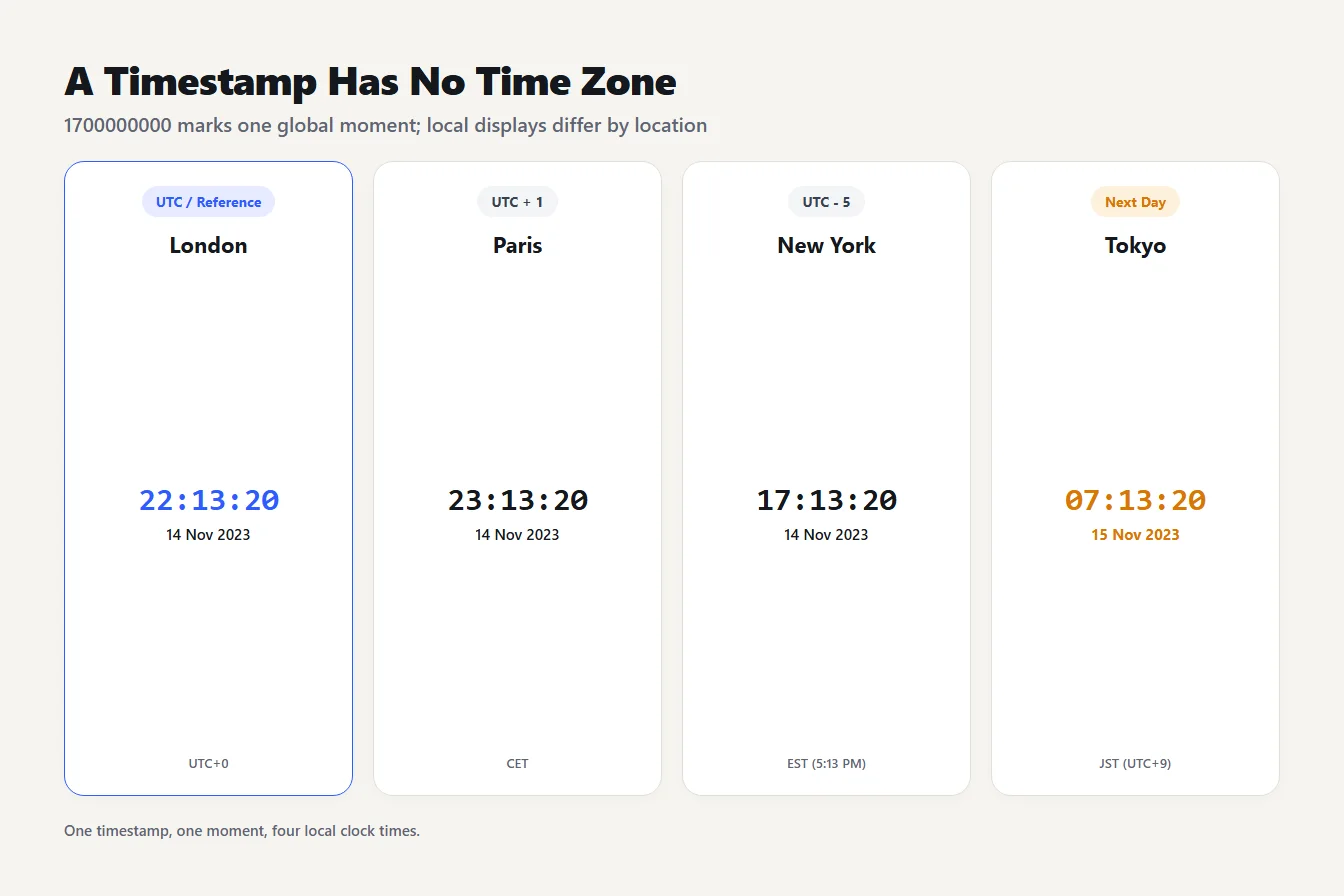
Four city cards show 1700000000 as 22:13:20 in London (UTC), 23:13:20 in Paris, 17:13:20 in New York, and 07:13:20 on the next day in Tokyo.
The year 2038 problem, exactly
Many older systems store Unix time in a signed 32-bit integer, whose largest value is 2,147,483,647. That number of seconds after the epoch is 2038-01-19 03:14:07 UTC. One second later the counter wraps around to -2,147,483,648, which a 32-bit system reads as 1901-12-13 20:45:52 UTC.
The cause is the width of the integer, not Unix time itself. A signed 64-bit count of seconds lasts about 292 billion years, so systems that use one are safe. JavaScript works differently again. A Date holds milliseconds and, per MDN, runs until September 13 in the year 275760, after which it becomes an Invalid Date. If you maintain old embedded devices, file formats or databases with 32-bit time columns, 2038 is the deadline worth checking.
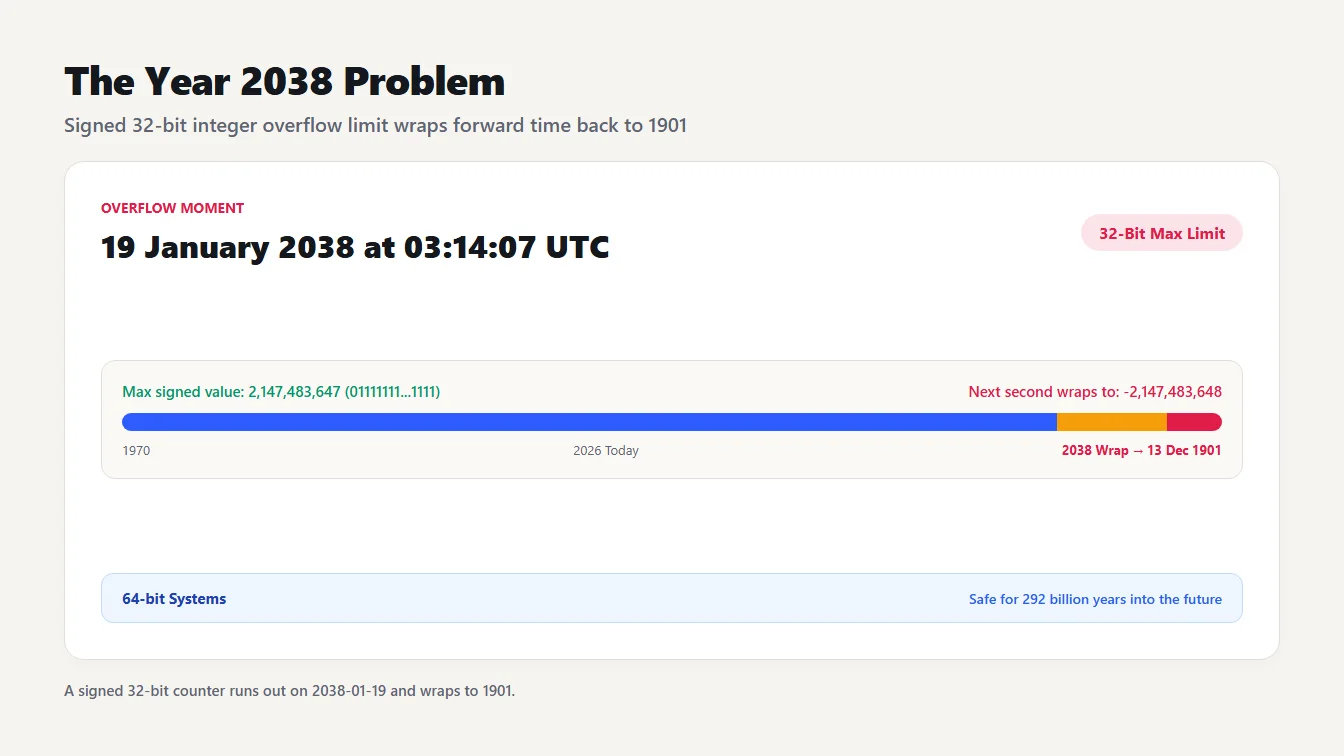
A bar shows the signed 32 bit maximum, 2,147,483,647, reached at 03:14:07 UTC on 19 January 2038, with the next second wrapping to -2,147,483,648, which is 13 December 1901. Systems with 64 bit time are safe for about 292 billion years.
Mistakes that give the wrong date
Most wrong dates come from one of five slips:
- Mixing units. Seconds in a milliseconds field gives 1970, and milliseconds in a seconds field gives a date thousands of years away.
- Forgetting the zone. The same timestamp is a different day in Tokyo and New York.
- Rounding the wrong way. Dividing milliseconds by 1000 should round down, as
Math.floordoes, so 1700000000999 stays at second 1700000000. - Using 32-bit storage. It works until 2038, and then it doesn't.
- Assuming leap seconds exist. Unix time pretends every day has 86400 seconds, so don't add one yourself.
Frequently asked questions
How do I convert a Unix timestamp to a date?
Check whether the number is in seconds (about 10 digits) or milliseconds (about 13 digits), then count that many from 1970-01-01 00:00:00 UTC. The timestamp 1700000000 is 2023-11-14 22:13:20 UTC. The Unix Timestamp and Epoch Converter does the counting and shows UTC and your local time.
Is a Unix timestamp in seconds or milliseconds?
Classic Unix time is in seconds and has 10 digits today. JavaScript and Java use milliseconds, which have 13 digits. Our converter treats any value of 100 billion or more as milliseconds and anything smaller, including values with decimals, as seconds.
What is the Unix timestamp for January 1, 1970?
Zero. The timestamp 0 is 1970-01-01 00:00:00 UTC, the Unix epoch. Moments before that use negative numbers, so -1 is 1969-12-31 23:59:59 UTC.
What happens to Unix time on January 19, 2038?
Systems that store seconds in a signed 32-bit integer overflow at 2147483647, which is 2038-01-19 03:14:07 UTC. The next second wraps to a date in 1901. Systems that use 64-bit integers are not affected.
Does a Unix timestamp include a time zone?
No. A Unix timestamp marks one exact moment in UTC. The date and time you see depends on the zone you display it in. For example, 1700000000 reads as 5:13:20 PM in New York and 7:13:20 AM the next day in Tokyo.
Check your own timestamp
The next time you need to convert Unix timestamp to date values, paste the number into the Unix Timestamp & Epoch Converter and read the UTC line first. If the date lands in 1970, multiply by 1000. If it lands thousands of years away, divide.