How to Convert JSON to CSV: Steps, Code and Common Pitfalls
How to convert JSON to CSV with a free converter, JavaScript or Python, how nested objects, big IDs and Excel behave, tested on one real example.
By TheTextKit TeamPublished
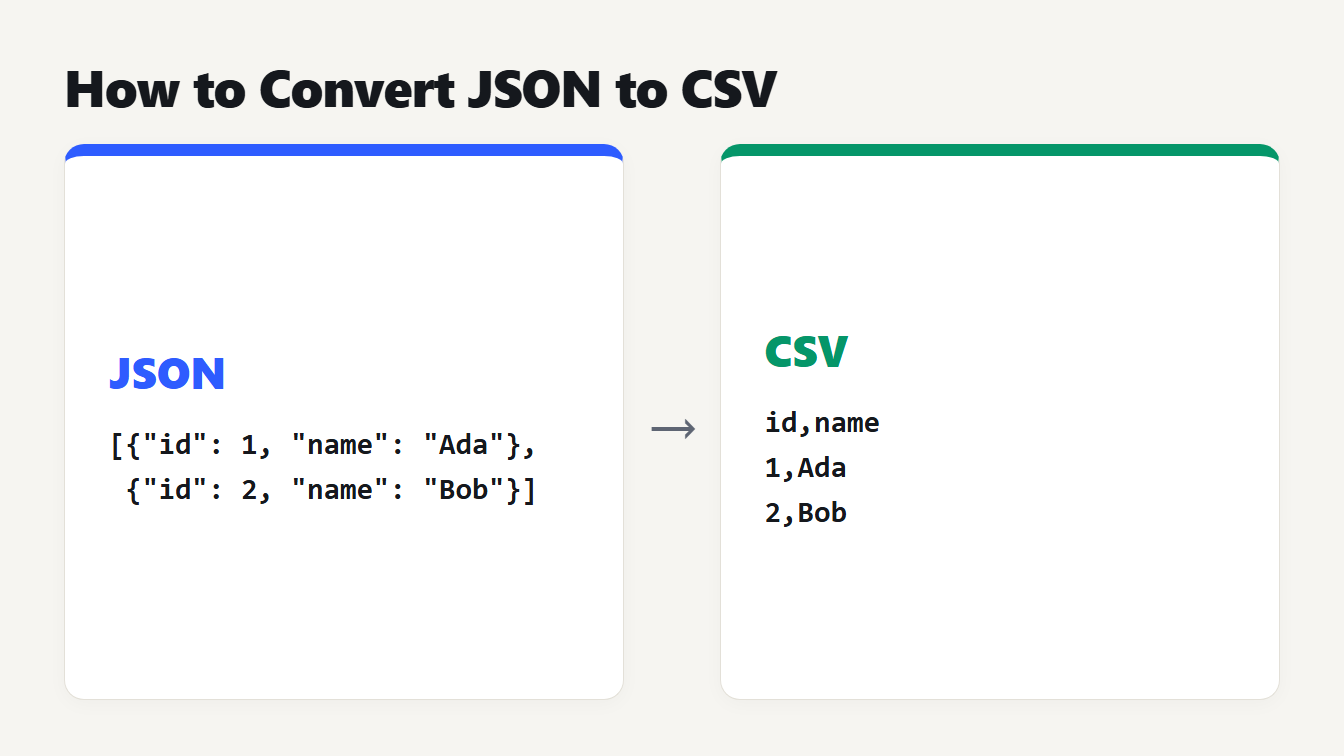
Two cards show a small JSON array with the keys id and name on the left and the CSV it becomes on the right: a header line id,name and a row for each object.
Here is how to convert JSON to CSV: start with a JSON array of objects. The keys become the header row, each object becomes one row, and any value that contains a comma, a double quote or a line break gets wrapped in double quotes. For a quick job, paste the JSON into a converter. For a repeatable one, a short script in JavaScript or Python does the same thing. The hard part is not the format. It is nested objects, arrays, missing keys, long numbers and what your spreadsheet does with the file. This guide runs each method on one example and shows exactly what comes out.
How to convert JSON to CSV in three steps
- Check the shape. You need an array of objects, like
[{"id": 1}, {"id": 2}], or a single object for one row. Run the JSON through the JSON Formatter first if you are not sure it is valid. - Decide what happens to nested data. A CSV cell holds one value, so an object inside an object has to be flattened into extra columns, or kept as JSON text in one cell.
- Convert, then check the result. Open the file where it will be used and look at the first three rows, a row with a missing field and any row with a comma or a quote in it.
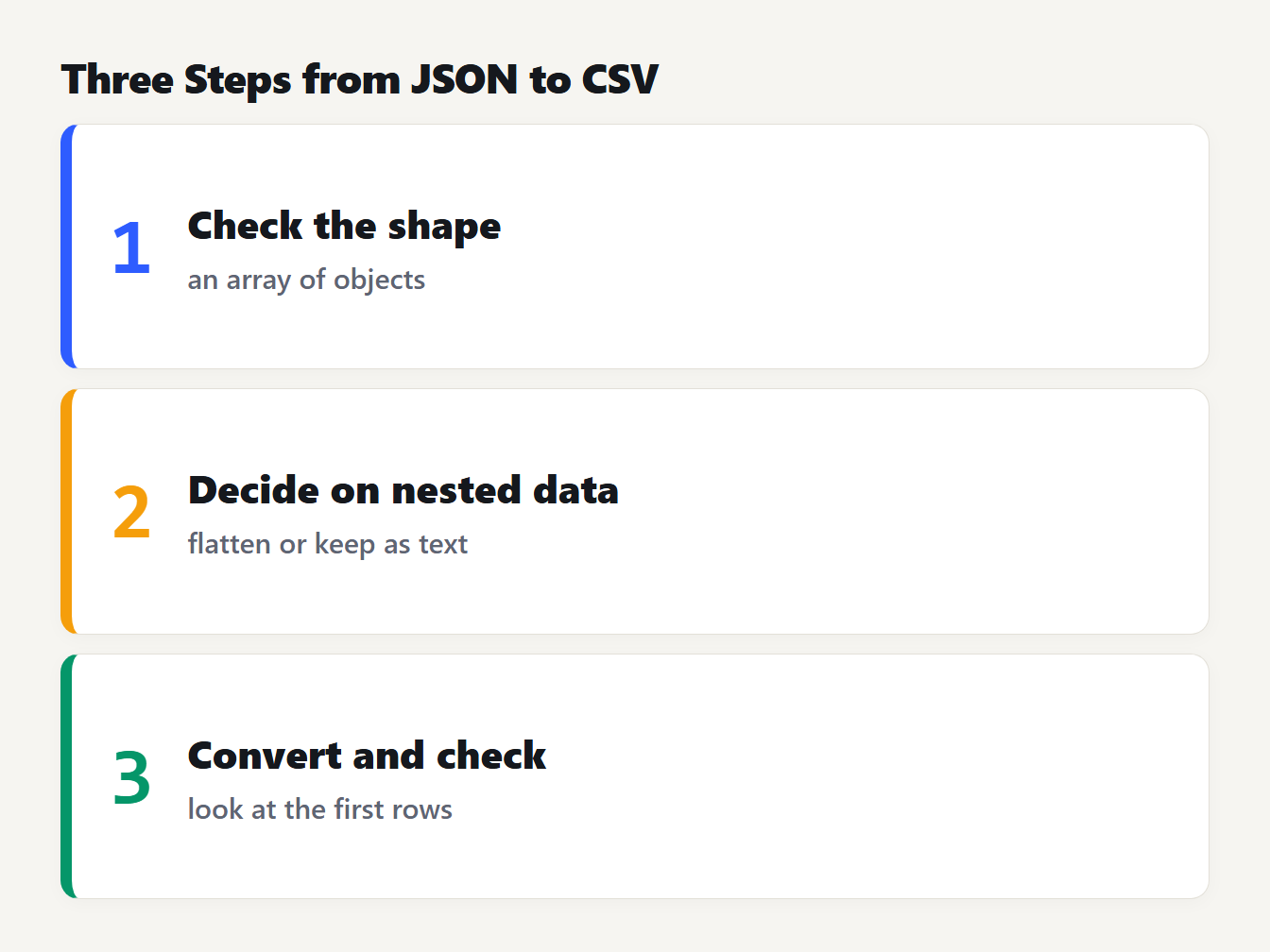
Three numbered cards: 1 check that the JSON is an array of objects, 2 choose how to flatten nested data, 3 convert and check the first rows.
Example: JSON in, CSV out
Here is how to convert JSON to CSV for a typical API response. We used a small list of users with a nested address, a list of tags, a missing email, a missing field and a quote inside a name:
[
  {"id": 101, "name": "Ada Lovelace", "email": "ada@example.com", "address": {"city": "London", "zip": "00510"}, "tags": ["admin", "beta"], "active": true},
  {"id": 102, "name": "Grace \"Amazing\" Hopper", "email": null, "address": {"city": "New York, NY", "zip": "10001"}, "tags": [], "active": false, "note": "line one\nline two"},
  {"id": 103, "name": "Linus", "address": {"city": "Helsinki"}, "tags": ["dev"], "active": true}
]
The JSON to CSV converter turned it into 8 columns and 4 rows, counting the header:
id,name,email,address.city,address.zip,tags,active,note
101,Ada Lovelace,ada@example.com,London,00510,"[""admin"",""beta""]",true,
102,"Grace ""Amazing"" Hopper",,"New York, NY",10001,[],false,"line one
line two"
103,Linus,,Helsinki,,"[""dev""]",true,
Look at what happened. The union of all keys gave 8 columns, even though no single object has all of them. Missing values are empty cells. The name with quotes has its quotes doubled, the city with a comma is quoted, and the note with a line break is quoted so that it stays one cell. These are the quoting rules in RFC 4180, the 2005 informational memo that most CSV writers follow. It also says records end with a CRLF line break and that the header line is optional. Our tool writes a plain line break, which Python's csv module reads without trouble.
How to convert nested JSON to CSV
A nested object is the most common reason a conversion looks wrong. You have two choices. Flattening writes address.city and address.zip as separate columns, as in the output above. Keeping it whole writes {"city":"London","zip":"00510"} into one cell. Flattening is usually what you want for a spreadsheet. The pandas documentation describes the same dotted naming for json_normalize.
Arrays have no single right answer. Our converter and the others below keep an array as text in one cell. If you need one row per array item, you must expand the array yourself, for example with record_path in pandas, and repeat the parent fields on each row.
Here is what four methods did with the same three records:
| Method | Nested object | List | Boolean |
|---|---|---|---|
| JSON to CSV converter | Columns address.city | ["admin","beta"] | true |
| Plain JavaScript | One cell of JSON text | ["admin","beta"] | true |
Python csv.DictWriter | {'city': 'London'} | ['admin', 'beta'] | True |
pandas json_normalize | Columns address.city | ['admin', 'beta'] | True |
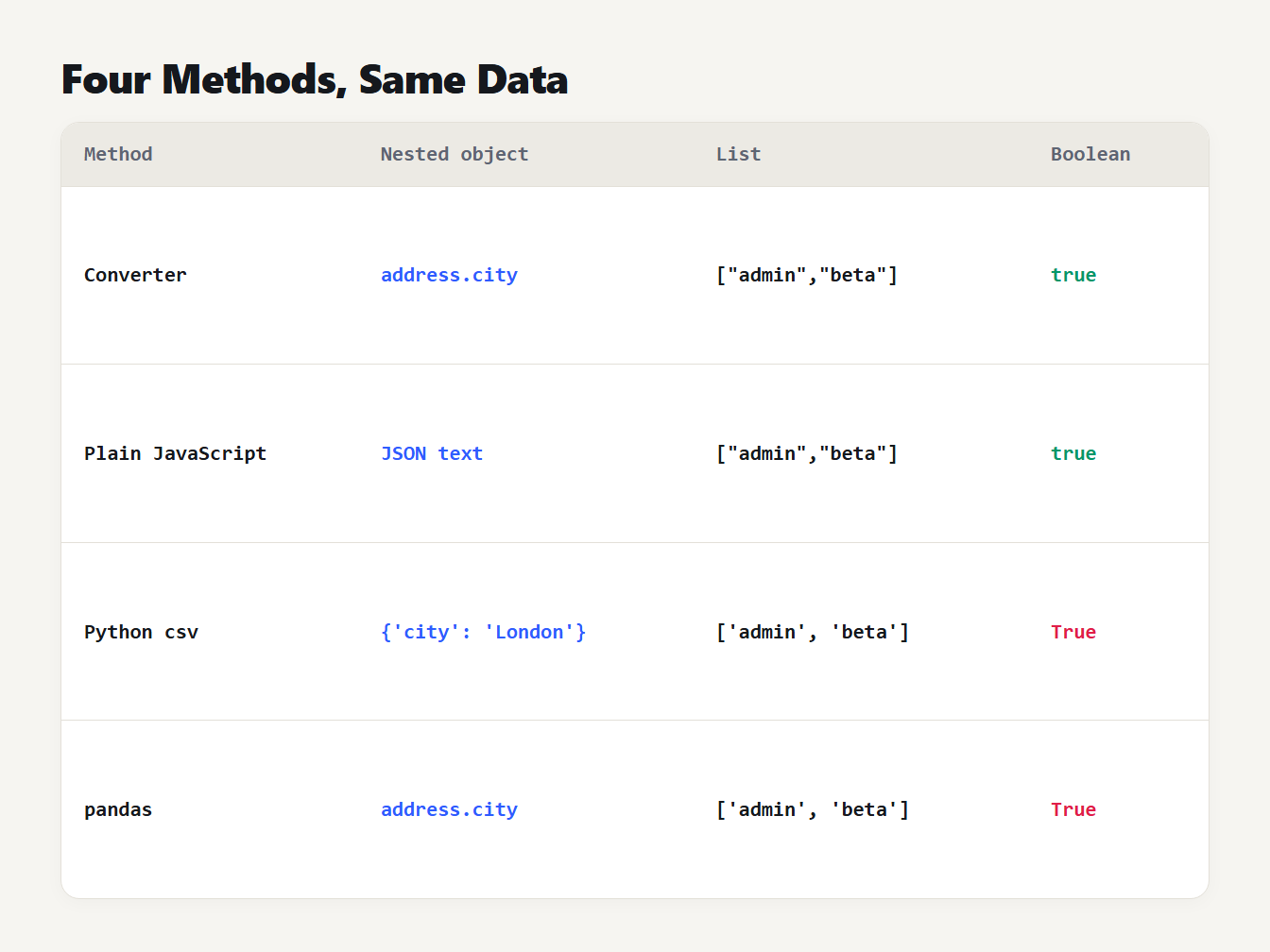
A table of four methods and how each writes the same data. The converter and pandas make address.city columns. Plain JavaScript writes JSON text. Python csv and pandas write Python-style lists and True for booleans.
The last two rows matter. Python's csv module calls str() on anything it does not know, so a dictionary is written with single quotes and a boolean as True. That is Python notation, not JSON, so a program that reads the cell as JSON will fail. If you need valid JSON in a cell, convert it first with json.dumps.
Convert JSON to CSV in JavaScript
This function needs no library. It builds the header from the union of keys, writes null and missing values as empty cells, and quotes only the fields that need it:
function jsonToCsv(rows) {
  const headers = [...new Set(rows.flatMap((r) => Object.keys(r)))]
  const esc = (v) => {
    const s = v === null || v === undefined ? "" : typeof v === "object" ? JSON.stringify(v) : String(v)
    return /[",\n\r]/.test(s) ? '"' + s.replaceAll('"', '""') + '"' : s
  }
  return [headers.join(","), ...rows.map((r) => headers.map((h) => esc(r[h])).join(","))].join("\r\n")
}
We ran it on the three records. The result matched our converter's output with flattening switched off, cell for cell. It does not flatten, so address stays one cell. It also does not quote header names, so use the converter if your keys contain commas.
Convert JSON to CSV in Python
The standard library is enough for flat data:
import csv, json

rows = json.load(open("data.json", encoding="utf-8"))
headers = list(dict.fromkeys(k for r in rows for k in r))
with open("out.csv", "w", newline="", encoding="utf-8") as f:
    w = csv.DictWriter(f, fieldnames=headers, restval="")
    w.writeheader()
    w.writerows(rows)
For nested data, pandas flattens for you:
import json, pandas as pd

rows = json.load(open("data.json", encoding="utf-8"))
pd.json_normalize(rows).to_csv("out.csv", index=False)
We ran both with pandas 3.0.6. Besides the Python-style text above, pandas reordered the columns. In the JSON, address comes fourth. In the pandas output address.city and address.zip come after active. It also changed numbers. When we removed the id from the first record, pandas wrote the other ids as 102.0 and 103.0. A column of integers with one missing value becomes decimals. Check integer columns after any pandas conversion.
Problems to check before you open the file
Long numbers lose digits. JavaScript numbers are exact only up to 9,007,199,254,740,991, which MDN documents as Number.MAX_SAFE_INTEGER. We parsed {"id":12345678901234567890} with JSON.parse and got 12345678901234567000. IDs from some APIs are this long, and the conversion changes them without any warning. Our converter keeps the exact digits in a browser that lets a page read the original text of a number, which worked in Chrome. In another browser it rounds like JSON.parse. The safest fix is to send IDs as strings in the JSON.
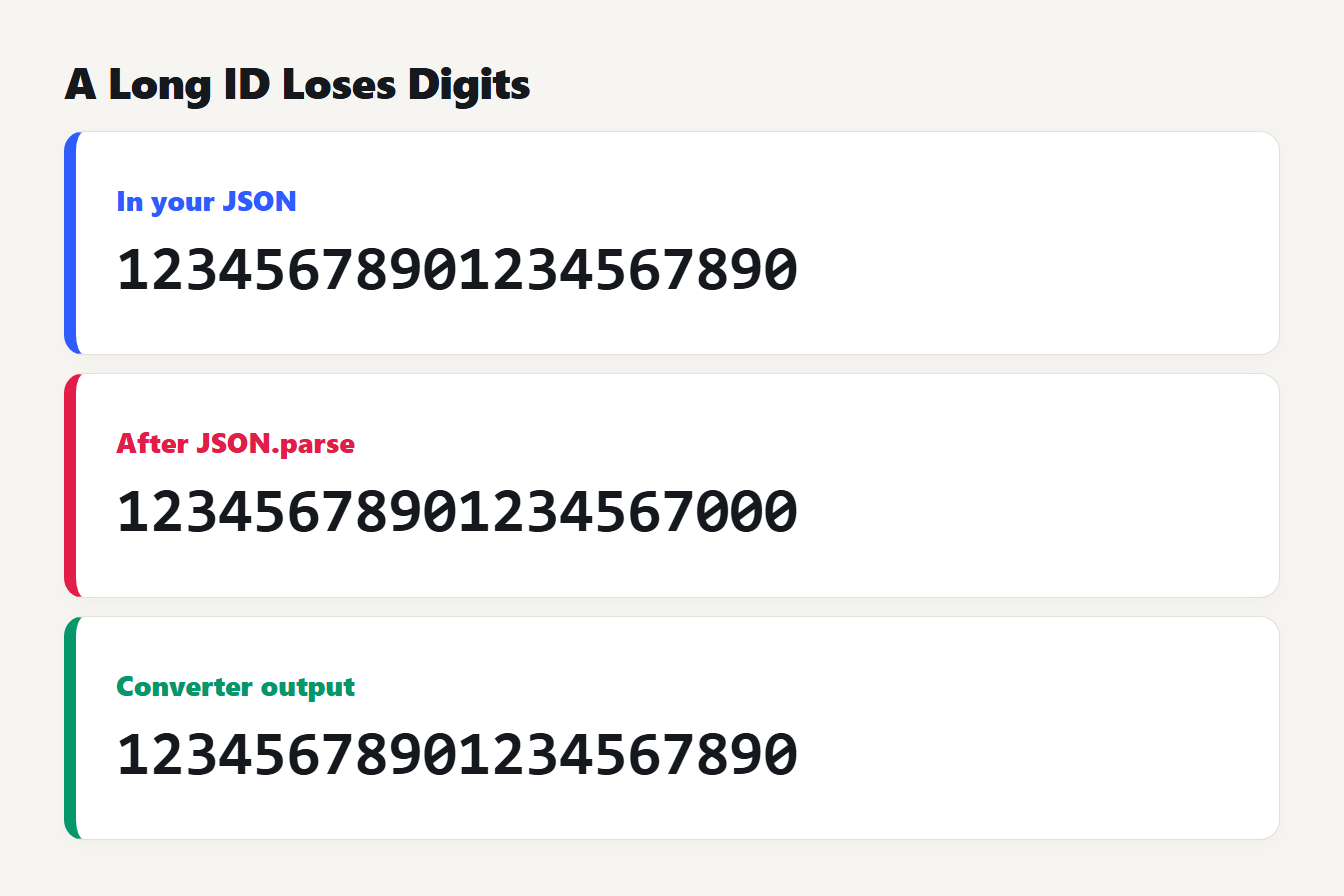
Three rows show one ID. In your JSON it is 12345678901234567890. After JSON.parse it is 12345678901234567000. In the converter output it is 12345678901234567890.
Excel changes values on open. Microsoft's guidance on CSV files says that Excel opening a .csv applies its default data format to each column. Importing the file instead lets you convert a column with leading zeros to text. So the zip code 00510 can open as 510. Import the file and set that column to text. The same page says Excel's default list separator is a comma but can be changed in regional settings, which is why a file can open in a single column. Pick a semicolon or tab in the converter if that happens.
Cells that start with a formula character. OWASP warns that a cell starting with =, +, - or @ can be run as a formula by spreadsheet software. If the JSON comes from users, check those cells before you share the file. Our converter writes values unchanged, so it does not add that protection.
Null and an empty string look the same. Both become an empty cell. We checked: {"a":null,"b":""} gives a,b and then a single comma.
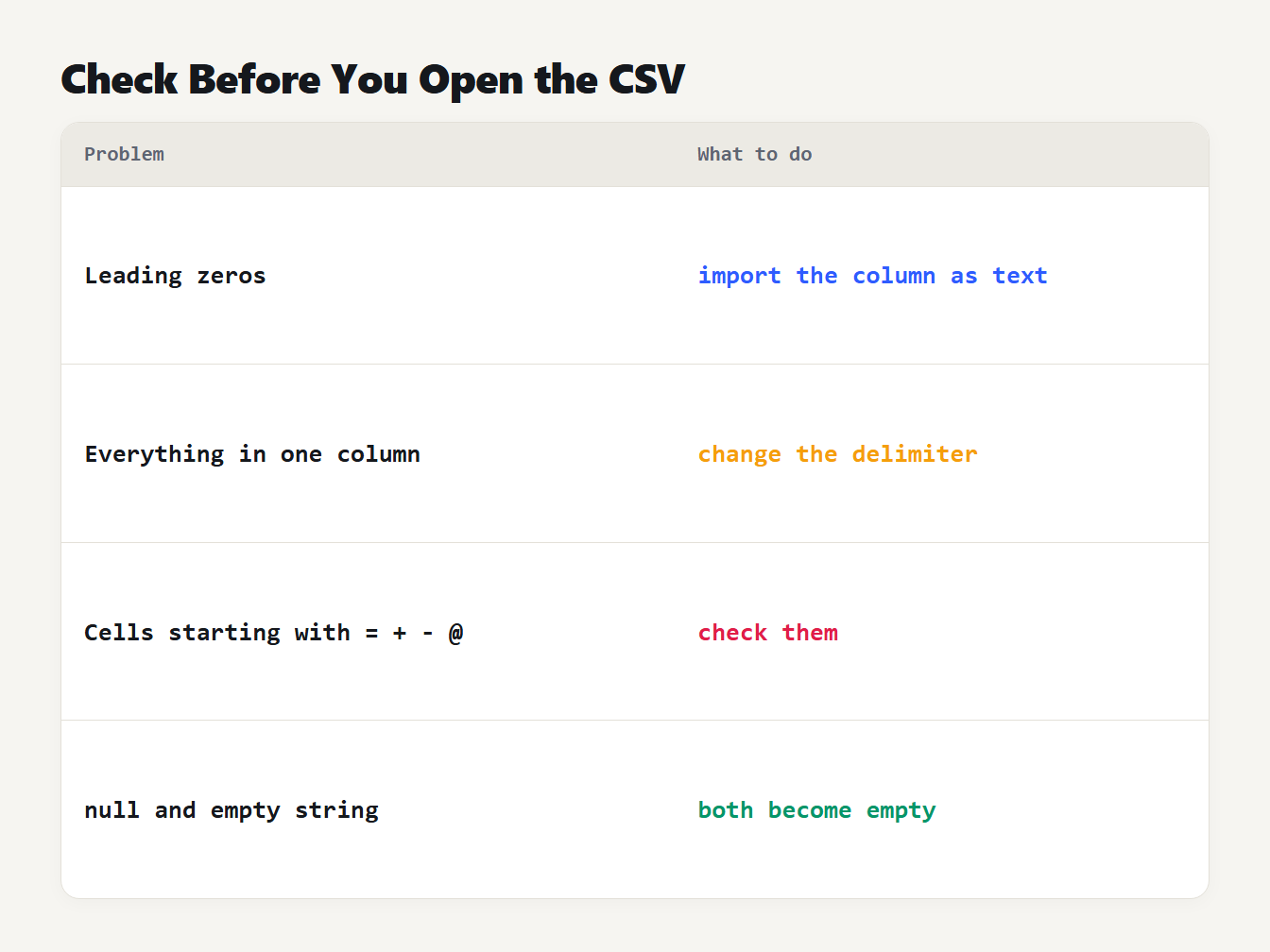
Four problems and their fixes. Leading zeros: import the column as text. Everything in one column: change the delimiter. Cells starting with an equals, plus, minus or at sign: check them. Null and empty string: both become empty.
Convert JSON to CSV with the free converter
Paste your JSON into the JSON to CSV converter. It accepts an array of objects or one object, builds the headers from every key, and runs in your browser, so the data is not uploaded. Choose a comma, semicolon, tab or pipe delimiter, and decide whether nested objects are flattened into dotted columns.
When you need the opposite direction, the CSV to JSON converter reads a delimited file and handles quoted fields, a byte order mark, blank lines and repeated headers. Remember that it returns every value as text. A CSV has no types, so 101 and true come back as "101" and "true", and you convert them in your own code.
Frequently asked questions
How do I convert JSON to CSV?
Make sure the JSON is an array of objects, then paste it into a JSON to CSV converter or run a few lines of JavaScript or Python. The object keys become the header row and each object becomes one row. Fields that contain a comma, a quote or a line break are wrapped in double quotes.
How do I convert nested JSON to CSV?
Flatten it first. A nested object such as address with a city key becomes a column named address.city, which is what pandas json_normalize and our converter do. Arrays are harder: keep them as JSON text in one cell, or write one row per item.
Why did my zip codes and long IDs change in the spreadsheet?
Two different causes. Excel turns 00510 into 510 when it opens a CSV directly, so import the column as text. And JSON.parse rounds integers above 9,007,199,254,740,991, so 12345678901234567890 becomes 12345678901234567000 unless the tool keeps the original digits.
Why does my CSV open in a single column?
The file uses a different separator from the one your spreadsheet expects. Excel reads the separator from your regional settings. Convert again with a semicolon or tab delimiter, or change the setting.
Can I convert the CSV back to JSON?
Yes, but every value comes back as text, because a CSV has no types. The number 101 and the boolean true return as the strings "101" and "true". Null and an empty string both become an empty cell, so they cannot be told apart.
Convert your JSON now
Now that you know how to convert JSON to CSV, take the file you have and run it through the JSON to CSV converter. Then look at the three things from the example: the flattened columns, the quoted cells and any long IDs. If you also keep settings files, our guide to JSON vs YAML explains the other conversion people ask about.