How to Format XML and Fix Well-Formedness Errors
Learn how to format XML and fix well-formedness errors: unclosed tags, nbsp, bad attributes. Tested against libxml2 on 42,145 documents.
By TheTextKit TeamPublished
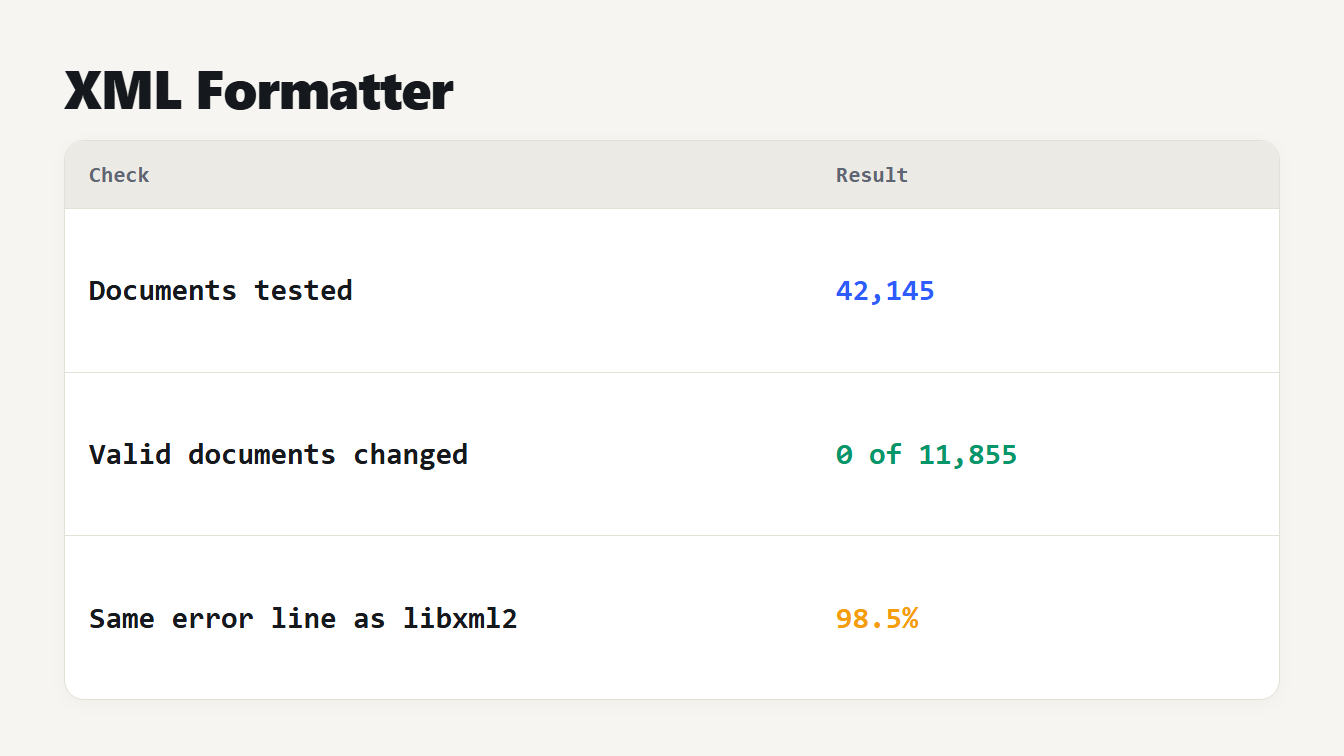
A table of three results for the XML formatter on 42,145 test documents. All 11,855 valid documents kept exactly the same content after formatting. The reported error line matched libxml2 for 98.5% of the broken documents.
To format XML, paste it into a formatter and put each nested element on its own line, indented one level deeper than its parent. Only the whitespace between elements should change. The text inside elements, the attribute values, the comments and the CDATA sections must come out exactly as they went in, because in XML that text is data.
If the document has a syntax error, the formatter can't read it, and the useful part is the message: a line, a column and what to fix. This guide shows how to format XML, what formatting must not touch, the errors you will meet most often, and how we tested our XML formatter on 42,145 documents.
How to format XML
- Open the XML Formatter and Validator.
- Paste your XML.
- Choose Format, and pick 2 spaces, 4 spaces or a tab.
- Copy the result, or download it as a
.xmlfile.
Here is a document as it often arrives, with the elements run together:
<?xml version="1.0" encoding="UTF-8"?>
<catalog xmlns:dc="http://purl.org/dc/elements/1.1/"><!-- two books -->
<book id="b1" lang="en"><dc:title>Learning XML</dc:title><price currency="USD">29.99</price>
<note>Great for <em>beginners</em> & experts.</note></book>
<book id="b2"><dc:title>XML in a Nutshell</dc:title><price currency="USD">39.95</price><stock/></book>
</catalog>
And after the formatter, with two spaces:
<?xml version="1.0" encoding="UTF-8"?>
<catalog xmlns:dc="http://purl.org/dc/elements/1.1/">
<!-- two books -->
<book id="b1" lang="en">
<dc:title>Learning XML</dc:title>
<price currency="USD">29.99</price>
<note>Great for <em>beginners</em> & experts.</note>
</book>
<book id="b2">
<dc:title>XML in a Nutshell</dc:title>
<price currency="USD">39.95</price>
<stock/>
</book>
</catalog>
Look at the note element. It holds text and an em tag together, so the formatter left it on one line exactly as written. Choosing Minify does the opposite: it removes the whitespace between elements and gives one line. You can also remove comments in either mode, and you don't need an account.
What formatting may and may not change
Whitespace in XML is not decoration. The XML 1.0 specification says in section 2.10 that a processor must always pass all the characters that are not markup through to the application. It's the application that decides whether a space matters. The spec also defines an xml:space attribute: the value preserve signals the intent that applications keep all the white space.
So a safe formatter changes as little as possible, and it follows three rules.
- It re-indents an element only when the element holds nothing but other elements, comments and processing instructions, plus blank lines. Those blank lines carry no data.
- It leaves an element that mixes text and tags, like a paragraph with a bold word, exactly as typed. Adding a line break there would add a character to the text.
- It leaves everything inside an element marked
xml:space="preserve"alone.
| Part of the document | What formatting does |
|---|---|
| Whitespace between elements | Re-indented |
| Spaces inside a tag, between attributes | Reduced to one space |
| Text inside elements | Never changed |
| Attribute values | Never changed |
| Comments, CDATA and processing instructions | Never changed |
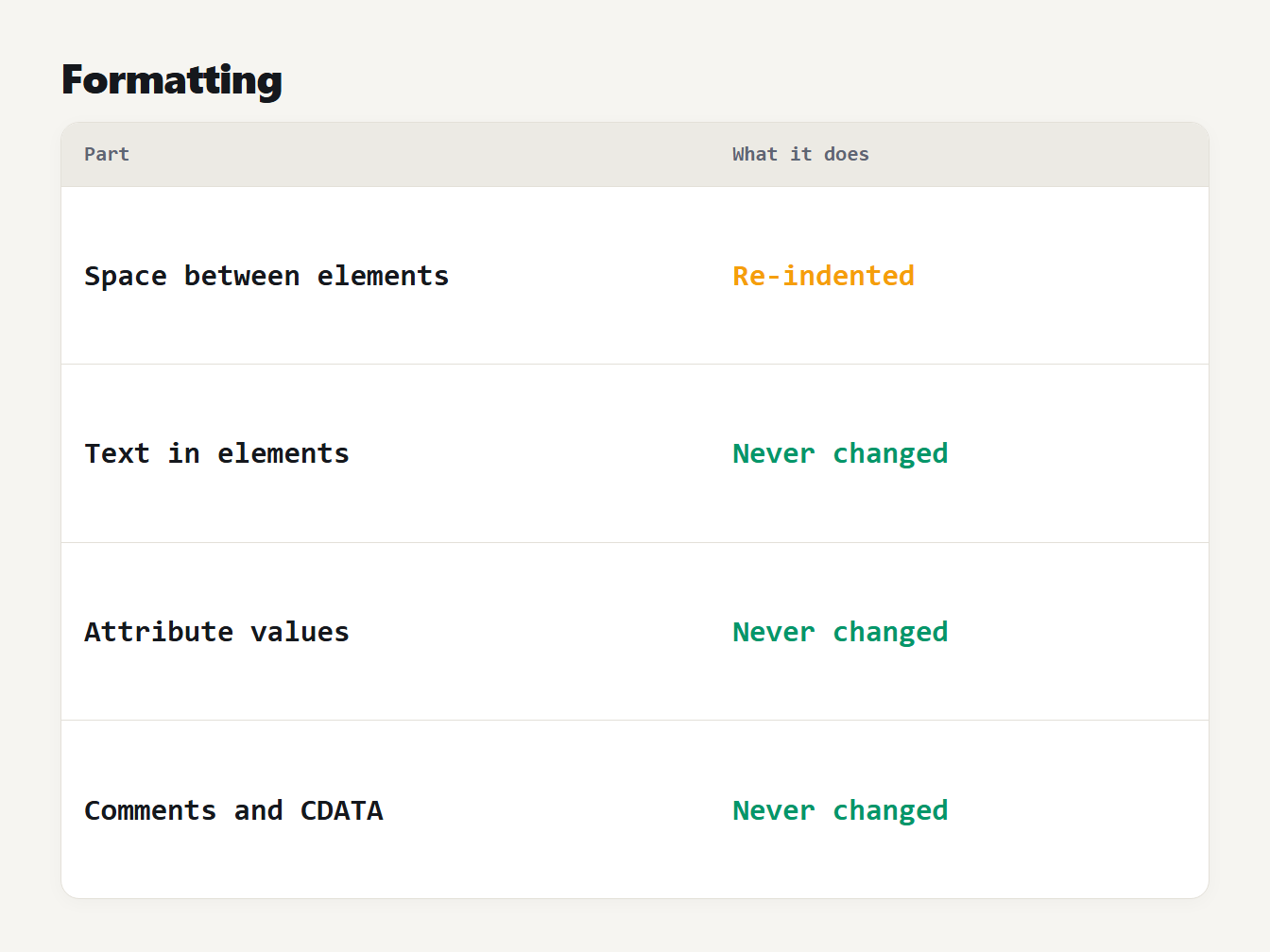
A table of four parts of an XML document and what formatting does to each. Whitespace between elements is re-indented. Text inside elements, attribute values, and comments and CDATA are never changed.
The most common XML errors
An XML parser stops at the first error, so you fix them one at a time. These are the ones that come up most, with the rule behind each.
| Mistake | Example | Fix |
|---|---|---|
| Tags that do not match | <a><b></a> | Close b before a |
| A bare ampersand in text | Fish & Chips | Write & |
| An undefined entity | a b | Write   |
| An attribute without quotes | <a href=x/> | Write href="x" |
| The same attribute twice | <a b="1" b="2"/> | Remove one |
| Two root elements | <a/><b/> | Wrap them in one element |
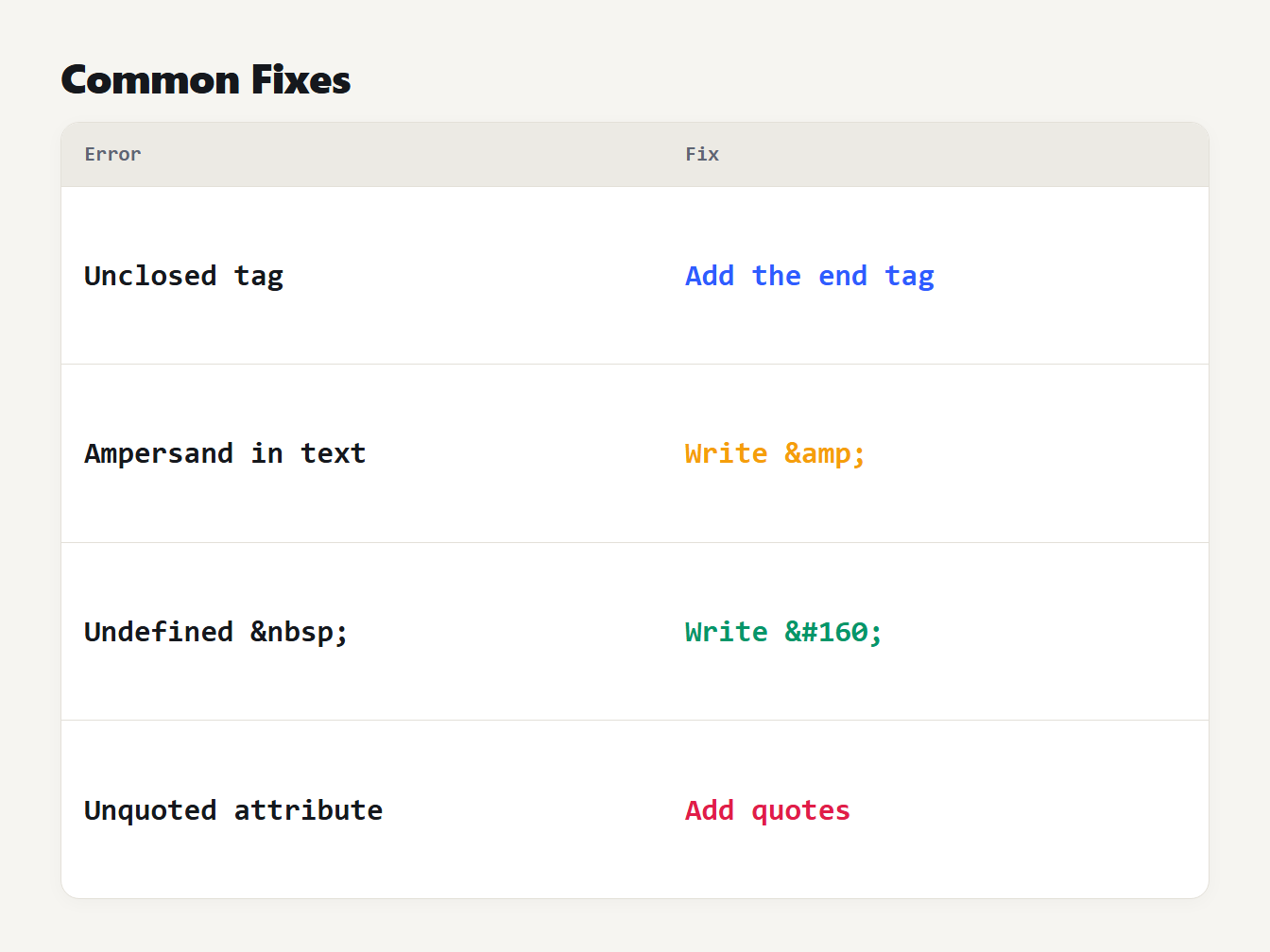
A table of four common XML errors and the fix for each. An unclosed tag needs its end tag added. A bare ampersand is written as the amp entity. The nbsp entity is replaced by the numeric reference 160. An unquoted attribute value needs quotes.
The rules come from the XML specification. It says that the ampersand and the less-than sign must not appear in their literal form in text, and must be escaped as & and <. It says that the name in an end tag must match the element type in the start tag. An attribute name must not appear more than once in the same tag, and two hyphens in a row must not occur within a comment.
The error deserves a note, because it is the one people do not expect. XML itself predefines only five entities, shown below, and the specification says they need not be declared. The name nbsp comes from HTML. In XML you write the character with a numeric reference,  , or you declare the entity yourself in a DOCTYPE.
| Write | To get |
|---|---|
< | Less than sign |
> | Greater than sign |
& | Ampersand |
" | Double quote |
' | Apostrophe |
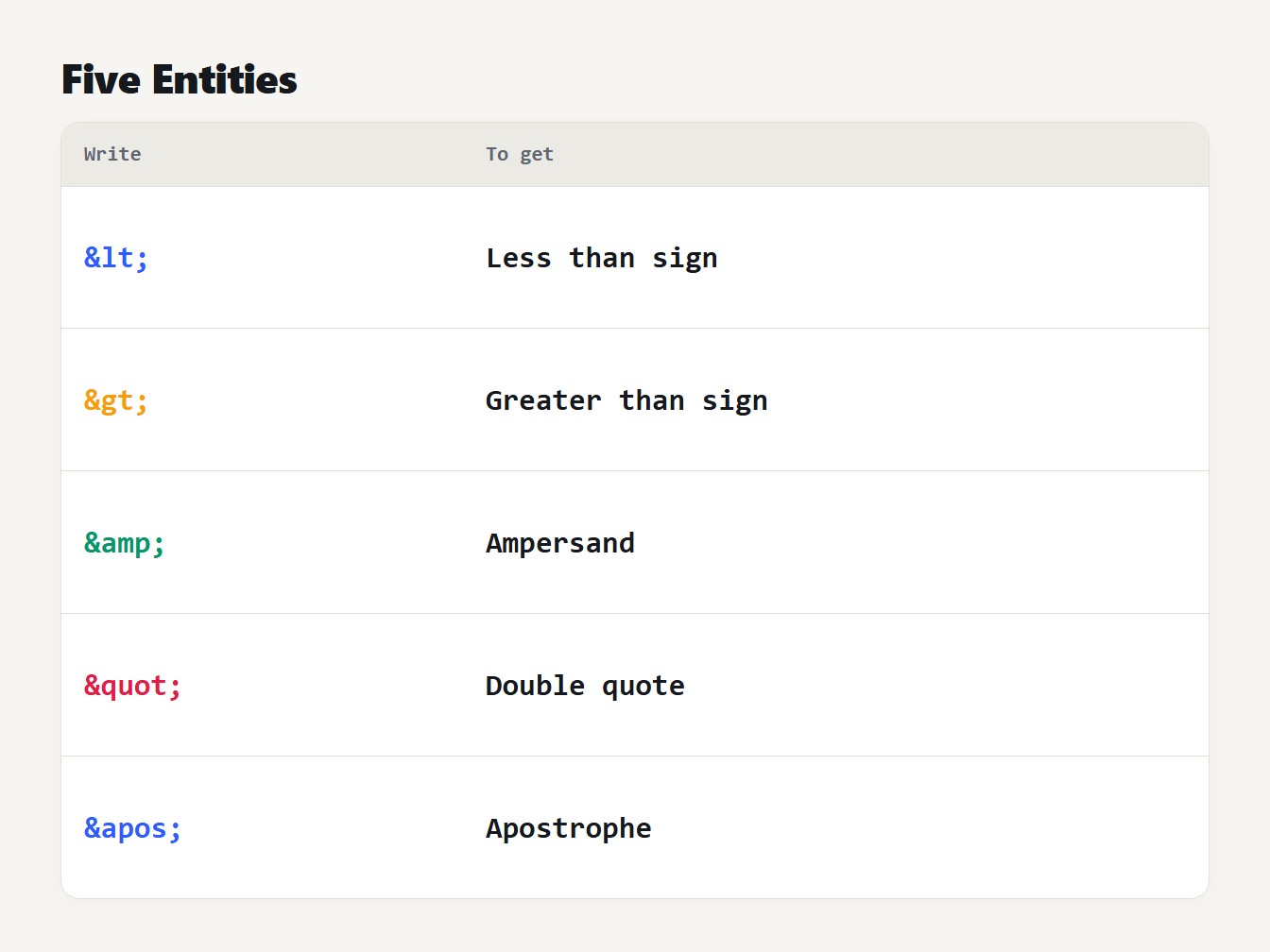
A table of the five entities that XML defines. The lt entity gives the less than sign. The gt entity gives the greater than sign. The amp entity gives the ampersand. The quot entity gives the double quote. The apos entity gives the apostrophe.
In our formatter each error comes with its line and column, and the reason in plain words. For <a> and <b> left open, the message is: line 3, column 1: The closing tag </a> does not match the opening tag <b> from line 2.
Namespace prefixes
A name such as dc:title uses a prefix, and the prefix must be declared with xmlns:dc="..." on the element or on a parent, as in the catalog above. A parser that finds p:x with no declaration for p reports an error. The formatter checks this, and it also rejects an attribute that appears twice under two prefixes bound to the same namespace.
How we tested the formatter
We compared the formatter with libxml2, a widely used open source XML parser, through its Python binding lxml. A script generated valid documents with nested elements, attributes, comments, CDATA, processing instructions, DOCTYPEs with entities, namespaces, accents, Chinese characters and emoji. It also broke them: deleting, inserting, swapping and truncating characters. We added 145 hand-written edge cases, such as a byte order mark, nesting depths from 254 to 300, and an XML declaration after a blank line.
For each of the 42,145 documents we asked both parsers whether it was well-formed. For the valid ones we formatted, minified and removed comments, parsed each output with libxml2 and compared the content with the original, ignoring only whitespace between elements.
| Result | Documents |
|---|---|
| Tested | 42,145 |
| Both parsers said the document is well-formed | 11,855 |
| Both parsers said the document is broken | 30,149 |
| Valid documents whose content changed after formatting | 0 |
| Formatted output that was not stable on a second pass | 0 |
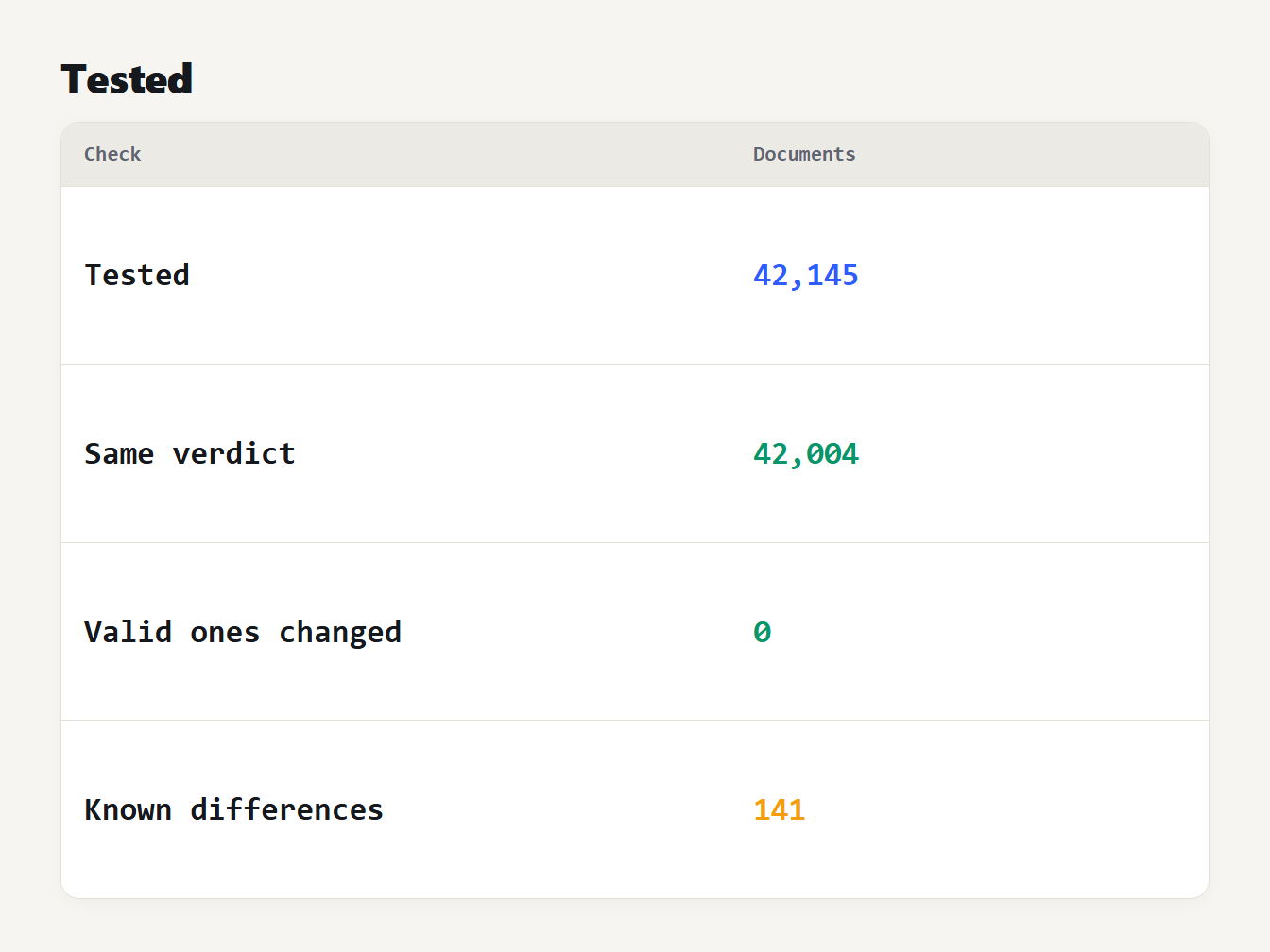
A table of four results from comparing the XML formatter with libxml2 on 42,145 documents. 42,004 had the same verdict. 0 valid documents changed after formatting. 141 differed for a known reason.
The parsers agreed on 42,004 documents. The other 141 split into two groups. In 118, libxml2 rejected something the formatter does not check: an encoding name it cannot decode, such as TF-8 after one of our random edits, or a namespace address with characters a URI cannot have. In 23, the formatter followed the specification where libxml2 is more relaxed: a version of "1." instead of "1.0", a missing space before standalone, and a missing space after DOCTYPE.
For the broken documents the formatter reported the same line as libxml2 in 29,706 of 30,149 cases, or 98.5%. Where they differ, the parsers simply notice the problem at a different point.
One result changed the tool. We had first coded to be accepted when a document names an external DTD, because the formatter cannot load that DTD to check. libxml2 rejects it. So the formatter does too, and tells you to use   or to declare the entity.
Limits
The formatter checks that the document is well-formed. It does not validate against a DTD or an XSD schema. It does not load an external DTD. It reports the first error only, and it limits nesting to 257 levels, the same as libxml2. Documents can be up to 5 million characters. And it cannot check that the encoding named in the declaration matches the bytes of your file, because the text you paste is already decoded.
Frequently asked questions
How do I format XML?
Paste it into an XML formatter and choose Format. Each nested element goes on its own line, indented by 2 spaces, 4 spaces or a tab. Text inside elements is left as you wrote it, so the data does not change.
What does well-formed XML mean?
It means the document follows the basic syntax rules of XML. There is one root element, tags nest properly and close in the right order, attribute values are in quotes, and no attribute repeats. Special characters such as & and < are written as entities. Any XML parser can read a well-formed document.
Why does the nbsp entity cause an error in XML?
Because XML has only five built-in entities, and the name HTML uses for a non-breaking space is not one of them. Use the numeric reference   for a non-breaking space, or declare the entity in the DOCTYPE.
Does formatting XML change the data?
Not if it is done carefully. Only the whitespace between elements may change, and only where an element holds nothing but other elements. Text, attribute values, CDATA, comments and processing instructions must stay exactly as they were, and an element that mixes text and tags is left alone.
Is formatting the same as validating?
No. Formatting changes layout. Checking well-formedness confirms the syntax is correct. Validating against a DTD or an XSD schema is a third step that checks the elements and attributes against rules in a schema file, and a formatter does not do it.
Format your XML now
Paste your XML into the XML Formatter and Validator to format XML, minify it or find the error with its line and column. For JSON, use the JSON Formatter, and to compare two versions of a file use the Diff Checker. Everything runs in your browser, so your documents are never uploaded.