How to Decode a JWT: Header, Payload, Claims and Expiry
How to decode a JWT by hand and in code: the three parts, claims such as exp and iat, why decoding is not verifying, and a free private decoder.
By TheTextKit TeamPublished
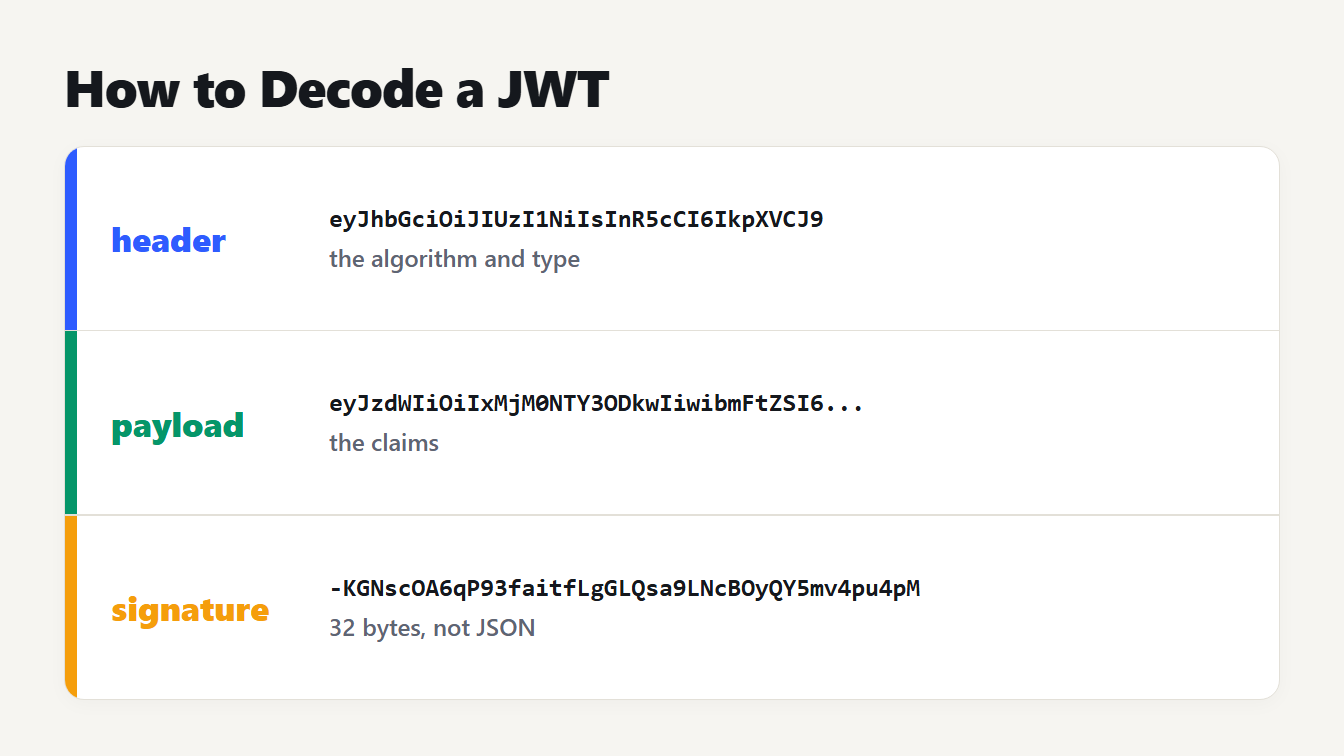
A JSON Web Token written as three colored parts separated by dots. The header holds the algorithm and type, the payload holds the claims, and the signature is 32 bytes and is not JSON.
To decode a JWT, split the token at its two dots, turn the first two parts from base64url back into bytes, and read the result as JSON. The first part is the header, the second is the payload, and the third is a signature that is not JSON at all. Decoding takes seconds, and it proves nothing about who made the token. This guide shows how to decode a JWT by hand, what each claim means, and how to do it in JavaScript and Python. It also explains why a readable token is not a trusted one.
What is inside a JWT
A JSON Web Token is defined in RFC 7519 as a set of claims written as a JSON object. In its common signed form it has three base64url parts joined by periods:
| Part | Holds | Is it JSON? |
|---|---|---|
| Header | The signing algorithm, alg, and the type, typ | Yes |
| Payload | The claims: who, for whom, until when | Yes |
| Signature | A signature over the first two parts | No, raw bytes |
Here is a sample token we made for this guide, signed with a throwaway key:
eyJhbGciOiJIUzI1NiIsInR5cCI6IkpXVCJ9.eyJzdWIiOiIxMjM0NTY3ODkwIiwibmFtZSI6IkFkYSBMb3ZlbGFjZSIsImlzcyI6Imh0dHBzOi8vbG9naW4uZXhhbXBsZS5jb20iLCJhdWQiOiJzaG9wLWFwaSIsImlhdCI6MTcwMDAwMDAwMCwiZXhwIjoxNzAwMDAzNjAwfQ.-KGNscOA6qP93faitfLgGLQsa9LNcBOyQY5mv4pu4pM
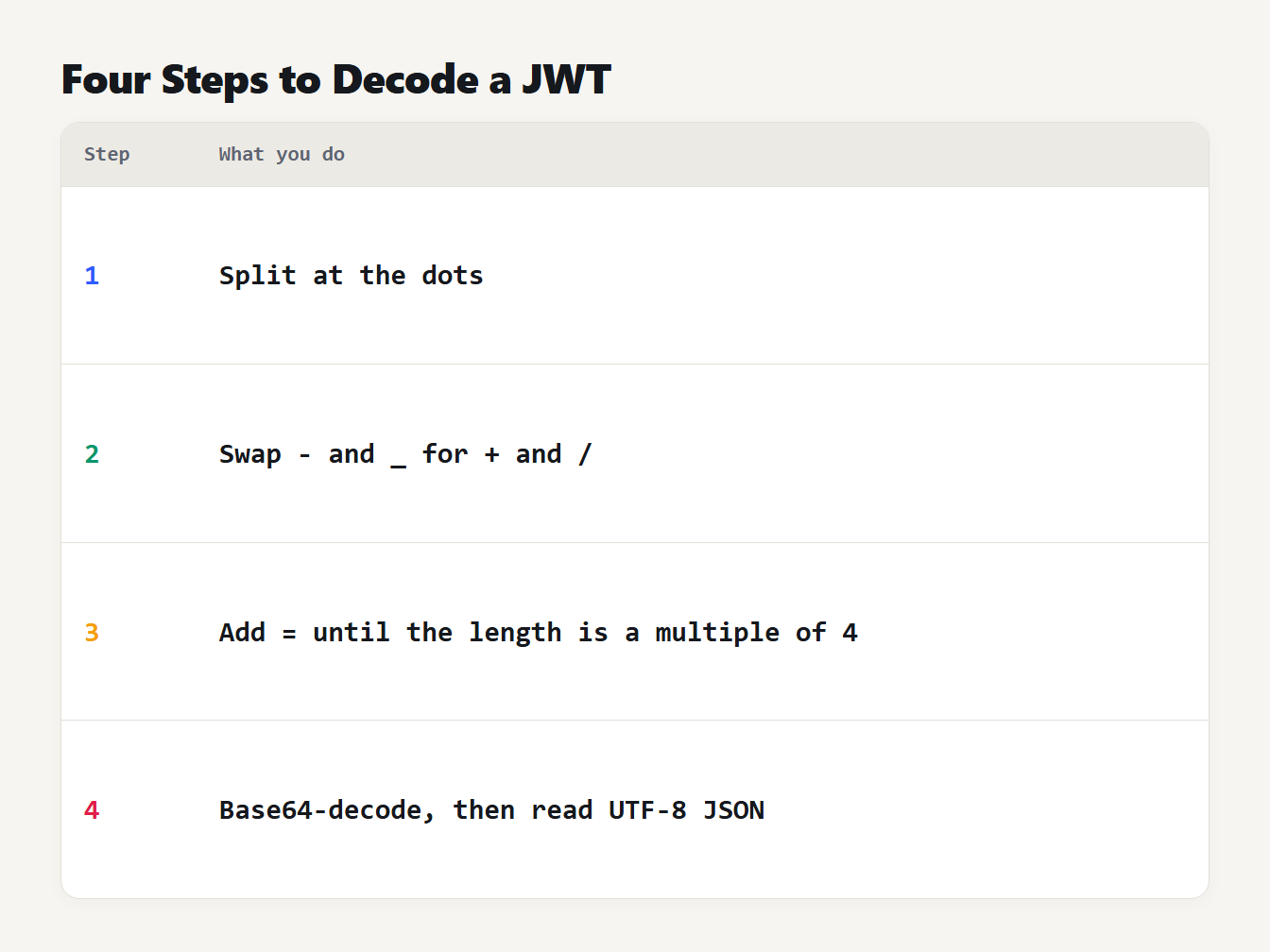
A table of four steps. Step 1: split the token at the dots. Step 2: swap - and _ for + and /. Step 3: add = until the length is a multiple of 4. Step 4: base64-decode, then read the bytes as UTF-8 JSON.
How to decode a JWT step by step
The encoding is base64url, which RFC 4648 defines as ordinary Base64 with - in place of + and _ in place of /, and with the = padding allowed to be left off. Reversing it takes four steps:
- Split the token at the dots and take the first two parts.
- Swap
-for+and_for/. - Add
=characters until the length is a multiple of 4. - Base64-decode, then read the bytes as UTF-8 JSON.
The header of our sample, eyJhbGciOiJIUzI1NiIsInR5cCI6IkpXVCJ9, decodes to this:
{"alg":"HS256","typ":"JWT"}
The payload decodes to the claims:
{"sub":"1234567890","name":"Ada Lovelace","iss":"https://login.example.com","aud":"shop-api","iat":1700000000,"exp":1700003600}
The signature is 43 characters of base64url, which is 32 bytes. That is the size of an HMAC-SHA256 result, which fits the HS256 algorithm named in the header.
What the JWT claims mean
The claims in the payload are plain names with short meanings. RFC 7519 registers these seven:
| Claim | Name | What it says |
|---|---|---|
iss | Issuer | Who issued the token |
sub | Subject | Who the token is about |
aud | Audience | Who the token is meant for |
exp | Expiration time | When it stops being acceptable |
nbf | Not before | When it starts being acceptable |
iat | Issued at | When it was made |
jti | JWT ID | A unique identifier for the token |
None of them is required, and you can add your own names, such as name in our sample.
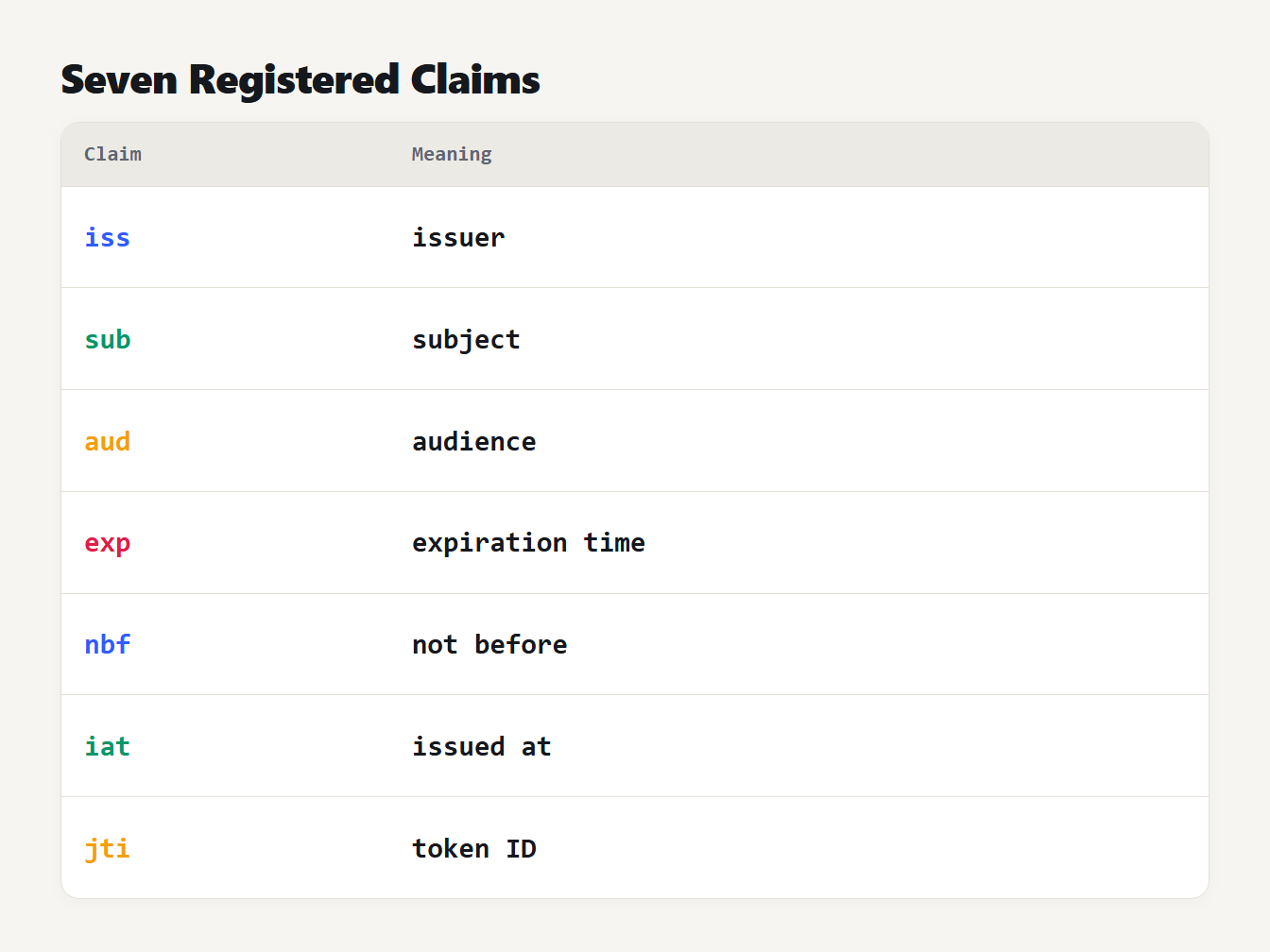
A table of the seven registered claims: iss is the issuer, sub is the subject, aud is the audience, exp is the expiration time, nbf is not before, iat is issued at and jti is the token ID.
How to read exp, nbf and iat
The three time claims hold a NumericDate, which RFC 7519 defines as the number of seconds since 1 January 1970 at 00:00:00 UTC. They are seconds, not milliseconds. In our sample, iat is 1700000000, which is 22:13:20 UTC on 14 November 2023, and exp is 1700003600, which is exactly one hour later, at 23:13:20 UTC.
The rule for exp is strict. The token must not be accepted on or after that moment, so at 1700003599 our token is still inside its window and at 1700003600 it is expired. We confirmed both in the decoder.
Milliseconds are a common slip. A library that writes 1700003600000 into exp is read as seconds, which lands in the year 55840. Our Unix Timestamp Converter shows the date for any value.
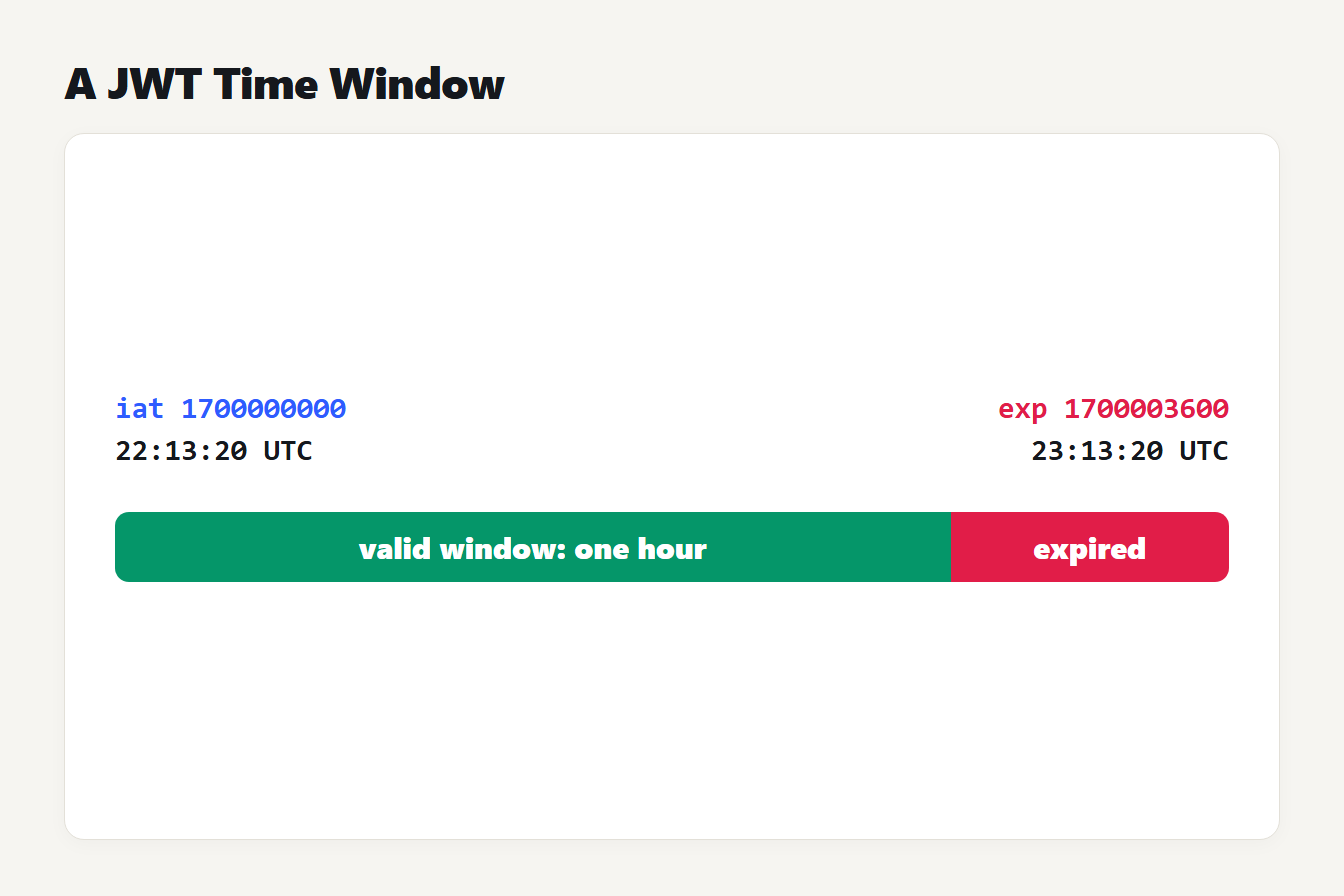
A timeline with two markers. iat 1700000000 is 22:13:20 UTC and exp 1700003600 is 23:13:20 UTC. The hour between them is the valid window, and from exp onward the token is expired.
How to decode a JWT in JavaScript and Python
You do not need a library to read the contents. In JavaScript, per MDN's atob page, atob returns a binary string where each character is one byte, so go through a TextDecoder for UTF-8:
function decodePart(part) {
  const base64 = part.replace(/-/g, "+").replace(/_/g, "/")
  const bytes = Uint8Array.from(atob(base64), (c) => c.charCodeAt(0))
  return JSON.parse(new TextDecoder().decode(bytes))
}
const [header, payload] = token.split(".").slice(0, 2).map(decodePart)
In Python, add the padding yourself:
import base64, json
def decode_part(part):
    padded = part + "=" * (-len(part) % 4)
    return json.loads(base64.urlsafe_b64decode(padded))
header, payload = (decode_part(p) for p in token.split(".")[:2])
We ran both on the sample token and got the same header and payload as above. Two traps came up in testing. The JavaScript atob accepted our payload with no padding, but Python's urlsafe_b64decode raised an "Incorrect padding" error on it, which is why the padding line is there. And a payload containing "José Müller" came out garbled, with stray "Ã" characters, through plain atob. It came out correctly through TextDecoder.
Decoding is not verifying, and encoded is not encrypted
Two facts matter more than any code. First, nothing in the steps above checks the signature. RFC 8725, the best current practices document for JWTs, describes an attack where the algorithm is changed to none and some libraries accept the token without checking any signature. It says libraries must let the caller name the allowed algorithms, and that applications must check that the keys belong to the issuer and validate the audience. Verifying belongs on your server, with the key and a trusted library.
Second, a signed JWT is only encoded. Anyone who holds the token can read the payload, so it should never contain secrets such as passwords. A token with five parts is a different object: an encrypted JWT, called a JWE, whose payload cannot be read without the key.
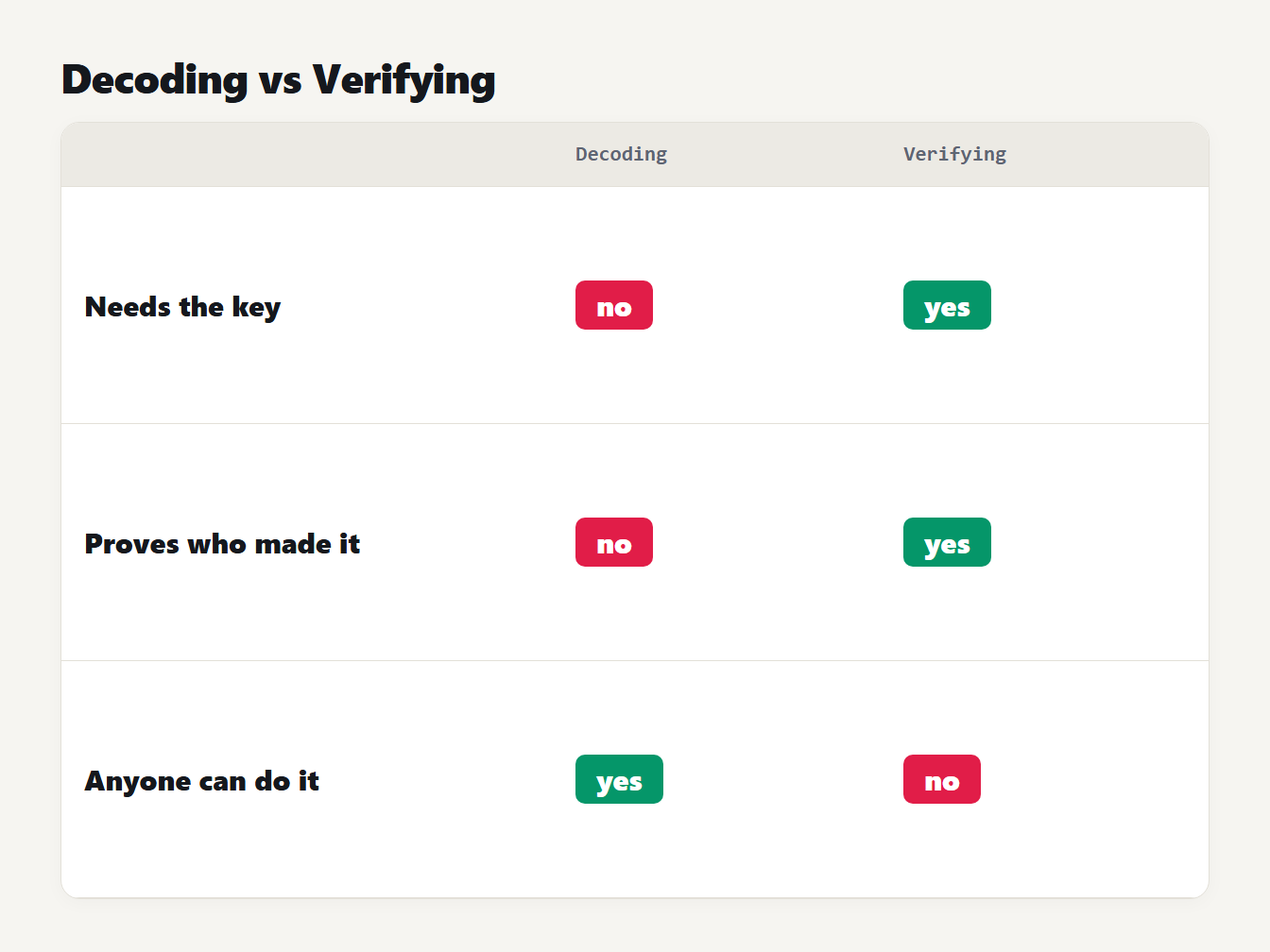
A table with two columns. Decoding needs no key, does not prove who made the token, and anyone can do it. Verifying needs the key, proves who made the token, and only the key holder can do it.
A checklist before you accept a token
Reading a token is step zero. A server that accepts one should work through these checks, in this order, and reject the token at the first failure:
- Verify the signature with the key you expect, using an algorithm you chose in advance, not the one the header names.
- Reject
algset tonone, unless something else protects the token, as RFC 8725 notes. - Check the issuer: the keys must belong to the
issnamed in the token. - Check the audience: if
audis missing or is not you, reject the token. - Check the times: the current time must be before
exp, and not beforenbfif that claim is present.
For our sample, a server for shop-api that trusts https://login.example.com would accept it only if the signature verified with that issuer's key. The time must also be before 23:13:20 UTC on 14 November 2023. Until every check passes, treat each claim as untrusted input.
Decode a token with the JWT Decoder
The JWT Decoder does the four steps for you in your browser. Paste a token, with or without a Bearer prefix. It shows the header and payload as formatted JSON and converts iat, nbf and exp to UTC dates. It also says whether the token is inside its window right now. For our sample it reports 32 signature bytes and, at 1700001800, a valid window.
It also warns about the things worth catching: an algorithm of none, a missing exp, a time that looks like milliseconds, and a token with five parts. It never checks the signature, and it says so. Use a test or expired token when you can, because a live token works like a password until it expires. If a payload value looks like a Base64 string, the Base64 Encoder decodes it, and the JSON Formatter tidies a long payload.
Common mistakes when you decode a JWT
- Trusting what you decoded. A readable token can be forged. Verify before you rely on it.
- Putting secrets in the payload. It is readable by anyone with the token.
- Reading times as milliseconds. They are seconds.
- Forgetting the padding in Python. The decoder fails until the length is a multiple of 4.
- Using the alg header to pick the check. Choose the algorithm on the server, as RFC 8725 advises.
Frequently asked questions
How do I decode a JWT?
Split the token at the dots, then decode the first two parts from base64url and read them as JSON. The first part is the header and the second is the payload. The third part is the signature, which is not JSON.
Can I decode a JWT without the secret key?
Yes. A normal signed JWT is only encoded, so anyone who has the token can read the header and payload. The key is needed to verify the signature, not to read the contents.
What does exp mean in a JWT?
It is the expiration time, written as seconds since 1 January 1970 UTC. RFC 7519 says the token must not be accepted on or after that moment, so a token whose exp equals the current second is already expired.
Is a decoded JWT valid?
Not necessarily. Decoding only reads the contents. A valid token also needs a verified signature, an allowed algorithm, a matching issuer and audience, and a time inside its window.
Why does my JWT have five parts?
A token with five parts is an encrypted JWT, called a JWE. Its payload is encrypted, so you cannot read it without the key. Only a signed JWT, which has three parts, can be decoded this way.
Decode your next token
Now that you know how to decode a JWT, open the JWT Decoder with a test token and read the claims. Check the expiry first, then ask the question the decoder cannot answer: has anything verified this signature? That second step is the one that keeps your application safe.