How Long Should a Password Be? What NIST Says and How to Choose
How long should a password be? NIST says 15 characters at least when it is the only factor. See the math, passphrase options and a tested generator.
By TheTextKit TeamPublished
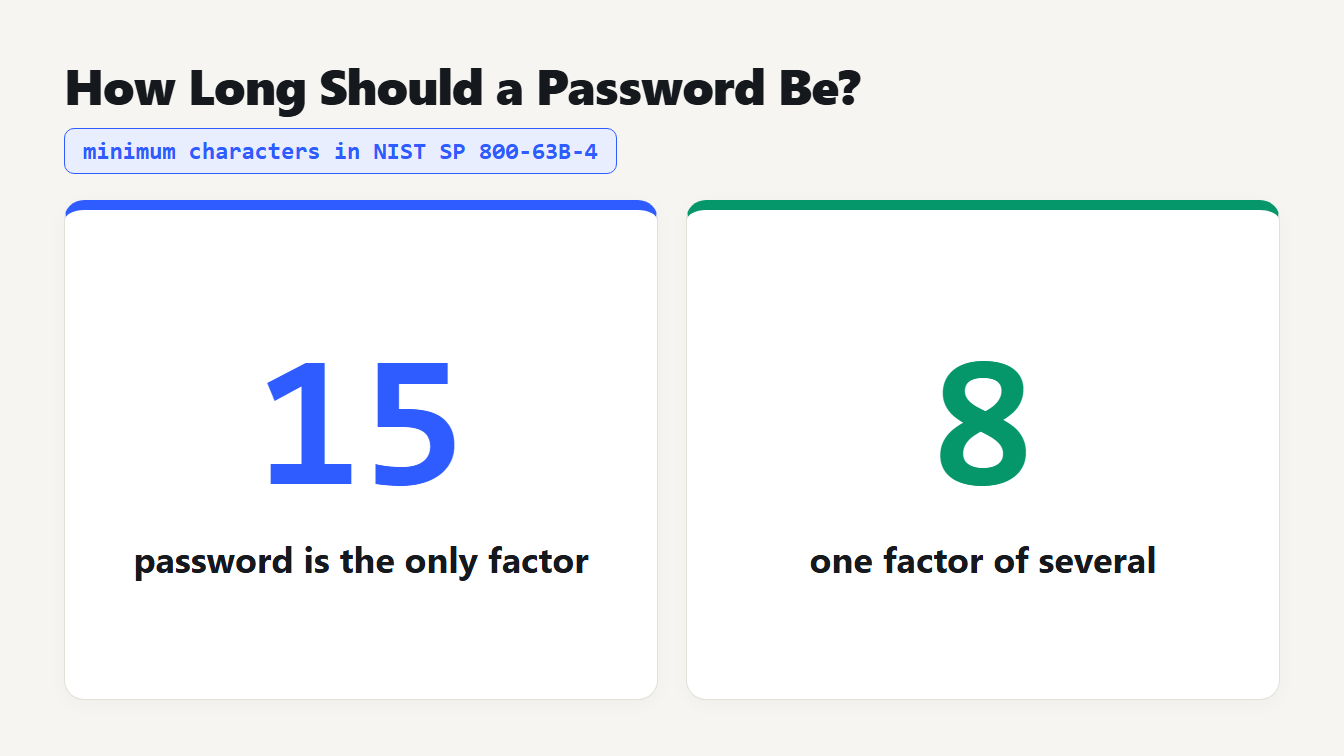
Two cards. NIST SP 800-63B-4 asks for at least 15 characters when a password is the only factor and at least 8 characters when it is one factor of several.
How long should a password be? NIST's current guidance, SP 800-63B-4 from July 2025, says at least 15 characters when the password is the only thing protecting an account, and at least 8 when it is one of several factors. It also says sites should accept at least 64 characters and must not demand special characters. This guide explains the numbers behind that advice, compares random passwords with passphrases, and shows what a free generator can and cannot do for you.
What NIST says about how long a password should be
NIST's document is written for government systems, but its rules are the most cited benchmark for everyone else. SP 800-63B-4 replaced the 2020 revision (see the NIST publication page). The password rules for the site that checks your password, which NIST calls the verifier, are:
| Topic | What the verifier must do |
|---|---|
| Minimum length, password is the only factor | 15 characters |
| Minimum length, password is one factor of several | 8 characters |
| Maximum length | Allow at least 64 characters (should) |
| Composition rules | Must not require mixed character types |
| Periodic changes | Must not require them, but must force a change after a compromise |
| Hints and security questions | Must not allow them |
| Weak passwords | Must check against a blocklist of common and breached passwords |
| Password managers | Must allow them, and should allow pasting |
| Storage | Must salt and hash the password, with a salt of at least 32 bits |
| Online guessing | Limit consecutive failed attempts to 100 |
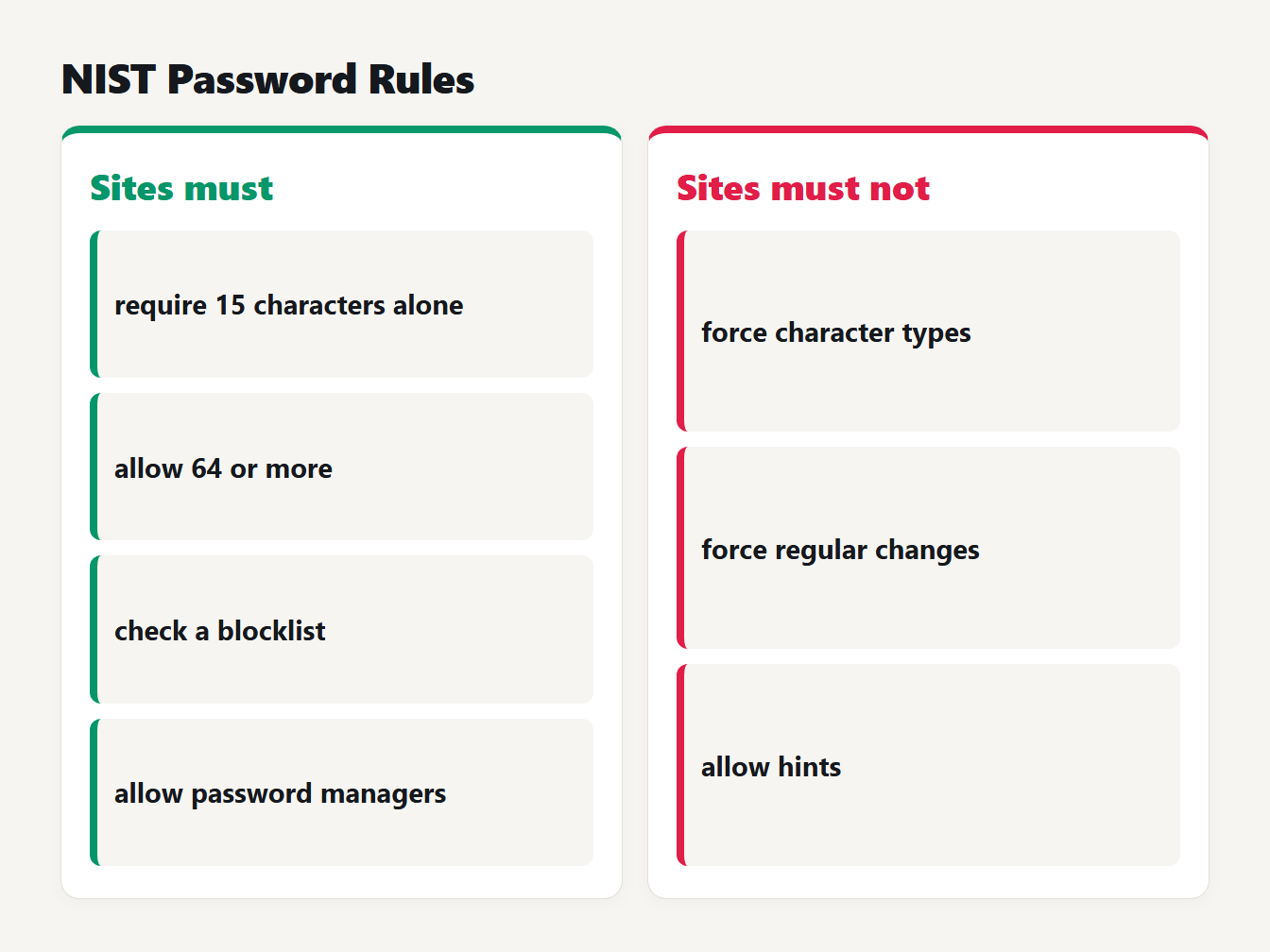
Left column, what sites must do: require 15 characters alone, allow 64 or more, check a blocklist and allow password managers. Right column, what they must not do: force character types, force regular changes and allow hints.
Two of those lines surprise people. The ban on composition rules and the ban on scheduled changes both go against years of habit, which is why they are worth reading in the original.
Password rules that no longer apply
If you run a site, these old habits now work against your users:
- Requiring a capital, a digit and a symbol. NIST says to drop these composition rules.
- Forcing a new password every 90 days. People respond with small, predictable edits.
- Offering a password hint or a security question. NIST says verifiers must not permit them.
- Capping length at 16 or 20 characters. NIST says to allow at least 64, so a long passphrase fits.
- Blocking paste. It stops people from using a password manager.
Why length beats complexity
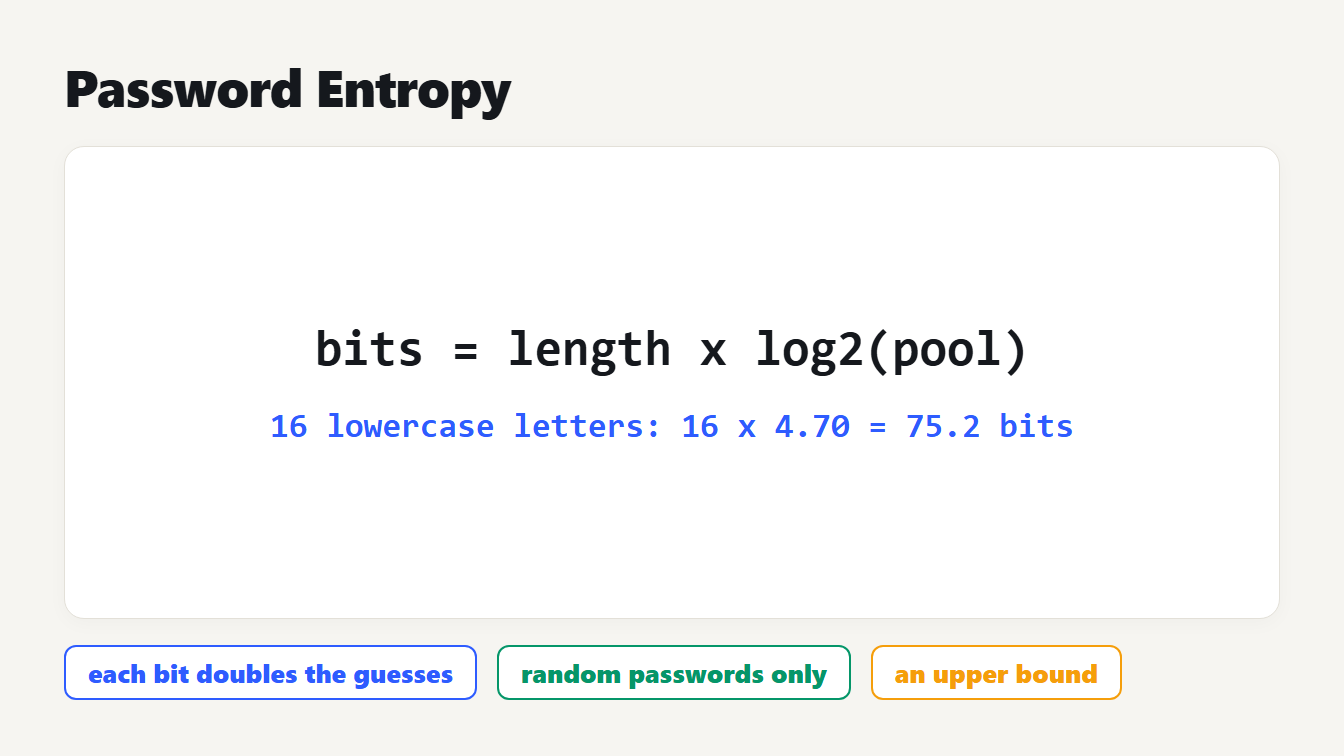
When people ask how long a password should be, the honest answer is that length does most of the work. Every extra character multiplies the number of possible passwords by the size of the character set. Adding length multiplies much faster than adding symbols to the alphabet.
We computed the number of combinations and the average time to find a password by trying everything. The time assumes 100 billion guesses per second, a hypothetical rate for a fast offline attack on a poorly protected stored password. Real speeds depend on how the site stores your password, so treat the times as a way to compare, not a promise.
| Random password | Combinations | Average time at 100 billion guesses a second |
|---|---|---|
| 8 characters from 94 printable | 6.1 × 10¹⁵ | about 8.5 hours |
| 10 characters from 94 | 5.4 × 10¹⁹ | about 8.5 years |
| 12 characters from 94 | 4.8 × 10²³ | about 75 thousand years |
| 15 lowercase letters only | 1.7 × 10²¹ | about 266 years |
| 16 letters and digits (62) | 4.8 × 1028 | about 7.6 billion years |
The fourth row is the lesson. Fifteen plain lowercase letters, with no digit or symbol at all, outlast an 8-character password drawn from the full keyboard by a factor of about 275,000. Offline guessing speed also depends on the hash, and our guide to MD5 vs SHA-256 explains why fast hashes make this worse. Against online guessing, NIST's limit of 100 failed attempts does the protecting.
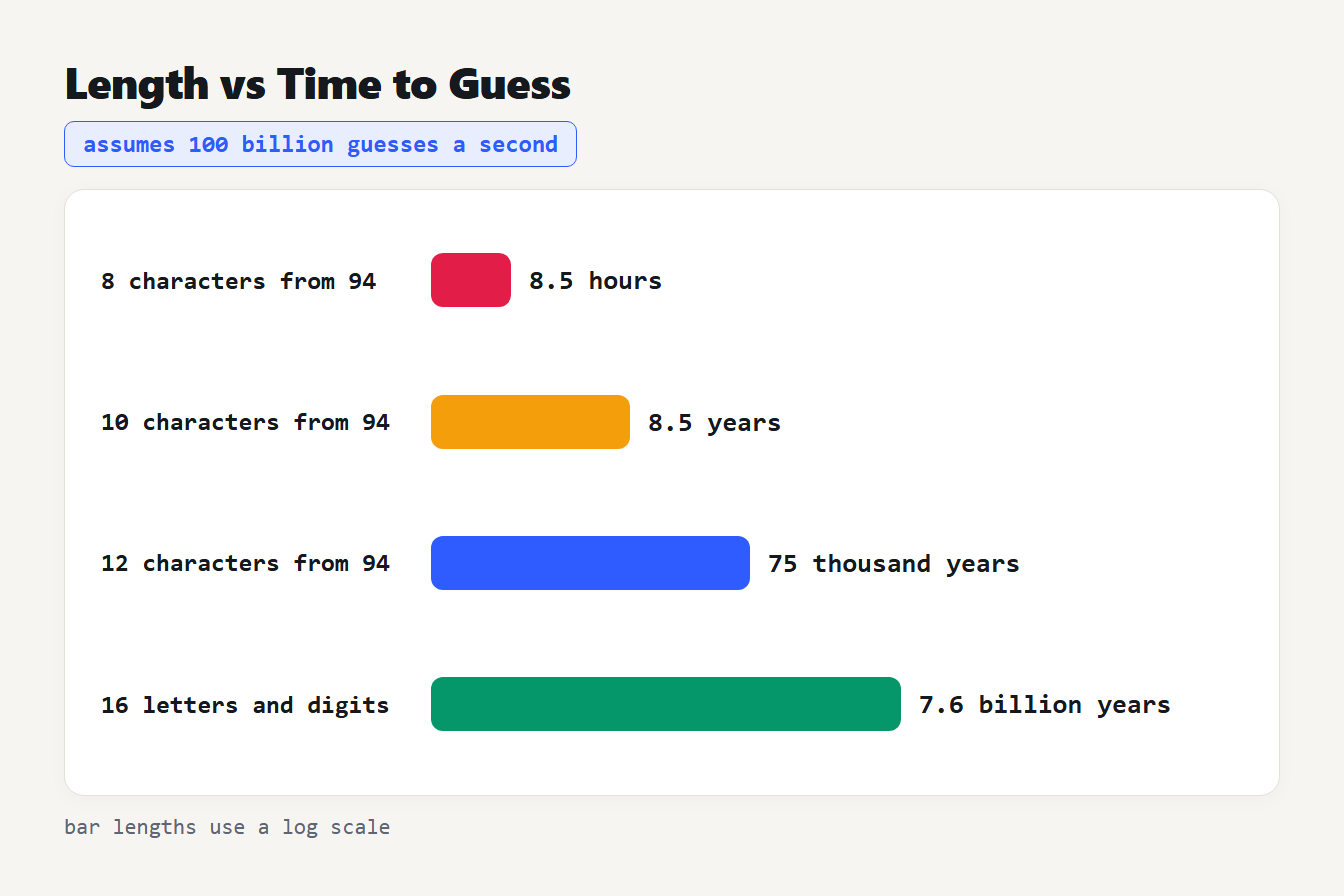
Bars for four random passwords at a hypothetical 100 billion guesses per second: 8 characters from 94 symbols takes about 8.5 hours, 10 characters about 8.5 years, 12 characters about 75 thousand years and 16 letters and digits about 7.6 billion years.
How long should a password be if it is a passphrase?
A passphrase is several random words, and it is a fair alternative to a random string. The EFF's long wordlist has 7,776 words, so each word picked by dice adds about 12.9 bits. The EFF suggests six words for most uses, about 77 bits.
| Random words | Strength | Average time at 100 billion guesses a second |
|---|---|---|
| 3 | 38.8 bits | about 2 seconds |
| 4 | 51.7 bits | about 5 hours |
| 5 | 64.6 bits | about 4.5 years |
| 6 | 77.5 bits | about 35 thousand years |
| 7 | 90.5 bits | about 272 million years |
The word "random" is doing all the work. Words you pick yourself, such as a lyric or a favorite quote, are far weaker than the table suggests. The words must come from dice or software. NIST's text treats a passphrase as just a password, so the same 15-character minimum applies, and a six-word passphrase usually clears it comfortably.
How to choose a strong password
- Let a password manager create and store it. NIST says sites must allow managers, and they remove the need to remember anything.
- Make it random, not clever. A person's idea of unpredictable is usually predictable.
- Aim for 16 or more characters for anything stored in a manager, and a six-word random passphrase for the few you must type from memory, such as the manager's own master password.
- Use a different password for every account, so one breach cannot open the others.
- Turn on a second factor. It is what lets a site accept a shorter password in NIST's rules.
- Change a password when it leaks, not on a schedule.
What the Password Generator does and does not do
The Password Generator draws each character from your browser's cryptographic random source, crypto.getRandomValues(), never Math.random(). You choose a length from 8 to 64 and toggle lowercase, uppercase, digits and symbols. Nothing is sent anywhere. We replayed its logic to check three behaviors worth knowing.
It does not guarantee one of each type. Each character is picked independently, so a password can miss an enabled type. With lowercase, uppercase and digits on at 16 characters, about 6% of passwords have no digit, no capital or no lowercase. With all four types on, the chance of missing one is about 52% at 8 characters, 27% at 12, 16% at 16 and 9% at 20. If a site insists on one of each type, click Generate again until the result qualifies.
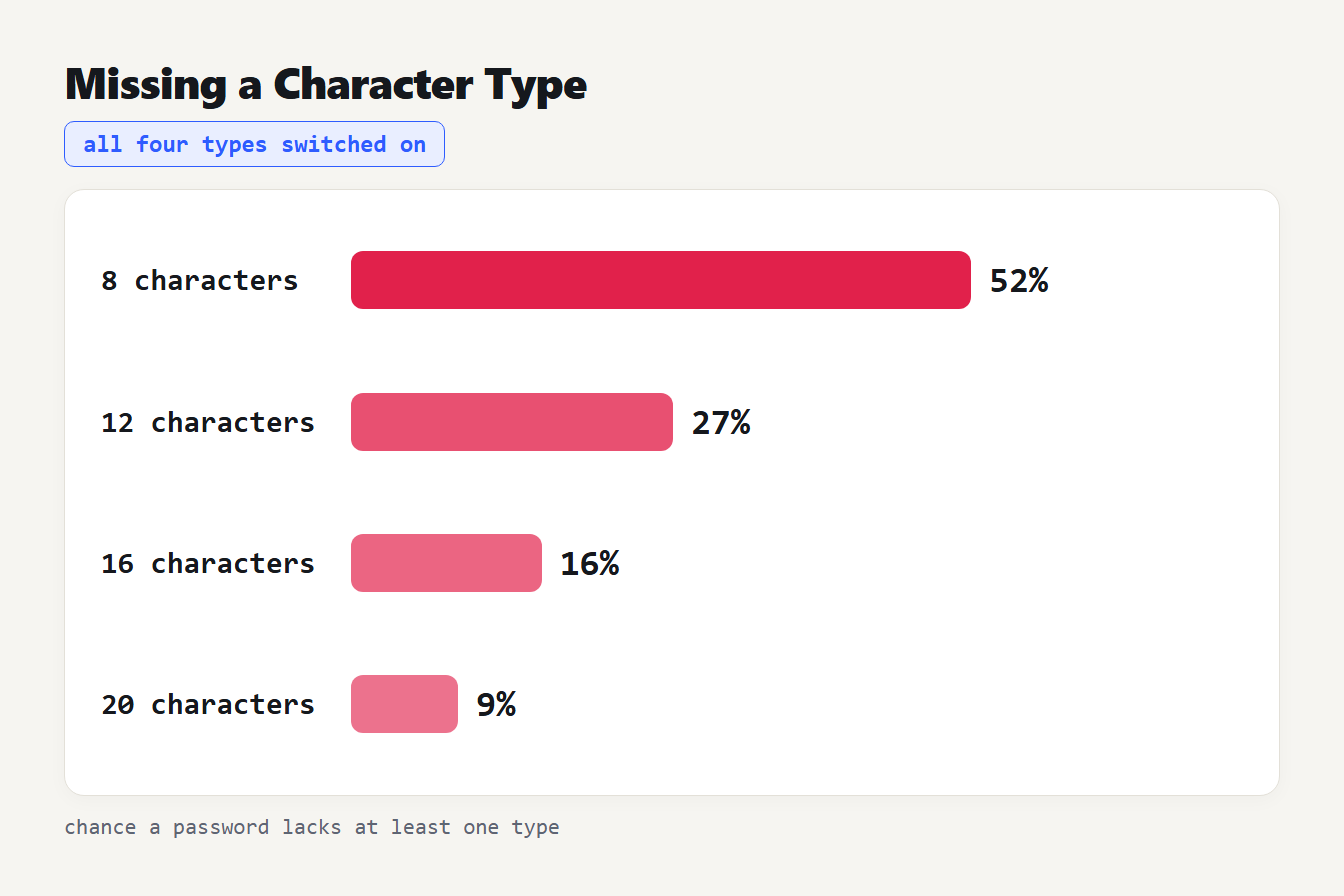
With all four character types enabled, a randomly generated password lacks at least one type about 52 percent of the time at 8 characters, 27 percent at 12 characters, 16 percent at 16 characters and 9 percent at 20 characters.
Its strength label is a rule of thumb. It rates by length and the types present: Strong needs 12 or more characters and at least three types, and Medium needs 8 and two types. By that rule a random 16-letter lowercase password is Weak, although it has about 75 bits of strength, far more than an 8-character mixed password rated Medium at about 52 bits. Use the length and the NIST table above, and treat the label as a nudge.
Its randomness is sound. It picks characters with the remainder of a 32-bit random number, which can favor some characters by about one part in 50 million. That bias is far too small to matter.
Frequently asked questions
How long should a password be in 2026?
At least 15 characters if the password is your only login factor, which is NIST's minimum in SP 800-63B-4. With multi-factor authentication the minimum is 8, but 16 or more random characters from a password manager costs you nothing extra.
Do passwords need special characters?
Not for strength. NIST says sites must not impose composition rules such as requiring a mix of character types. Length adds far more strength than a symbol, and a long random password is strong with or without them.
Should I change my passwords every 90 days?
No. NIST says verifiers must not require periodic password changes, though they must force a change if there is evidence of compromise. Change a password when it leaks or you suspect it has, and not on a schedule.
Is a passphrase better than a random password?
Both work if they are random and long enough. A six-word passphrase from the EFF list has about 77 bits of strength and is easier to type from memory. For everything stored in a manager, a random string is shorter and just as strong.
Is 12 characters enough?
For a random password with letters and digits, 12 characters has about 71 bits of strength, which is solid against online guessing. It is below NIST's 15-character minimum for a password used alone, so use at least 15 when no second factor protects the account.
How long should a password be? Set your next one the NIST way
To see these numbers for a password of your own, type a similar one into the Password Strength Checker. It shows estimated bits, average guess time at stated rates and the NIST length checks, and it scores a phrase of separate words as random word picks, which is the best case for a phrase.
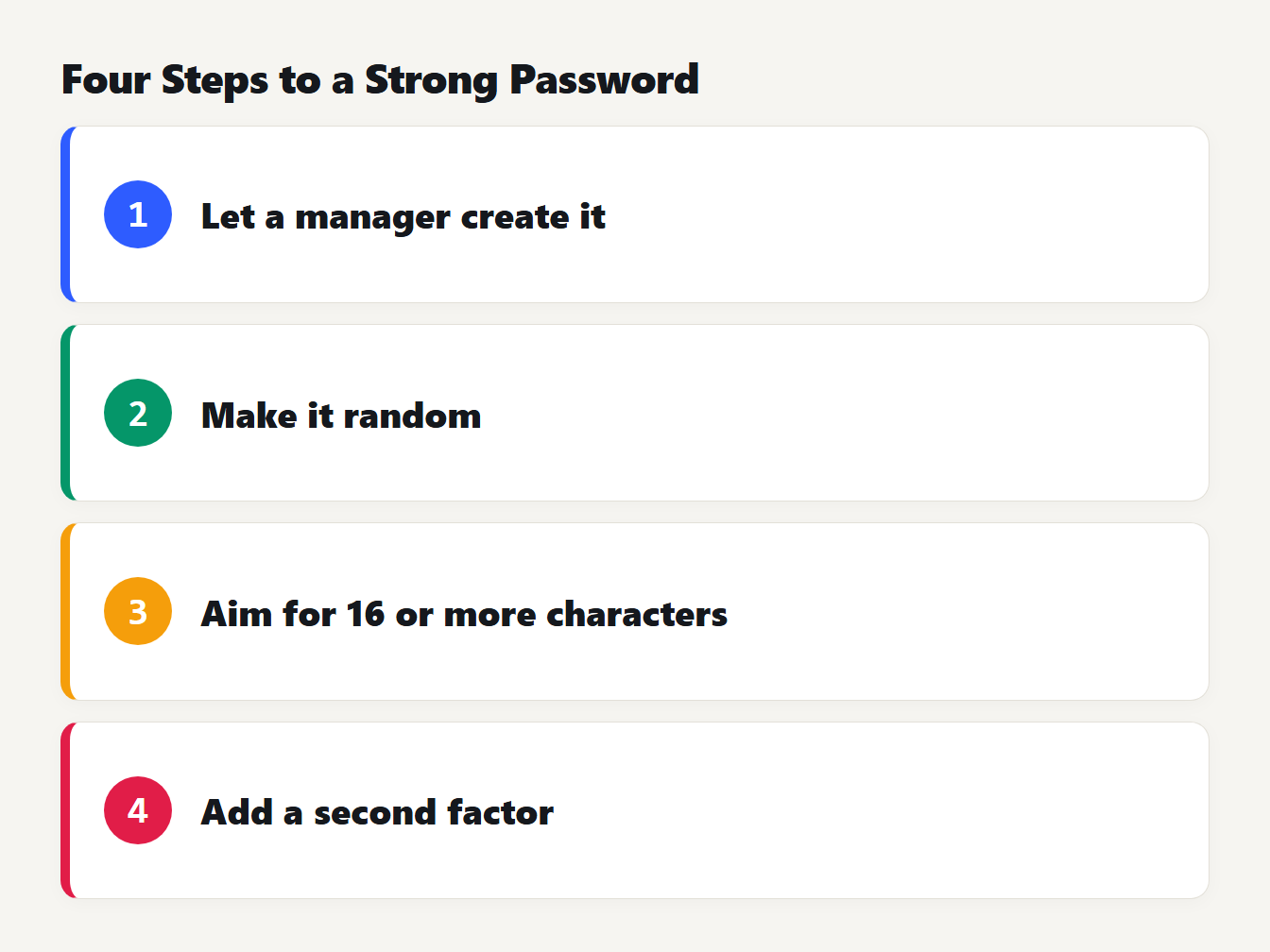
Four numbered steps. Let a manager create it, make it random, aim for 16 or more characters, and add a second factor.
However long a password should be for a given site, open your password manager, generate a random one of at least 16 characters for your next new account, and check that the site accepts it. For an identifier that is not a secret, such as a record ID, use the UUID Generator instead, and read our UUID v4 vs v7 guide. If you build a login system yourself, the Hash Generator shows how different a hash looks for similar inputs. Store real passwords only with a purpose-built password hashing scheme, as NIST requires.