Base64 Encoding Explained: How It Works and Why It Adds 33%
Base64 encoding turns bytes into text. See how it works step by step, why it adds 33%, URL-safe Base64 and why it is not encryption.
By TheTextKit TeamPublished
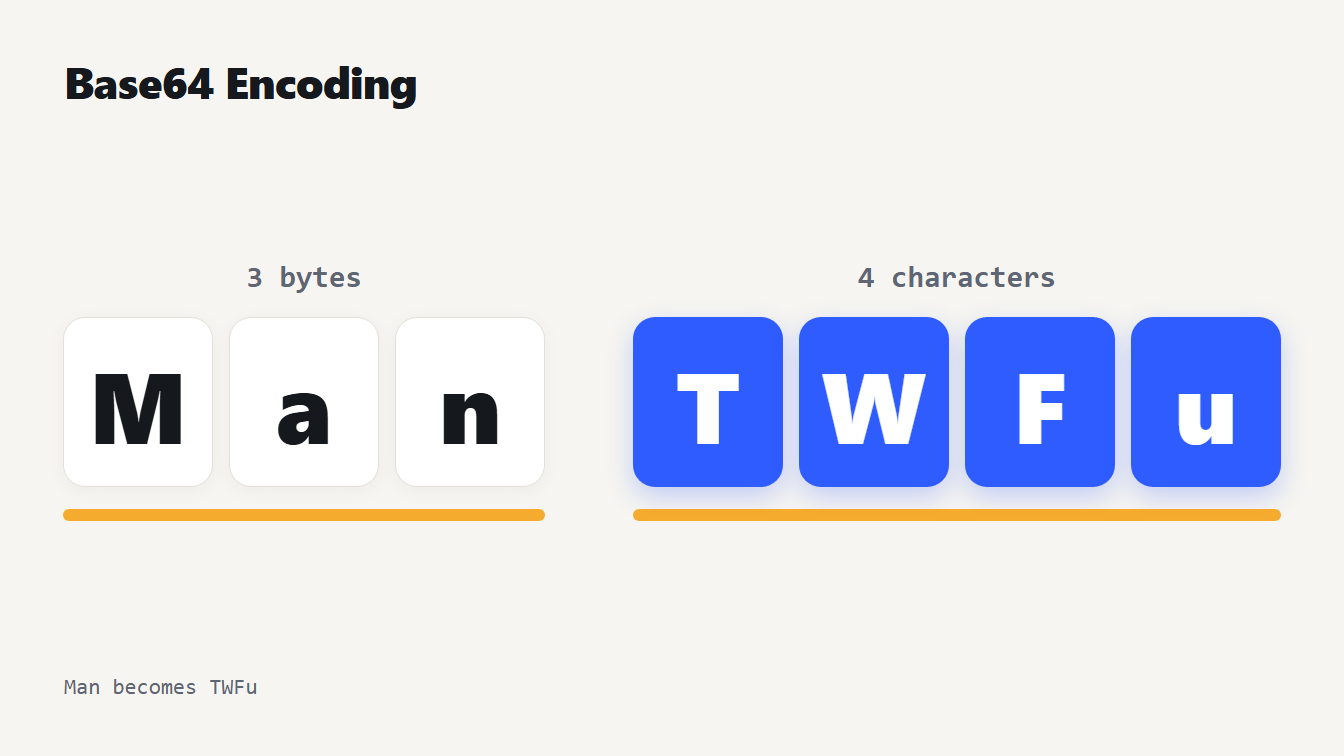
The three letters M, a and n, which are three bytes, are encoded as the four Base64 characters T, W, F and u, so 3 bytes become 4 characters.
Base64 encoding represents binary data as plain text using 64 safe characters. Every 3 bytes of input become 4 characters of output, which is why the result is about a third larger than the original. It exists so that bytes can travel through places that only handle text, such as email, JSON and URLs. And it is not encryption: anyone can reverse it with no key. Below you get the method on a real example, why strings end in an equals sign, the size math, how Unicode and URL-safe variants work, and where the usual mistakes come from.
How Base64 encoding works, step by step
The standard is RFC 4648, published in October 2006. It describes the process as turning 24-bit groups of input bits into 4 encoded characters. The 64 characters are the capital letters, the lowercase letters, the digits 0 to 9, plus the symbols + and /.
The classic example is the word "Man". Here it is, one move at a time:
- Write the bytes. M, a and n are 77, 97 and 110, which in binary are
01001101,01100001and01101110. - Join the bits and cut them into groups of 6. The 24 bits
010011010110000101101110become010011,010110,000101and101110. - Read each group as a number. They are 19, 22, 5 and 46.
- Look each number up in the alphabet. Numbers 0 to 25 are A to Z and 26 to 51 are a to z. So 19 is T, 22 is W, 5 is F and 46 is u.
The result is TWFu. Three bytes went in and four characters came out, because 4 groups of 6 bits hold the same 24 bits that 3 groups of 8 did.
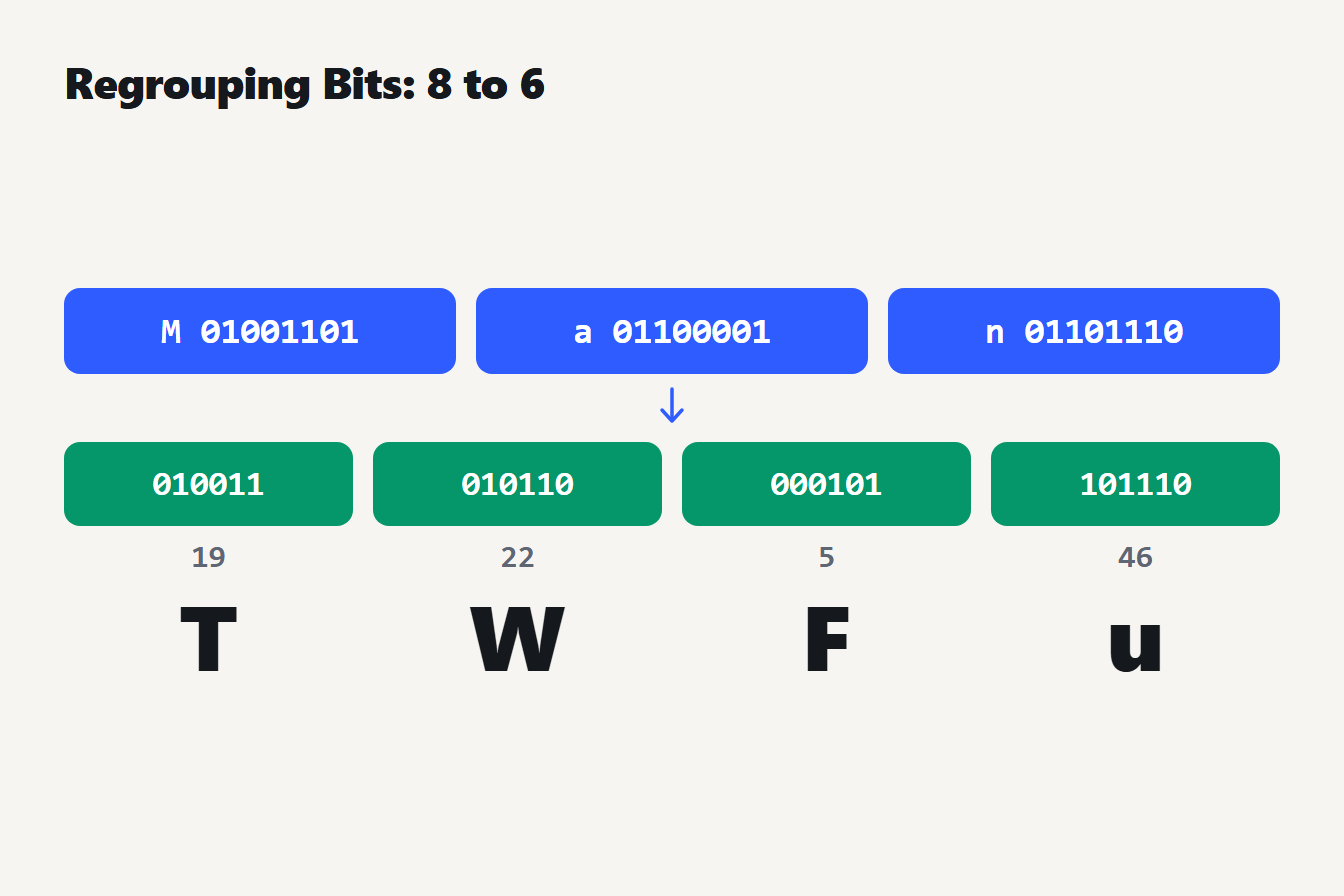
The bytes 01001101, 01100001 and 01101110 for M, a and n are joined into 24 bits and cut into the 6-bit groups 010011, 010110, 000101 and 101110, which are 19, 22, 5 and 46 and map to T, W, F and u.
Our own guide to converting text to binary covers the first step, how a character becomes its bits.
Why Base64 strings end in an equals sign
The method needs input in groups of 3 bytes. When the last group is short, the output is padded with = signs so its length stays a multiple of 4. RFC 4648 states that padding at the end of the data is done with the = character.
| Input | Bytes | Base64 | What is going on |
|---|---|---|---|
| a | 1 | YQ== | One byte leaves two characters of data and two padding signs |
| ab | 2 | YWI= | Two bytes leave three characters of data and one padding sign |
| abc | 3 | YWJj | A full group needs no padding |
So the equals signs at the end tell you something. None means the input length was a multiple of 3. One means it was one byte short of that, and two means it was two bytes short.
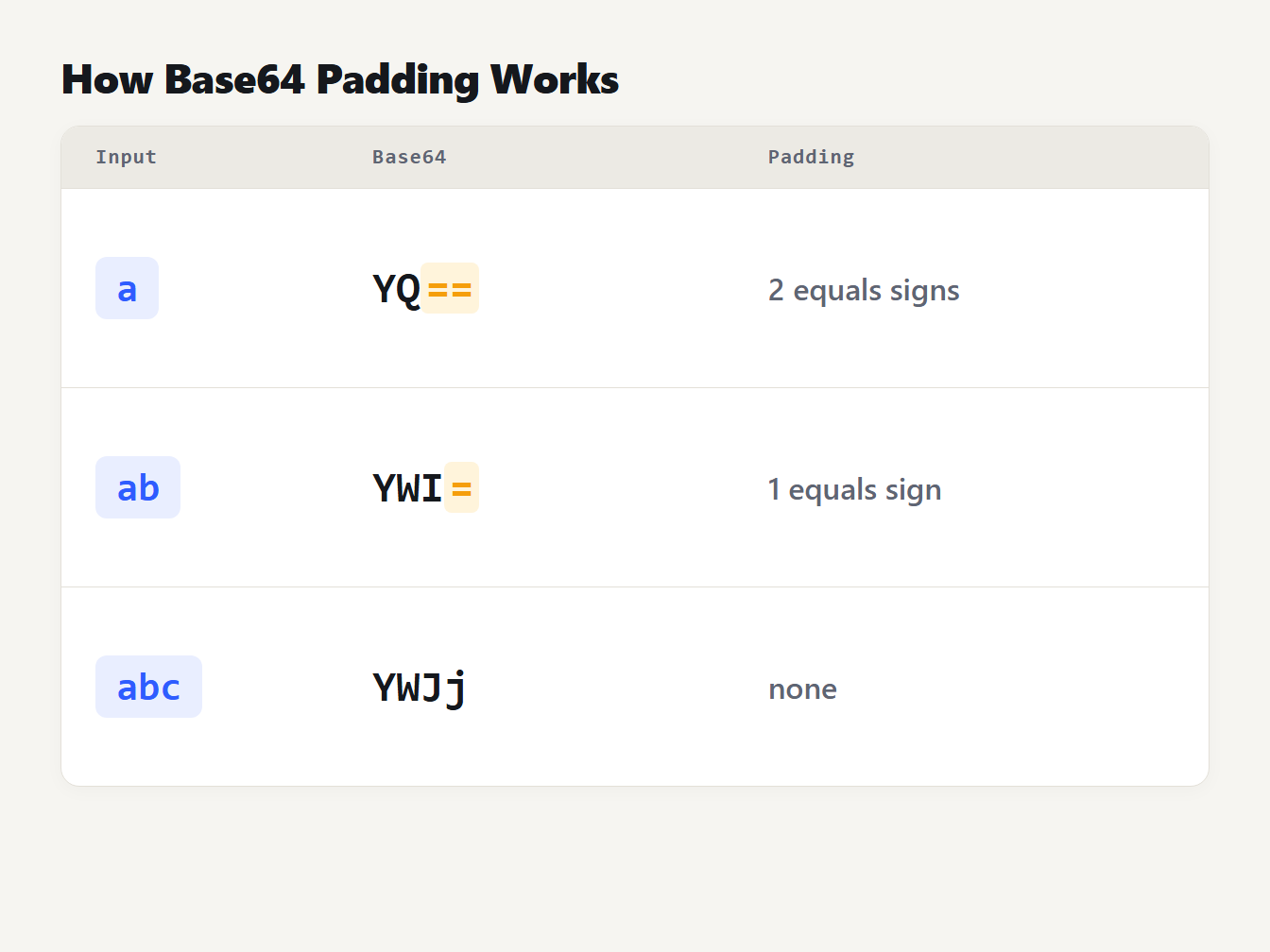
One byte, the letter a, encodes to YQ== with two padding signs. Two bytes, ab, encode to YWI= with one padding sign. Three bytes, abc, encode to YWJj with none.
Why Base64 adds 33 percent
Every 3 bytes become 4 characters, so the output is 4 ÷ 3 times the input, an increase of about 33 percent. The exact length is 4 × ceil(n ÷ 3) for n bytes of input. We checked the formula against real output:
| Input bytes | Base64 characters |
|---|---|
| 1 | 4 |
| 3 | 4 |
| 4 | 8 |
| 100 | 136 |
| 1,000 | 1,336 |
Tiny inputs grow far more than a third, because of the padding: 1 byte becomes 4 characters. Email adds a little more. The MIME standard says the encoded output must be in lines of no more than 76 characters (RFC 2045). With a line break after every 76 characters, a 1,000 byte attachment comes to about 1,370 characters.
That is the price of text safety. If you can send raw bytes, you should: Base64 never makes anything smaller.
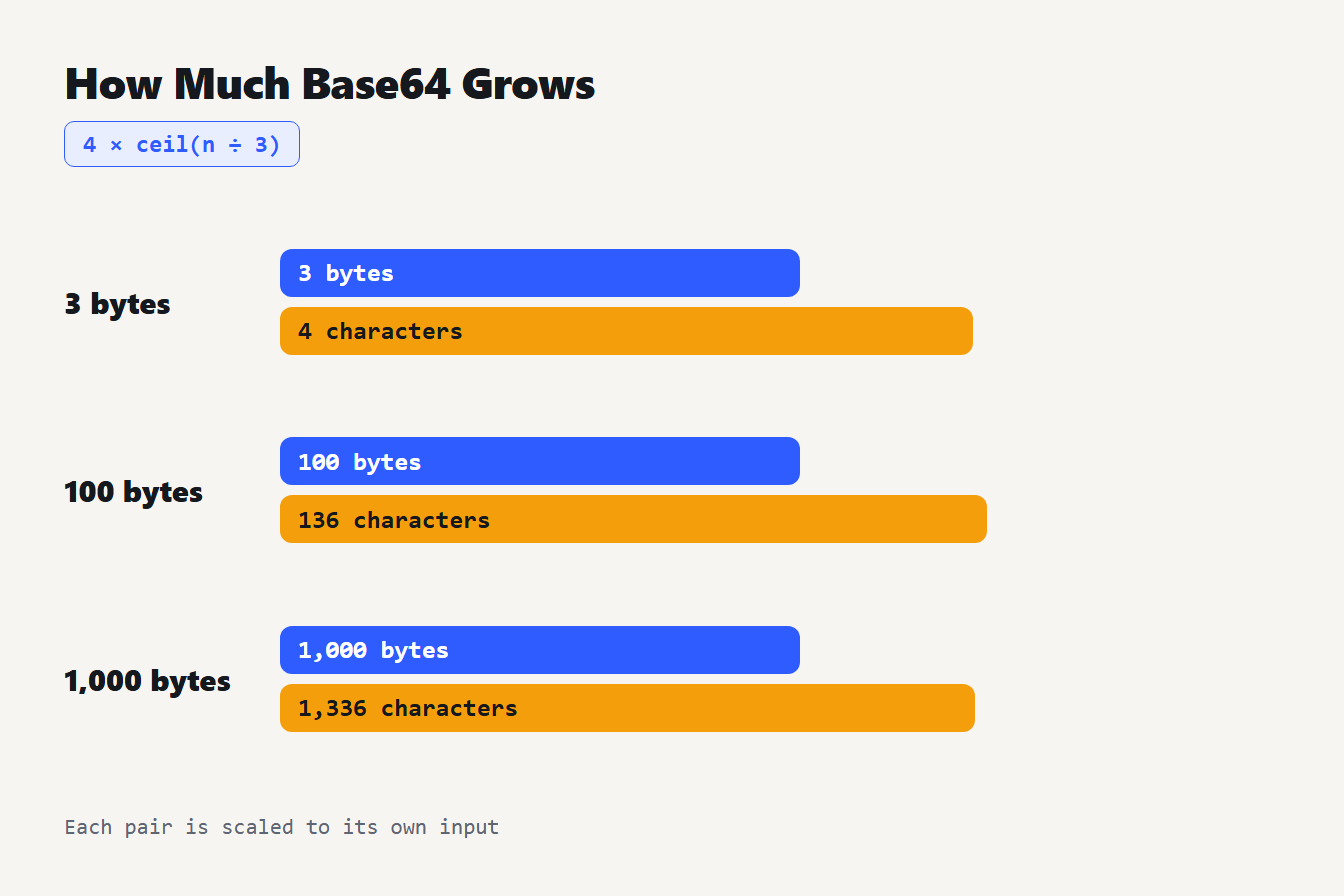
Three input sizes and their Base64 lengths: 3 bytes become 4 characters, 100 bytes become 136 characters and 1,000 bytes become 1,336 characters, following 4 times the rounded-up input length divided by 3.
Base64 encoding and Unicode text
Base64 works on bytes, not on letters. For plain English the two are the same, but accented letters, Chinese characters and emoji take several bytes in UTF-8. The right order is to convert the text to UTF-8 bytes first and then encode the bytes. These are real results:
| Text | UTF-8 bytes | Base64 |
|---|---|---|
| café | 5 | Y2Fmw6k= |
| 你好 | 6 | 5L2g5aW9 |
| 😀 (a grinning face emoji) | 4 | 8J+YgA== |
Here is the trap for JavaScript developers. Called directly on text with such characters, btoa() throws an error. MDN explains that for arbitrary Unicode text you need to first convert the string to its constituent bytes in UTF-8, then encode the bytes, and it recommends TextEncoder for that (MDN on btoa()). We confirmed that btoa() on Chinese text throws an InvalidCharacterError.
The Base64 Encoder / Decoder does the UTF-8 step for you. We compared it with Node's own Base64 on 13 inputs, including accents, Chinese text and emoji, and the results matched every time.
URL-safe Base64
The two symbols + and / cause trouble in URLs and file names. RFC 4648 defines a second alphabet, technically identical except for the last two characters: a minus sign in place of + and an underscore in place of /. Take the four characters ?>>>. Standard Base64 gives Pz4+Pg==. The URL-safe form is Pz4-Pg, and Node's URL-safe output also drops the padding.
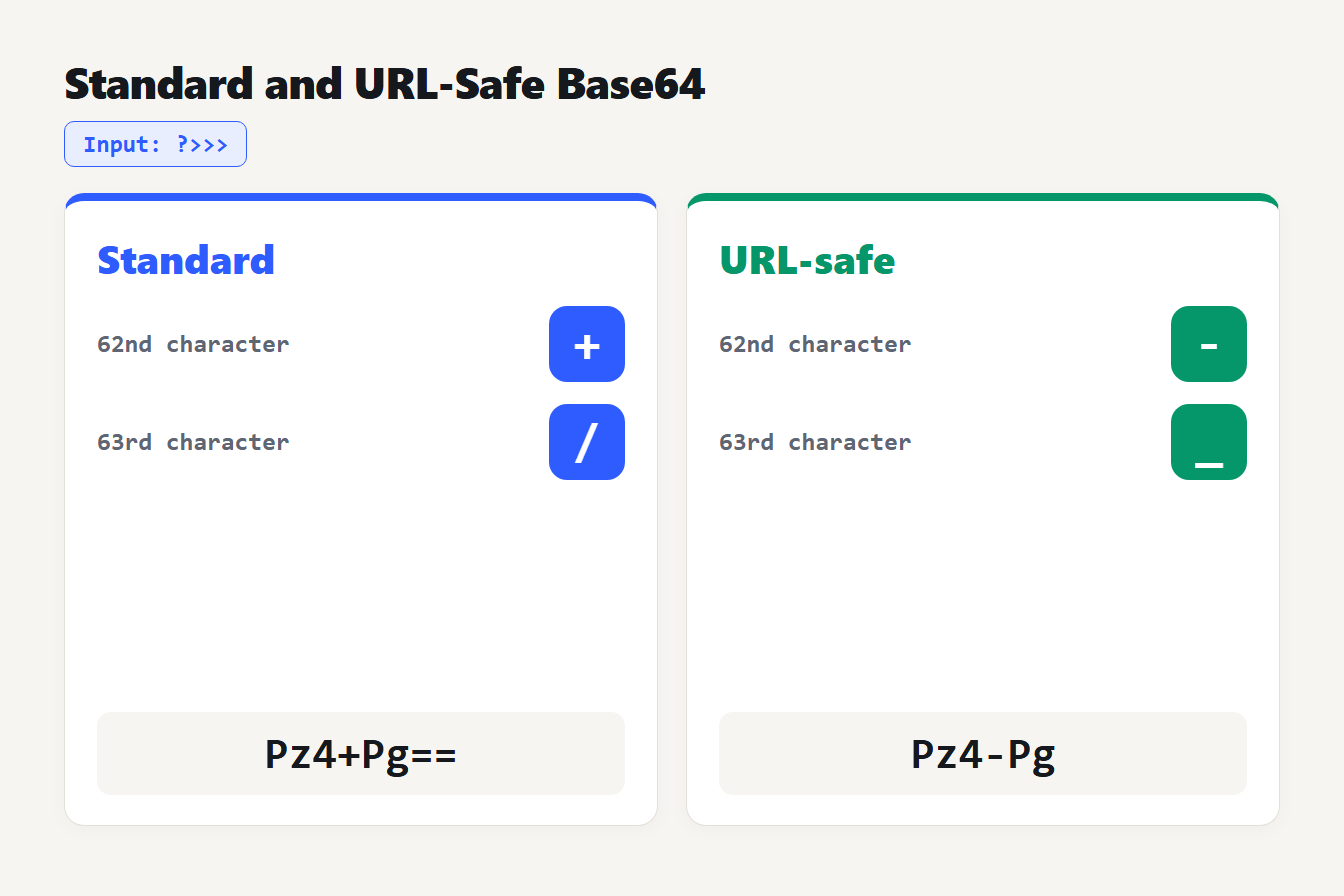
Standard Base64 uses plus and slash for the last two characters, and URL-safe Base64 uses minus and underscore. The four characters ?>>> encode to Pz4+Pg== in standard Base64 and Pz4-Pg in URL-safe form.
One limit to know about: the Base64 tool decodes the standard alphabet only. Pasting Pz4-Pg shows an invalid input error, and so does a valid Base64 string whose bytes are not UTF-8 text, such as raw image data. For URL-safe input, swap - for + and _ for / first. We tested that: Pz4+Pg decodes to ?>>> with the padding missing.
Base64 is not encryption
People see a string like c2VjcmV0MTIz and assume it is scrambled. It is secret123, and anyone can decode it in a second. RFC 4648 says it directly: base encoding visually hides otherwise easily recognized information, such as passwords, but does not provide any computational confidentiality.
So use Base64 to move data, never to protect it. If you need secrecy, you need real encryption with a key, and for storing passwords you need a slow password hash instead of any encoding.
Where Base64 shows up
- Email attachments. MIME wraps binary files in Base64 so they survive text-only mail systems.
- Data URLs. The syntax is
data:[<media-type>][;base64],<data>, and;base64tells the browser to decode the data (MDN on data URLs). That lets a small image sit inside an HTML or CSS file. - JSON and APIs. JSON has no binary type, so bytes are often sent as Base64 strings.
How to recognize Base64 encoding
A Base64 string uses only letters, digits, + and / (or - and _ in the URL-safe form), with at most two = signs at the very end. A padded string has a length that is a multiple of 4. Those clues are not proof, because an ordinary word such as "abcd" passes the same test. The reliable check is to decode it and see whether sensible text or a known file header comes out. If the result is gibberish, it may be binary data, a different encoding, or not Base64 at all.
Mistakes to avoid
- Treating it as security. It is reversible by anyone.
- Forgetting UTF-8. Encode bytes, not code points, or non-English text breaks.
- Mixing alphabets. A URL-safe string will not decode with a standard decoder.
- Expecting smaller files. The output is always at least a third larger.
- Encoding twice. Double-encoded data decodes to another Base64 string, which looks like garbage.
Frequently asked questions
Is Base64 encryption?
No. Base64 is an encoding with no key, so anyone can reverse it instantly. RFC 4648 says base encoding visually hides information but does not provide any computational confidentiality. Never use it to protect passwords or secrets.
Why does Base64 end with an equals sign?
Base64 works on groups of 3 bytes. When the input is not a multiple of 3, the output is padded with = so its length is a multiple of 4. One leftover byte gives two equals signs, as in YQ==, and two leftover bytes give one, as in YWI=.
Why is Base64 about 33 percent larger?
Every 3 bytes of input become 4 characters of output, so the size grows by 4 divided by 3, about 33 percent. The exact length is 4 times the input length divided by 3, rounded up. A 1,000 byte input becomes 1,336 characters.
What is URL-safe Base64?
It is the same encoding with two characters swapped: a minus sign instead of plus and an underscore instead of slash. RFC 4648 defines it so the result can sit in a URL or file name without escaping. Many tools also drop the equals padding.
How do I Base64 encode text with accents or emoji?
Convert the text to UTF-8 bytes first, then encode the bytes. JavaScript's btoa() alone fails on characters outside Latin-1, so MDN recommends TextEncoder. The café example becomes Y2Fmw6k=, and one emoji becomes 8J+YgA==.
Try it yourself
Paste the word Man into the Base64 Encoder / Decoder and you should get TWFu. Then add a letter and watch the padding appear. For percent-encoded text in URLs, a different scheme from Base64, use the URL Encoder / Decoder. A JSON Web Token is three base64url parts joined by dots, and the JWT Decoder reads the first two of them for you.