How to Convert Text to Binary: ASCII, UTF-8 and Emoji Explained
Learn how to convert text to binary by hand and with a free tool, why é takes two bytes, how emoji differ, and how to decode binary back into text.
By TheTextKit Team
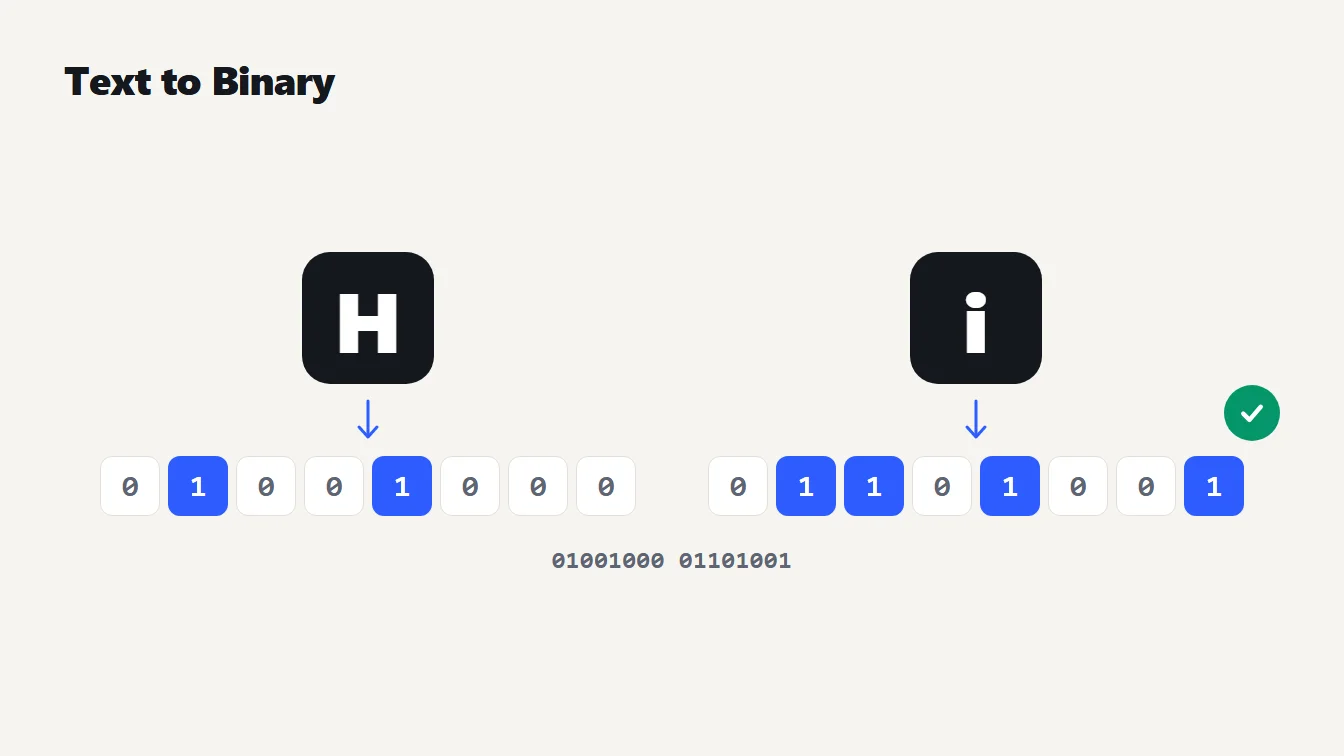
The letters H and i are shown as tiles with cells of ones and zeros beneath them, under the heading Text to Binary, to illustrate how to convert text to binary.
To convert text to binary, look up the numeric code for each character, write that number in base 2, and pad it to eight digits. The letter H has code 72, which is 01001000, so "Hi" becomes 01001000 01101001. The quickest route is the Text to Binary Translator: type your text and read the binary.
Below you'll see how to do it by hand, why accented letters and emoji need more than one byte, how to turn binary back into text, and the mistakes that produce garbled results.
Convert text to binary by hand in three steps
Take the word "Hi". Every character has a number, and binary is just that number written with ones and zeros.
- Find the character's code. In ASCII, a capital A is 65, a lowercase a is 97 and a space is 32, as the original ASCII specification, RFC 20 lays out. Following the same table, H is 72 and i is 105.
- Write the code in base 2. Break the number into powers of two. 72 is 64 + 8, which gives 1001000. 105 is 64 + 32 + 8 + 1, which gives 1101001.
- Pad to eight digits. Add leading zeros until each code has eight digits: 01001000 and 01101001.
So "Hi" is 01001000 01101001. To skip the arithmetic, paste the text into the Text to Binary Translator, choose Binary and copy the output. It also shows hex, decimal and octal, which we'll get to in a moment.
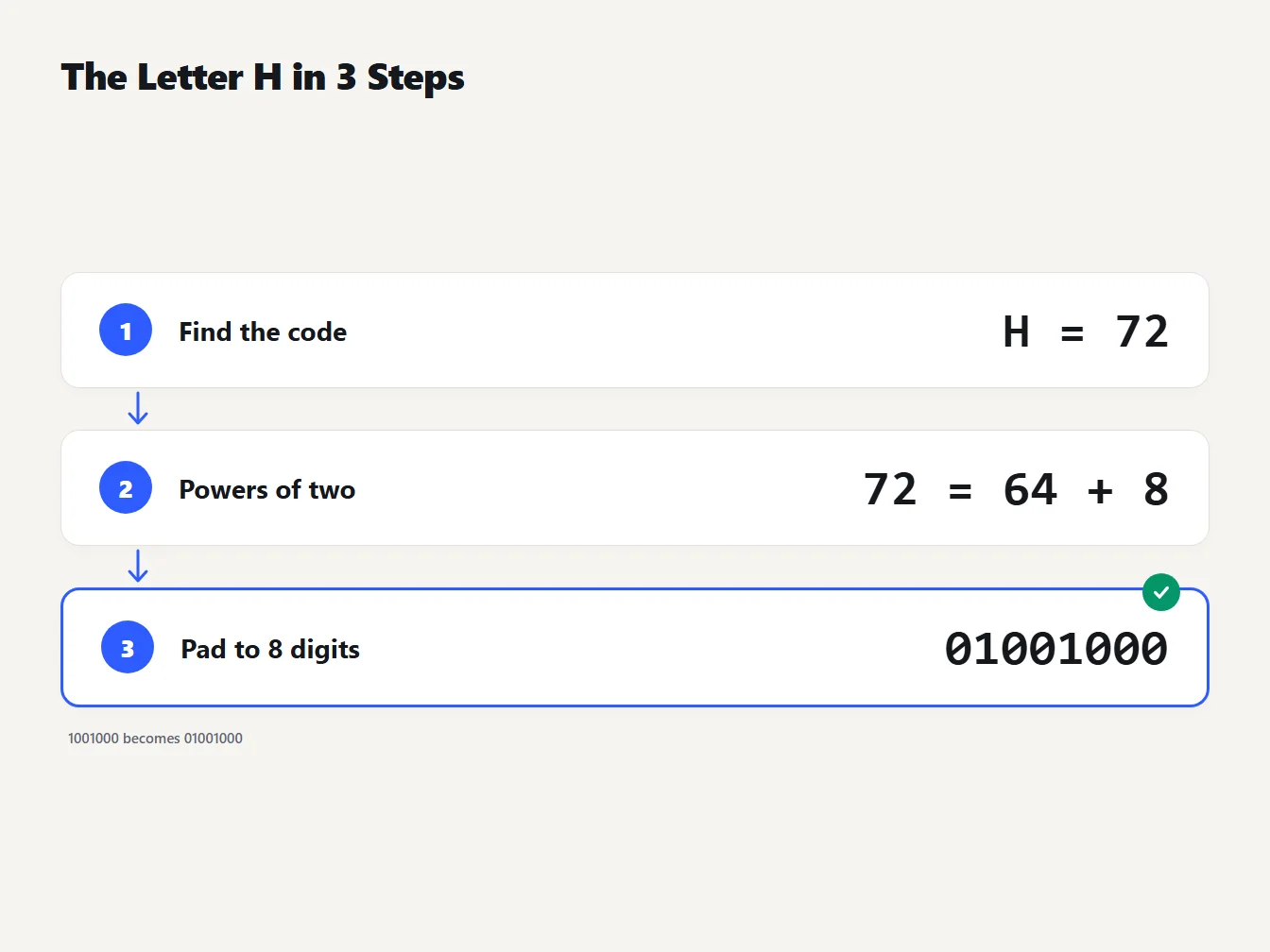
A three step walkthrough of converting H to binary: find its ASCII code (72), break it into powers of two (64 plus 8), then pad it to eight digits to get 01001000.
Why each character is eight bits, until it isn't
Original ASCII has only 128 codes, so seven bits are enough. RFC 20 suggests embedding 7-bit ASCII in an eight-bit byte whose high bit is always 0. That is why a capital A shows up as 01000001 rather than 1000001: the leading zero is padding, not part of the code.
Characters beyond ASCII need more room. The translator uses UTF-8, which RFC 3629 defines as one to four bytes per character. ASCII characters keep their single-byte values, so plain English text looks identical in ASCII and UTF-8. Everything else is built from the pattern in this table, where the x slots hold the bits of the character's code point:
| Code point range | Bytes | Byte pattern |
|---|---|---|
| U+0000 to U+007F | 1 | 0xxxxxxx |
| U+0080 to U+07FF | 2 | 110xxxxx 10xxxxxx |
| U+0800 to U+FFFF | 3 | 1110xxxx 10xxxxxx 10xxxxxx |
| U+10000 to U+10FFFF | 4 | 11110xxx 10xxxxxx 10xxxxxx 10xxxxxx |
Read the first byte and you know how long the character is: a leading 0 means one byte, 110 means two, 1110 means three and 11110 means four. Every following byte starts with 10.
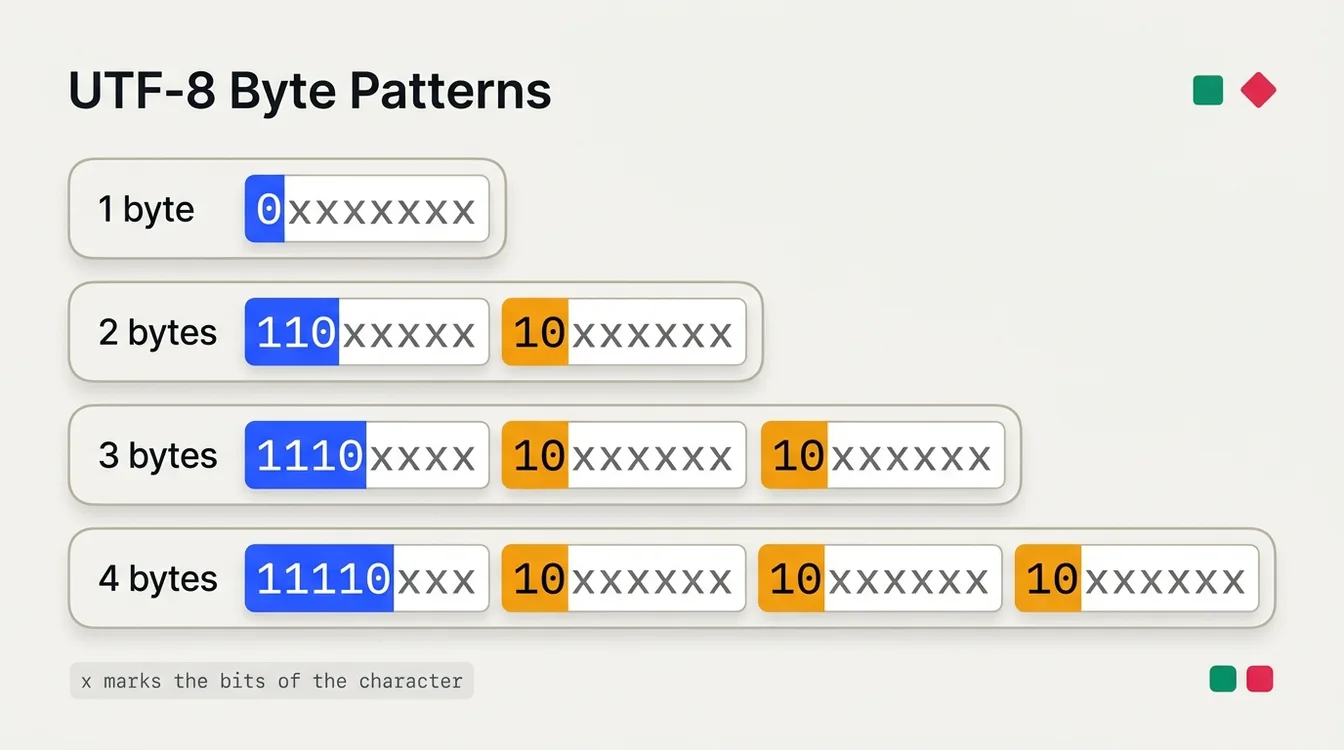
The four UTF-8 byte patterns defined in RFC 3629. The leading bits of the first byte announce the length, and every continuation byte starts with 10.
What happens to é, € and emoji
Here are three characters run through the translator, next to a plain letter for comparison:
| Character | Code point | Bytes | Binary |
|---|---|---|---|
| A | U+0041 | 1 | 01000001 |
| é | U+00E9 | 2 | 11000011 10101001 |
| € | U+20AC | 3 | 11100010 10000010 10101100 |
| Grinning face emoji | U+1F600 | 4 | 11110000 10011111 10011000 10000000 |
Walk through é to see the pattern work. Its code point is E9 in hex, which is 11101001, or 00011101001 padded to the 11 bits that a two-byte character holds. Slot those into 110xxxxx 10xxxxxx and you get 110 00011 followed by 10 101001, which is 11000011 10101001.
The consequence is that characters and bytes stop matching. The word "café" is four characters but five bytes. The string "Hi €" followed by the grinning face is five characters and ten bytes.
Not every emoji is four bytes, either. The grinning face is, but the heart sign (U+2764) is three. The red heart that adds a variation selector (U+FE0F) is six, and a thumbs up with a skin tone is eight. A family emoji built from three people joined together takes eighteen. Emoji made of several parts are several code points, each encoded on its own.
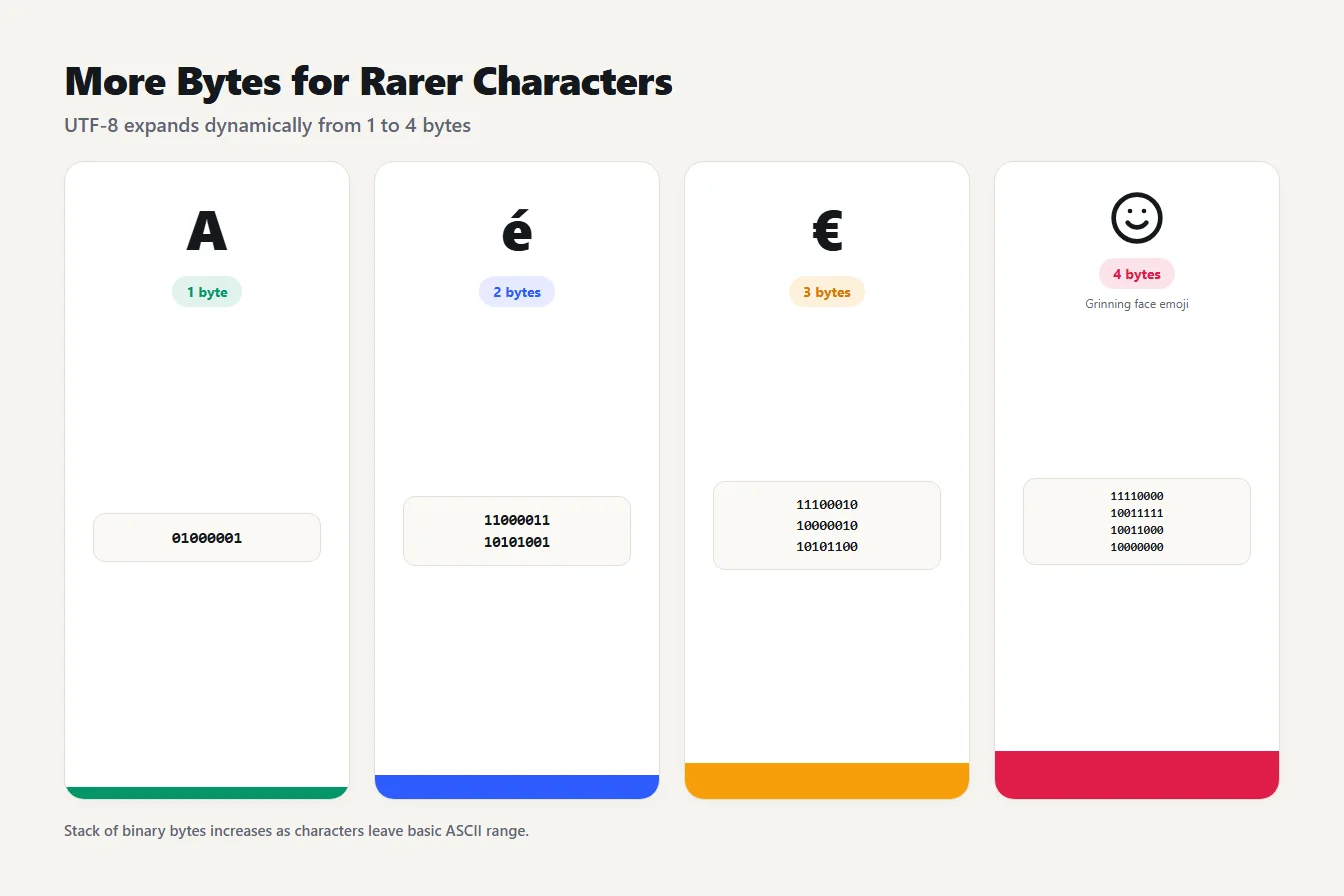
Four cards compare the UTF-8 length of A (1 byte), é (2 bytes), the euro sign (3 bytes) and a grinning face emoji (4 bytes), with the binary bytes for each.
Text is not the same as a number
This trips up almost everyone once. Type 42 into a text to binary tool and you get 00110100 00110010, not 101010. The tool isn't wrong. It converted two characters, the digit 4 (code 52) and the digit 2 (code 50), not the number forty-two.
Even a single digit changes: the character 1 is 00110001, not 00000001. A text translator shows the code of what you typed. If you want the numeric value of 42 in binary, you need a number base converter instead.
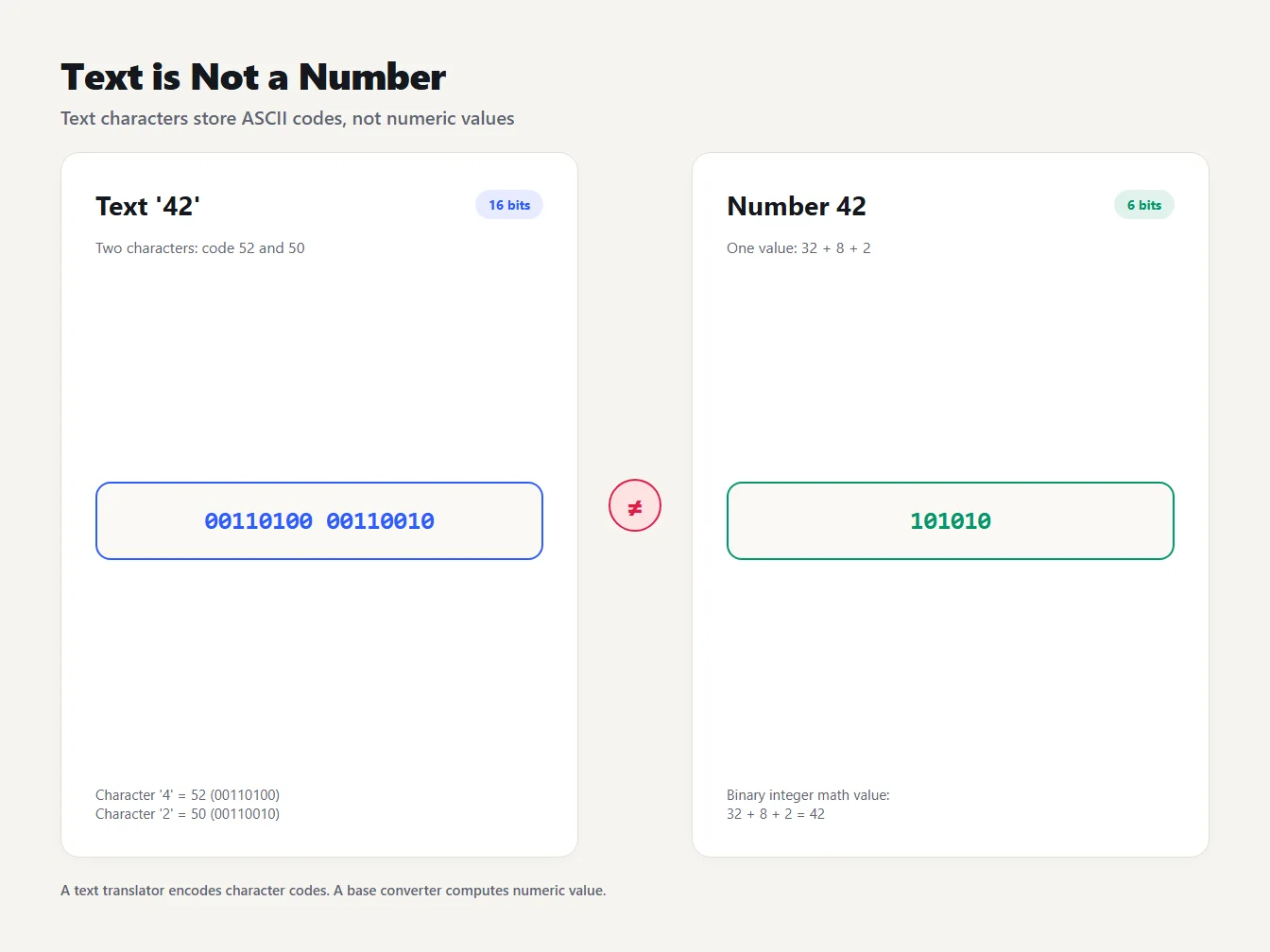
Contrasts the text 42, two characters that become 00110100 00110010, with the number 42, a single value that is 101010 in binary.
Binary, hex, decimal and octal: same bytes, different notation
Binary is the most literal view of the bytes, but long strings of ones and zeros are hard to read. The same two bytes for "Hi" look like this in each number system:
| Number system | "Hi" | Digits per byte |
|---|---|---|
| Binary | 01001000 01101001 | 8 |
| Hexadecimal | 48 69 | 2 |
| Decimal | 72 105 | 1 to 3 |
| Octal | 110 151 | 3 |
Hexadecimal is the favorite of programmers because two digits always map to exactly one byte. "Hello" is 48 65 6C 6C 6F in hex. If you're moving bytes through systems that only accept text, the Base64 Encoder / Decoder is another way to write the same bytes as printable characters.
How to convert binary back to text
Decoding is the same steps in reverse. Split the digits into groups of eight, turn each group into a number, and look up the character. The five bytes 01100011 01100001 01100110 11000011 10101001 become c, a, f and a two-byte character: the last two bytes start with 110 and 10, so they pair up into é, giving "café".
In the translator, switch the direction to Binary to Text and paste your bytes. Values can be separated by spaces or commas, and a long unspaced string is read eight digits at a time. In hex mode a 0x prefix is fine. Spaced groups can even be shorter than eight digits, so 1001000 1101001 decodes to "Hi".
Mistakes get a clear message. Paste 01012 and the tool says "01012" is not a valid binary value. Paste nine ones and zeros as one value and it says the value is larger than one byte. The quiet failure is a cut-off character. The single byte 11000011 is the first half of a two-byte character, so there is nothing valid to decode. The browser's decoder substitutes the Unicode replacement character, U+FFFD, which is usually drawn as a diamond with a question mark inside. MDN's documentation for TextDecoder describes this default. If that symbol turns up in your output, a byte is missing or damaged.
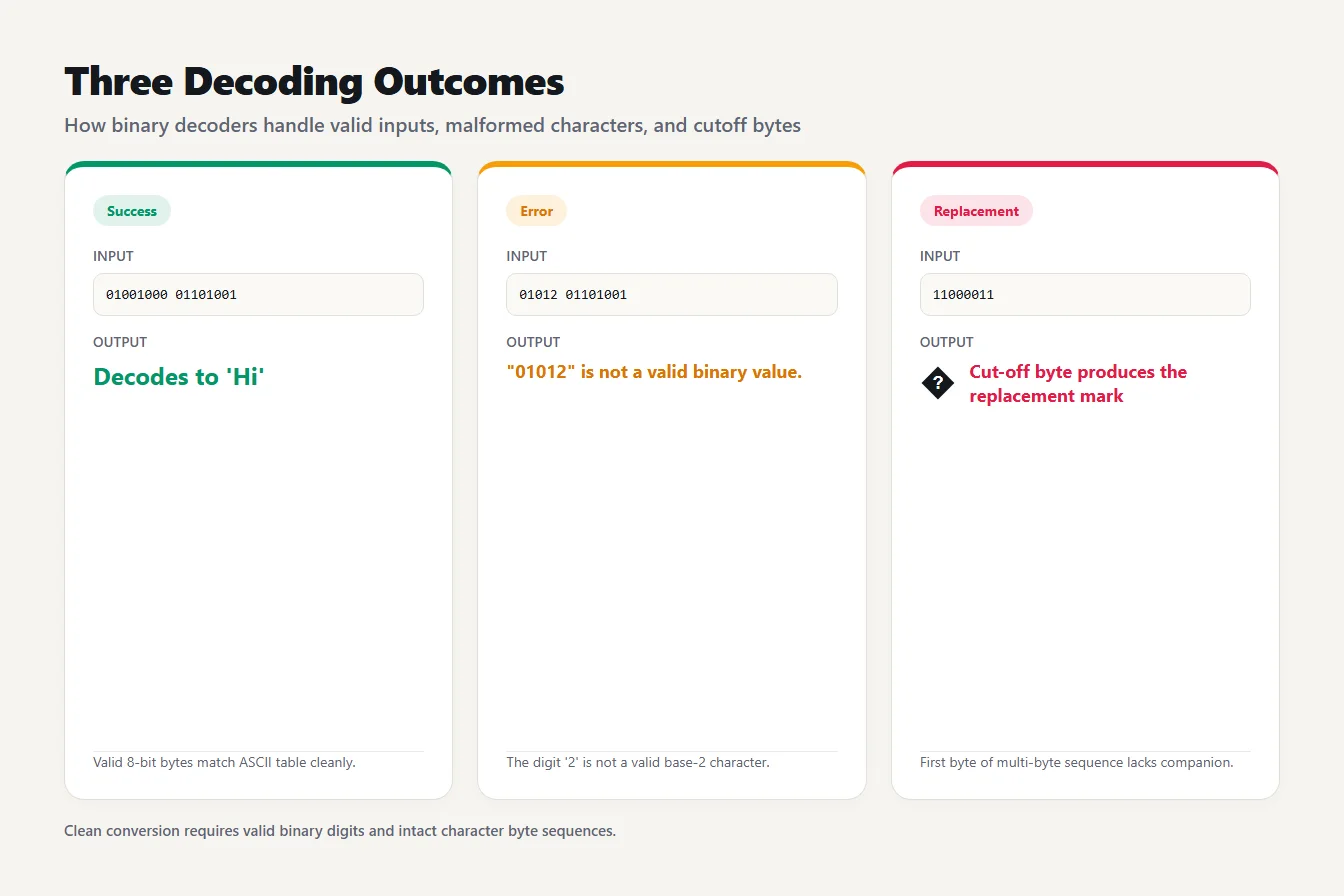
Valid binary decodes to Hi, an invalid digit produces an error message, and a cut-off byte produces the Unicode replacement character instead of text.
Patterns worth knowing
Uppercase and lowercase letters differ by exactly one bit. A is 01000001 and a is 01100001, and B is 01000010 against b 01100010. The bit that flips is worth 32, which is why every lowercase letter's code is 32 higher than its capital. A space is 00100000, and a new line is 00001010.
These patterns explain a lot of old tricks, such as flipping case by changing one bit. They also make binary easier to eyeball: once you know that 010 starts capitals and 011 starts lowercase letters, a long string stops looking like noise.
Mistakes that garble the result
Most problems when you convert text to binary come down to a handful of slips. Dropped zeros are the most common. If you type 1001000 (seven digits) into a long unspaced string, every group after it shifts out of line. Always keep the eight-digit padding when you join bytes together.
Counting characters instead of bytes is next. Say a field allows 20 bytes and you type a 10-character name made entirely of accented letters such as é. Each of those letters takes two bytes, so the name can reach the limit at half the length you expected. Checking the byte count before you submit is cheaper than debugging a truncated value later.
The third is reading the right bytes with the wrong decoder. The bytes for "café" decoded as Windows-1252 instead of UTF-8 come out as "café", because the two bytes of é are read as two separate characters. If you ever see a capital A with a tilde (Ã) followed by another symbol, that is the cause.
Finally, binary is not encryption. Anyone can paste it into a decoder, so don't use it to hide anything.
Frequently asked questions
How do you convert text to binary?
Look up the numeric code for each character, write that number in base 2, and pad it to eight digits. The letter H is code 72, which is 01001000. Our Text to Binary Translator does this for every character, including accented letters that take more than one byte.
How many bits is one character?
It depends on the encoding. In UTF-8, an ASCII character takes eight bits (seven for the code plus a leading zero). Other characters take 16, 24 or 32 bits, which is two, three or four bytes.
What is "Hello" in binary?
01001000 01100101 01101100 01101100 01101111. Each letter is one byte: H is 72, e is 101, l is 108 (twice) and o is 111, each written as eight binary digits.
Why does my binary output have more bytes than characters?
Characters outside ASCII use two to four bytes in UTF-8. The word café has four characters but five bytes, because é takes two. A euro sign takes three bytes.
Is it safe to paste private text into an online binary converter?
With TheTextKit, yes: the conversion runs in your browser and the text is never sent to a server. Check that for any other tool before you paste anything sensitive.
Try your own text
The next time you convert text to binary, paste something with an accent into the Text to Binary Translator and compare the number of bytes with the number of characters. That one comparison teaches more about UTF-8 than any table.