How to Convert Text to Hex: UTF-8, UTF-16 and Latin-1
Learn how to convert text to hex: UTF-8, UTF-16 and Latin-1 bytes, why é takes two bytes, how to read hex back and what errors mean. Tested on 50,000 cases.
By TheTextKit TeamPublished
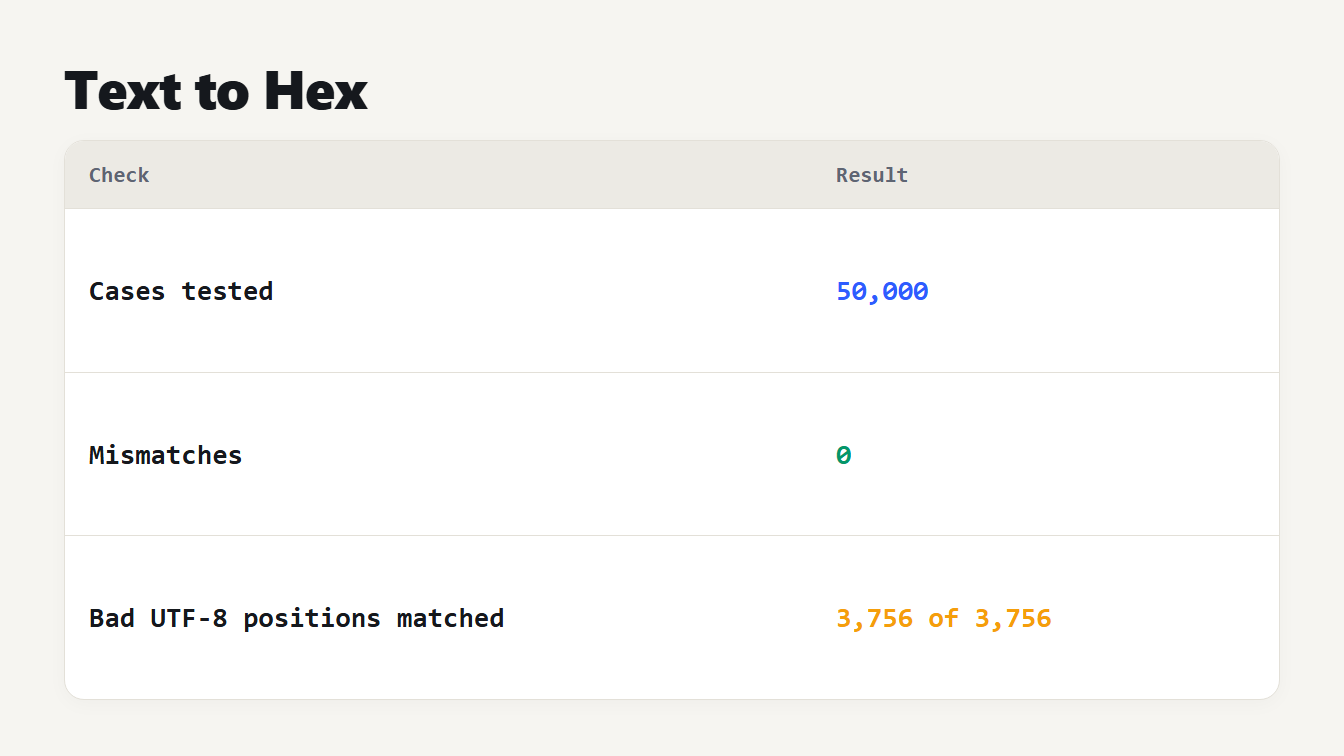
A table of three results for the text to hex converter. 50,000 texts and byte strings were compared with the codecs of Python. There were no mismatches. The position of the first bad byte matched in all 3,756 invalid UTF-8 cases.
To convert text to hex, turn the text into bytes with a character encoding, then write each byte as two hexadecimal digits. In UTF-8, the text Hi is the bytes 72 and 105, which are 48 69 in hex. The step people forget is the encoding, and it's the one that decides everything. The same text gives different bytes in UTF-8, UTF-16 and Latin-1, so a hex string means nothing until you know which one it was made with.
This guide shows how to convert text to hex and back, why one character can be several bytes, and what the errors mean. We also tested our converter on 50,000 cases against the codecs of Python.
How to convert text to hex
- Open the Text to Hex Converter and paste your text.
- Choose the encoding. UTF-8 is the right choice for most text on the web.
- Choose how to write the hex: a space, comma, new line or nothing between bytes, a prefix such as
0x,\xor%, and upper or lower case. - Copy the result. The tool shows how many bytes it made.
To go back, choose Hex to text, pick the same encoding and paste the hex. The byte count and the text appear at once.
Why one character can be several bytes
UTF-8 uses between one and four bytes for a character. The UTF-8 specification, RFC 3629, sets out the ranges. Characters up to U+007F, which are the ASCII letters, digits and punctuation, take one byte. Then it takes two bytes up to U+07FF, three up to U+FFFF and four up to U+10FFFF.
| Code points | Bytes in UTF-8 | Examples |
|---|---|---|
| U+0000 to U+007F | 1 | A, 7, ? |
| U+0080 to U+07FF | 2 | é, ñ, Ж |
| U+0800 to U+FFFF | 3 | €, 中, あ |
| U+10000 to U+10FFFF | 4 | Emoji |
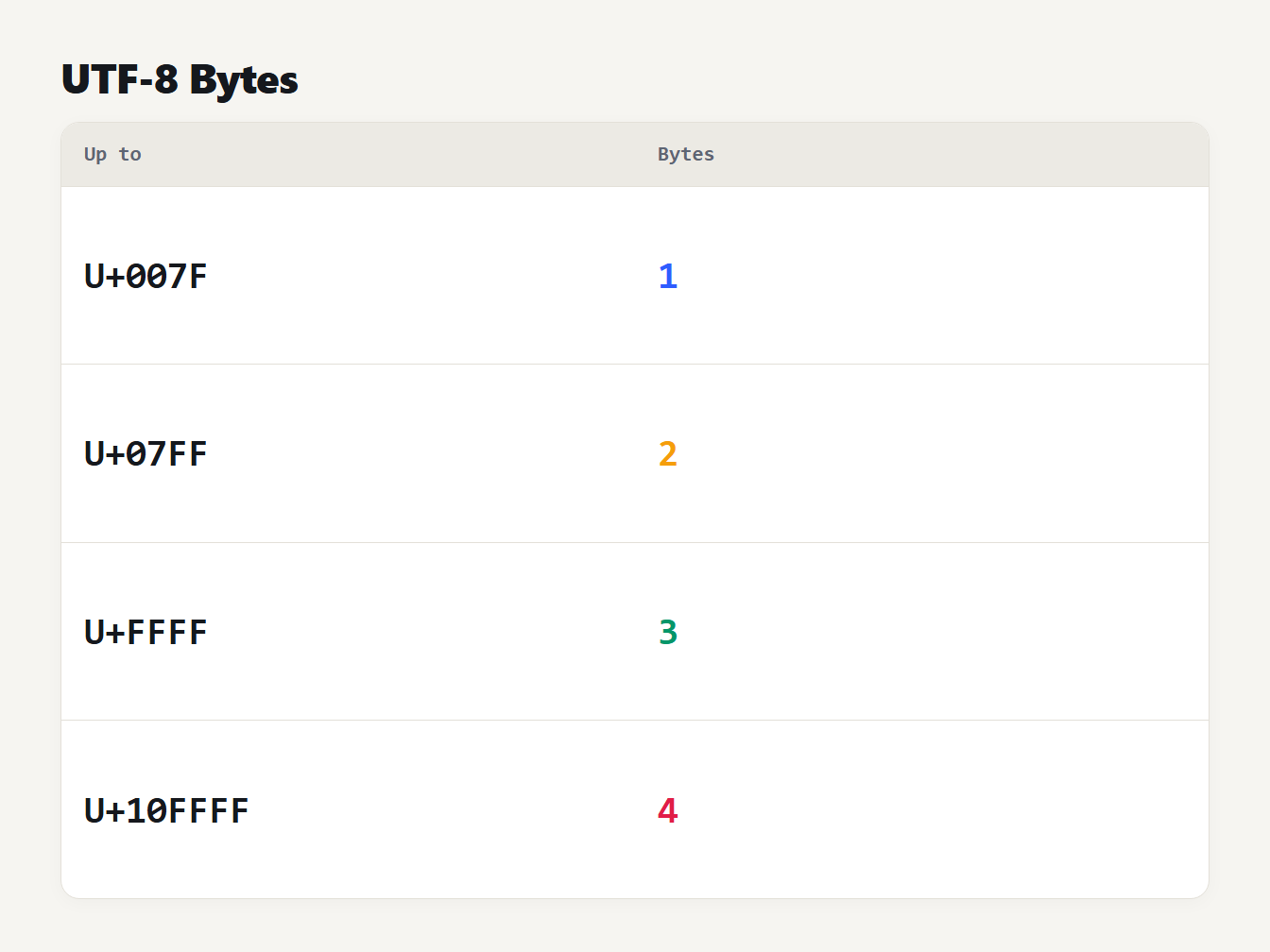
A table of how many bytes UTF-8 uses for four ranges of characters. Code points up to U+007F take 1 byte. Up to U+07FF they take 2 bytes. Up to U+FFFF they take 3 bytes. Up to U+10FFFF they take 4 bytes.
So the word café is five bytes in UTF-8, because the é takes two: 63 61 66 C3 A9. This is why the number of bytes and the number of characters of a text are often different, and why a limit given in bytes can be hit sooner than a limit given in characters.
UTF-16 and Latin-1
UTF-16 works differently. According to the Wikipedia article on UTF-16, a code point below 65,536 is one 16-bit unit, and a higher one is written as two units called a surrogate pair. So most characters take two bytes and emoji take four. The two bytes of a unit can come in either order. Little endian puts the low byte first, and big endian puts the high byte first. The article gives U+10437 as D8 01 DC 37 in big endian and 01 D8 37 DC in little endian.
Latin-1, also called ISO 8859-1, is the simplest: one byte for each of the first 256 characters, and nothing else. It cannot hold the euro sign or an emoji, and the converter says so instead of swapping in a question mark.
| Character | UTF-8 | UTF-16 little endian | UTF-16 big endian | Latin-1 |
|---|---|---|---|---|
| A | 41 | 41 00 | 00 41 | 41 |
| é | C3 A9 | E9 00 | 00 E9 | E9 |
| € | E2 82 AC | AC 20 | 20 AC | not possible |
| U+1F600 (emoji) | F0 9F 98 80 | 3D D8 00 DE | D8 3D DE 00 | not possible |
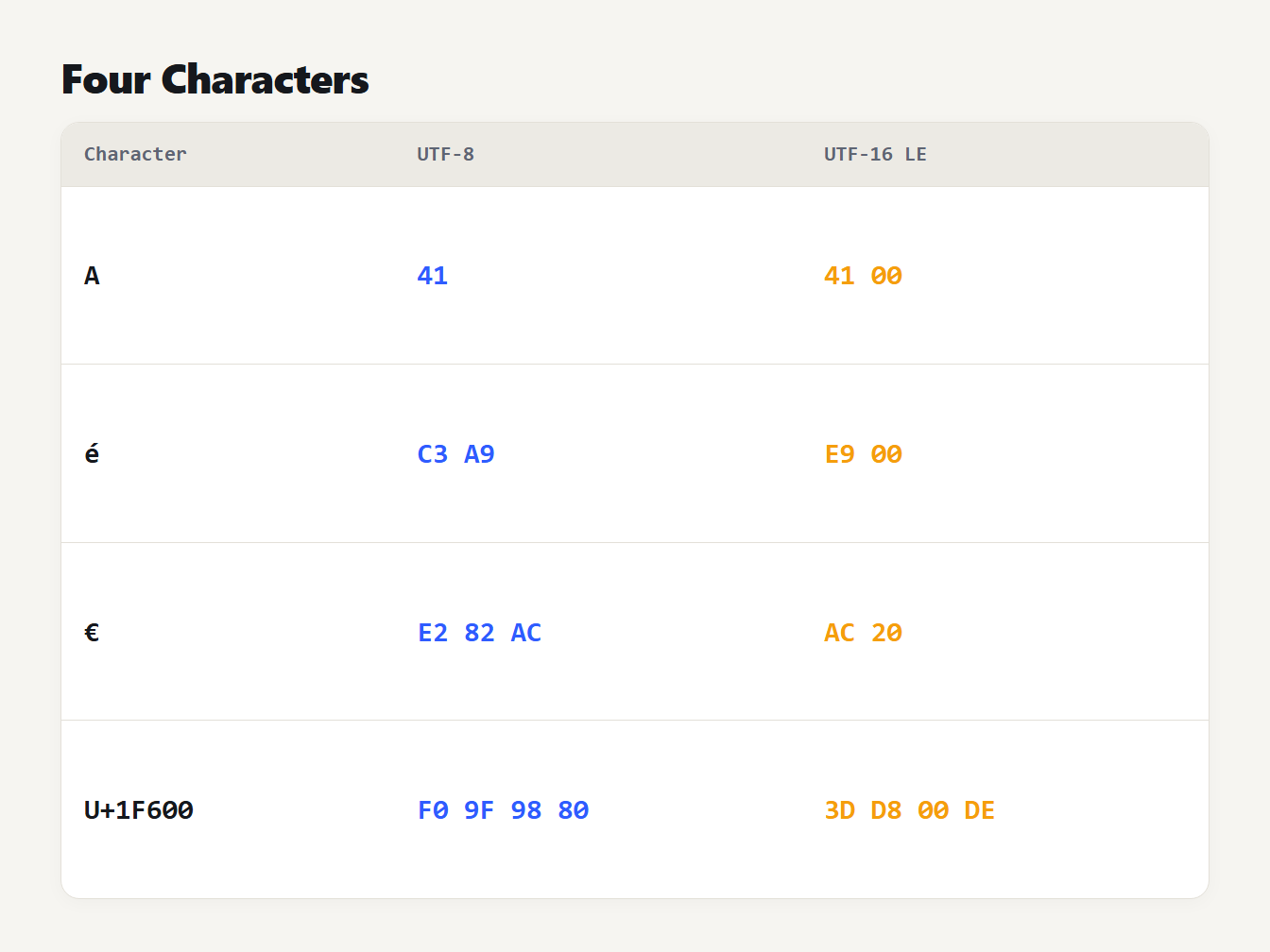
A table of three characters and one emoji in hex. A is 41 in UTF-8 and 41 00 in UTF-16 little endian. The letter e with an acute accent is C3 A9 and E9 00. The euro sign is E2 82 AC and AC 20. The emoji U+1F600 is F0 9F 98 80 and 3D D8 00 DE.
The converter does not add a byte order mark. If you need one, add FE FF before big endian bytes or FF FE before little endian ones.
Reading hex back
Hex turns up in many shapes: 48 65 6C, 4865, 0x48,0x65, \x48\x65 and %48%65. The converter reads all of them, and also bytes separated by colons or hyphens. It's strict about one thing: each byte is exactly two digits. A lone digit such as the 6 in 48 6 is an error with its position, because it could mean 06 or 60, and guessing would change your data.
| Format | Example |
|---|---|
| Spaces | 48 69 |
| 0x prefix | 0x48, 0x69 |
| Backslash x | \x48\x69 |
| Percent | %48%69 |
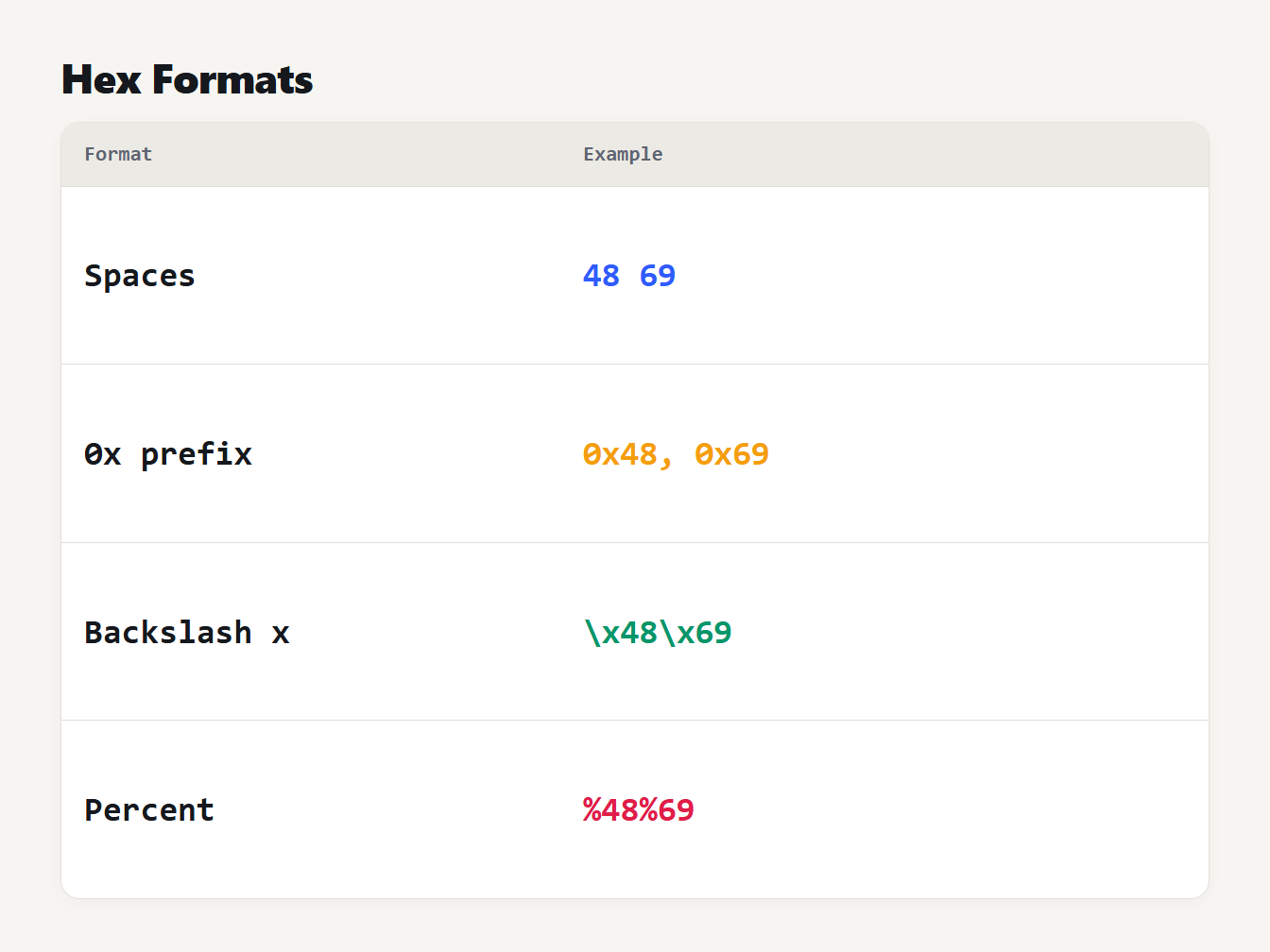
A table of four ways to write the hex bytes for the text Hi. With spaces it is 48 69. With a 0x prefix it is 0x48, 0x69. With a backslash and x before each byte it is \x48\x69. With a percent sign it is %48%69.
What the errors mean
When hex does not decode, the tool says why instead of showing a replacement character.
Invalid UTF-8. The RFC says decoders must protect against invalid sequences. An overlong form such as C0 80, which would be a long way of writing U+0000, is invalid, and so is a surrogate or a sequence cut short. The tool names the first bad byte. Latin-1 text read as UTF-8 is the classic case. The bytes of café in Latin-1 are 63 61 66 E9, and read as UTF-8 the converter reports byte 4, the E9, because it starts a three byte sequence that never finishes.
The wrong encoding that happens to work. The reverse mistake gives no error at all. Take the UTF-8 bytes C3 B1, which are the letter ñ. Read as Latin-1 they give two characters, Ã and ±, and every byte is valid in Latin-1. If you see characters like these, you decoded with the wrong encoding.
Half of an emoji. A text can hold half of a surrogate pair, a lone surrogate. It cannot be encoded in any of the four encodings, so the tool reports its position and does not make up a character.
How we tested the converter
We compared the converter with the codecs of Python. A script made 20,000 random texts with ASCII, accents, Chinese, emoji, control characters, byte order marks and noncharacters, and a few percent with a lone surrogate. Each was encoded in each of the four encodings, with random separators, prefixes and case, and Python gave the expected hex, or an error.
Then it made 30,000 byte sequences, valid and damaged: encoded texts with bytes changed or cut off, and random bytes biased towards the troublesome values such as C0, ED, F4 and FF. Python decoded each one with the strict codec, or said where it failed.
| Test | Cases | Result |
|---|---|---|
| Texts encoded, 4 encodings | 20,000 | All match Python |
| Byte strings decoded, 4 encodings | 30,000 | All match Python |
| Invalid UTF-8 positions | 3,756 | All the same as Python |
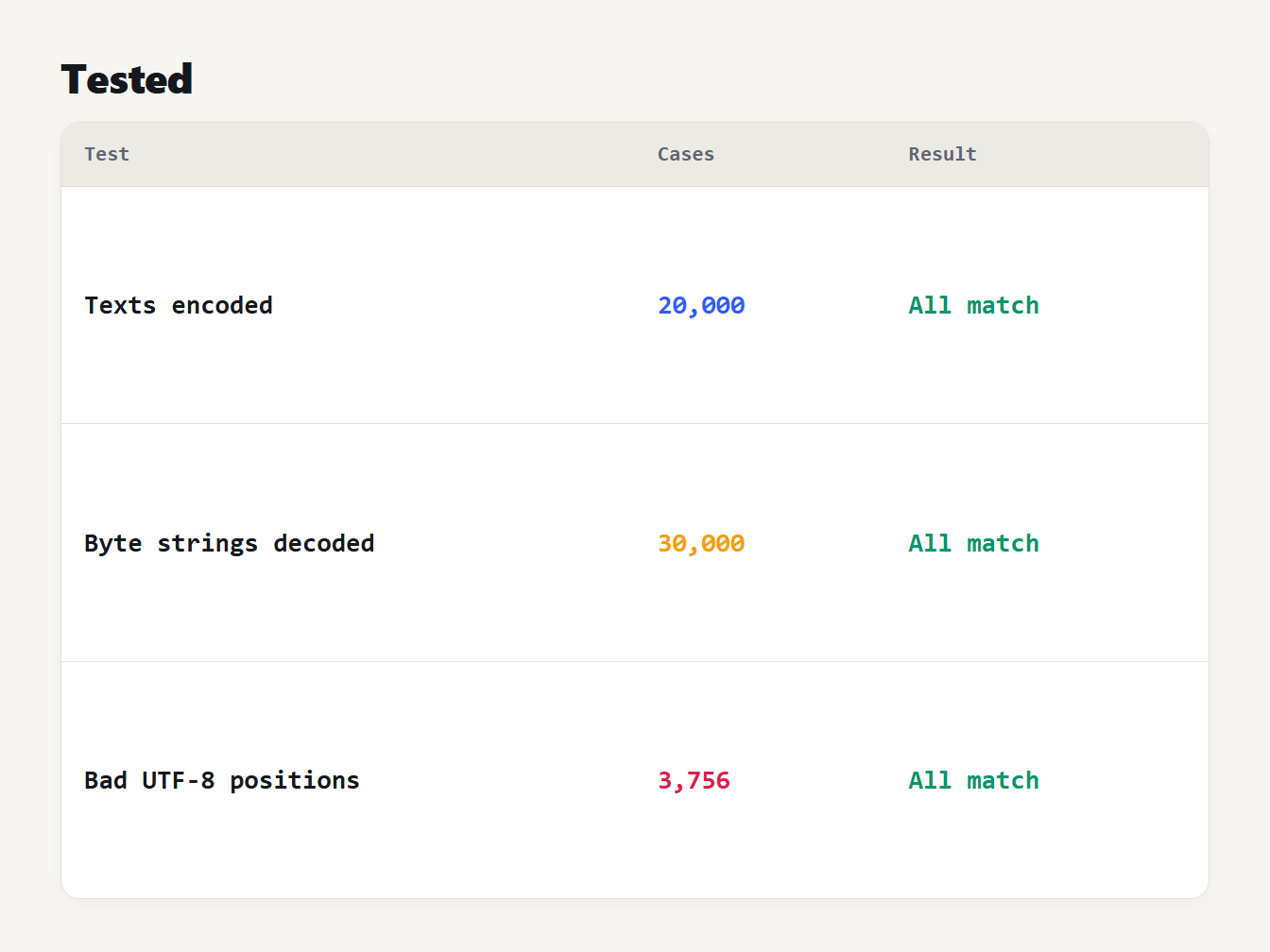
A table of three tests of the text to hex converter against Python. 20,000 texts were encoded and all matched. 30,000 byte strings were decoded and all matched. The position of the first bad byte matched in all 3,756 invalid UTF-8 cases.
Of the 20,000 texts, 3,663 were refused by Latin-1, which was right, and about 1,000 across the other three had a lone surrogate. Of the 30,000 byte strings, 7,202 were invalid in the encoding chosen, which is 3,756 in UTF-8 and 3,446 in UTF-16, and the converter refused each of them. There were no mismatches.
Limits
The converter handles UTF-8, UTF-16 and Latin-1. It does not support UTF-32 or other regional encodings. It does not add or remove a byte order mark. And hex is only a way to write bytes: for the hex value of a number, rather than of text, use the Number Base Converter.
Frequently asked questions
How do I convert text to hex?
Turn the text into bytes with an encoding such as UTF-8, then write each byte as two hexadecimal digits. The text Hi is the bytes 72 and 105, which are 48 and 69 in hex. A converter does this for any text, and can add spaces, commas or a 0x prefix.
Why does one character give several hex bytes?
Because UTF-8 uses one to four bytes for a character. Plain English letters take one byte, accented letters take two, most other scripts and the euro sign take three, and emoji take four. A single character such as the euro sign is E2 82 AC in UTF-8.
What is the difference between UTF-8 and UTF-16 in hex?
UTF-8 writes ASCII characters as one byte, while UTF-16 uses two bytes for most characters and four for emoji. The order of the two bytes depends on little or big endian. The letter A is 41 in UTF-8, 41 00 in UTF-16 little endian and 00 41 in UTF-16 big endian.
Why do I get strange characters like ñ when I read hex back?
You read UTF-8 bytes with the wrong encoding. In UTF-8 the bytes C3 B1 are the letter ñ, but read as Latin-1 they become two characters, Ã and ±. Choose the encoding the text was written in.
Can I paste hex with 0x or a backslash x in front of each byte?
Yes. The tool reads several prefixes: zero x, a backslash and x, or a percent sign. It also reads bytes with no prefix. Bytes can be separated by spaces, commas, colons or hyphens, or by nothing. Each byte must have exactly two hex digits.
Convert your text now
Paste your text into the Text to Hex Converter to convert text to hex, or paste hex to read it back. For the same text as ones and zeros, use the Text to Binary tool, and for Base64, the Base64 Converter. Everything runs in your browser, so nothing you paste is uploaded.