FAQ Schema in 2026: Is FAQPage Markup Still Worth Adding?
FAQ schema no longer earns a rich result in Google. We checked 102 of our own pages and what Google says to do with the markup you already have.
By TheTextKit TeamPublished
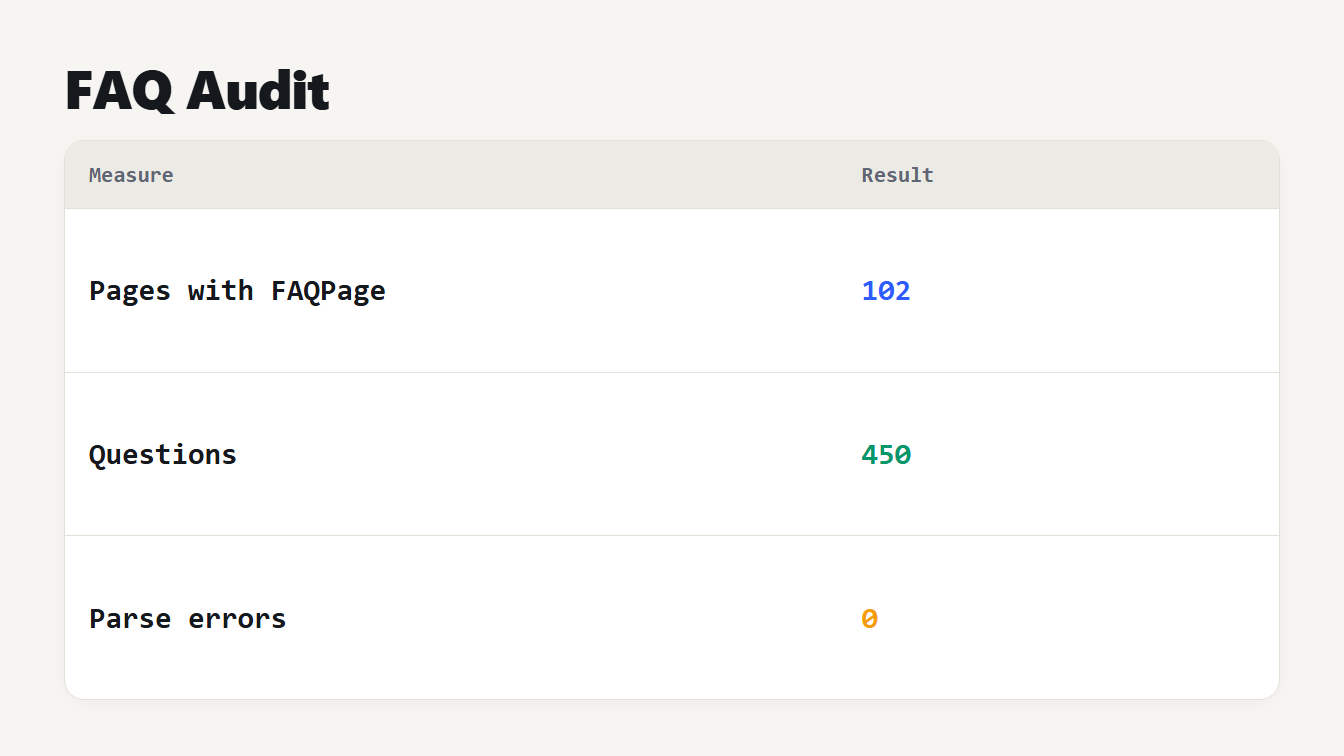
A table of three results from auditing 120 pages of a site. 102 pages had FAQPage markup. The markup held 450 questions. No JSON-LD block failed to parse.
FAQ schema, the FAQPage structured data type, no longer earns a rich result in Google Search. Google's own documentation log says the feature stopped appearing from May 7, 2026, and that the documentation was then removed. If your pages already carry the markup, Google's advice from 2023 still stands: you can leave it in place. To see what that means in practice, we audited the markup on all 120 pages of our own site, 102 of which carry it.
What changed, and when
Google's changes came in steps. In August 2023 it announced changes to FAQ and How-to rich results, reducing the visibility of FAQ rich results. The post says that from then on they would only be shown for well-known, authoritative government and health websites, and that for all other sites the result would no longer be shown regularly.
The second step is recent. Google's documentation updates log has two entries. On May 8, 2026 it added a deprecation notice to the FAQ rich result documentation, saying the feature would no longer appear in Google Search starting May 7, 2026. In June 2026 it removed the FAQ rich result documentation, saying the feature is no longer shown in search results.
| When | What happened |
|---|---|
| August 2023 | Limited to government and health sites |
| May 7, 2026 | FAQ rich result stops appearing |
| June 2026 | Google removes the FAQ documentation |
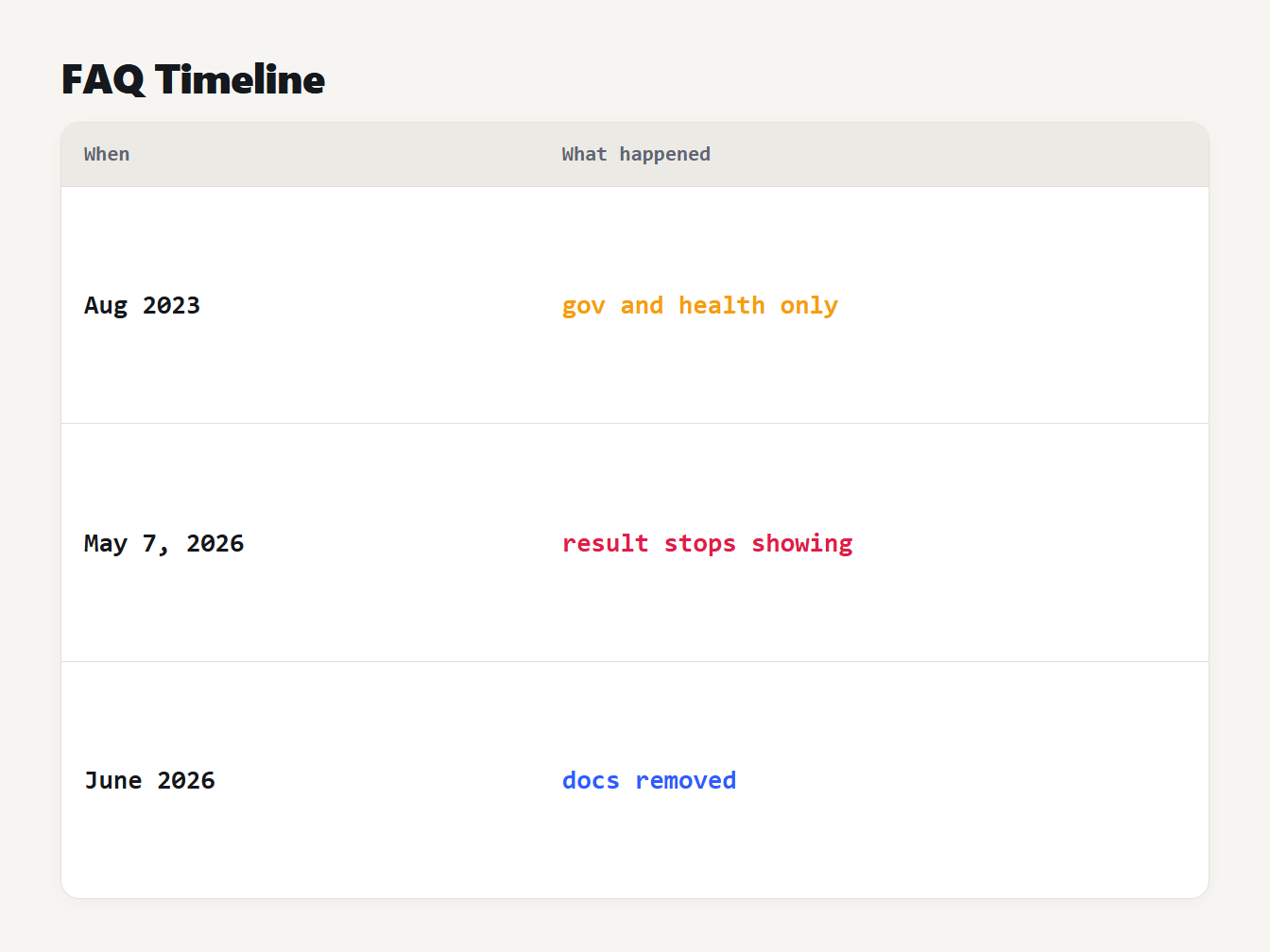
A table of three dates. In August 2023 Google limited FAQ rich results to well-known government and health sites. On May 7, 2026 the FAQ rich result stopped appearing in Google Search. In June 2026 Google removed its FAQ rich result documentation.
What we ship on our own pages
Our tool pages and our guides each end with a short FAQ, and each one writes the same questions into FAQPage markup. We fetched every page in our sitemap and read the JSON-LD.
| Check | Result |
|---|---|
| Pages with FAQPage markup | 102 of 120 |
| Of those, tool pages and guides | 91 and 11 |
| Questions in the markup | 450 |
| Questions also visible on the page | 450 of 450 |
| JSON-LD blocks that failed to parse | 0 |
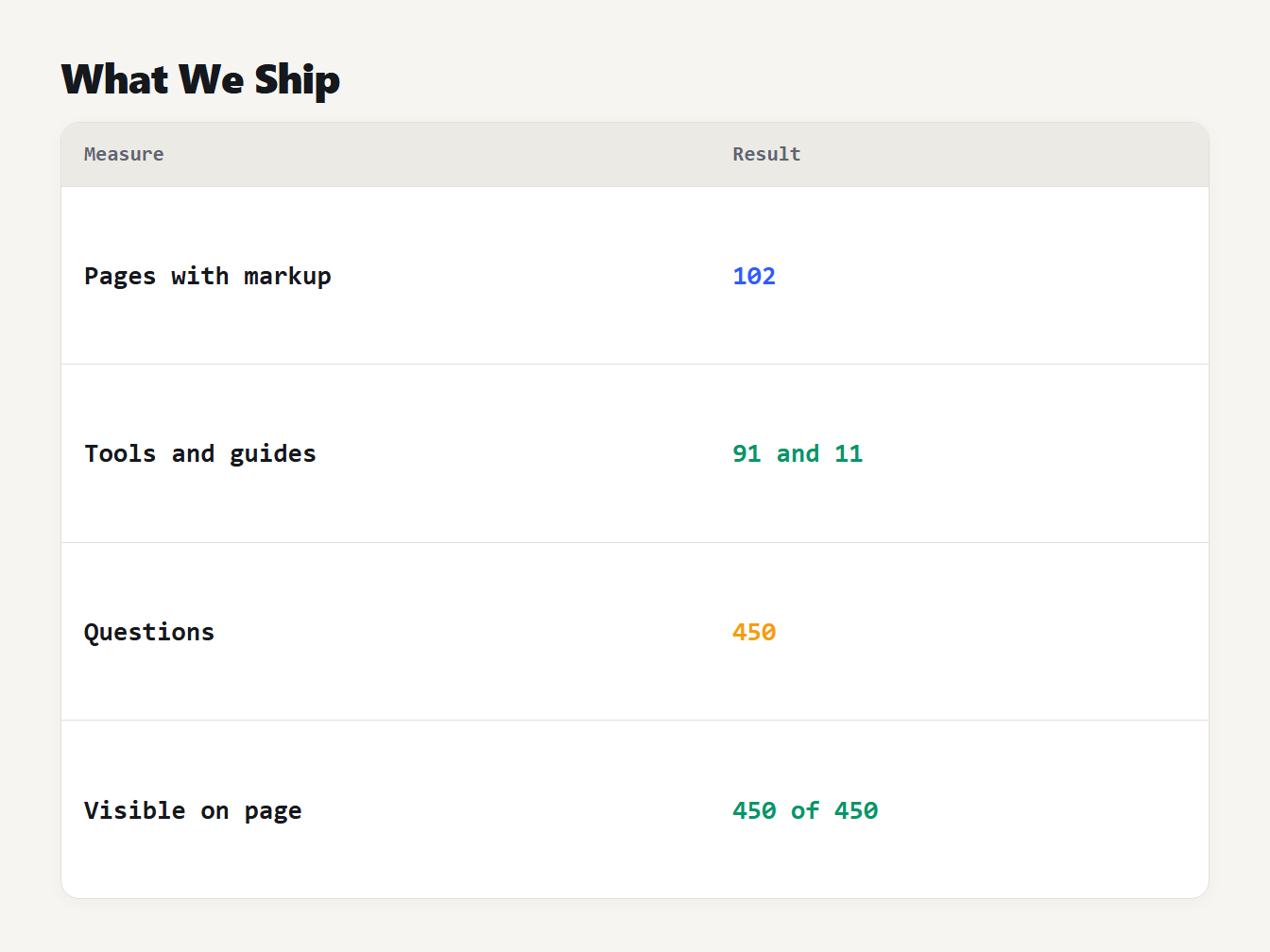
A table of four results from auditing the FAQPage markup of a site. 102 pages carry it, 91 tool pages and 11 guides. The markup holds 450 questions. All 450 questions also appear as visible text on their pages.
The last two rows matter even now. Google's general structured data guidelines say not to mark up content that is not visible to readers of the page. We compared each question, and the start of each answer, with the text of its page. All 450 matched, once we allowed for the way angle brackets are escaped in HTML.
We also looked at Search Console on October 11. Its Enhancements section listed only Breadcrumbs, with 24 valid items, and nothing for FAQ, although more than a hundred of our pages carry FAQPage markup. That fits the picture: Google is no longer reporting on a feature it no longer shows.
What Google says to do with the markup you have
The 2023 post says site owners can drop this structured data, but there is no need to remove it proactively. It adds that structured data that is not being used does not cause problems for Search, but also has no visible effects in Google Search.
That is the safest reading today. You do not need to strip FAQPage markup from a site because of the deprecation. You do not gain a result by adding it either. If you are tidying a template, removing it is a reasonable choice because it is one less thing to keep in sync. Leaving it costs nothing that Google has described.
Is it still worth adding?
| Situation | What we would do |
|---|---|
| FAQPage markup already on the page | Leave it |
| A new page with a FAQ section | The markup is optional |
| Markup text that is not on the page | Fix it or remove it |
| You want a Google FAQ rich result | It is no longer available |
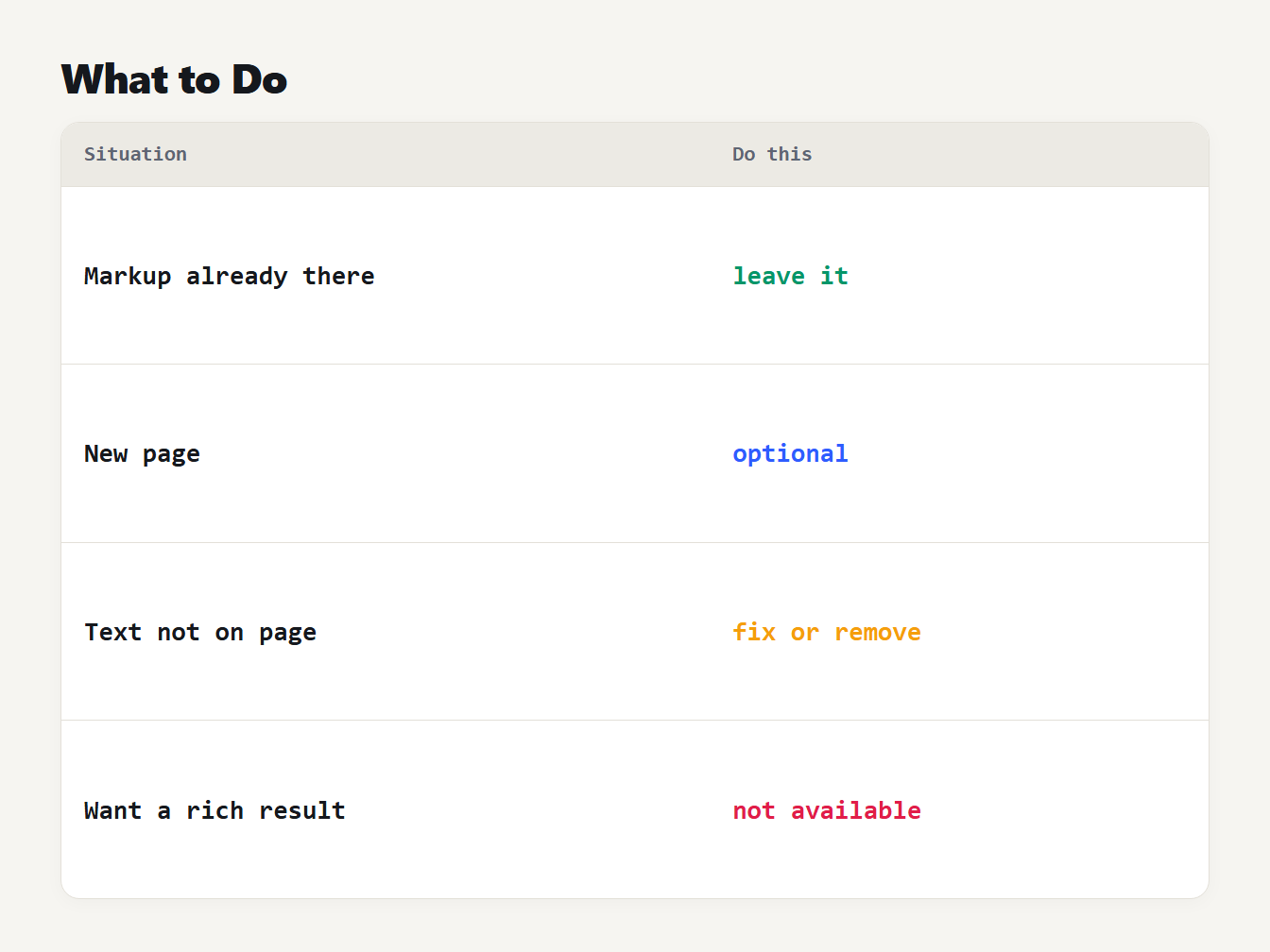
A table of four situations and what to do. Leave FAQPage markup that is already on a page. Treat the markup as optional on a new page with a FAQ section. Fix or remove markup text that is not on the page. A Google FAQ rich result is no longer available.
The value of a FAQ section never depended on the markup. A short list of real questions with direct answers helps a reader who is deciding whether the page fits. We kept ours for that reason. We found no statement from Google that FAQPage markup affects rankings, and we did not test other search engines or AI tools, so we make no claim about them.
Mistakes to avoid if you keep it
Markup that you keep should still be correct, and the guideline about visible content is the one to keep in mind. Three mistakes are easy to make.
- Answers in the markup that differ from the page. A plugin or template may copy a short answer into the markup while the page shows a longer one, or the reverse. Compare them.
- Questions on every page. One shared list of questions pasted into many pages describes none of them well. Write questions that belong to the page.
- Markup for a section that does not exist. If a redesign removes the visible FAQ, remove the markup with it, since the guideline is about visible content.
If a content management plugin adds the markup for you, check what it writes before you decide, because markup that came from a default setting is easy to forget about.
What replaces it for readers
With no rich result to chase, the question is whether the FAQ section helps a reader. Ours follow three habits. The question is phrased the way a person would type it. The answer starts with the answer, in one or two sentences, before any detail. And the FAQ comes after the main content, so it supports the page and does not stand in for it.
That is also a fair test for whether a page needs one. If you cannot write five questions that a visitor would really ask, skip the section. A forced FAQ adds length and little else, and no markup will fix that.
How to check a page for FAQ schema
You can read the markup yourself. Open the page, open the browser Console and run:
[...document.querySelectorAll('script[type="application/ld+json"]')]
  .map((s) => JSON.parse(s.textContent))
  .flat()
  .filter((item) => item['@type'] === 'FAQPage').length
| Step | Do this |
|---|---|
| Run | The Console snippet |
| Read | 1 means a FAQPage block |
| Compare | Markup with the page text |
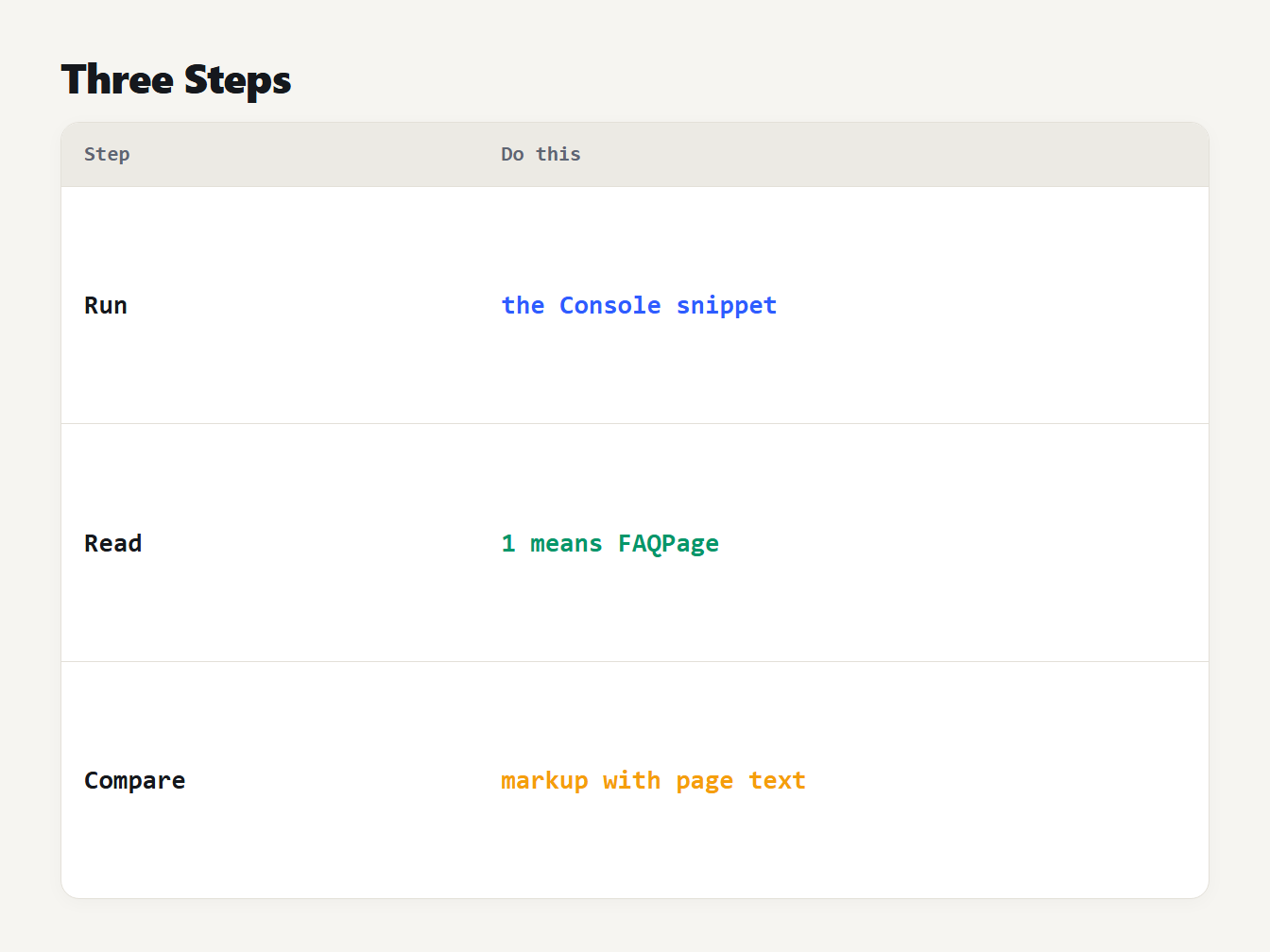
A table of three steps. Run the Console snippet that lists the JSON-LD blocks. Read the count, where one means the page has a FAQPage block. Compare each question and answer with the visible text of the page.
A 1 means the page has one FAQPage block. A 0 means none. To read the questions, drop the .length and look at the mainEntity list. Paste the JSON into the JSON Formatter if you want it indented and checked. To build or inspect markup for other types, the Schema Markup Generator writes JSON-LD for FAQ, Article, Product and How-to and flags common mistakes.
For the types that still matter, see our guide to schema markup examples. Breadcrumbs are one of them, and we audit ours in a separate guide. To confirm Google is reading a page at all, our guide to checking if a page is indexed shows how.
Limits
We audited one site on one day, and we looked at what the server sends, not at how Google uses it. The deprecation dates come from Google's documentation log as we read it in October 2026. The Search Console figure is from one property on one day. Google can change its documentation again, so check the log if it matters to you. We did not test whether other search engines or AI tools read FAQPage markup, and Google's own statements only cover Google.
Frequently asked questions
Does Google still show FAQ rich results?
No. Google's documentation log says the FAQ rich result stopped appearing in Google Search from May 7, 2026, and that it later removed the FAQ rich result documentation. Before that, since 2023, it was limited to well-known government and health sites.
Should I remove FAQ schema from my pages?
There is no need to. Google said in 2023 that structured data that is not being used does not cause problems for Search but has no visible effect in Google Search. You can leave it, or drop it if you want less markup to maintain.
Is it still worth adding FAQ schema to a new page?
For Google rich results, no, because the feature is gone. Add the FAQ section itself if readers ask those questions, since people use it. The markup is optional, and we found no Google statement that it helps rankings.
Does FAQPage markup have to match the visible text?
Yes. Google's general structured data guidelines say not to mark up content that is not visible to readers of the page. Each question and answer in the markup should appear on the page, and we checked that all 450 of ours do.
How can I see whether a page has FAQ schema?
Open the browser Console and read the JSON-LD blocks, looking for the type FAQPage, or paste the page into a structured data testing tool. View the page source and search for application/ld+json if you prefer.
Build and check your markup
Use the Schema Markup Generator to write JSON-LD and the JSON Formatter to read it. Everything runs in your browser, so nothing you type is uploaded.