Schema Markup and JSON-LD: Examples and What Google Still Supports
JSON-LD schema markup examples for Article and Product, which types Google still shows, and the script tag mistake that breaks your code.
By TheTextKit TeamPublished
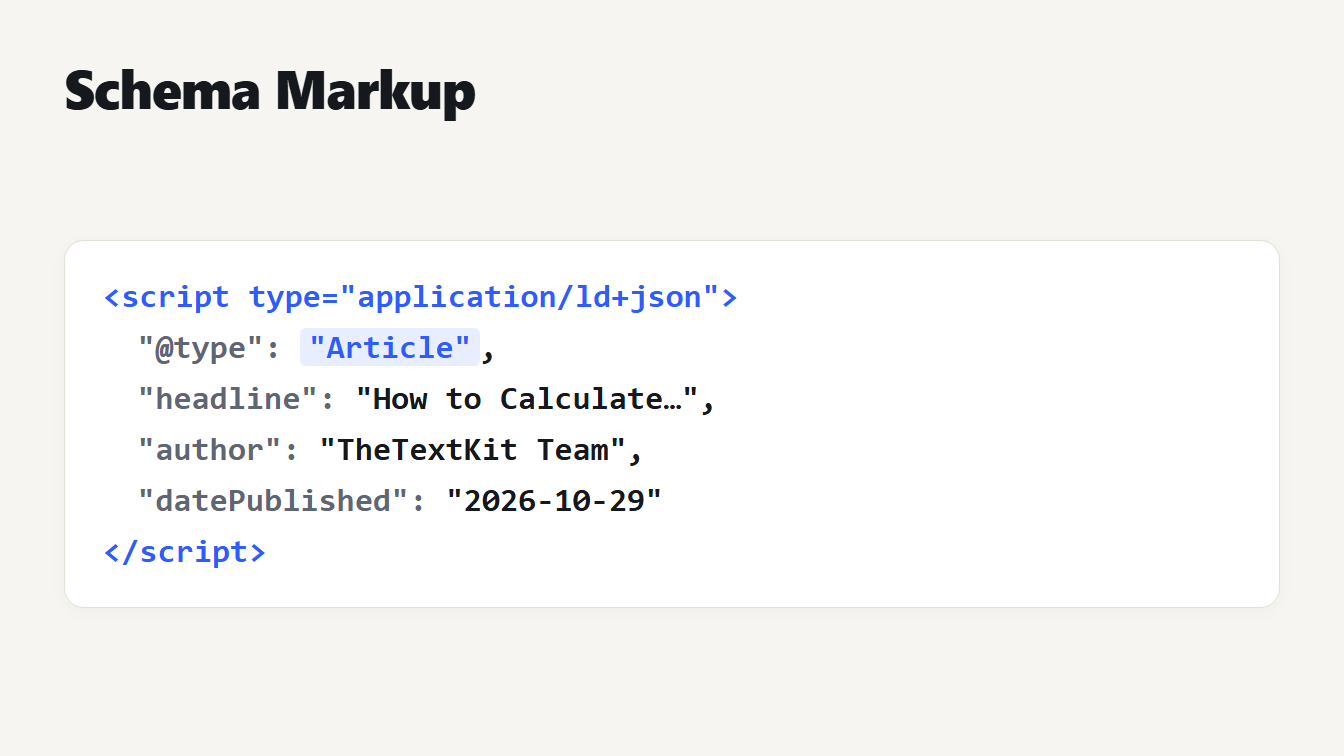
A card shows a script tag of type application/ld+json. Inside it a short Article object has the type Article, a headline, an author and a date published. The type is highlighted in blue and the closing script tag is shown at the bottom.
Schema markup is code that tells search engines what a page is about in a form they can read without guessing: this page is an article, written by this author, published on this date. It does not change how the page looks. We built a generator for it, tested every field against Google's documentation, and found that the most common advice about FAQ and How-to markup is out of date. We also found a bug in how our own tool, and many others, write the code. This guide has the examples, the checks and the fixes for each mistake.
What schema markup is and which format to use
Schema markup uses the vocabulary at Schema.org. It can be written in three formats, and Google's introduction to structured data recommends JSON-LD where your site allows it, because it is the easiest to add and maintain. JSON-LD is a block of JSON inside a script tag in the head or the body of the page.
Markup does not guarantee anything. Google says it makes a page eligible for an enhanced result, and whether it shows one is Google's decision. Think of it as a clear label that may be used, not a switch.
What Google still shows in 2026
Two types that many guides still recommend have changed. We checked Google's own documentation for each type our Schema Markup Generator writes:
| Type | Status in Google Search | What it needs |
|---|---|---|
| FAQ | No longer shown since May 7, 2026; limited to government and health sites from 2023 | Not applicable |
| How-to | No longer shown on desktop or mobile; documentation removed September 2023 | Not applicable |
| Article | No required properties; headline, image, date and author recommended | Nothing is required |
| Product | Needs a name and one of offers, review or aggregate rating | An offer needs price and currency |
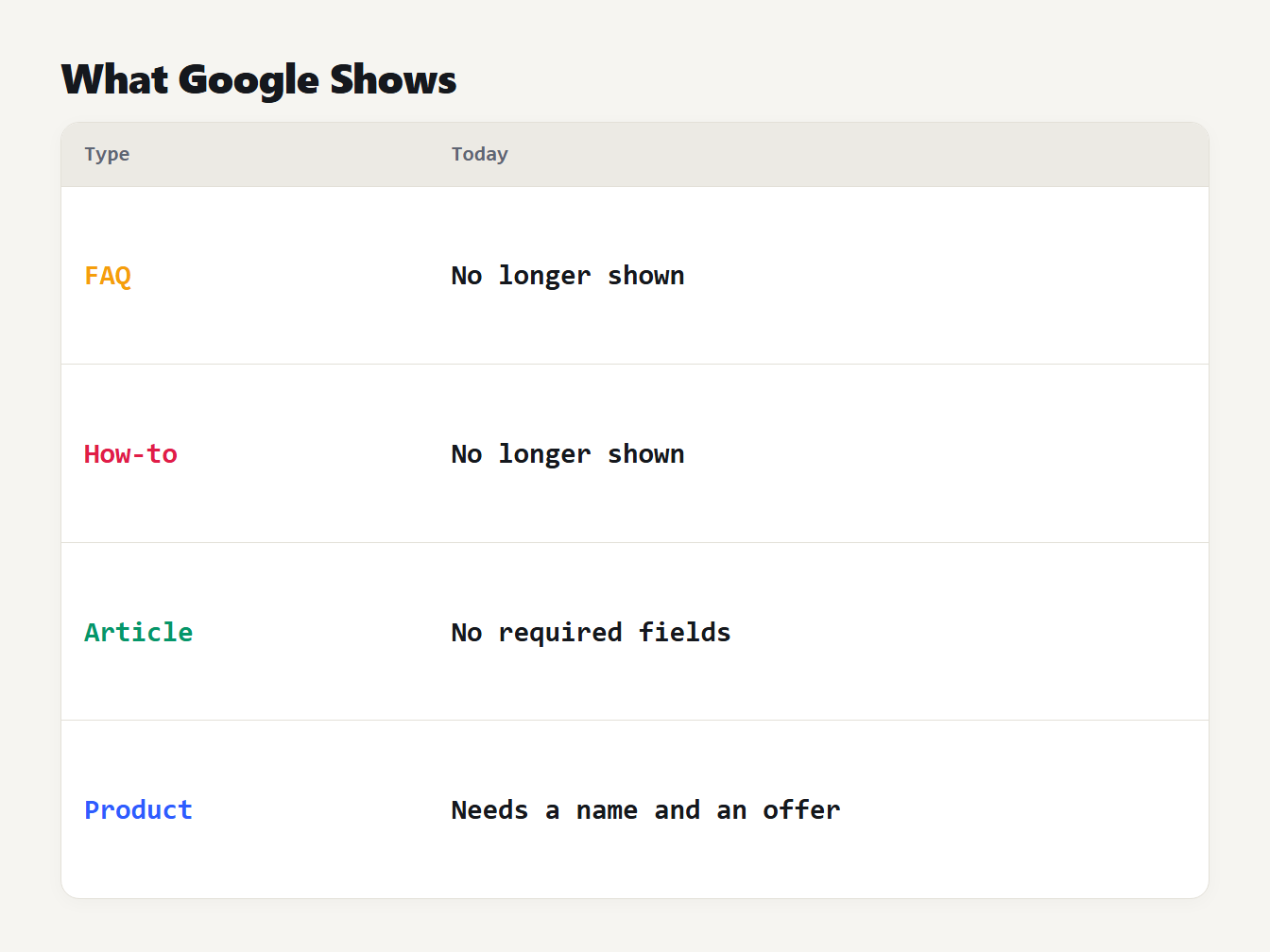
A table of four schema types. FAQ results and How-to results are no longer shown. Article has no required properties. Product needs a name and an offer, review or rating.
Google's documentation updates log says the FAQ rich result stopped appearing in Google Search from May 7, 2026, and that the FAQ documentation was removed in June 2026. Since August 2023 it had been limited to well-known, authoritative government and health sites, as Google's 2023 announcement explains. That post also says there is no need to remove FAQ markup that is already on a page, because unused structured data causes no problems but has no visible effect. The markup is still valid and does no harm, but it should not be the reason you write it. Our generator shows a note when you pick the FAQ or How-to type.
Article schema example
Google's Article documentation says there are no required properties. It recommends author, datePublished, dateModified, headline and image, with dates in ISO 8601 format and a time zone, because otherwise Google assumes the time zone of Googlebot. This is the output of the generator for an Article with the recommended fields it supports:
{
  "@context": "https://schema.org",
  "@type": "Article",
  "headline": "How to Calculate Percentage Increase",
  "description": "One formula covers every percentage increase and decrease.",
  "image": "https://example.com/photos/percentage.webp",
  "datePublished": "2026-10-29T06:07:00+00:00",
  "author": {
    "@type": "Person",
    "name": "TheTextKit Team"
  },
  "publisher": {
    "@type": "Organization",
    "name": "TheTextKit"
  }
}
Google also asks that author.name holds only the name of the author, with no job title or company added.
Product schema example
A Product must have a name and at least one of offers, review or aggregateRating, according to Google's product snippet documentation. An offer needs a price and a three-letter ISO 4217 currency code:
{
  "@context": "https://schema.org",
  "@type": "Product",
  "name": "Garden hose 15 m",
  "description": "A light hose with brass fittings.",
  "sku": "HOSE-15",
  "brand": {
    "@type": "Brand",
    "name": "Acme"
  },
  "offers": {
    "@type": "Offer",
    "price": "29.00",
    "priceCurrency": "USD",
    "availability": "https://schema.org/InStock"
  }
}
The price is where most mistakes happen. Google's examples use a plain number with a decimal point. We tested the values people actually type against our checker:
| Price typed | Result |
|---|---|
29.00 | Accepted |
1299.5 | Accepted |
1,299.00 | Rejected: thousands separator |
$29 | Rejected: currency symbol |
29,00 | Rejected: comma as the decimal mark |
free | Rejected: not a number |
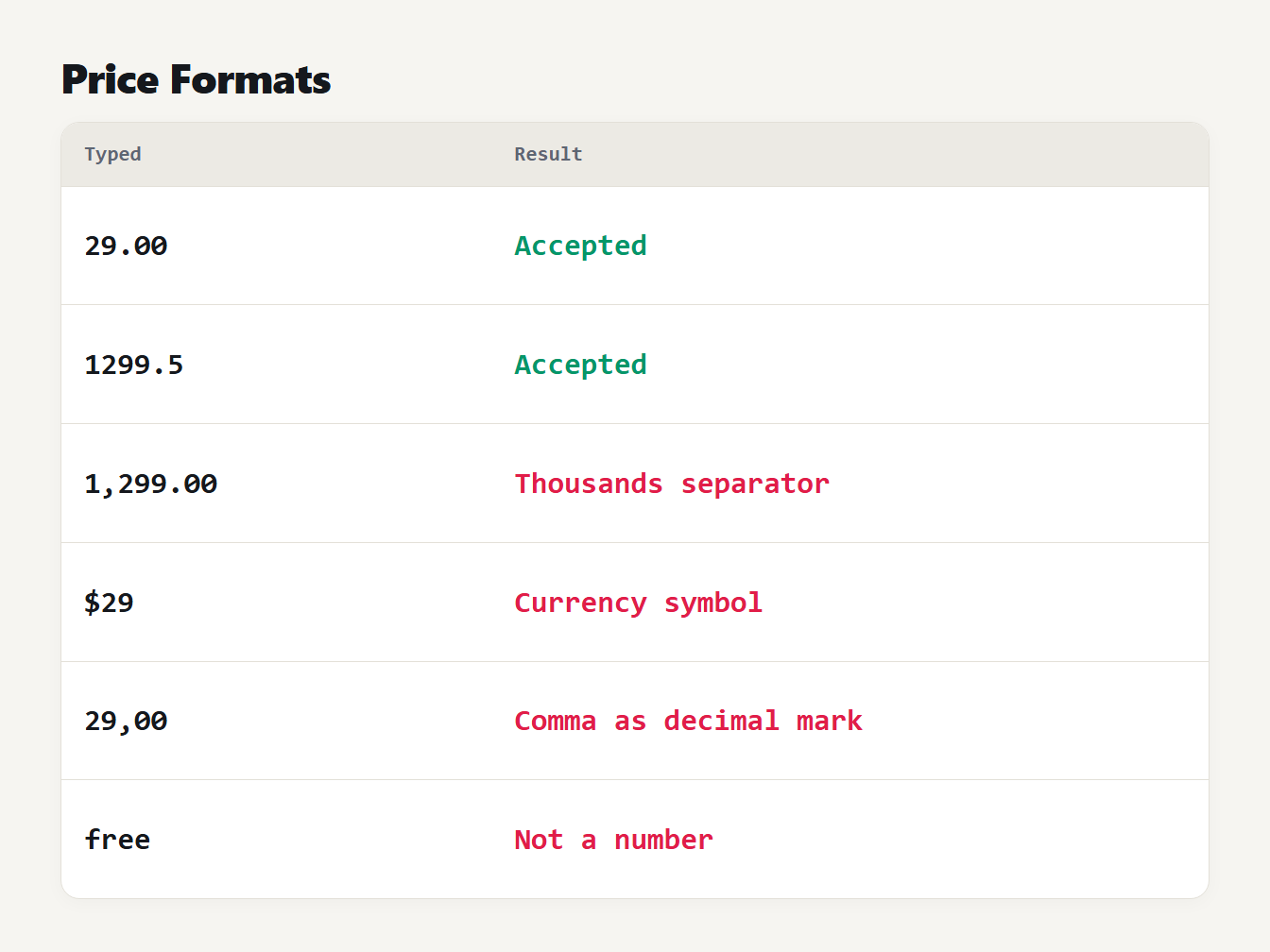
A table of six prices typed into the generator. 29.00 and 1299.5 are accepted. 1,299.00 is rejected because of the thousands separator. $29 is rejected for the currency symbol. 29,00 is rejected for the comma. Free is rejected because it is not a number.
The script tag mistake that breaks your markup
JSON-LD sits inside a script tag, and a browser ends a script tag at the first </script> it sees, even inside a string. This can happen with a reviewer's comment, a product description from a supplier or a FAQ answer that talks about HTML. When it does, the markup breaks and the rest of the text is read as page content.
We tested it in Chromium. An FAQ answer containing a closing script tag, a new script tag and a paragraph was written into the head of a page in two ways:
| How the JSON was written | Script tags on the page | Injected code ran | JSON-LD readable |
|---|---|---|---|
JSON.stringify only | 2 | Yes | No |
With < written as < | 1 | No | Yes |
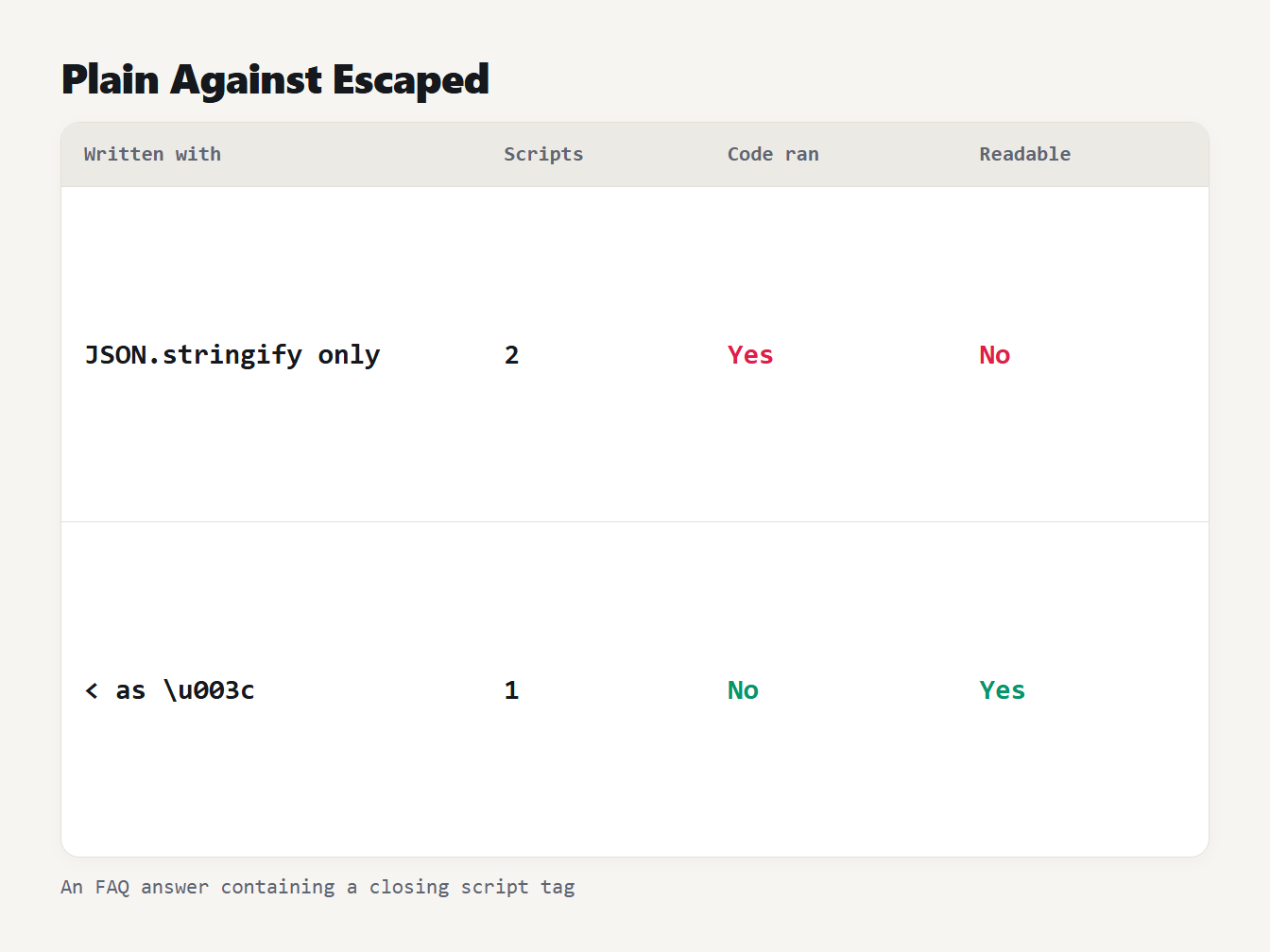
A table of two ways to write the same FAQ answer into a page. Plain JSON.stringify gives 2 script tags, the injected code runs and the JSON-LD cannot be read. Escaping the less-than sign gives 1 script tag, the code does not run and the JSON-LD is readable.
With plain JSON.stringify the injected script ran and the markup could no longer be read. This was the behavior of our own generator before we fixed it. It now writes <, > and & as <, > and &. A JSON parser reads these as the same characters, so search engines see exactly the text you wrote. The Next.js documentation on JSON-LD gives the same warning and the same fix, which is to replace < with <.
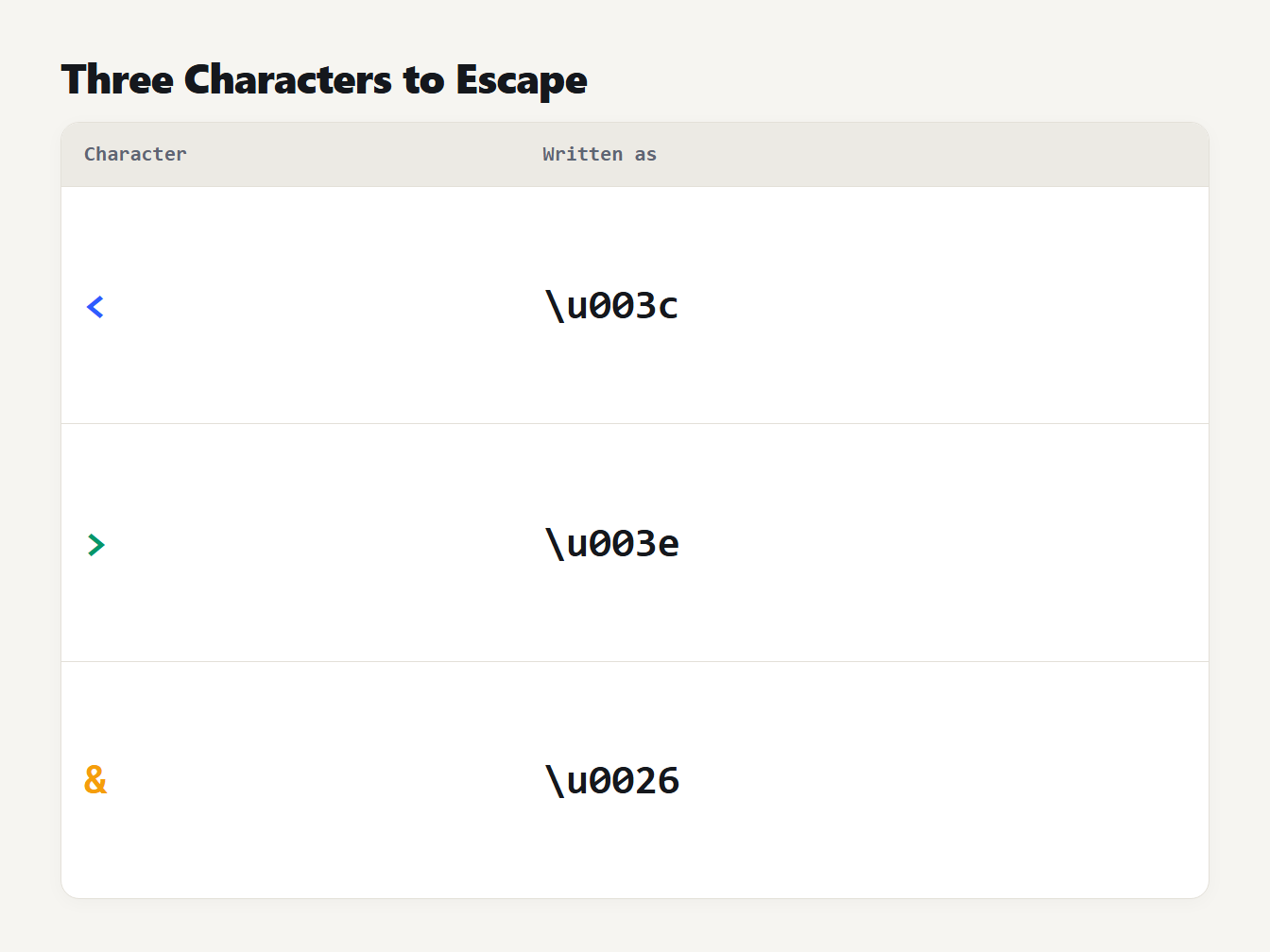
A table of three characters and how the generator writes them inside a script tag. The less-than sign becomes backslash u 003c. The greater-than sign becomes backslash u 003e. The ampersand becomes backslash u 0026.
In a Next.js page the pattern is a script element with the escaped JSON as its content:
<script
  type="application/ld+json"
  dangerouslySetInnerHTML={{ __html: JSON.stringify(jsonLd).replace(/</g, '\\u003c') }}
/>
Other mistakes the generator catches
Escaping is the hidden problem. These are the visible ones, and each is a check in the generator:
- A question with no answer. Every FAQ question needs answer text. A question with an empty answer is flagged, and a question with no text is left out.
- A date with no time zone.
2026-03-15is valid ISO 8601, but Google then uses the time zone of Googlebot. Add a time and an offset, such as2026-03-15T08:00:00+00:00, when the day matters. - A relative image address. The image must be a full address that starts with
http://orhttps://. A path such as/images/a.pngmeans nothing outside your own site. - A missing author. The author is a recommended property, so the generator flags an empty name and leaves the author out of the output instead of writing an empty one.
- A bad currency code.
usdandUSare rejected. The code must be three capital letters from the ISO 4217 list, such asUSDorEUR. - Empty properties. The generator leaves out a property with no value. A line such as
"sku": ""is never written.
Where to put the code, and how often
Add the script to each page that the markup describes. An Article block belongs on the article it describes, and a Product block belongs on that product's page. Copying one block to every page tells search engines the same thing about all of them, which is wrong for most of them.
In plain HTML, put the script in the head. In a framework, render it from the page template with the data of the page, and escape it as shown above. Keep the markup in step with the page: if the price or the date on the page changes, change the markup in the same release.
How to test your markup
- Paste the code into Google's Rich Results Test, at search.google.com/test/rich-results, to see which types and properties Google reads.
- Use a general Schema.org validator for checks that are not tied to Google.
- Open the page's source and make sure only one script tag of this type holds each block.
- Use the JSON Formatter if you edit the code by hand, to catch a missing comma.
- Run the test again after every change to the markup.
If you also write the tags in the head, our Meta Tag Generator and Open Graph Generator cover the rest. Our guide to Open Graph tags explains what they do.
Frequently asked questions
What is schema markup?
Schema markup is structured data that describes a page using the Schema.org vocabulary, such as the author of an article or the price of a product. Google recommends writing it as JSON-LD, a block of JSON inside a script tag, because it is the easiest format to add and maintain.
Does FAQ schema still give rich results?
No. Google stopped showing the FAQ rich result on May 7, 2026, and later removed its documentation. Before that, from 2023, it was limited to well-known government and health websites. The markup is still valid, and Google says unused markup causes no problems.
Does Google still show How-to rich results?
No. Google removed its How-to documentation in September 2023 because the result is no longer shown on desktop or mobile. The Schema.org type still exists, so other tools may read it.
Where do I put JSON-LD on a page?
Put a script tag with the type application/ld+json in the head or the body of the page. Google accepts either. Each page should describe its own content, so article markup goes on the article and product markup on the product page.
Why must the less-than sign be escaped in JSON-LD?
If any text in the markup contains a closing script tag, the browser ends the script tag there and reads the rest as HTML. Writing the less-than sign as < keeps the text safe, and a JSON parser reads it back unchanged.
Generate your own schema markup
Pick a type in the Schema Markup Generator, fill in the fields and read the notes and problems it lists. The code it writes is safe to paste into a script tag, and the checks follow Google's documentation for each type.