URL Slug Best Practices: 8 Rules, Examples and a Free Generator
URL slug best practices: hyphens, lowercase, accents, non-Latin titles, length and changing a live slug, with Google's guidance and our test results.
By TheTextKit TeamPublished
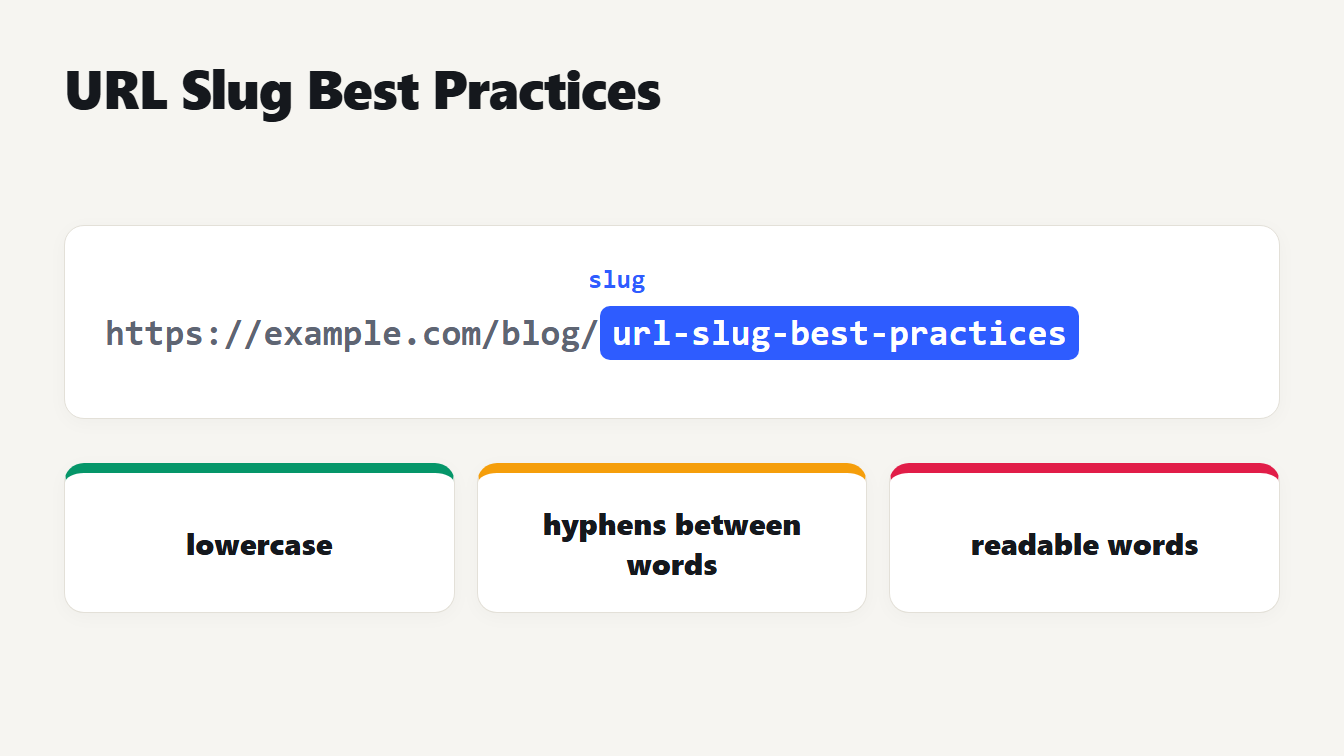
A web address on a card, https://example.com/blog/url-slug-best-practices, with the slug at the end highlighted. Three notes below it say lowercase, hyphens between words, and readable words.
URL slug best practices come down to eight rules. Use readable words in lowercase, separated by hyphens. Keep to the letters a to z and the digits 0 to 9, and spell out accents. Keep the slug shorter than the title and leave out things that go stale. If you ever change a slug, redirect the old address. Several of these come straight from Google's URL guidance. The others come from testing slug generators, including our own. This guide gives each rule with a reason and shows the mistakes we found.
What a URL slug is and where it sits
The slug is the part of a web address that names a single page. In https://example.com/blog/url-slug-best-practices, the slug is url-slug-best-practices. The rest is the domain and a folder. Most content systems build a slug from the page title, and you can usually edit it. Our guide to the parts of a URL shows where the slug sits in the path.
URL slug best practices: 8 rules
- Use readable words, not IDs. Google's URL structure guide says to use readable words rather than long ID numbers. A slug like
how-to-test-robots-txttells a person what they will find.p=48213doesn't. - Use lowercase. The same guide says Google treats
/APPLEand/appleas different URLs. If you mix cases, you can end up with two addresses for one page. - Separate words with hyphens. Google says to use hyphens instead of underscores to separate words. So write
snake-case, notsnake_case. - Stick to a to z and 0 to 9. Letters, digits and hyphens are safe everywhere. Spell out accents and special letters instead of deleting them:
cafe,strasse. - Percent-encode anything else. If you keep non-ASCII characters, Google says they should be percent encoded. RFC 3986 defines the safe characters as letters, digits, hyphen, period, underscore and tilde, and says text should first be turned into UTF-8 bytes. The next sections show what that costs.
- Make it shorter than the title. The slug names the topic, and the title can be a full sentence. We checked our own posts: all 39 slugs are shorter than the slug the title would give, and they average 24 characters against 58.
- Leave out what will go stale. A year or a count in the slug, such as
best-tools-2026ortop-10-tips, becomes wrong when you update the page. This is our advice, not a rule from Google. - Don't change it without a redirect. A new slug is a new address. Send the old one to the new one with a permanent redirect.
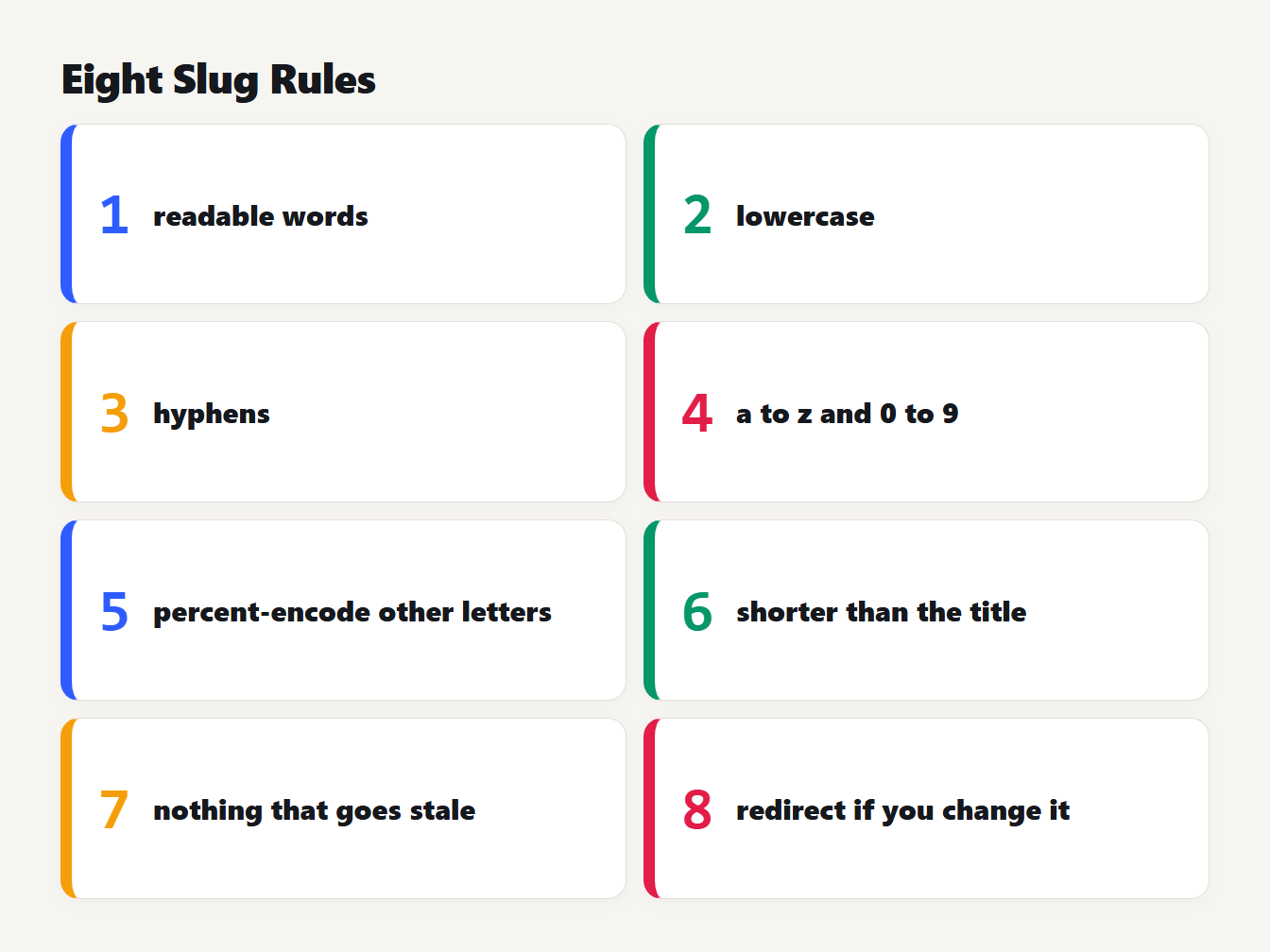
Eight short cards: 1 readable words, 2 lowercase, 3 hyphens, 4 a to z and 0 to 9, 5 percent-encode other letters, 6 shorter than the title, 7 nothing that goes stale, 8 redirect if you change it.
What a basic slug generator gets wrong
Rule 4 sounds simple, and it is where many generators fail. The usual approach is to lowercase the text, strip accents and delete anything that isn't a letter or digit. That loses information. This is what the old version of our own generator produced, next to what it produces now:
| Title | Old output | Now |
|---|---|---|
| Straße in München | strae-in-munchen | strasse-in-munchen |
| København Guide | kbenhavn-guide | kobenhavn-guide |
| snake_case_title | snakecasetitle | snake-case-title |
| Top 3.5 Tips | top-35-tips | top-3-5-tips |
| Q&A: Your Questions | qa-your-questions | q-and-a-your-questions |
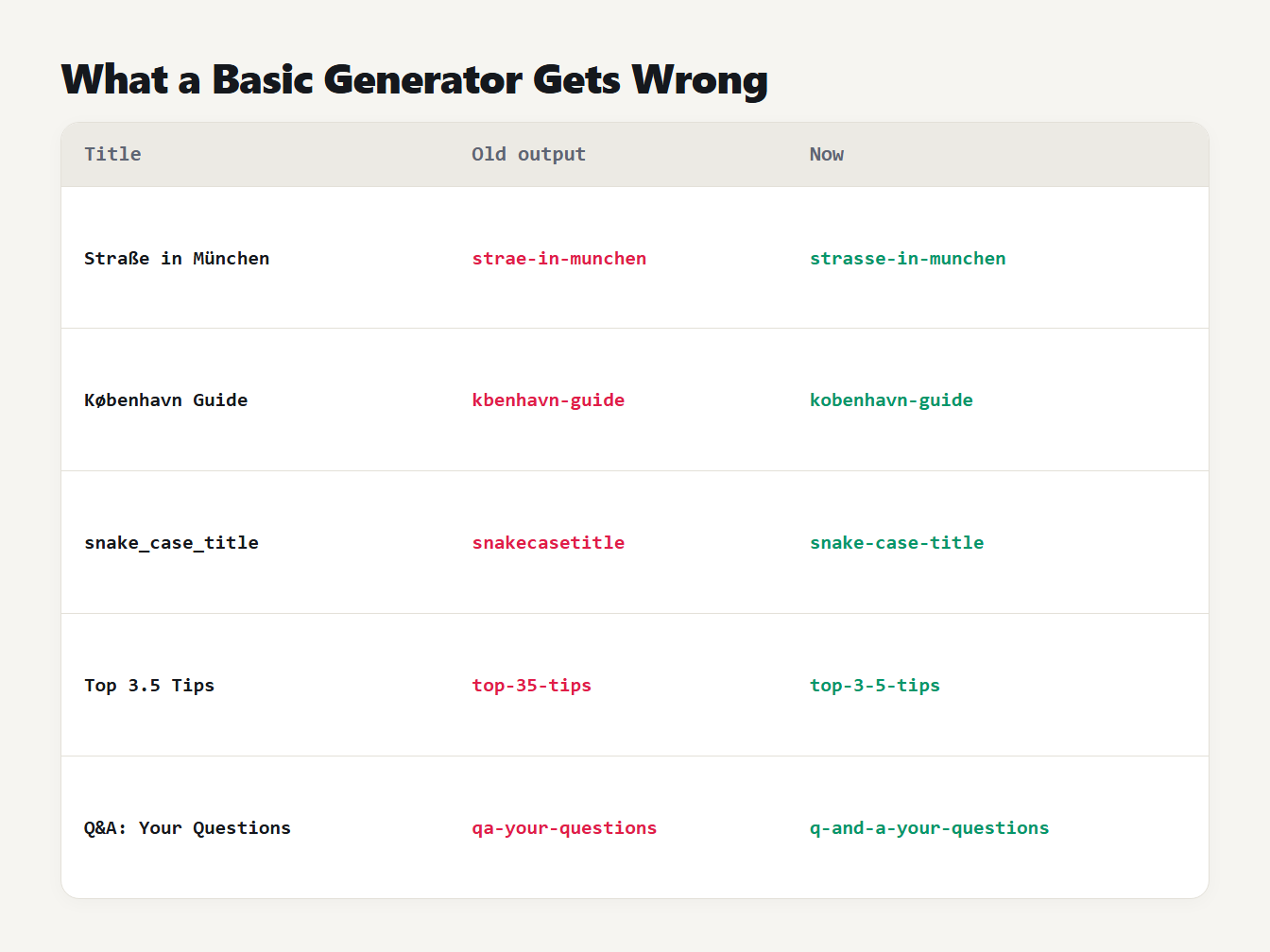
A table of five titles with the old generator's output and the fixed output. Straße in München gave strae-in-munchen and now gives strasse-in-munchen. snake_case_title gave snakecasetitle and now gives snake-case-title. Top 3.5 Tips gave top-35-tips and now gives top-3-5-tips.
Letters that don't split into a base letter and an accent, such as ß, ø, ł and æ, were deleted outright. We tested all 398 Latin letters between U+00C0 and U+024F, and the old version turned 154 of them into nothing. Dots and underscores were deleted too, so 3.5 became 35 and two words were glued into one.
The current generator spells the special letters out, turns & into and, drops apostrophes without splitting the word, and treats every other symbol as a word break. We checked it on 20,000 random strings: the result always had only a to z, 0 to 9 and single hyphens, and slugging a slug changed nothing.
What about titles in other alphabets?
A title in Russian, Greek, Japanese or Arabic has no letters from a to z. A plain generator returns an empty slug, which is why ours now says so and offers an option to keep the letters. If you keep them, remember Google's rule that non-ASCII characters should be percent encoded. In a link each letter becomes several characters:
| Slug | Characters | In a link |
|---|---|---|
| привет-мир | 10 | 55 |
| γειά-σου-κόσμε | 14 | 74 |
| 日本語のタイトル | 8 | 72 |
| café | 4 | 9 |
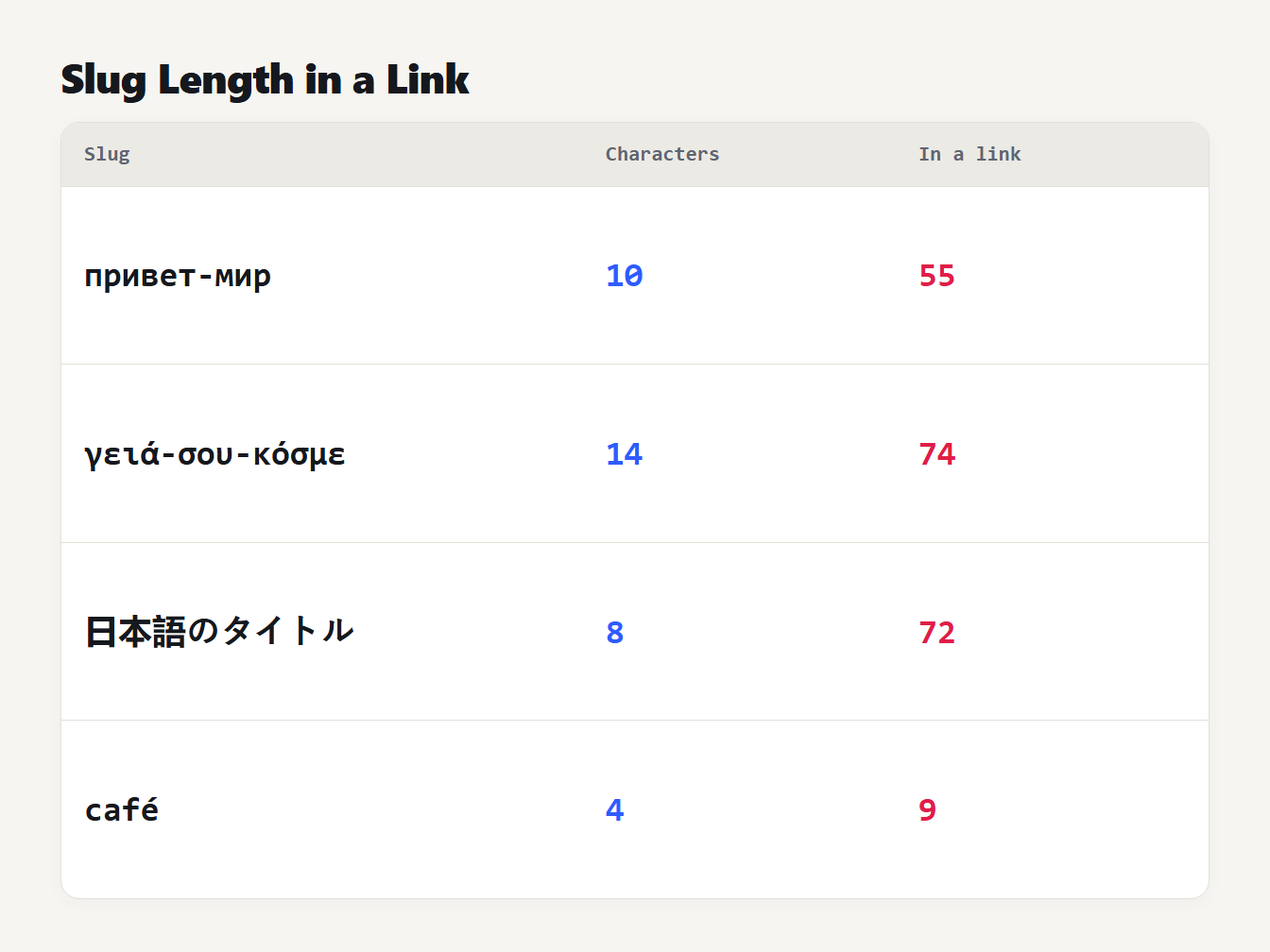
A table of four slugs and their length after percent-encoding. A Russian slug of 10 characters becomes 55. A Greek slug of 14 becomes 74. A Japanese slug of 8 becomes 72. The word cafe with an accent, 4 characters, becomes 9.
A Russian letter takes two bytes, so it becomes six characters such as %D0%BF. A Japanese character takes three bytes and becomes nine. Browsers usually show the readable form in the address bar, but a copied link or a plain-text email shows the long one. Which is better depends on your readers. If they read and type in that alphabet, a slug in it is more useful to them. If your site is mostly read by people who use the Latin alphabet, a transliterated slug is easier to share.
How long a URL slug should be
Google's guidance asks for simple URLs that people can understand, but the part we read sets no length. So look at what works for you. Here is our own blog. The 39 slugs range from 2 to 9 words and from 12 to 40 characters, with a median of 4 words:
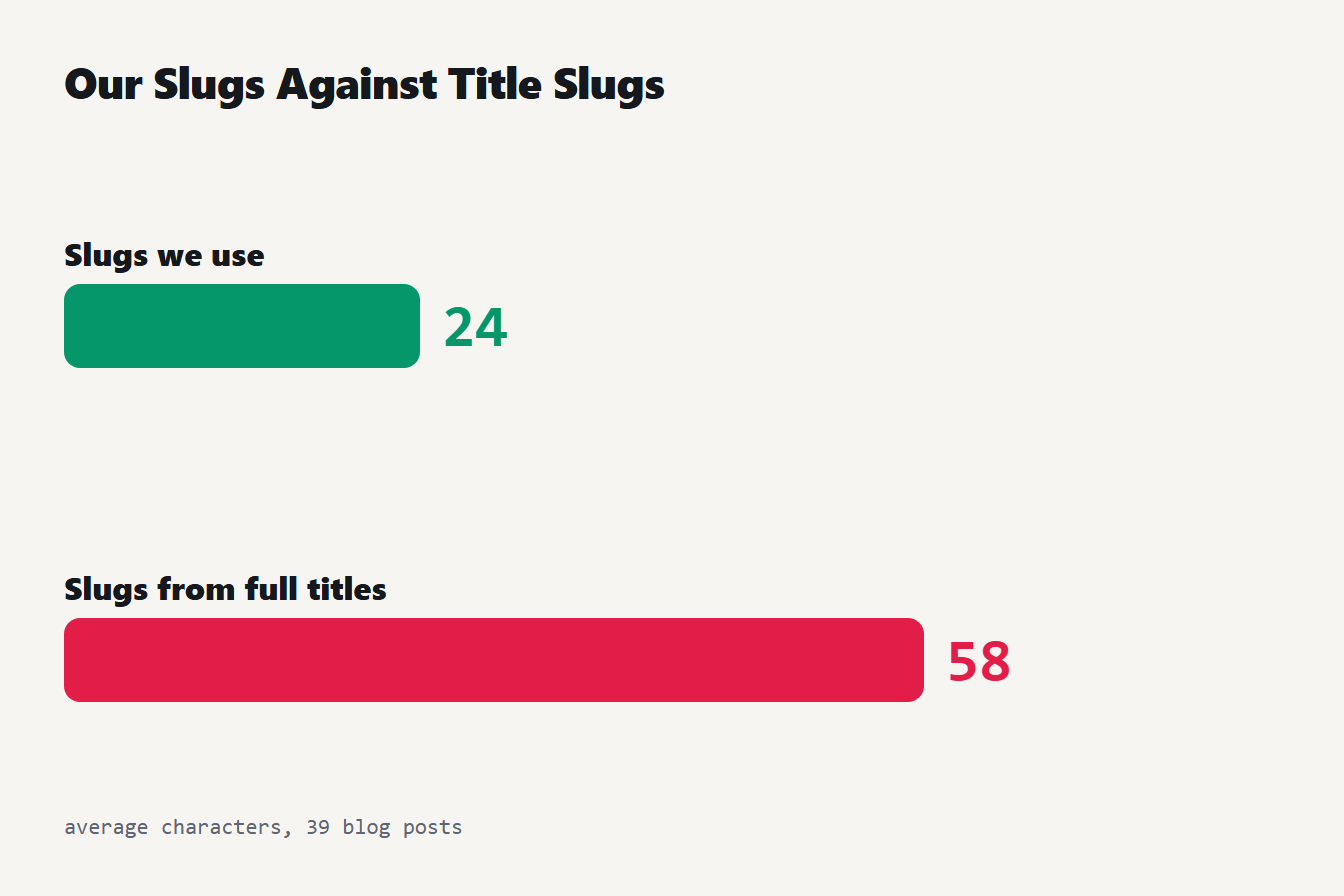
Two bars compare lengths. The 39 slugs we use average 24 characters. If each slug were made from the full title it would average 58 characters.
We write the title for readers and the slug for the topic. The title How to Convert Text to Binary: ASCII, UTF-8 and Emoji Explained would make a 61-character slug, so we use convert-text-to-binary. A useful test: if you can say what the page is about from the slug alone, stop adding words.
Good and bad slugs side by side
Here are five common problems with the slug each one produces, and a better version for a page about testing robots.txt files:
| Problem | Bad slug | Better slug |
|---|---|---|
| An ID instead of words | index.php?p=48213 | how-to-test-robots-txt |
| Capitals, underscore and symbol | How_To_Test_Robots.txt! | how-to-test-robots-txt |
| The whole title | how-to-test-robots-txt-with-a-free-tester-and-check-blocked-urls-fast | how-to-test-robots-txt |
| A year that will age | how-to-test-robots-txt-2026 | how-to-test-robots-txt |
| Words run together | howtotestrobotstxt | how-to-test-robots-txt |
The better slug is the same every time, because it names the topic and nothing else. Applying these URL slug best practices also gives you an address that stays valid for as long as the page does.
How to create a good slug in four steps
- Start from the topic, not the title. Write down the main phrase a reader would search for.
- Paste it into the URL Slug Generator. It lowercases, removes accents, joins words with hyphens and shows the result.
- Shorten it. Use the
max_lengthoption to cut at a hyphen, or delete filler words yourself. - Check it. Read it aloud, and make sure it has no dates or numbers that will go stale.
If you need to turn a slug that already exists into another style, the Case Converter converts between kebab-case, snake_case and other forms. To see exactly how a link will be percent-encoded, paste it into the URL Encoder and Decoder.
How to change a URL slug safely
Sometimes a slug has to change. Do it in this order:
- Change the slug in your content system.
- Add a permanent redirect from the old URL to the new one. Our guide to the 301 vs 302 redirect explains which code to use and why a 301 is cached.
- Update your internal links so they point at the new address and don't depend on the redirect.
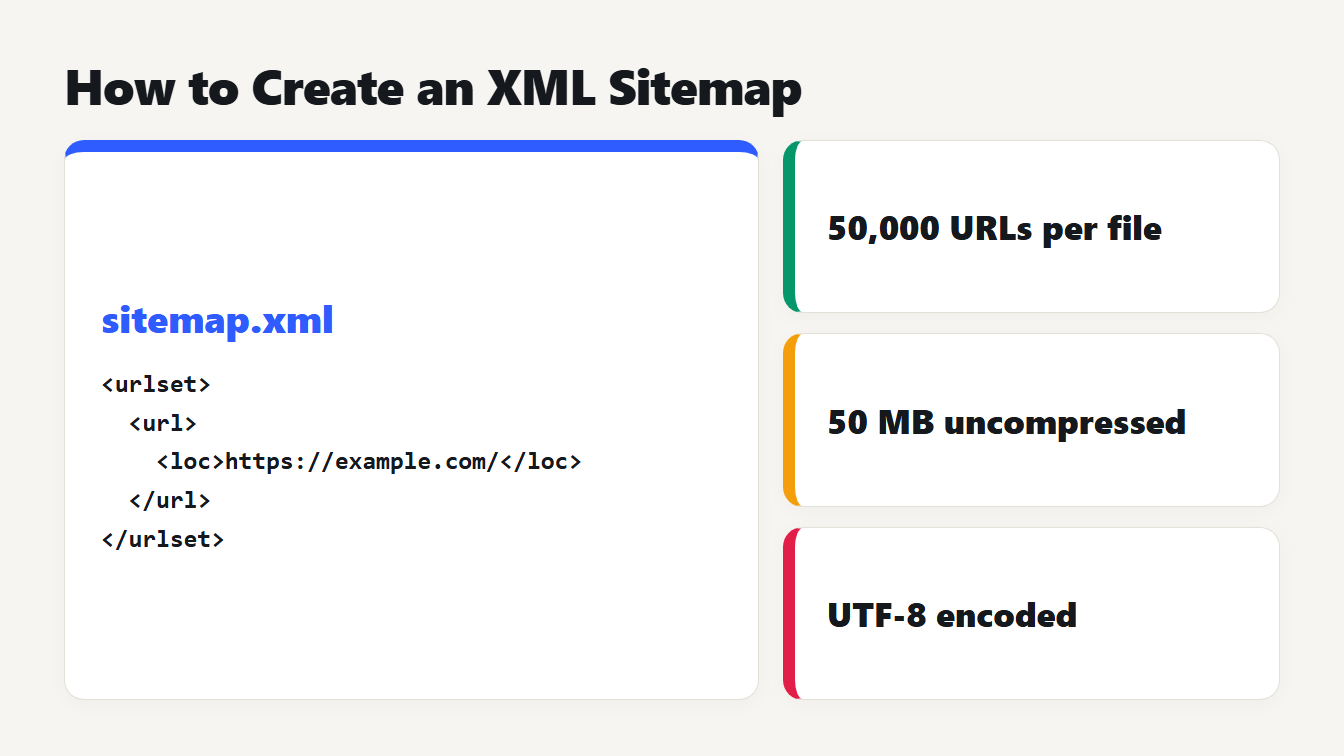
- Update your sitemap so it lists only the new address. Our guide on how to create an XML sitemap covers what to include.
Frequently asked questions
What is a URL slug?
The slug is the part of a web address that names one page, usually the last part. In https://example.com/blog/url-slug-best-practices the slug is url-slug-best-practices. It is often made from the page title.
Should a URL slug use hyphens or underscores?
Hyphens. Google's URL guidance says to use hyphens instead of underscores to separate words. Our generator turns underscores in a title into hyphens, so snake_case becomes snake-case.
How long should a URL slug be?
As short as it can be while still saying what the page is about. The Google guidance we read sets no limit. Our 39 blog slugs average 24 characters and 4.6 words, against 58 characters if we used the full title.
Can a URL slug have capital letters or spaces?
It can, but it shouldn't. Google treats /APPLE and /apple as different URLs, so mixed case risks two addresses for one page. Spaces are not allowed in a URL and become %20, so use hyphens instead.
Can I change a URL slug after publishing?
Yes, but the old address stops working unless you redirect it. Add a 301 redirect from the old URL to the new one, update your internal links and sitemap, and expect it to take Google some time to follow.
Make your slug now
Paste your topic into the URL Slug Generator, choose a maximum length if you want one, and copy the result. Follow these URL slug best practices and your address will read well to people, behave well in links and survive a future redesign.