Next.js robots.txt and Sitemap: 4 Things We Tested
A Next.js robots.txt and sitemap guide with four behaviors we tested on version 16, including a static file that silently overrides your code.
By TheTextKit TeamPublished
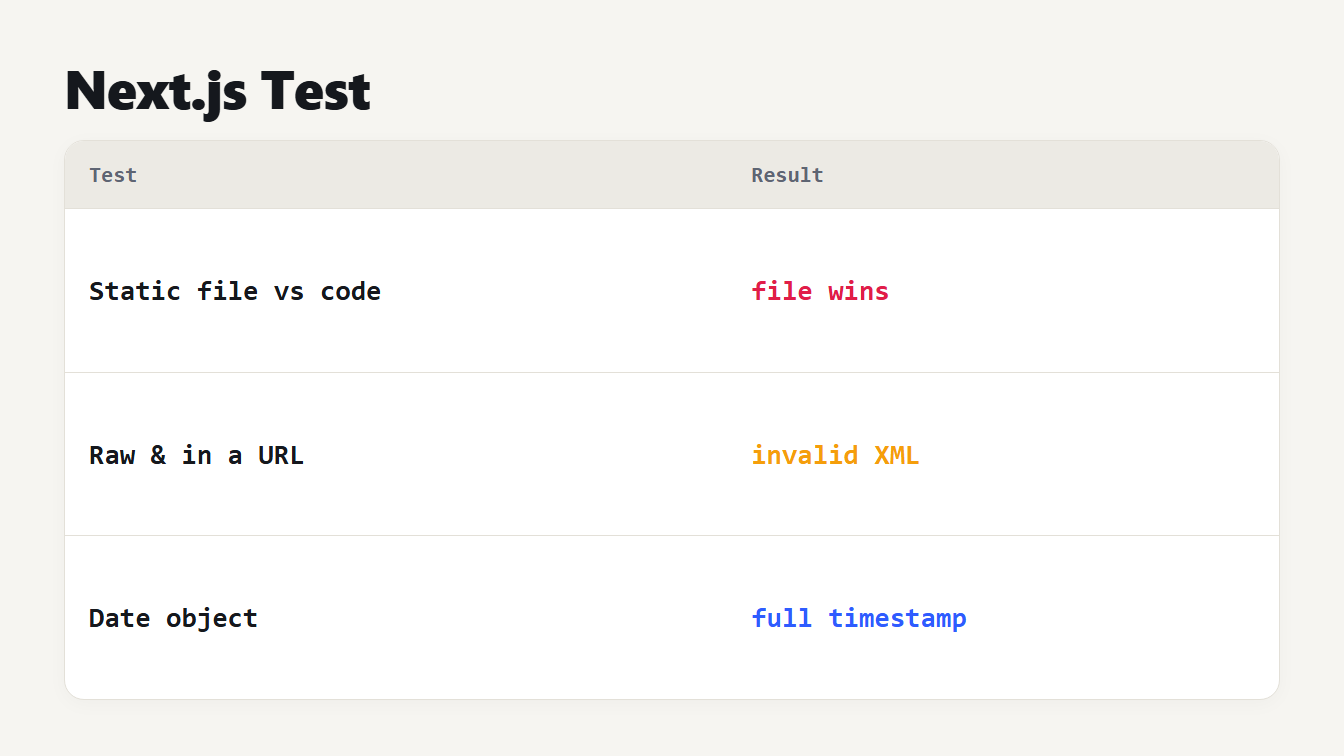
A table of three results from testing Next.js 16 robots and sitemap files. A static file beats the code version. A raw ampersand in a URL makes invalid XML. A Date object prints a full timestamp.
To add a Next.js robots.txt file, create app/robots.ts that returns your rules, and add app/sitemap.ts for the sitemap. Both are served from the site root. The docs cover that well. So we tested what they leave out. We built a handful of tiny apps on Next.js 16.3.6 and checked what each setup really served. Four behaviors surprised us. One of them can leave a rule you think is live doing nothing.
A basic Next.js robots.txt setup
A robots file in the App Router is a function that returns rules. Next.js turns it into plain text. This is the one we used:
import type { MetadataRoute } from 'next'

export default function robots(): MetadataRoute.Robots {
  return {
    rules: [
      { userAgent: '*', allow: '/', disallow: ['/private/', '/admin/'] },
      { userAgent: ['GPTBot', 'CCBot'], disallow: '/' },
    ],
    sitemap: 'https://example.com/sitemap.xml',
  }
}
It was served at /robots.txt as text/plain:
User-Agent: *
Allow: /
Disallow: /private/
Disallow: /admin/

User-Agent: GPTBot
User-Agent: CCBot
Disallow: /

Sitemap: https://example.com/sitemap.xml
An array of user agents became one group, with a User-Agent line for each and a single set of rules below. That is the correct way to write it. Our Robots.txt Generator writes the same shape, and our guide to testing robots.txt covers checking it.
1. A static file silently beats your code
We put a robots.ts and a static file in the same app, in two ways. A public/robots.txt next to app/robots.ts, and an app/robots.txt next to app/robots.ts. Both builds passed with no warning. In both cases the static file was served and the code was ignored. We saw the same with public/sitemap.xml and app/sitemap.ts: the public file won.
| Files present | What was served |
|---|---|
app/robots.ts and public/robots.txt | The public file |
app/robots.ts and app/robots.txt | The app file |
app/sitemap.ts and public/sitemap.xml | The public file |
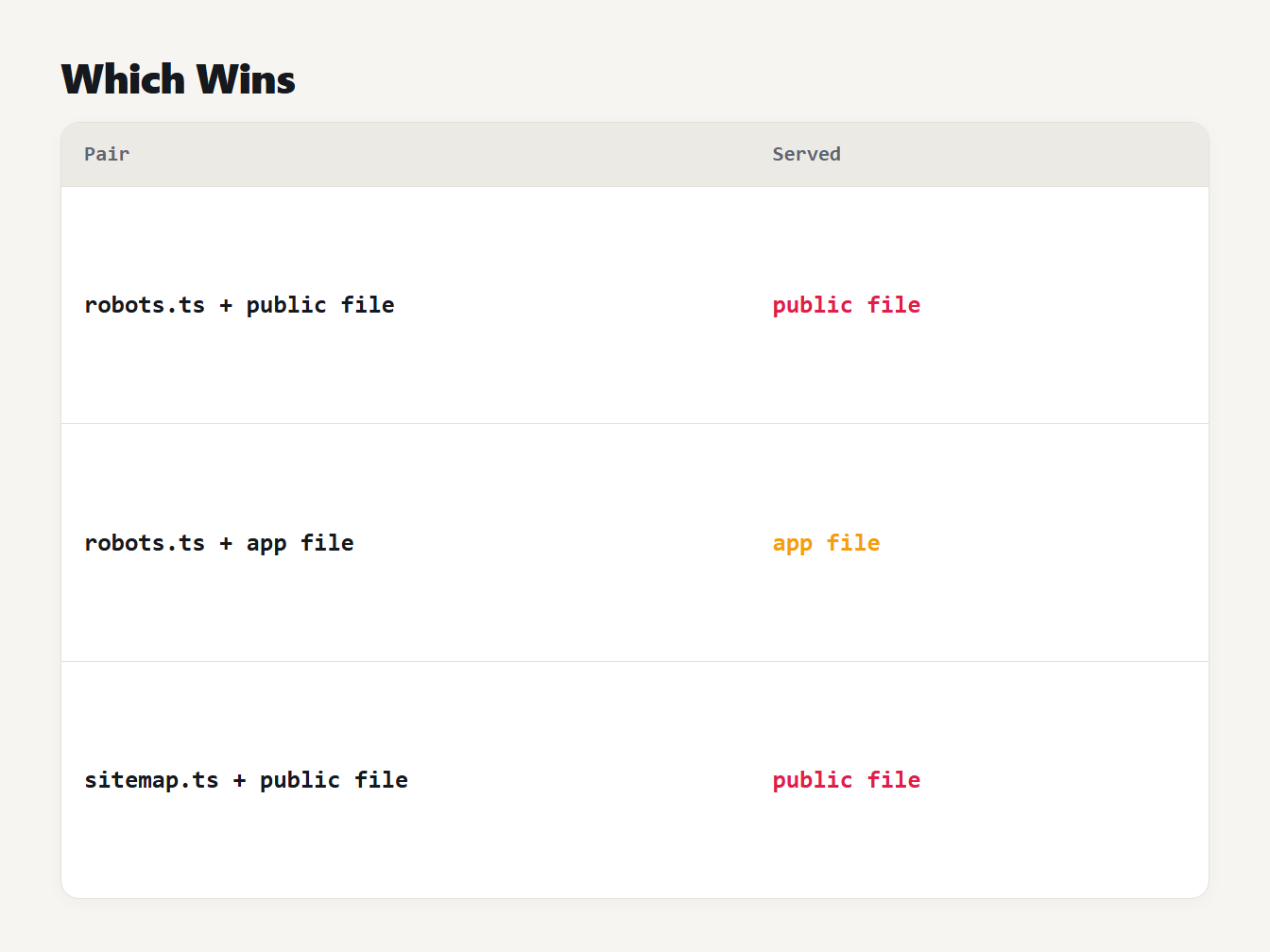
A table of three file pairs tested on Next.js 16. A robots.ts with a public robots.txt served the public file. A robots.ts with an app robots.txt served the app file. A sitemap.ts with a public sitemap.xml served the public file.
The risk is real on a site that started with a hand-written file. Months later someone adds robots.ts to block a new path and the change never goes live. The Next.js docs say to keep static metadata files in the app folder, and we found no warning about a clash with a public file. So check what a live address serves, not what your code says. Then pick one source. If you like a plain file, keep it in app and delete robots.ts. If you want code, delete every static copy. Our own site has no public/robots.txt, and we looked.
2. Raw ampersands are not escaped
We returned three URLs from sitemap.ts: one with a raw &, one with & already written and one with angle brackets. Next.js wrote each value into the <loc> tag exactly as given.
<loc>https://example.com/search?x=1&y=2</loc>
<loc>https://example.com/search?x=1&y=2</loc>
<loc>https://example.com/a<b></loc>
An XML parser accepted the second line and rejected the raw ampersand as not well-formed. Google's sitemap guide says all tag values must be entity escaped. So when a URL has a query string, escape it before you return it. This small helper does it, and it must run on the URL before Next.js sees it:
const escapeXml = (value: string) =>
value.replace(/&/g, '&').replace(/</g, '<').replace(/>/g, '>')
Run the & replacement first, as above, or the entities you add get escaped a second time. A sitemap should list clean canonical addresses, and most have no query strings at all. If yours does, this is where it bites.
| You write | The file contains | Valid XML? |
|---|---|---|
x=1&y=2 | x=1&y=2 | No |
x=1&y=2 | x=1&y=2 | Yes |
a<b> | a<b> | No |
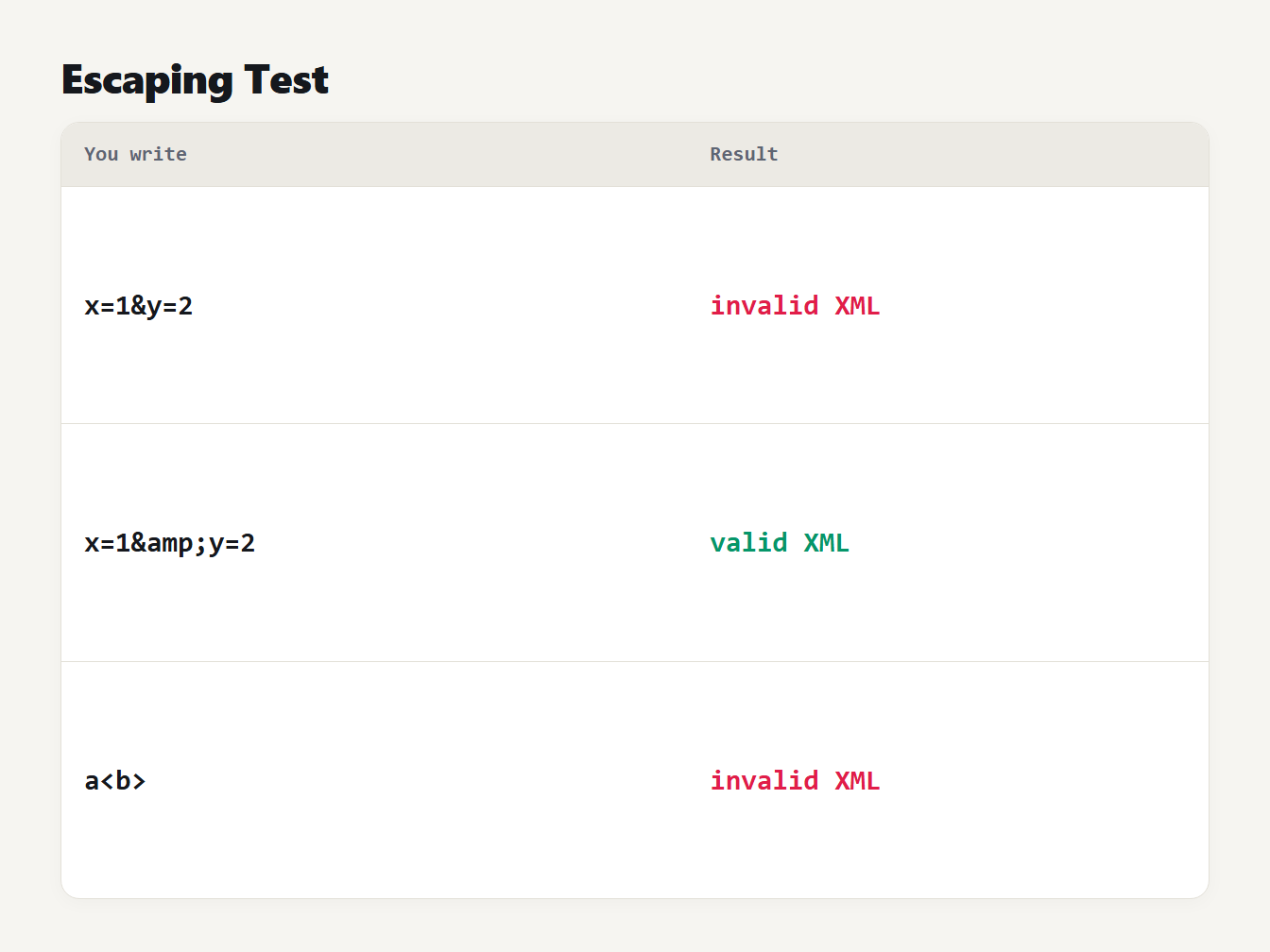
A table of three URL values passed to sitemap.ts. A raw ampersand gave invalid XML. An ampersand already written as amp gave valid XML. Angle brackets gave invalid XML.
3. Dates depend on what you pass
The lastModified field takes a string or a Date. We tried both. A string came out as typed, and a Date came out as a full ISO timestamp with milliseconds.
| You pass | The file contains |
|---|---|
'2026-10-01' | 2026-10-01 |
new Date('2026-10-02') | 2026-10-02T00:00:00.000Z |
new Date('2026-10-03T14:30:00Z') | 2026-10-03T14:30:00.000Z |
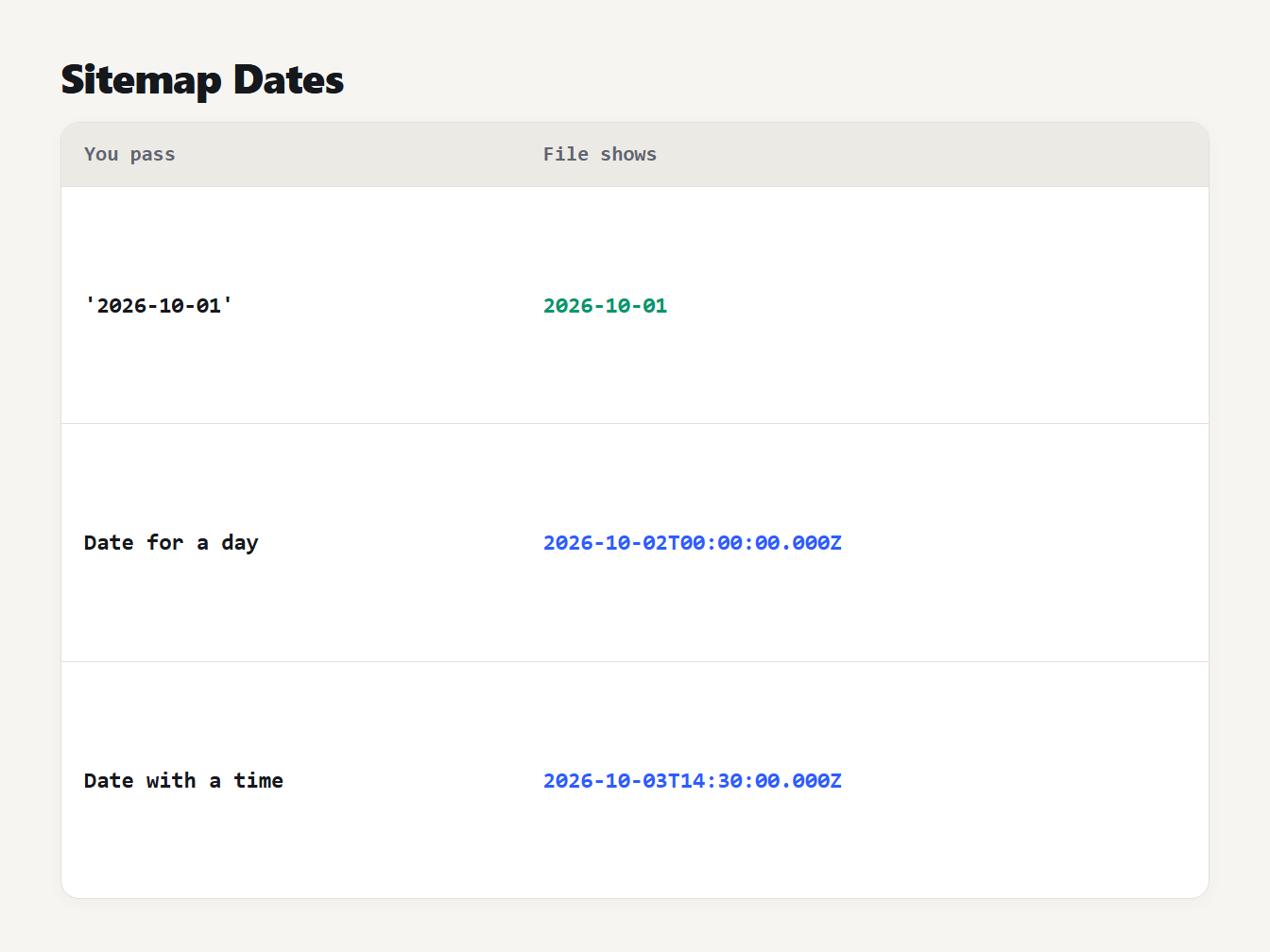
A table of three lastModified values and what the sitemap contained. A day string stayed as typed. A Date for a day became a full timestamp at midnight UTC. A Date with a time kept the time and added milliseconds.
Both forms are valid. A day string is simpler and says no more than you know. The bigger problem is the value itself: the docs example uses new Date() for every page, which stamps each URL with the moment the file is built. Our guide to sitemap lastmod from Git shows how to use real dates instead. The related guide to creating an XML sitemap lists which tags matter.
4. Optional tags appear only when you set them
When we left out changeFrequency and priority, the file held just the URL and the date. When we set them, they appeared. Google says it ignores <priority> and <changefreq>, so there is no reason to set them to please a crawler. Leave them out and the file stays short. That is a small win, but it also removes two values that someone has to keep honest. A priority of 0.8 on a page that no longer matters is exactly the kind of leftover that makes a sitemap harder to trust, and the tag has no effect on how Google crawls.
Two mistakes to avoid
Large sites: split the sitemap
Google's limit is 50,000 URLs per sitemap, and the Next.js docs for generateSitemaps show how to split one. You export a function that returns a list of ids, and each id becomes its own file at /.../sitemap/[id].xml. In version 16 the id reaches your sitemap function as a promise that resolves to a string, so await it before you use it. We did not test this one, so treat it as a pointer to the docs. A site with a few hundred pages never needs it.
A Next.js robots.txt file does not remove pages
A Disallow line in your Next.js robots.txt stops a crawler from fetching a page. It does not take the page out of search results, and Google says a blocked page can still be indexed if other sites link to it. To keep a page out, leave it crawlable and send a noindex. Our guide to the X-Robots-Tag header shows how to do that for files, and the meta tag guide covers pages.
How to check what a site really serves
The code shows what you meant, not what is live. These checks take a minute.
-
Open the live file. Visit
/robots.txtand/sitemap.xmlon the deployed site and read them. If a rule you wrote is missing, look for a static file. -
Look for static files. Search the project for
robots.txtandsitemap.xmlinpublicandapp. In a Git project, one command lists every tracked match:git ls-files '*robots.txt' '*sitemap.xml'Any file it prints is a static file that can beat your code.
-
Check the XML. Browsers show an error for a sitemap that is not well-formed, so a raw ampersand shows up at once.
-
Test the rules. Paste the live robots file into the Robots.txt Tester and try your important URLs.
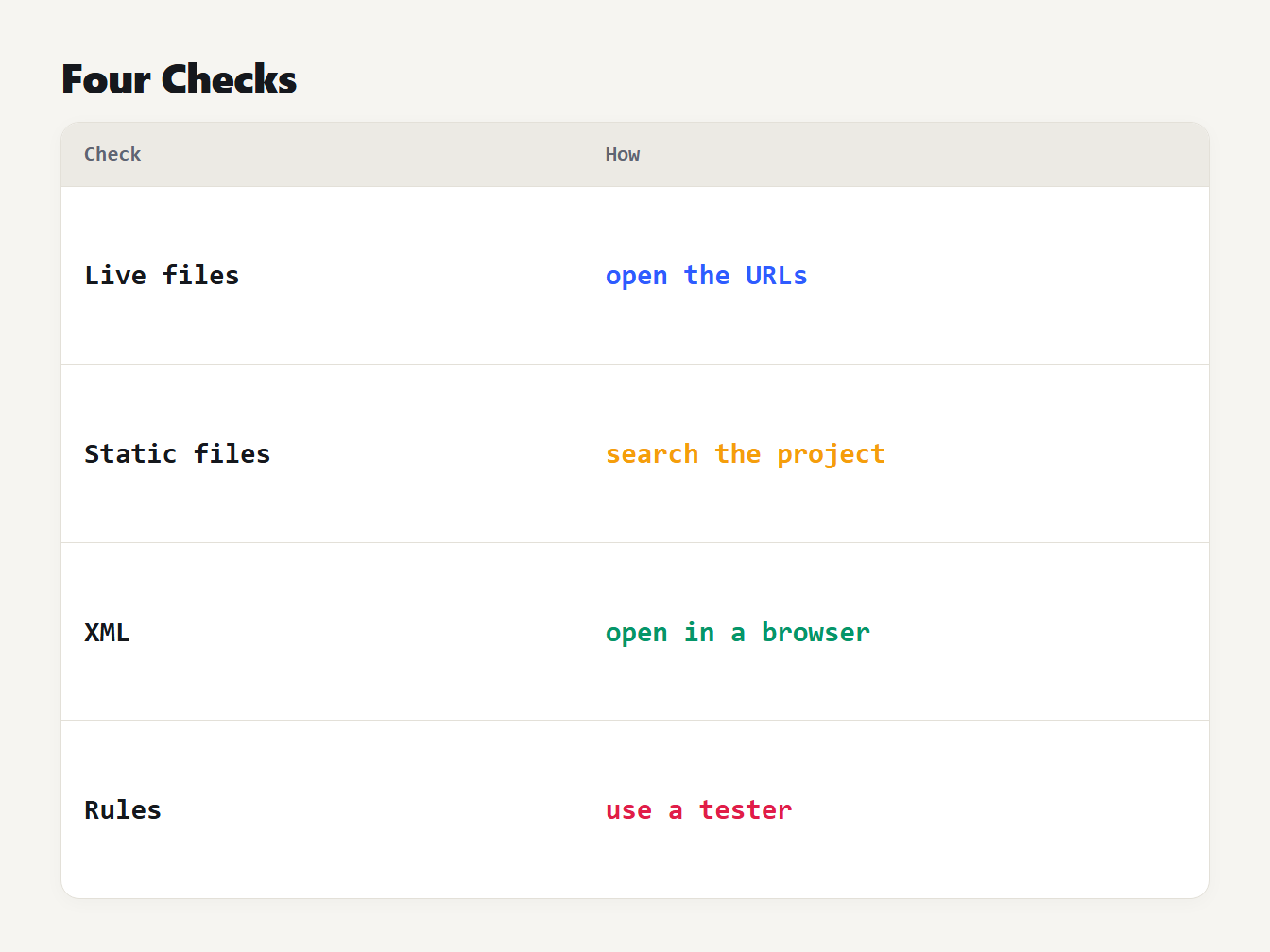
A table of four checks. Open the live robots and sitemap files. Search the project for static files. Open the sitemap in a browser to check the XML. Test the live rules in a robots.txt tester.
Limits
We tested Next.js 16.3.6 with the App Router. Other versions may behave differently, and the Pages Router works another way. We built and started each test app locally, so a host or CDN that rewrites files could change what you see in production. We looked at output, not at what a crawler did with it. Where we say a behavior is not in the docs, we mean we did not find it there.
Frequently asked questions
How do I create a robots.txt file in Next.js?
Add an app/robots.ts file that exports a function returning rules and, optionally, a sitemap address. Next.js serves it at /robots.txt. You can also put a plain robots.txt file in the app or public folder.
What happens if I have both robots.ts and a robots.txt file?
In our test the build passed without a warning and the static file was served, so the rules in robots.ts were ignored. Keep only one source, or you may think a rule is live when it is not.
Does Next.js escape special characters in sitemap URLs?
No. In our test a raw ampersand and a raw angle bracket were written into the loc tag as they were, which makes the XML invalid. Escape them yourself, for example & as &, before you return the URL.
What date format does the sitemap lastModified field produce?
A string is written as you typed it, so a day like 2026-10-01 stays a day. A Date object is written as a full ISO timestamp with milliseconds. Both are valid, and a day alone is the simpler choice.
Do I need priority and changeFrequency in sitemap.ts?
No. Google ignores priority and changefreq, so you can leave both out. The Next.js examples include them, but only the URL is needed, and lastModified is useful only when it is accurate.
Write and check your Next.js robots.txt
Build the rules with the Robots.txt Generator, and list your clean addresses in the XML Sitemap Generator, which escapes the special characters for you. Everything runs in your browser, so nothing you type is uploaded.