X-Robots-Tag: How to Noindex PDFs and Other Files (Tested)
The X-Robots-Tag header keeps PDFs and other non-HTML files out of search results. We tested which URLs a Next.js rule catches and give the config to copy.
By TheTextKit TeamPublished
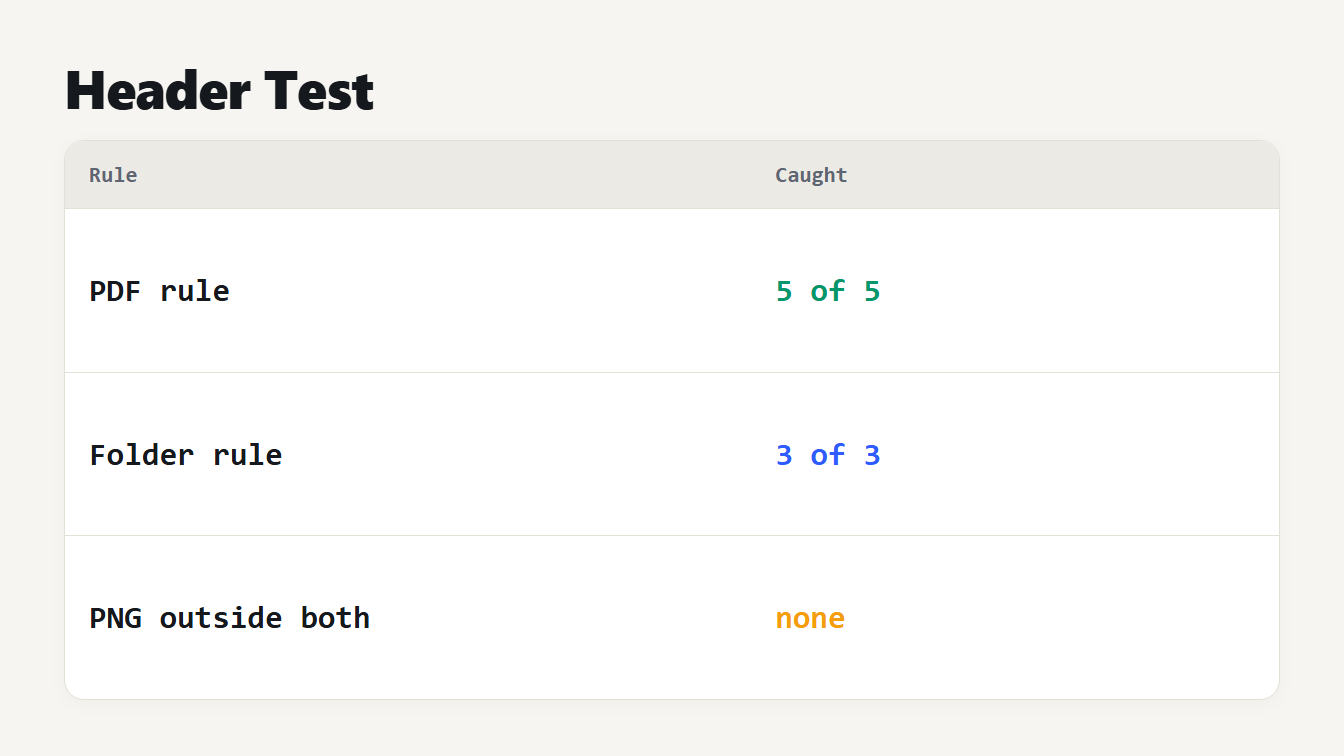
A table of three results from testing X-Robots-Tag rules on a Next.js site. The PDF rule caught 5 of 5 PDF URLs. The folder rule caught 3 of 3 URLs. A PNG outside both rules got no header.
The X-Robots-Tag header is how you tell search engines not to index a file that has no HTML head. It carries the same rules as the robots meta tag, so X-Robots-Tag: noindex on a PDF response does for that PDF what <meta name="robots" content="noindex"> does for a web page. To see what a real rule catches, we added two to a Next.js 16 site and requested nine URLs. Here are the results and the config to copy.
What the X-Robots-Tag header does
Google's robots meta tag specification says that to block indexing of non-HTML resources, such as PDF, video or image files, you use the X-Robots-Tag response header. Any rule you can write in a robots meta tag can also be sent in the header. You can list several rules in one comma-separated value, or send more than one header. A rule can start with a crawler name, such as googlebot: nofollow, and a rule with no name applies to all crawlers. When rules conflict, the more restrictive one wins.
Bing works the same way. Its documentation says each supported robots meta tag can also be specified as an X-Robots-Tag in the response header. So one header can serve both engines.
On the wire, the header is one more line in the response for the file:
HTTP/1.1 200 OK
Content-Type: application/pdf
X-Robots-Tag: noindex
Some files are worth keeping out of results. Examples are a printable PDF copy of an article that already ranks, an old price list, a manual meant only for customers who have the link and an export file that a tool generates. These are files you would rather not have competing with the page they came from. In each case the file is useful to the person who has it, but a search result for it adds nothing. Decide per file type, because a blanket rule on .pdf also hides the PDFs you do want people to find.
| File | Where noindex can go |
|---|---|
| HTML page | Meta tag or header |
| Header only | |
| Image | Header only |
| CSV, ZIP or other file | Header only |
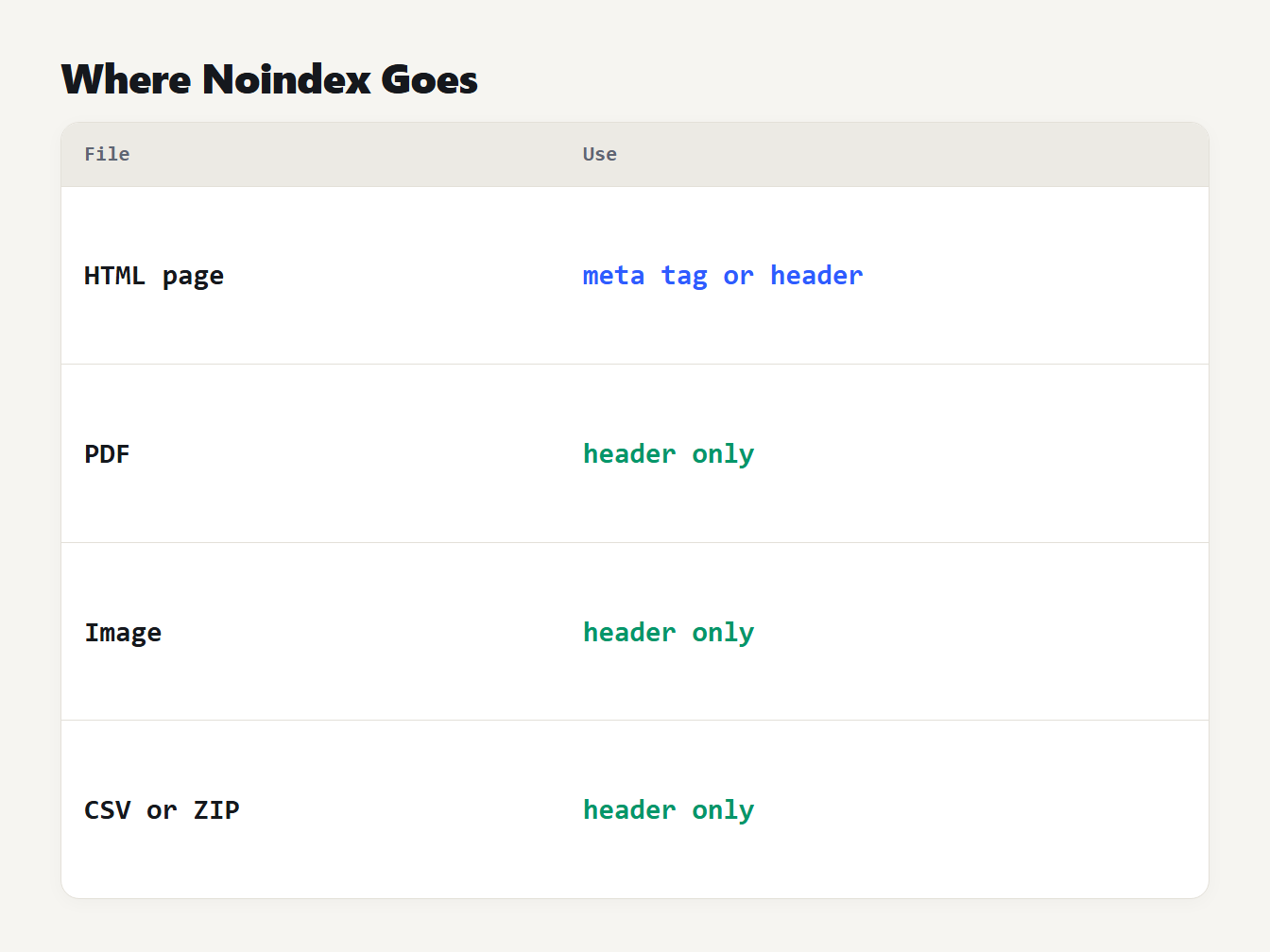
A table of four file types and where noindex can be set. An HTML page can use a meta tag or a header. A PDF, an image and other files such as CSV or ZIP can only use the header.
What we tested
We built a small Next.js 16.3.6 site with two header rules and static files in the public folder. One rule sent noindex for any URL ending in .pdf. The other sent noindex, nofollow for everything under /files/. Then we built it, started it and requested nine URLs, reading the header on each response.
| URL | Header we got |
|---|---|
/guide.pdf | noindex |
/guide.pdf?download=1 | noindex |
/Report.PDF | noindex |
/files/deep/manual.pdf | noindex, nofollow |
/files/data.csv | noindex, nofollow |
/missing.pdf (404) | noindex |
/files/missing.csv (404) | noindex, nofollow |
/logo.png | none |
/thanks (page with a meta tag) | none, the tag is in the HTML |
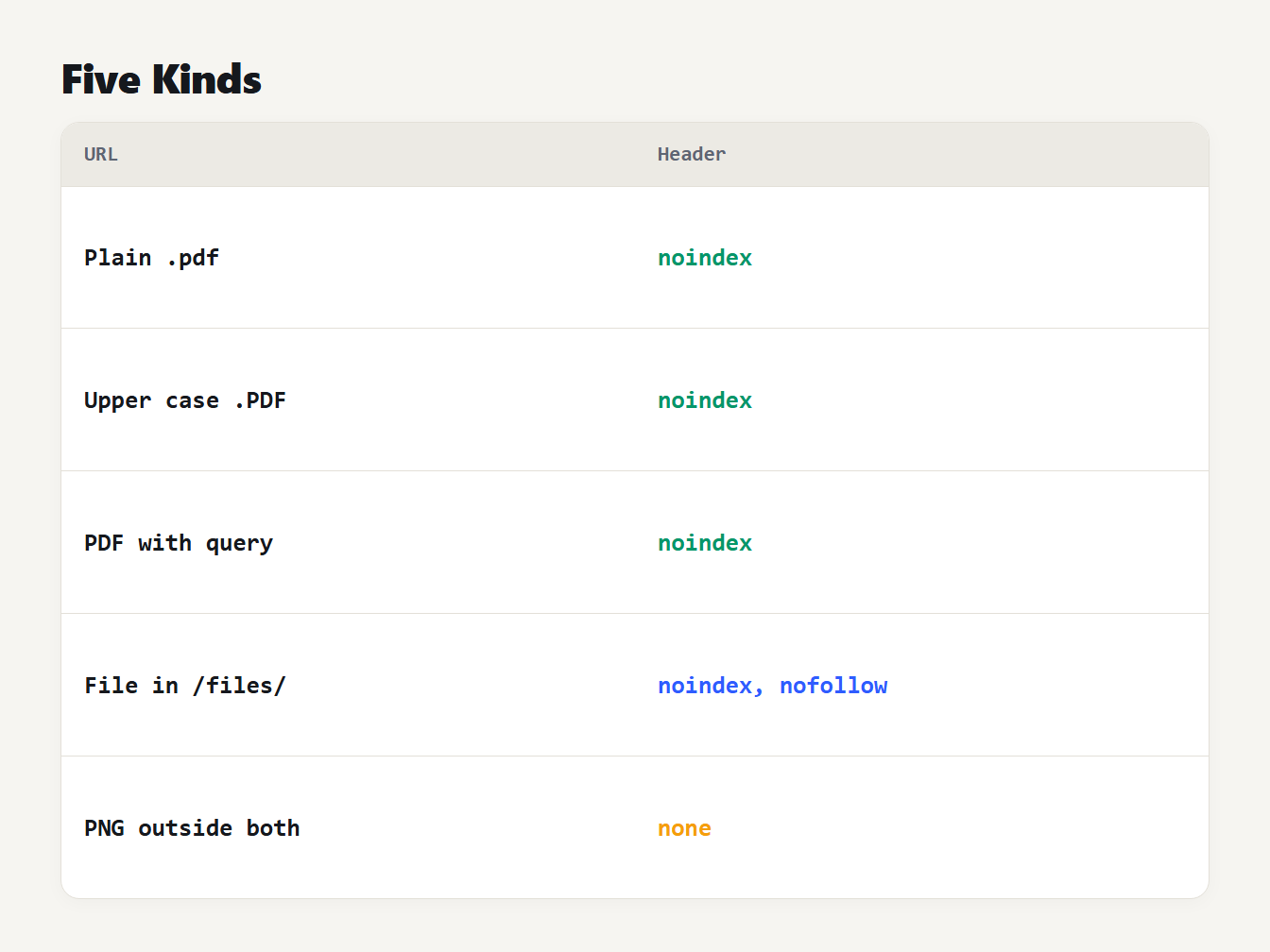
A table of five kinds of URL and the header each got. A plain PDF, an upper case PDF and a PDF with a query string got noindex. A file in the files folder got noindex and nofollow. A PNG outside both rules got no header.
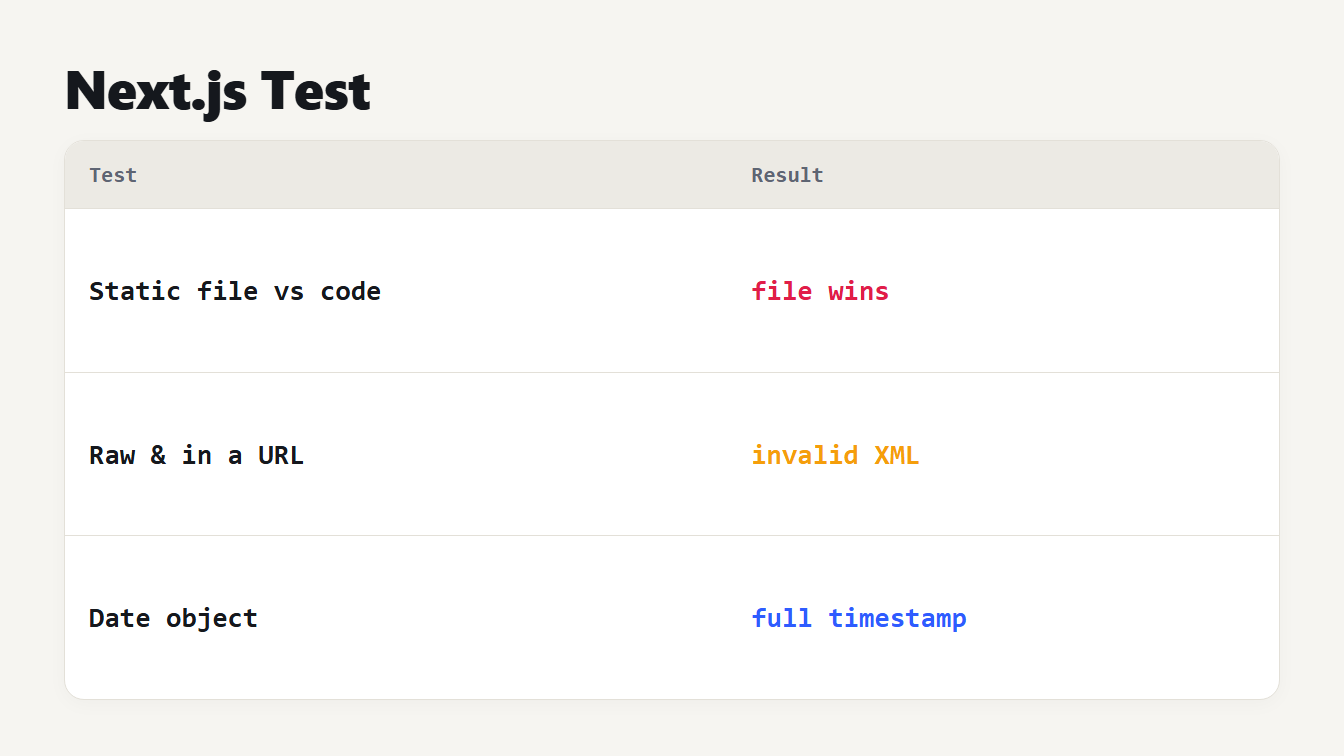
Four things stand out. The .pdf rule also caught Report.PDF and the address with a query string, so the match ignored case and the query. It caught a PDF nested three levels deep. It sent the header on 404 responses too, which is harmless. And where both rules matched, the nested manual got only noindex, nofollow, not both values.
That last result matches the Next.js headers documentation: if two headers match the same path and set the same key, the last one overrides the first. The /files/ rule came second, so it won. If you want both values, combine them into one header, as we did there.
The config to copy
This is the next.config.js we used. It works the same in a project that has real PDFs in public, because headers are checked before the filesystem, files in /public included.
module.exports = {
  async headers() {
    return [
      { source: '/:path*.pdf', headers: [{ key: 'X-Robots-Tag', value: 'noindex' }] },
      { source: '/files/:path*', headers: [{ key: 'X-Robots-Tag', value: 'noindex, nofollow' }] },
    ]
  },
}
Put the broad rule first and the specific rule last, because the last match wins. If you only need to keep one type of file out, a single source pattern is enough.
Apache and nginx
On other servers the idea is the same: match the file, add the header. These are the common forms, and Google's page shows the same pattern for Apache and nginx. We tested only Next.js, so check the result with the steps further down.
<Files ~ "\.pdf$">
  Header set X-Robots-Tag "noindex"
</Files>
location ~* \.pdf$ {
  add_header X-Robots-Tag "noindex";
}
Do not block the file in robots.txt
A header only helps if a crawler can read it. Google says robots meta tags and X-Robots-Tag headers are discovered when a URL is crawled, so if a URL is disallowed in robots.txt, its indexing rules are not found and are ignored. Bing says the same: it needs to crawl the page to see a noindex.
| Setup | What happens |
|---|---|
| Allowed, with noindex header | The noindex is read |
| Blocked, with noindex header | The noindex is ignored |
| Blocked, no header | The URL can still be listed |
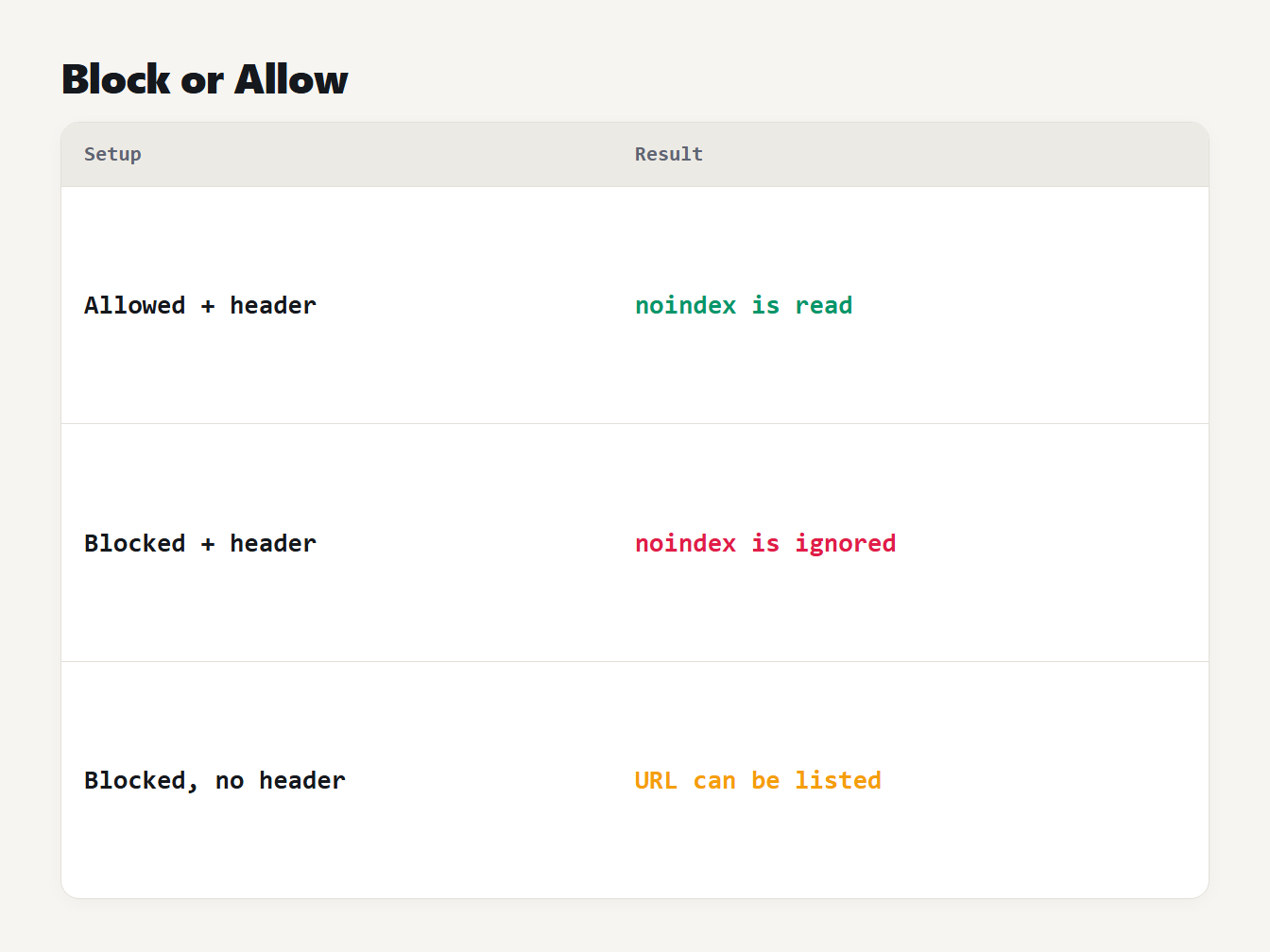
A table of three setups. An allowed file with a noindex header has its noindex read. A blocked file with a noindex header has its noindex ignored. A blocked file with no header can still be listed.
This is the mistake we would check first. A team blocks /downloads/ in robots.txt to keep PDFs out of search, then adds a header later and wonders why nothing changes. For a file you want out of the results, remove the block, send the header and let the crawler see it. Our guide to testing robots.txt shows how to check what a rule blocks, and robots.txt examples explains why blocking and noindexing are different jobs.
How to check a file
You do not need to wait for a crawl to see whether the header is there. Three checks work, and the first is the quickest.
- Browser DevTools. Open the file, open the Network tab, reload and click the request. The response headers list
x-robots-tag. - Console. On the same site, run
fetch('/guide.pdf', { method: 'HEAD' }).then(r => r.headers.get('x-robots-tag'))and read the answer. - Command line. Run
curl.exe -I https://example.com/guide.pdfon Windows orcurl -Ielsewhere, and read the response headers.
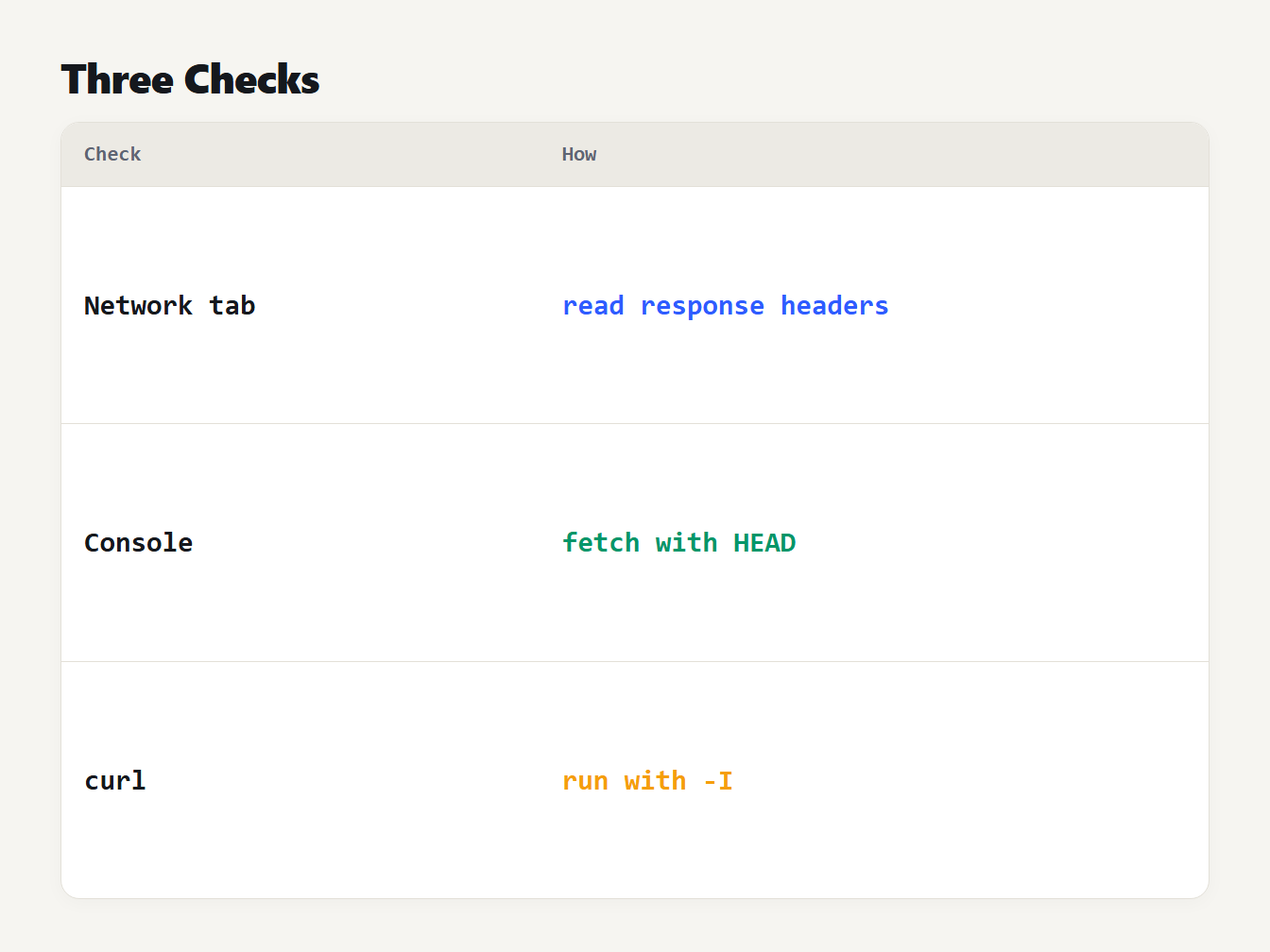
A table of three checks for an X-Robots-Tag header. The browser Network tab shows the response headers. A Console fetch with a HEAD request reads the header. The curl command with the -I flag prints the response headers.
Run the check against the live address, not only on your own machine, because the live response is what a crawler receives and it is the only proof that the rule reached production. After that, the file still has to be crawled again before the rule takes effect, and that is out of your hands. If you keep a sitemap, list only the files you want indexed. Our XML Sitemap Generator builds the file from a list of addresses, so leave the noindexed files out of it.
When to use the meta tag instead
For a normal web page, the meta tag is simpler and sits next to your title and description. The Meta Tag Generator writes it for you. Use the header when you cannot edit the file, when many files need the same rule or when the file is not HTML at all. The Robots.txt Generator is for crawl control, which is a different job from keeping a file out of results.
Limits
We tested one framework on one version, and we looked at what the server sends, not at what a search engine did with it afterward. The Apache and nginx snippets follow Google's pattern, and we did not run them. We cannot say how long Google or Bing will take to drop a file after you add the header, because that depends on when they crawl it again. Nothing here protects a private file: a noindex hides a file from results, while anyone with the address can still open it.
Frequently asked questions
What is the X-Robots-Tag header?
It is an HTTP response header that carries the same indexing rules as the robots meta tag, such as noindex or nofollow. Because it travels with the response, it works for files that have no HTML head, like PDFs and images.
How do I noindex a PDF?
Send an X-Robots-Tag: noindex header with the PDF response. Google says to use this header for non-HTML resources such as PDF, video and image files, since a robots meta tag cannot be placed in them.
Can I use X-Robots-Tag and robots.txt together?
Not on the same URL if you want the noindex to work. Google reads the header only when it crawls the file, so a file blocked in robots.txt never shows its header and the rule is ignored.
Does Bing support the X-Robots-Tag header?
Yes. Bing's documentation says each of its supported robots meta tags can also be sent as an X-Robots-Tag in the response header, and it needs to crawl the page to see a noindex.
What if two X-Robots-Tag rules match the same URL?
In Next.js, if two header rules match one path and set the same key, the last one overrides the first, as we saw in our test. Write one combined value when you need several rules on the same URL.
Check your robots rules
Use the Robots.txt Tester to confirm that the files you noindex are not blocked, and the Meta Tag Generator for pages that can use a meta tag. Everything runs in your browser, so nothing you type is uploaded.