Sitemap Lastmod From Git: Real Dates, Not new Date()
Set sitemap lastmod from Git history instead of the build date. We hit three traps on our own site: shallow clones, rebases and edits nobody sees.
By TheTextKit TeamPublished
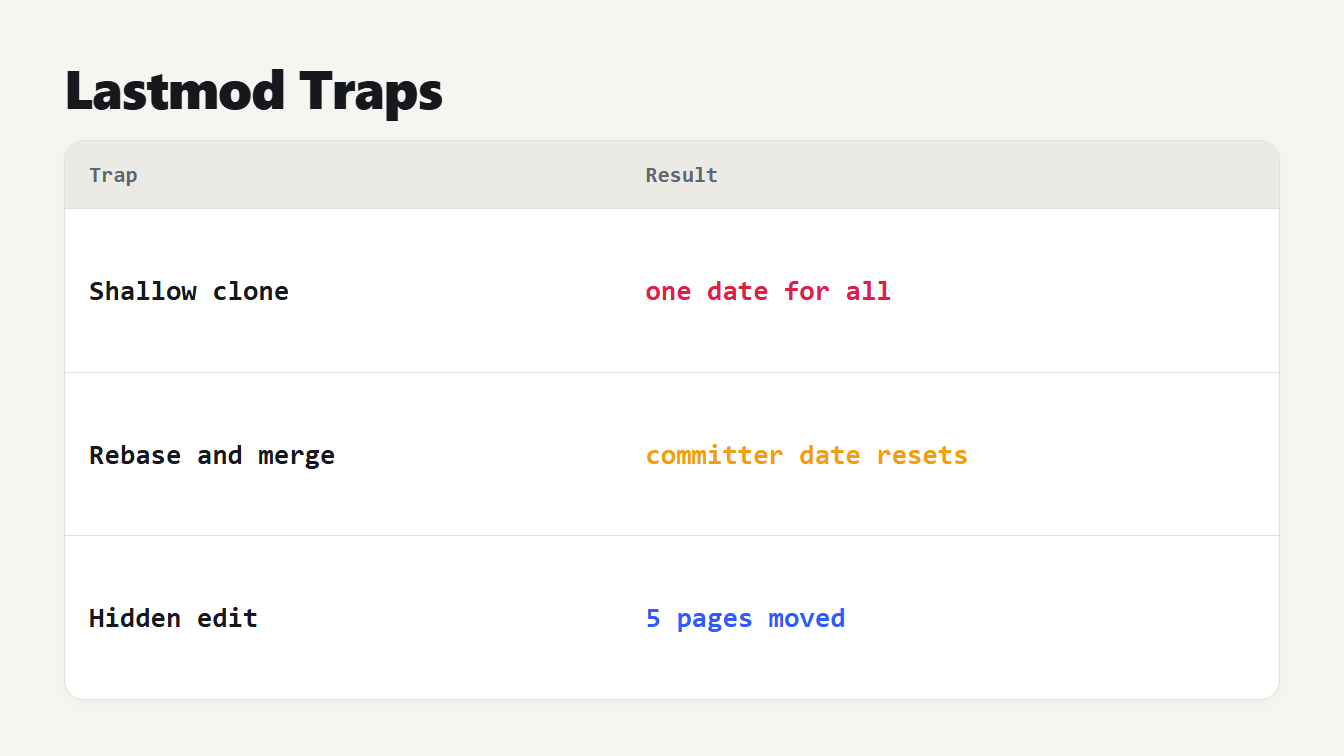
A table of three traps found while generating sitemap lastmod dates from Git. A shallow clone gives the same date for every file. A rebase and merge resets the committer date. An edit to hidden metadata moved five pages.
Set the sitemap lastmod of each page to the day its content last changed, and read that day from Git. Do not use the day the sitemap was built. The sitemaps.org protocol says the date must be the one when the linked page was last modified, not when the sitemap is generated. Google adds that it uses lastmod only when it is consistently and verifiably accurate. Getting the dates out of Git sounds easy, and we hit three traps on our own site. Here they are, with the fix for each.
What search engines want from sitemap lastmod
Google's sitemap guide says the value should reflect the date and time of the last significant update. Its examples of significant are the main content, the structured data and the links on the page. A new copyright year is not significant. It also says Google ignores <priority> and <changefreq>, so lastmod is the one optional tag that can still help.
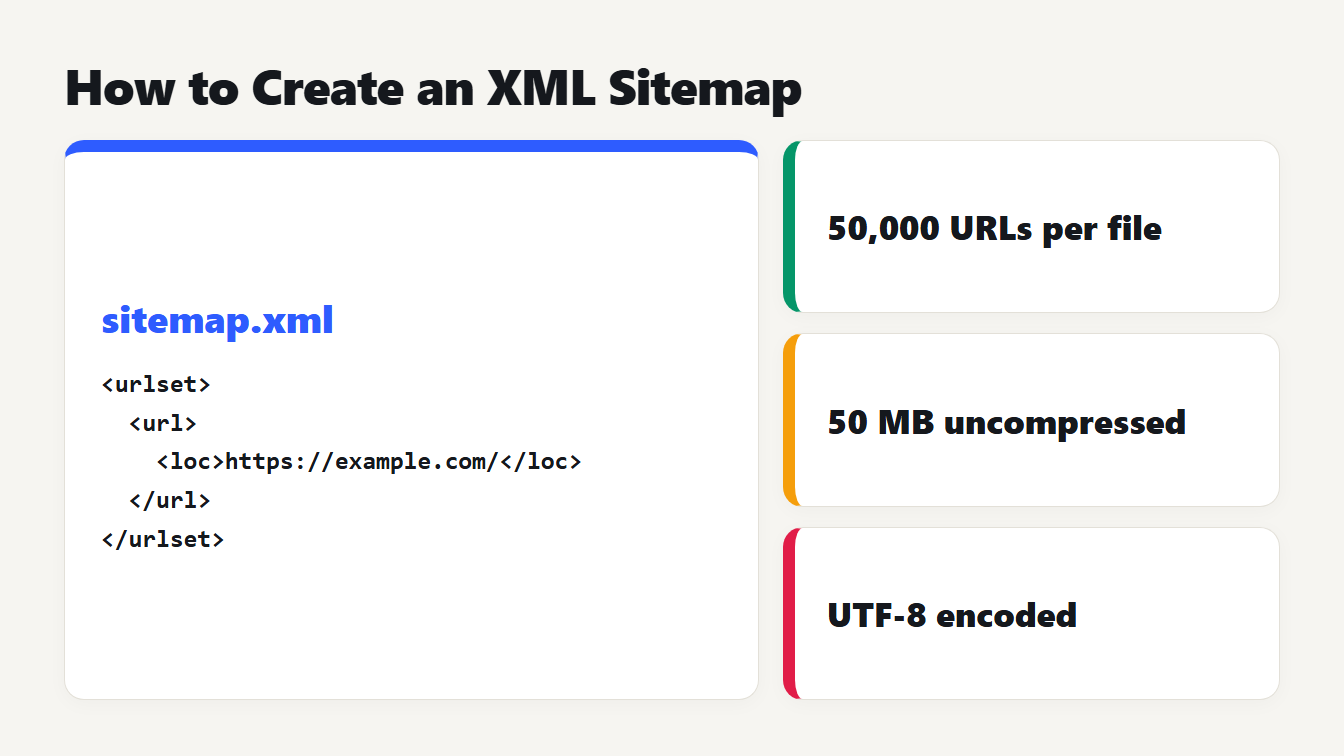
The sitemap lastmod format is W3C Datetime, and the protocol says you may leave out the time and write YYYY-MM-DD. A date alone is enough, so 2026-10-11 is fine. Our timestamp converter turns any timestamp into an ISO date if you need one. For the rest of the tags, see our guide to creating an XML sitemap.
The docs example that stamps every page
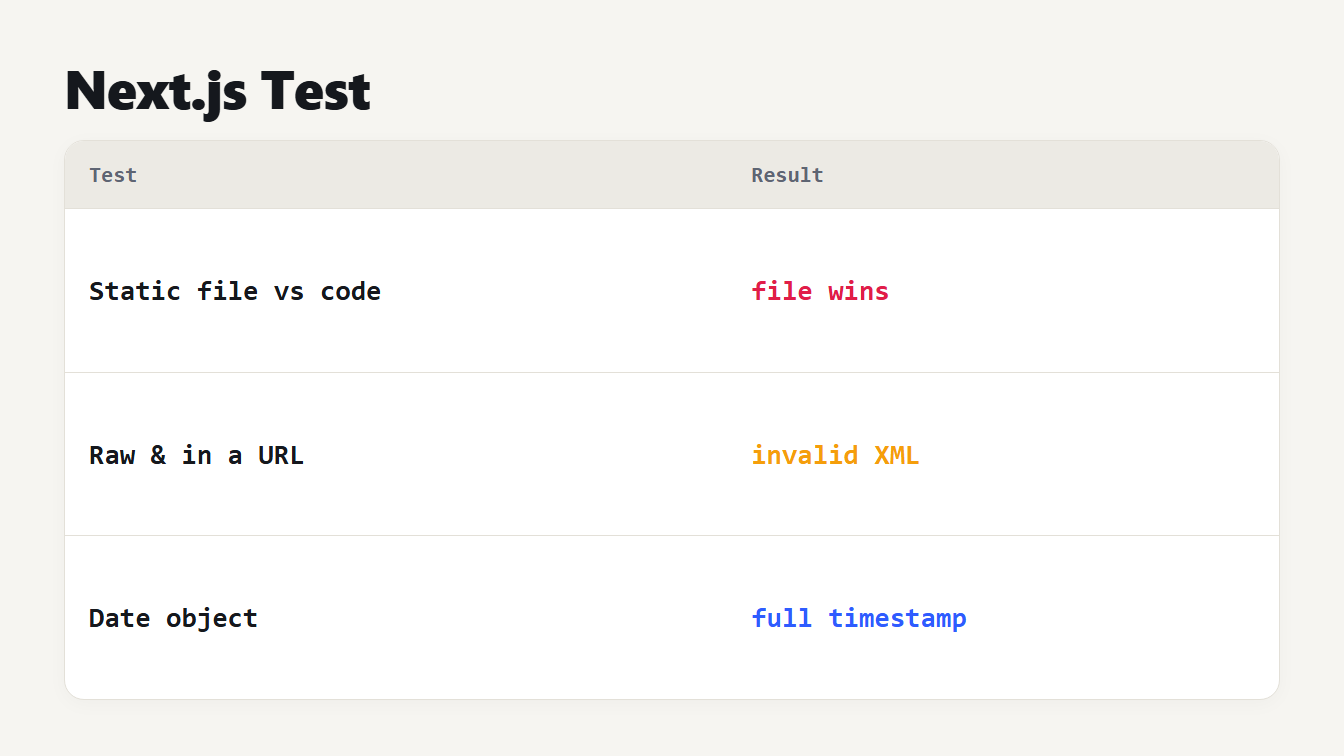
The Next.js documentation for sitemap.ts shows lastModified: new Date() in six entries. Copy that into a site and every URL gets the moment the file is evaluated. For a static sitemap that is the build time, so every deploy moves every page, whether or not it changed.
| Source of the date | What it tells a crawler |
|---|---|
new Date() | When the site was built |
| A date typed by hand | Whatever it said when you typed it |
| Git committer date | When the last rebase or merge happened |
| Git author date | When the content really changed |
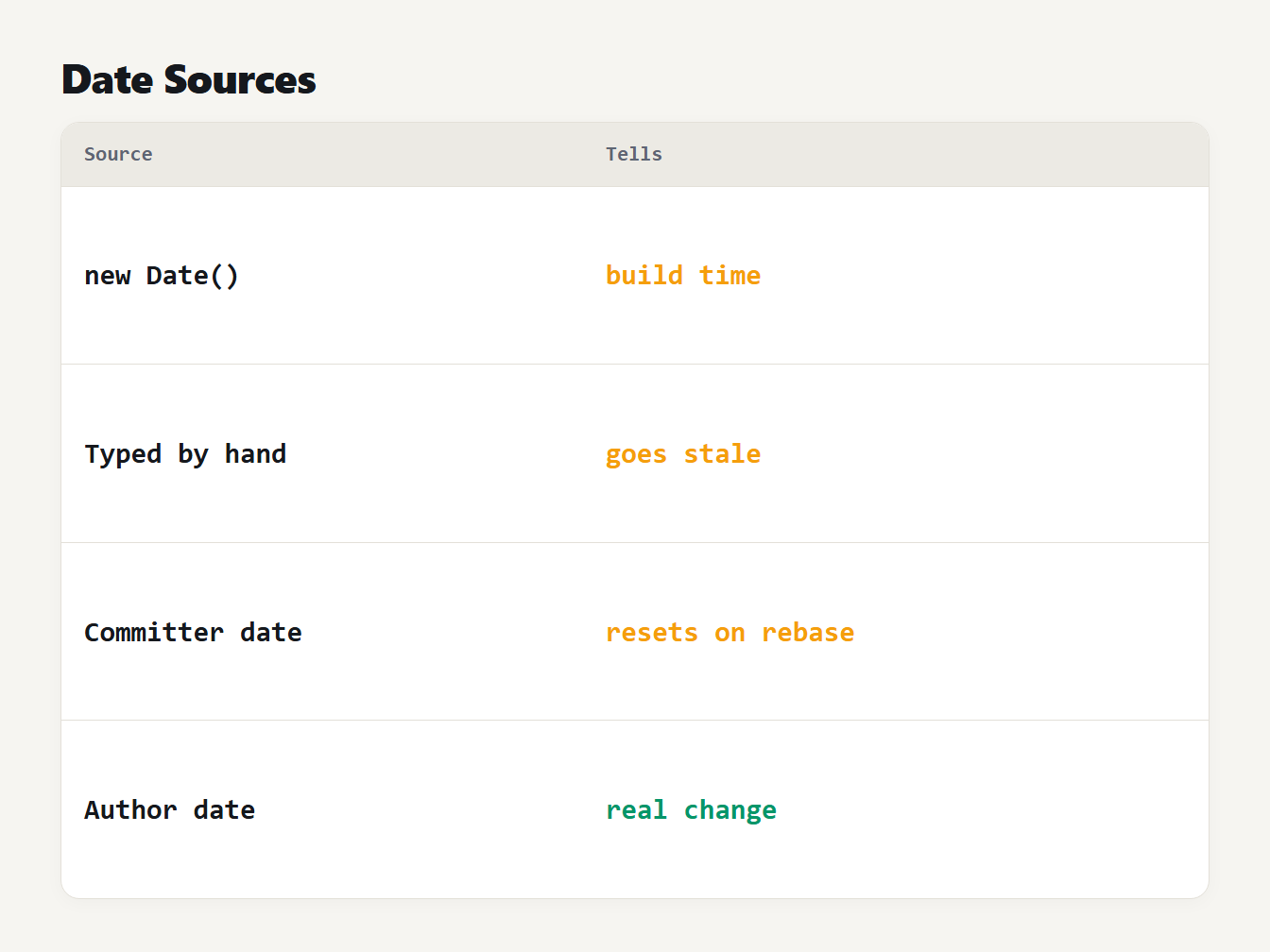
A table of four sources for a sitemap lastmod date. new Date gives the build time. A hand typed date goes stale. The Git committer date resets on a rebase. The Git author date shows when the content really changed.
Get the date from Git
Git already records the day each file changed, and one command reads it for a file:
import { execFileSync } from 'node:child_process'

export function lastModified(file) {
  const out = execFileSync('git', ['log', '-1', '--format=%aI', '--', file], { encoding: 'utf8' }).trim()
  return out ? out.slice(0, 10) : undefined
}
The %aI format prints the author date in ISO 8601, and slice(0, 10) keeps the day. A page with no history returns undefined, and the right thing for such a page is no lastmod at all. In sitemap.ts you pass the file that holds the page's content, such as lastModified: lastModified('content/blog/my-post.mdx'). That works until you meet the traps below.
Three traps we hit
We generate our dates with a script that walks the Git history and stores one date per page in a JSON file, which the sitemap reads. We tested what breaks.
| Trap | What we measured |
|---|---|
| Shallow clone | 5 of 5 files reported the same timestamp |
| Rebase and merge | The committer date moved to the rebase time |
| Edit nobody sees | 5 legal pages moved for an alt text change |
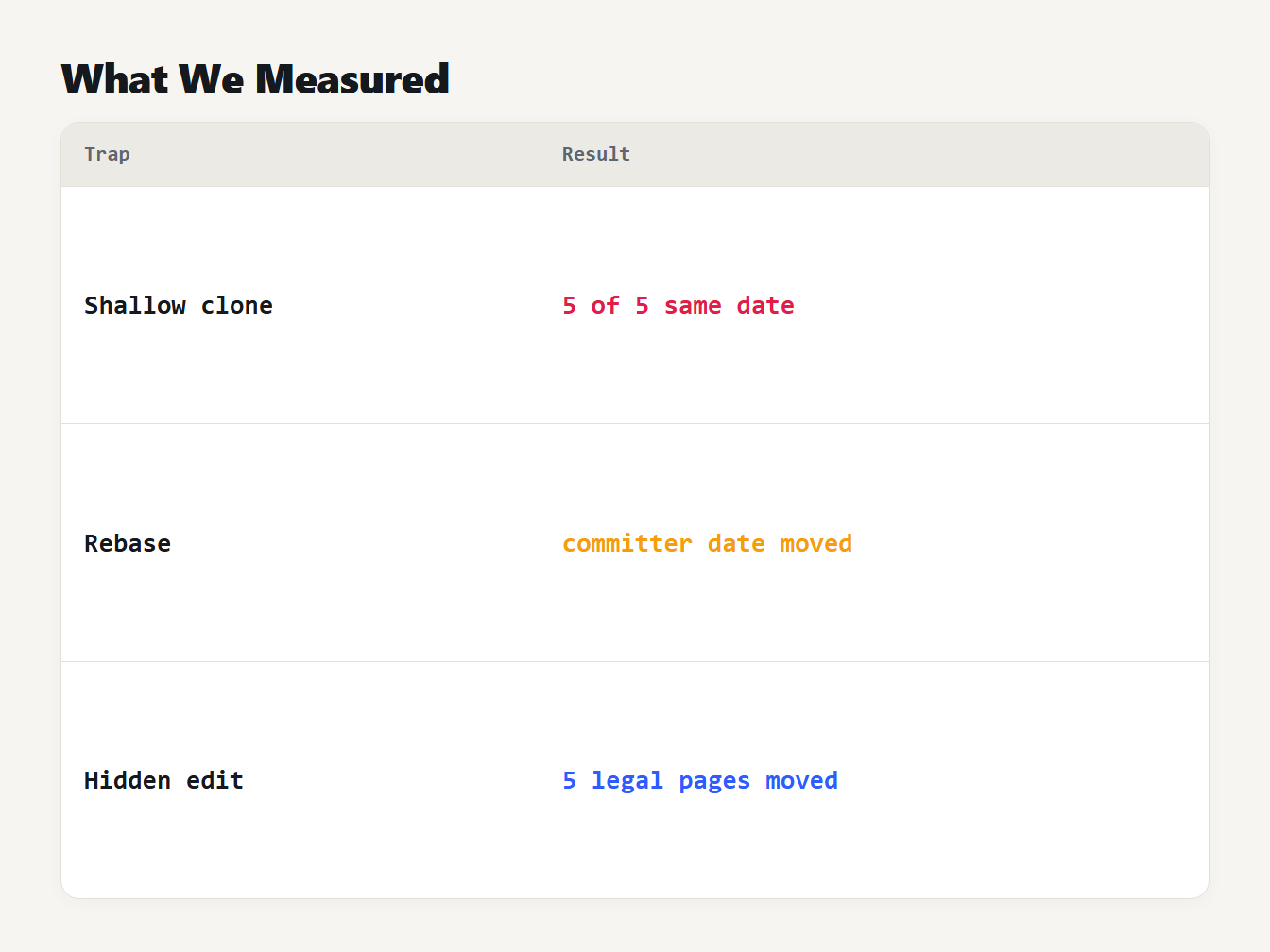
A table of three traps and what we measured. A shallow clone gave 5 of 5 files the same timestamp. A rebase and merge moved the committer date to the rebase time. An edit nobody sees moved five legal pages.
A shallow clone gives every file one date
We cloned our repository with --depth 1 and asked for the date of five files. All five came back with the same timestamp, the one on the tip commit, though the real changes were as far apart as 9 October and 11 October. In a shallow clone Git only knows one commit, so it credits that commit with every file. Many build systems clone this way, and GitHub's actions/checkout fetches a single commit unless you set fetch-depth: 0.
Our script refuses to run in that situation. It checks git rev-parse --is-shallow-repository, prints a message and exits with code 2. We generate the file on a full clone and commit it, so the build never needs the history. A check mode, switched on with the --check flag, fails the build if the committed file is out of date.
How the sitemap reads the dates
Our sitemap.ts looks each page up in that JSON file and passes the date as lastModified. A page with no entry gets no lastmod, which is better than a made-up date. Scheduled posts need one more rule. A post can be committed weeks before it goes live, so its date is the later of its Git date and its own publish day, and never later than today. That way no sitemap lastmod ever points to the future or claims a change before the page existed.
A rebase rewrites the committer date
We made a branch, committed with an author date of 5 October, then rebased it onto a newer main. The author date stayed at 5 October. The committer date became the time of the rebase. GitHub's rebase and merge does the same, so the committer date would move every page that branch touched to the merge day. Use the author date, which is what %aI reads.
An edit nobody can see
This one was our own bug. When we updated the social sharing image of the site, we changed its alt text in the metadata of the five legal pages. The script saw a changed page.tsx and moved all five to that day, though nobody reading those pages would see a difference. Google's own example of a change that does not count is a copyright year, and an alt text in the head belongs in the same group.
The fix is a short list, scripts/lastmod-ignore.json, of commits and files to skip, each with a reason. After listing that one commit, the five pages went back to their real dates. We also keep the rule that changes to the shared header, footer and styles move nothing, since they do not change what a page is about.
What counts as a change
| Change | Move lastmod? |
|---|---|
| Main content edited | Yes |
| Structured data changed | Yes |
| Links on the page changed | Yes |
| Copyright year updated | No |
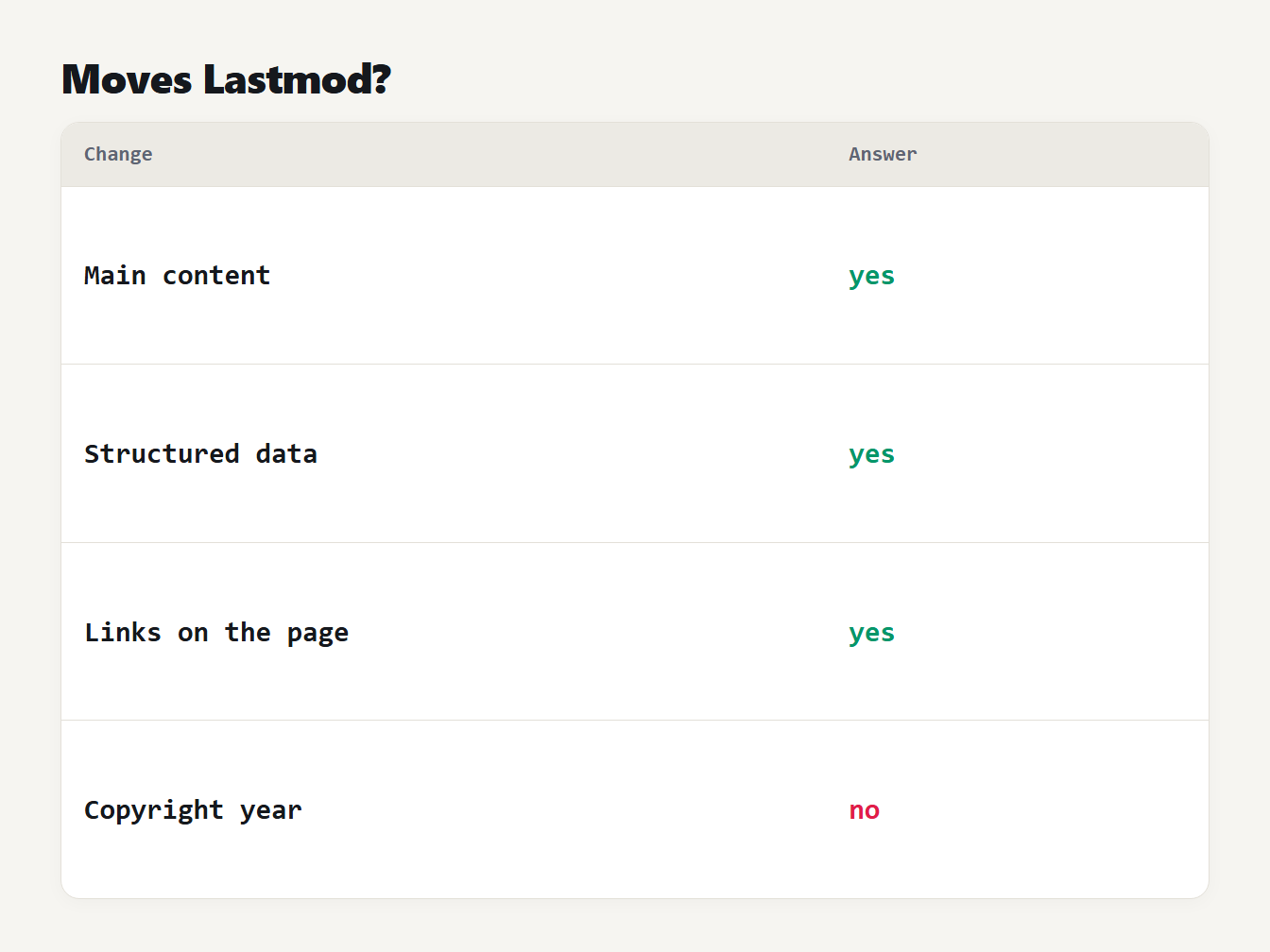
A table of four kinds of change to a page. Editing the main content moves lastmod. Changing structured data moves it. Changing links on the page moves it. Updating a copyright year does not.
Audit your own sitemap
Open your sitemap.xml in a browser and run this in the Console:
new Set([...document.getElementsByTagName('lastmod')].map((e) => e.textContent)).size
It prints how many distinct dates the file holds. When we ran it on ours, the sitemap had 119 URLs, every one with a lastmod, and 6 distinct dates. That is plausible for a site that grew in steps. Sixty-two of the URLs shared one day, because a batch of category and related link changes landed together, and 5 of those were the legal pages that should not have moved. If your answer is 1, every page has the same date, which is what the build date produces.
| What we measured | Result |
|---|---|
| URLs in the sitemap | 119 |
| URLs with a lastmod | 119 |
| Distinct dates | 6 |
| Pages moved by an alt text edit | 5 |
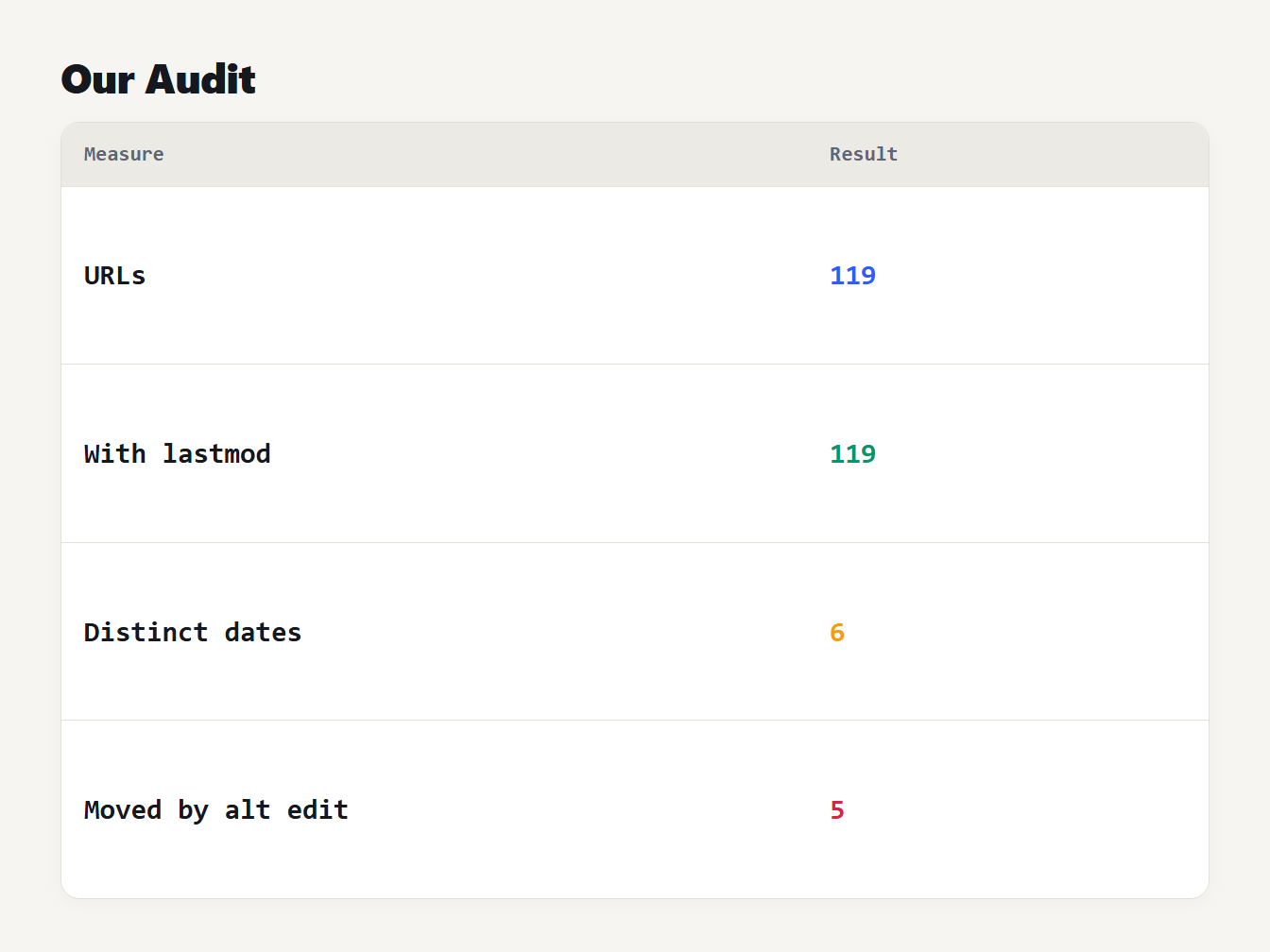
A table of four measurements of the TheTextKit sitemap. It listed 119 URLs, all 119 had a lastmod, there were 6 distinct dates, and 5 pages had been moved by an alt text edit.
Limits
We tested our own site and a toy repository, and we looked at the dates in the file, not at how Google used them. Google does not say how much a trustworthy lastmod changes how often it crawls a page, so treat the tag as a hint. Our rules for what counts as a change are our own judgment based on Google's examples. If a page's text comes from a database or a CMS, Git will not see the edits, so use the date from that system instead.
Frequently asked questions
What should a sitemap lastmod value be?
The date the linked page was last modified, not the date the sitemap was generated. The sitemaps.org protocol says this directly, and Google says it uses lastmod only when it is consistently and verifiably accurate.
What format should sitemap lastmod use?
W3C Datetime. The sitemaps.org protocol says you can leave out the time and write just YYYY-MM-DD, such as 2026-10-11. A day is precise enough for most pages, and it keeps the file small and easy to read.
Is it bad to use the build date as lastmod?
Yes, if every page gets it. A date that moves on every deploy does not describe any page, and Google says it uses lastmod only when it can trust it. Leave the tag out rather than guess.
Why are my Git dates all the same in CI?
The checkout is probably shallow. We cloned our repository with depth 1 and every file reported the same timestamp, the tip commit. Fetch the full history, or generate the dates beforehand and commit them.
Which Git date should I use for lastmod?
The author date. A rebase keeps it, while the committer date becomes the time of the rebase, as our test showed. Read it with git log -1 --format=%aI for the file.
Build and check your sitemap
Paste your clean addresses into the XML Sitemap Generator to build the file, and use the Robots.txt Generator to point crawlers to it. Everything runs in your browser, so nothing you type is uploaded.