Meta Tags for SEO: Which Ones Google Uses and Which It Ignores
Learn which meta tags matter for SEO: title, description, robots, canonical, viewport and charset. Plus the one Google ignores, and a check on 3,000 inputs.
By TheTextKit TeamPublished
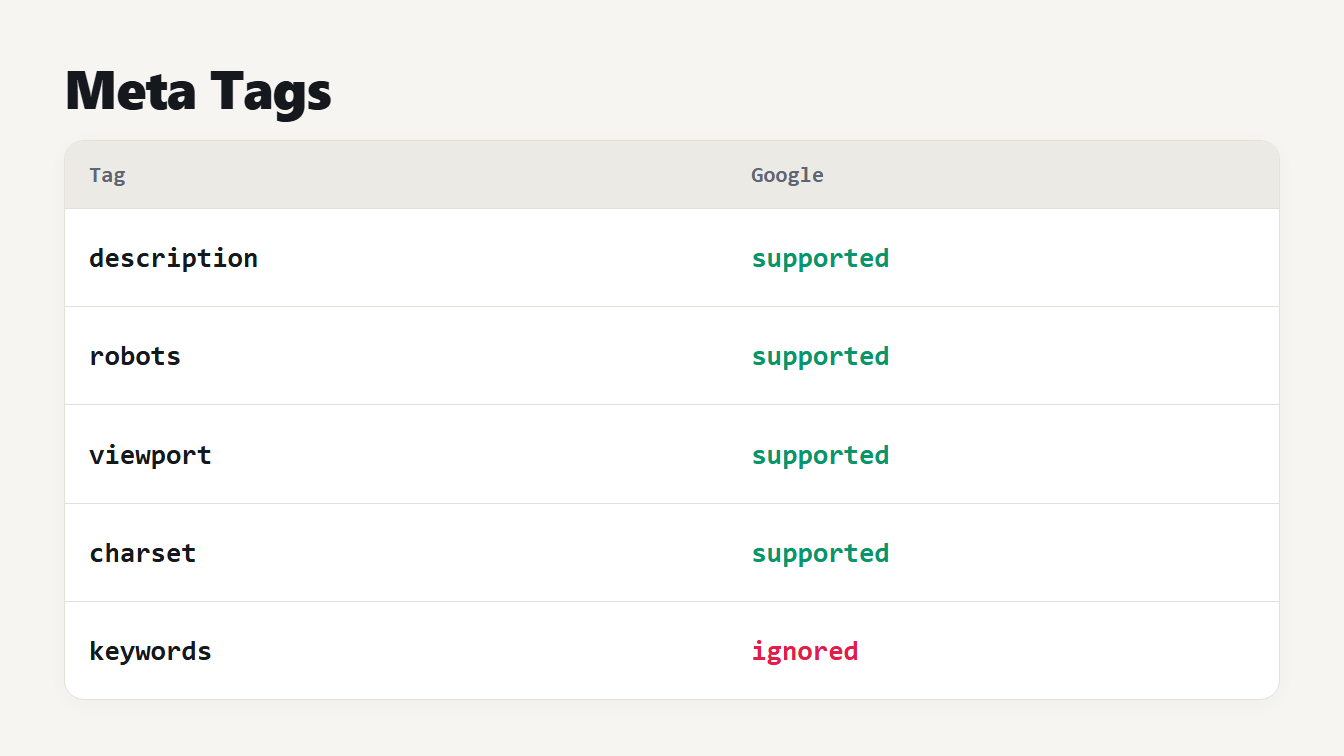
A table of five meta tags and whether Google uses them. The description, robots, viewport and charset tags are supported. The keywords tag has no effect on indexing or ranking.
Meta tags are small pieces of HTML in the <head> of a page that tell search engines and browsers how to treat it. For SEO, the ones that matter are the title, the meta description, the robots tag, the canonical link, the viewport tag and the charset. One famous tag matters not at all: Google says it ignores the meta keywords tag completely. This guide goes through each tag, what Google says about it in its documentation, and how to write them without breaking your page. We also tested our generator on 3,000 hostile inputs, read back by a real browser.
How to add meta tags to a page
- Open the Meta Tag Generator.
- Type your page title and meta description.
- Enter the page's canonical address, a full one that starts with
https://. - Choose a robots setting only if you want the page kept out of search results or its links ignored.
- Tick the charset and viewport tags, then copy the result into the
<head>of your page.
For a page about a word counter, the output looks like this:
<meta charset="utf-8">
<meta name="viewport" content="width=device-width, initial-scale=1">
<title>Word Counter: Count Words, Characters and Sentences</title>
<meta name="description" content="Count words, characters, sentences and paragraphs in any text. Free, private and runs in your browser.">
<link rel="canonical" href="https://example.com/word-counter">
The tags are in a deliberate order. The character set comes first, because the HTML specification says the element that declares it must be within the first 1,024 bytes of the document. The tool also escapes quotes, ampersands and angle brackets, and turns a line break in a title or description into a space.
Which meta tags Google supports
Google lists the tags it understands on its page of special tags. These are the ones that matter for most sites:
| Tag | What Google says it does |
|---|---|
description | May be used for the snippet in results |
robots and googlebot | Control crawling and indexing, for all search engines or for Google only |
viewport | Controls mobile rendering. Its presence tells Google the page is mobile friendly |
charset | Defines the character set. Google recommends UTF-8 |
google-site-verification | Proves to Search Console that you own the site |
keywords | Not used by Google Search. No effect on indexing or ranking at all |
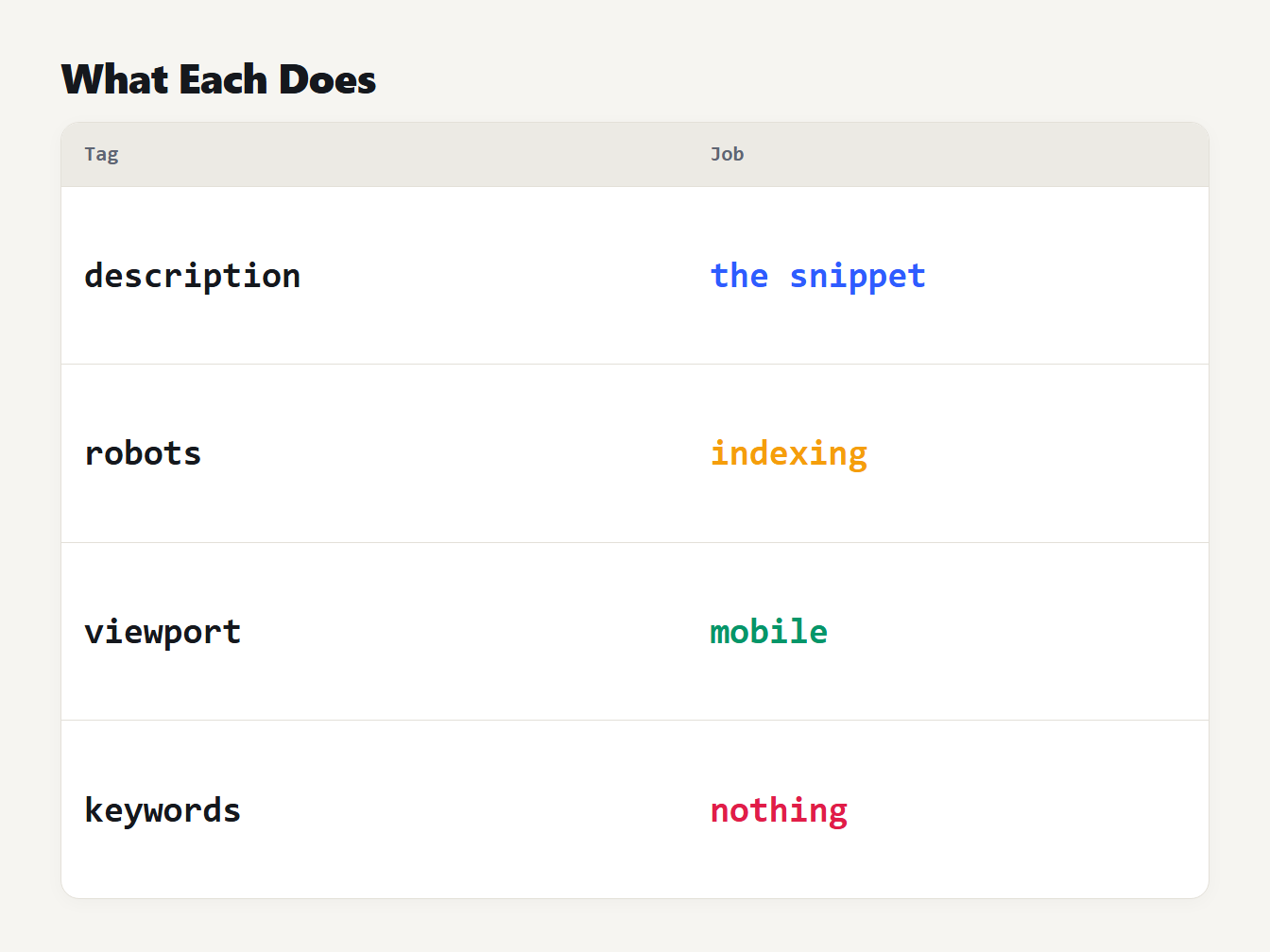
A table of four meta tags and what Google says each does. The description may supply the snippet. The robots tag controls indexing. The viewport tag marks a page as mobile friendly. The keywords tag does nothing.
The same page lists a few more, such as notranslate, nopagereadaloud and rating, which are used only in special cases. The title is not a meta tag, but it is the one that matters most for how a result looks, so it sits in every list.
The meta tag that does nothing
The meta keywords tag was once a list of words a page was about. Google's page says plainly that it is not used by Google Search and has no effect on indexing or ranking at all. There is no reason to add it, and a list of target phrases is visible to anyone who views the page source. Leave it out.
Title and description
The title element is the usual source of the title link in a result, and the meta description is a candidate for the snippet. Google may use other sources for both, so treat them as your best offer, not a command. For the details of length and width, see our guides to meta description length and to the SERP preview. In short, there is no official limit, a title is cut to fit the width of the screen, and about 60 characters for a title and 155 for a description are common guides.
The generator counts both against those guides and warns when you pass them, and the SERP Preview tool measures the width of the title.
The robots tag
With no robots tag, a page can be indexed and its links followed. You only add one to change that. Google's robots meta tag page gives the values that matter here:
noindex. Keeps the page out of search results.nofollow. Asks Google not to follow the links on the page.- Both. Write
noindex, nofollowin one tag. If rules conflict, the more restrictive one applies.
For a thank-you page you do not want in search, the generator gives <meta name="robots" content="noindex, nofollow">.
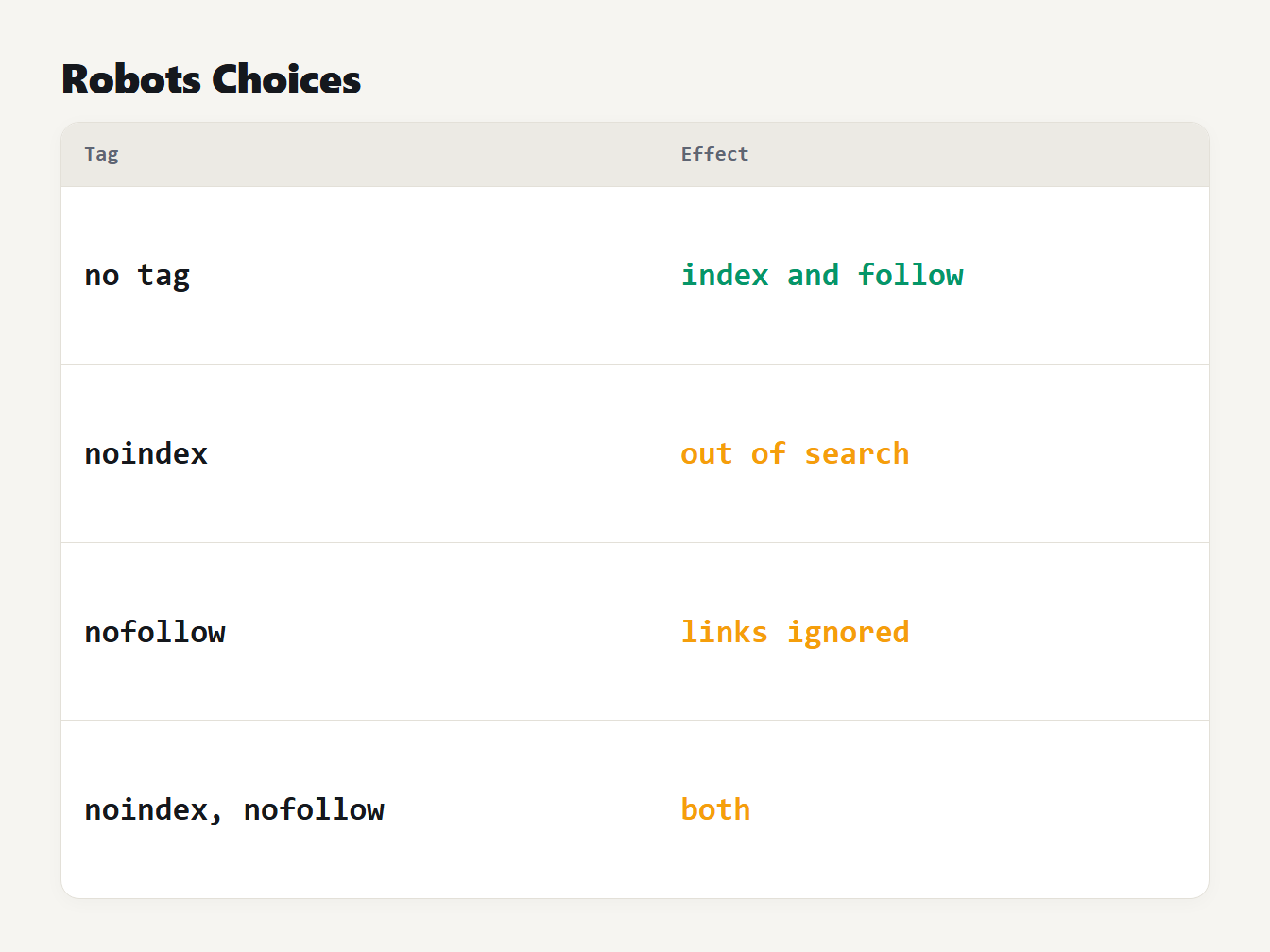
A table of four robots choices and what each does. With no tag, the page can be indexed and its links followed. Noindex keeps the page out of search results. Nofollow asks Google not to follow its links. Noindex, nofollow does both.
One trap catches many sites. Google sees a robots tag only when it can crawl the page. If robots.txt blocks the page, Google never reads the tag, so its rules are ignored. To keep a page out of search, allow it to be crawled and add noindex. Our guide to testing robots.txt shows how to check that a page is not blocked by mistake.
The canonical link
A canonical link says which address is the main version of a page, which helps when the same page can be reached at several addresses or with extra parameters. Google's guide to duplicate URLs describes it as a strong signal, not a command, and gives rules that the generator checks:
- Use a full address. Google says to use absolute paths rather than relative ones. A canonical of
/word-counterworks but "can cause problems in the long run". - No fragment. Google generally does not support a part after
#. - Put it in the head. The tag is only accepted in the
<head>section. - Do not use noindex to pick a canonical. Google does not recommend that within one site.
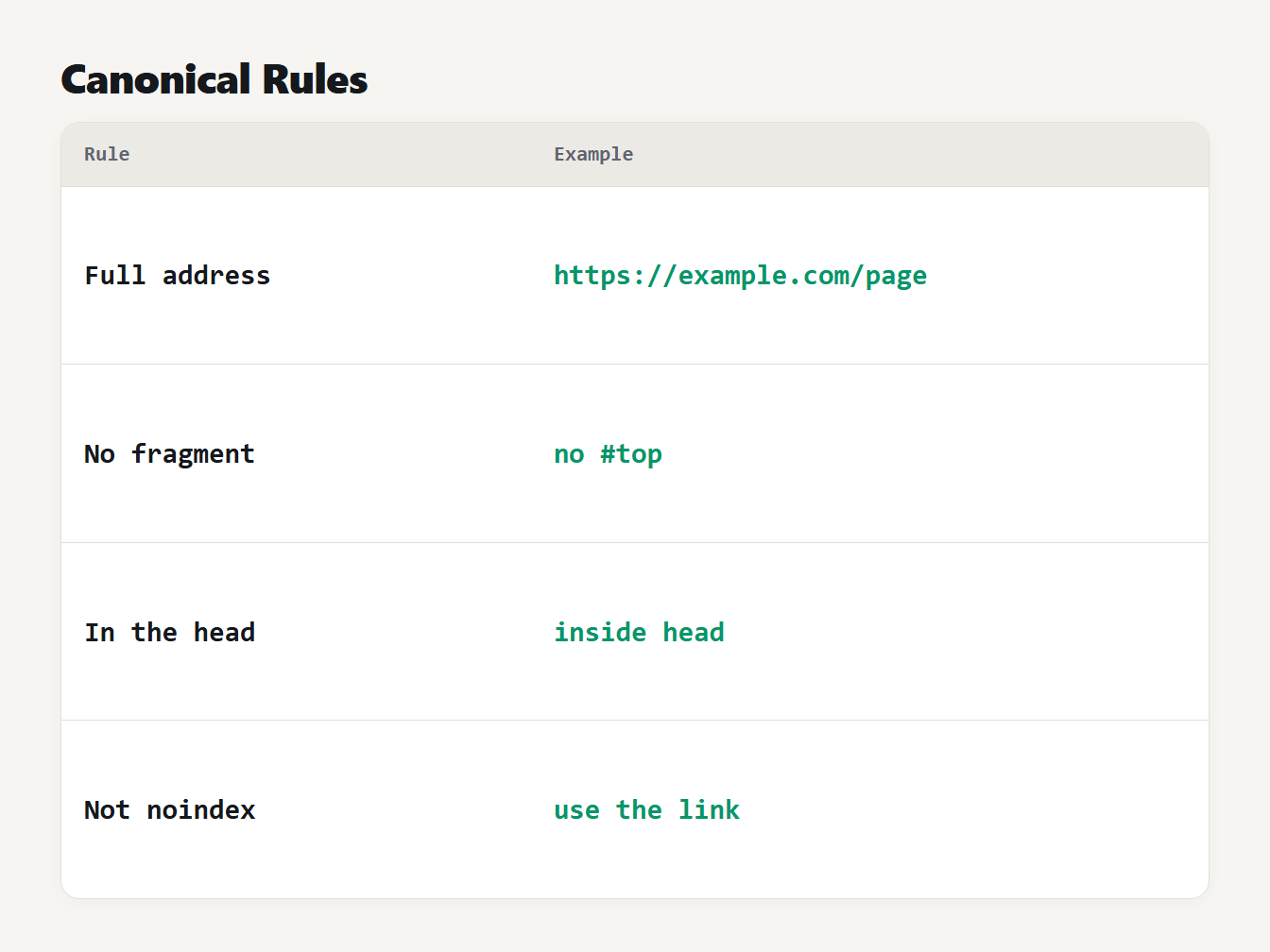
A table of four rules for a canonical link from Google's guide. Use a full address starting with https. Leave off the fragment after the hash sign. Put the tag in the head. Do not use noindex to choose a canonical page.
If you type /word-counter or an address with #top, the tool shows a warning under the field. It does not change what you typed, because the choice of address is yours.
Charset and viewport
The charset tag, <meta charset="utf-8">, tells the browser how to read the file's characters. Google recommends UTF-8. The HTML specification allows only one such tag per document, and it must sit within the first 1,024 bytes, so put it first in the head. Without it, accents and symbols can turn into garbage on some servers.
The viewport tag, <meta name="viewport" content="width=device-width, initial-scale=1">, makes a page fit a phone screen instead of shrinking a desktop layout. Google says its presence tells it the page is mobile friendly.
How we tested it
A tag generator must never produce a head that the browser reads differently from what you typed. A title with </title> in it, or a description with a quote, could end the tag early and push the rest of the text into the page.
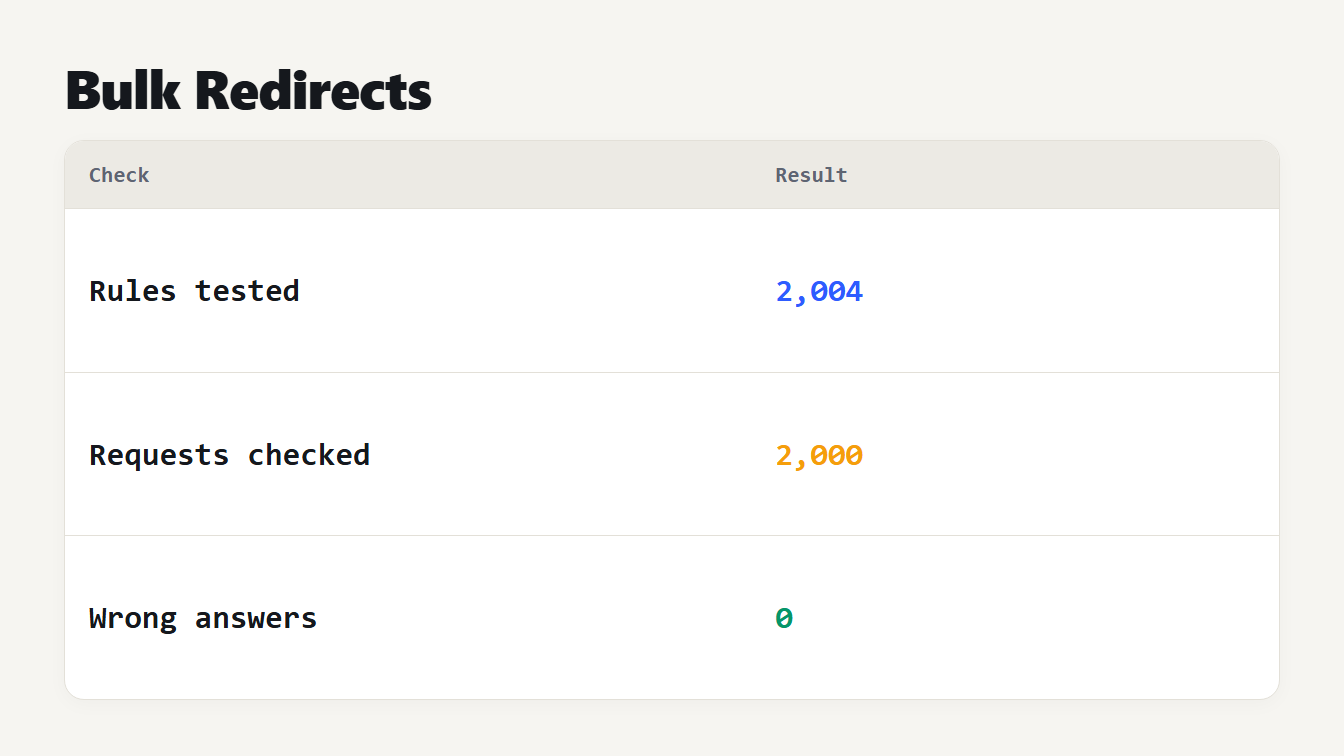
We tested that against a real browser's parser. A script made 3,000 random inputs from hostile pieces: quotes, ampersands, the text &, </title>, </head><body>, a whole script tag, a comment, emoji, no-break and ideographic spaces, line breaks, tabs and a null character. Each input became a head, which Chromium's HTML parser read. For every case we checked the title, the description, the canonical address and the robots value against what we typed, after the tool's tidy-up of line breaks. We also checked that the charset tag came first, that the head held exactly the expected tags, and that nothing leaked into the body.
| Builder | Read back exactly |
|---|---|
| Our generator, with escaping | 3,000 of 3,000 |
| The same tags with no escaping | 212 of 3,000 |
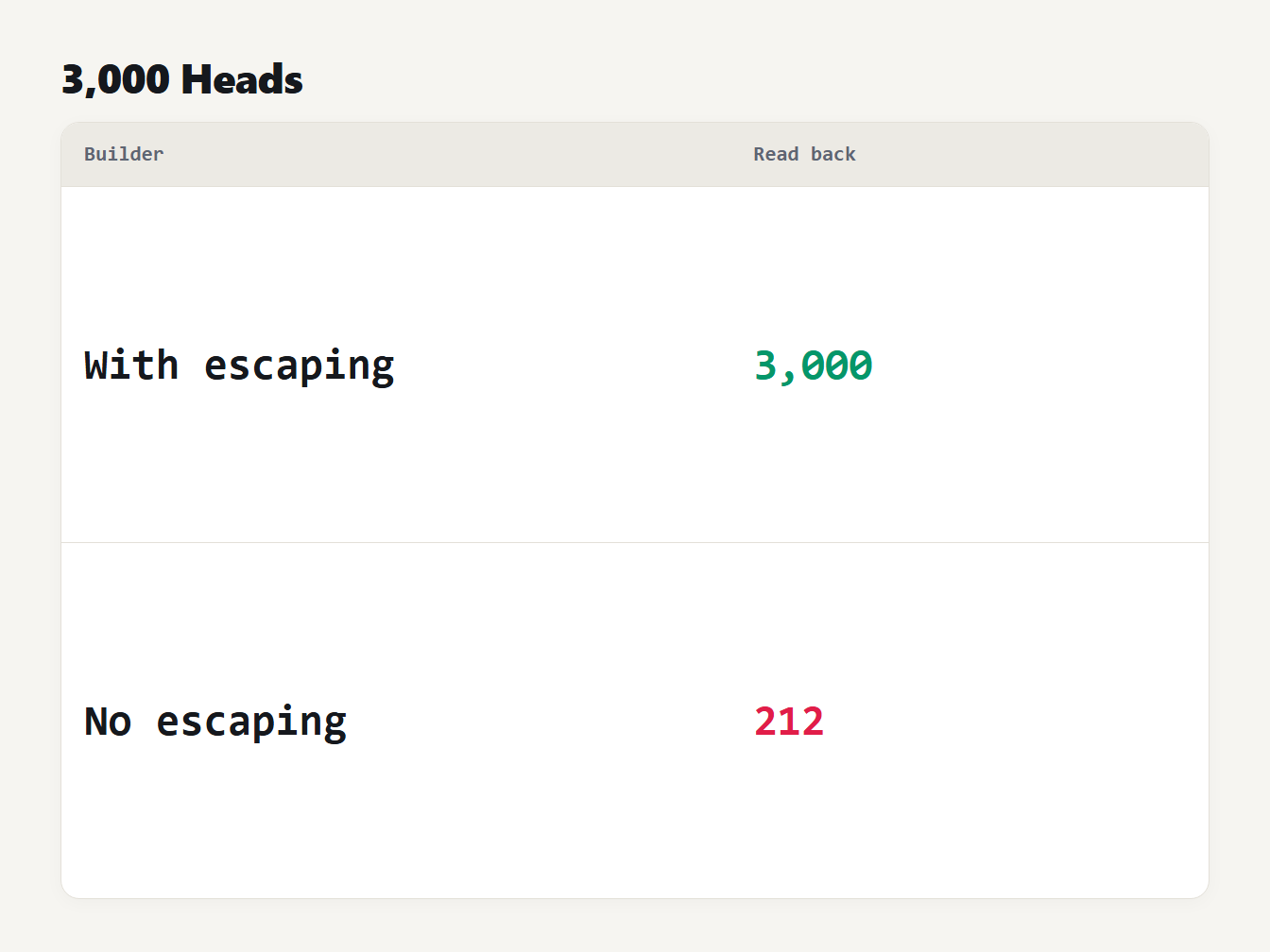
A table of results for 3,000 hostile inputs turned into head tags and read by Chromium's HTML parser. With escaping, all 3,000 were read back exactly. With no escaping, only 212 were.
The second row shows the test can fail. The same inputs with no escaping read back correctly only 212 times, because a quote or </title> broke the tag. The test checks one browser engine and our own rules for tidying whitespace. It cannot tell you whether Google will like your title.
Frequently asked questions
What meta tags does a page need for SEO?
At minimum a title element, a meta description, and a canonical link on pages that can be reached at more than one address. Add the viewport tag for phones and a UTF-8 charset tag. A robots tag is only needed to keep a page out of search results.
Does Google use the meta keywords tag?
No. Google says the meta keywords tag is not used by Google Search and has no effect on indexing or ranking at all. There is no reason to add one, and a long list of keywords only shows competitors which words you target.
What is the difference between noindex and nofollow?
Noindex asks Google to keep the page out of search results. Nofollow asks it not to follow the links on the page. They can be combined in one tag as noindex, nofollow, and when rules conflict, the more restrictive one applies.
Should a canonical link use a full address?
Yes. Google recommends an absolute address that starts with https:// rather than a relative path, and says it generally does not support a fragment, the part after the # sign. The tag also only works in the head of the page.
Is my text uploaded?
No. The tags are built in your browser, and the text is not sent anywhere or stored. The tool needs no account and keeps nothing after you close the page, so it is safe for unpublished titles and drafts.
Generate your meta tags now
Open the Meta Tag Generator, fill in your title, description and canonical address, and copy the tags into your head. Everything runs in your browser, so your text is never uploaded.