Meta Description Length: What Google Says, and a Safe Limit
Meta description length has no official limit. See what Google says, why 155 characters is only a rule of thumb, and how to check pixel width.
By TheTextKit TeamPublished
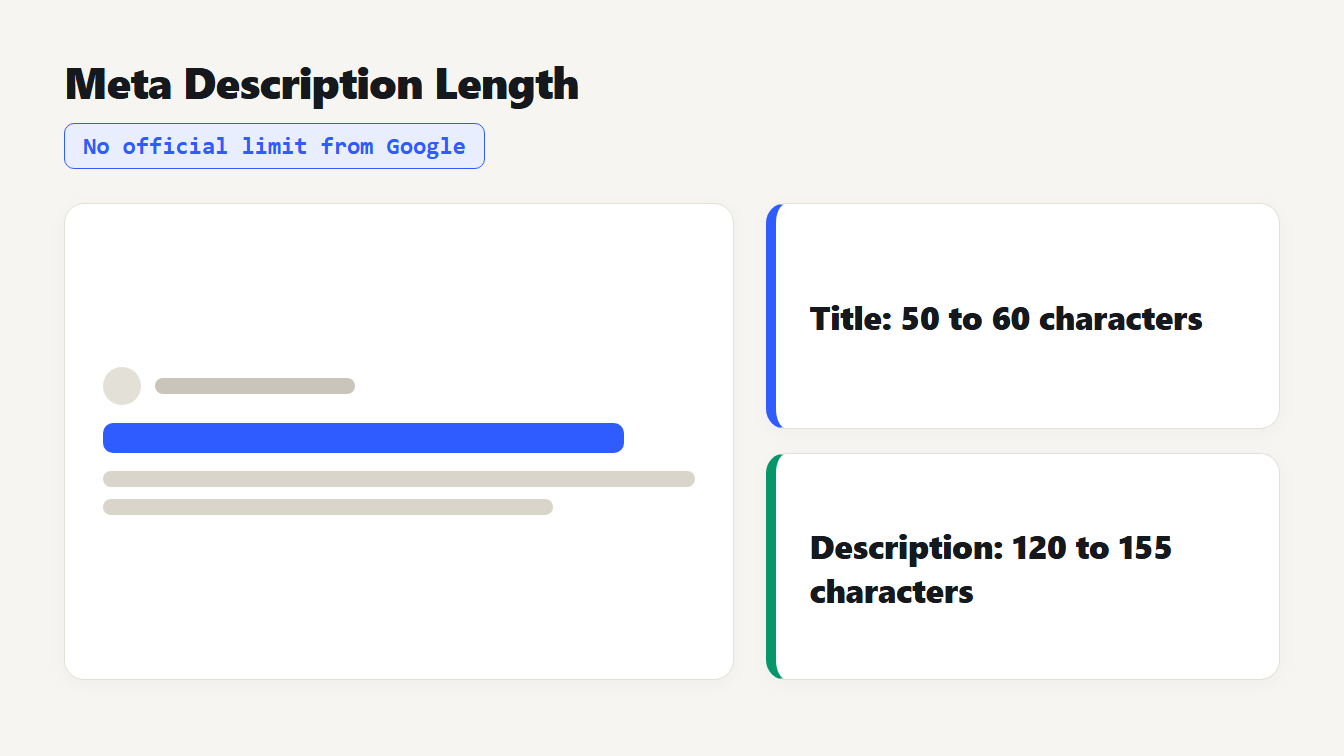
A search result mockup with chips showing no official limit from Google, a safe range of about 50 to 60 characters for titles and 120 to 155 characters for descriptions.
Meta description length has no official limit. Google says there is no cap on how long the tag can be, and that it truncates the snippet "as needed, typically to fit the device width". The 155 to 160 characters quoted everywhere is a rule of thumb, not a rule. A safe working range is about 120 to 155 characters, with the main point in the first 100. Titles follow the same logic at roughly 50 to 60 characters. Below you get what Google says, measured pixel widths that show why character counts mislead, how to write for truncation and free tools to check your own.
What Google says about meta description length
Google's guide to meta descriptions and snippets makes three points that matter here. Snippets are created automatically from the content of the page. Google only sometimes uses your meta description, when it might describe the page more accurately than the page text does. And there is no limit on how long a meta description can be: the snippet is truncated as needed, typically to fit the device width.
So where does 155 or 160 come from? SEO studies of how long typical snippets run. Google does not publish a number, and it has never promised one. That makes your description a suggestion, and the length a target you aim at rather than a line you can't cross.
One more control exists, and it only works downward. The robots meta tag accepts max-snippet:[number], which tells Google to use at most that many characters. It can't lengthen a snippet beyond what Google would show anyway, and the value 0 is the same as nosnippet. Details are in Google's robots meta tag documentation.
Why 155 characters is only a rule of thumb
Truncation depends on width, not on how many characters you typed. We measured text in Arial at 20 pixels, a size and typeface many SEO guides use to model desktop result titles, using a Chromium canvas on Windows. Google does not publish its font or size, so read the numbers as a model. Here are 60 characters of the same letter:
| 60 characters of | Width at 20px |
|---|---|
| i | 267 px |
| the digit 0 | 667 px |
| m | 1,000 px |
| W | 1,133 px |
Same character count, more than four times the width. Real text sits in between, but the spread is still large. Guides often quote about 600 pixels for a desktop title, which is also a third-party figure. Using that as a planning line, here is how many characters fit in 600 pixels for four kinds of text, each measured from one sample sentence:
| Kind of text | Average width per character | Characters in 600 px |
|---|---|---|
| Lowercase sentence | 9.28 px | 64 |
| Title Case | 10.03 px | 59 |
| Digits and symbols | 10.09 px | 59 |
| ALL CAPS | 12.22 px | 49 |
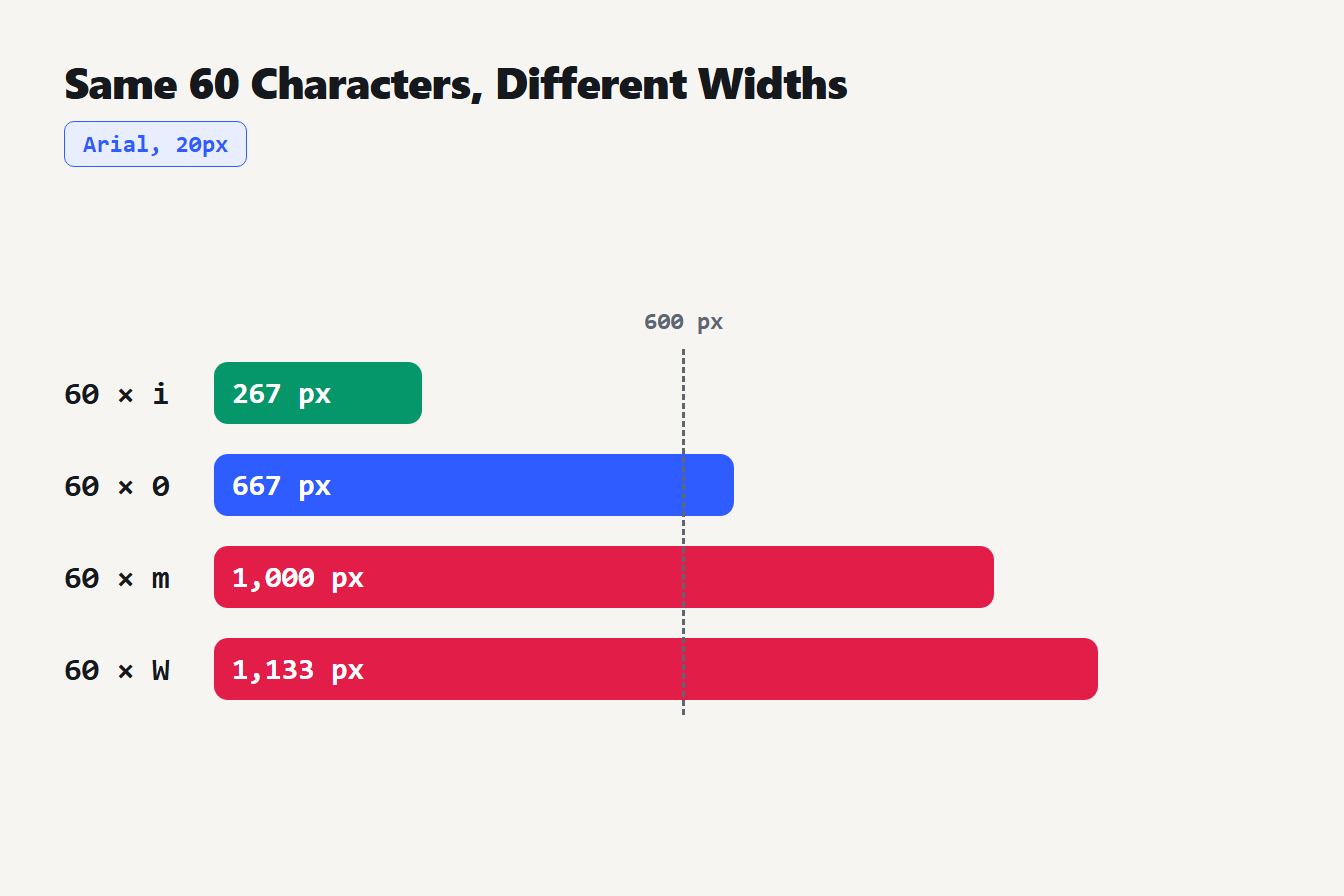
Sixty characters of the letter i measure 267 pixels, the digit 0 measures 667, the letter m measures 1,000 and the letter W measures 1,133, in Arial at 20 pixels, against a marker at 600 pixels.
Write in capitals and you lose about a quarter of your space. That is why a title can pass a 60-character check and still get cut.
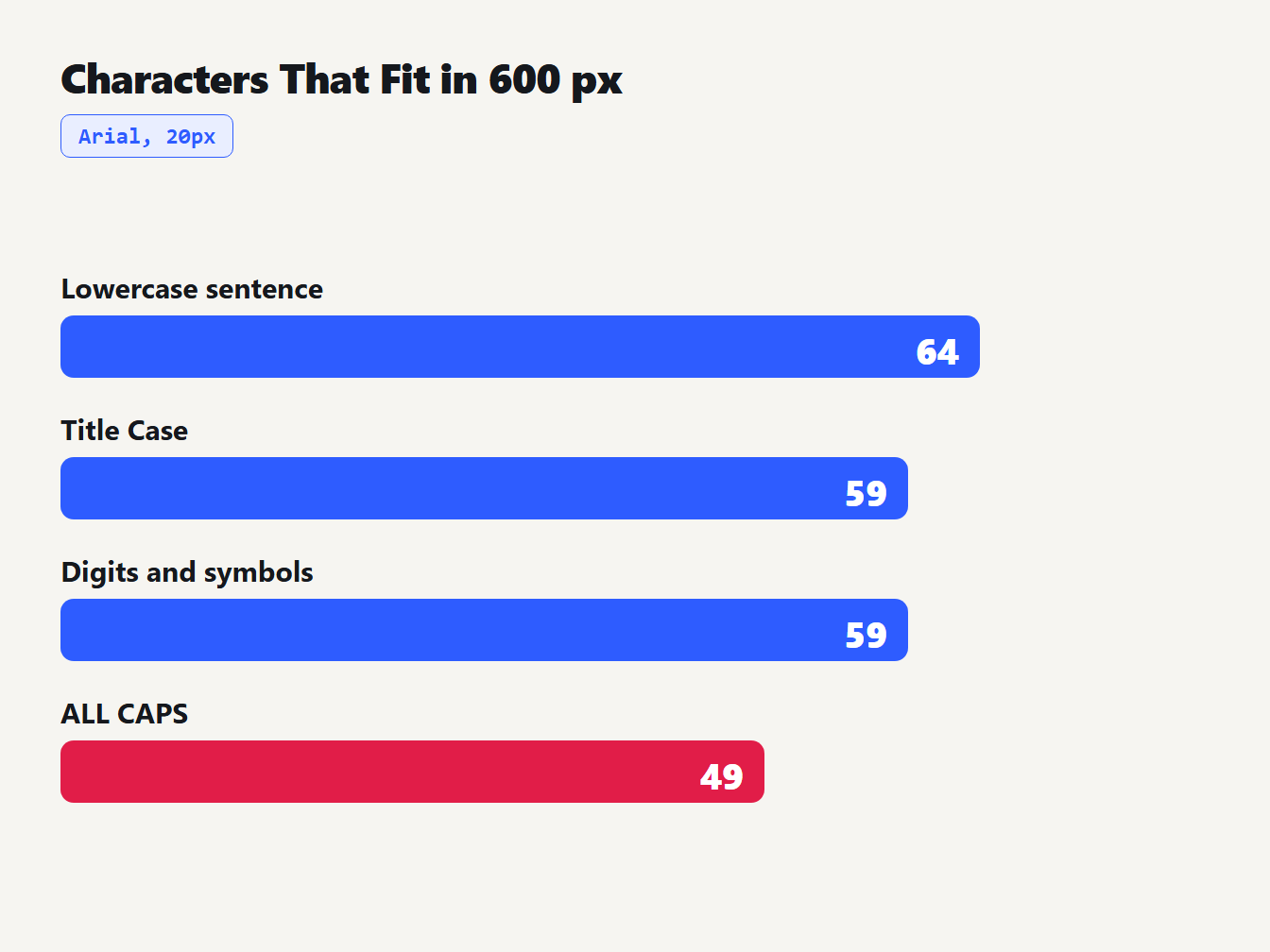
In Arial at 20 pixels, a 600 pixel line holds about 64 characters of lowercase text, 59 of Title Case, 59 of digits and symbols and 49 of capital letters.
How long should a meta title be?
The title works the same way. Google's guide to title links says there is no limit on how long a <title> element can be, and that the title link is truncated as needed, typically to fit the device width. It adds a warning: if Google detects a problem with your title, such as one that is inaccurate or unclear, it may build a different title from anchors, on-page text or other sources.
It also gives advice that matters more than length. Write descriptive, concise titles. Don't repeat the same words. Make each page's title distinct. And if you add the site name, put it once at the start or the end, set off by a delimiter.
To see the model in action, we measured real titles at 20px Arial:
| Title | Characters | Width |
|---|---|---|
| Title Case Rules: AP, APA, MLA and Chicago Compared | 51 | 500 px |
| Meta Description Length: What Google Says and a Safe Limit | 58 | 545 px |
| MD5 vs SHA256: Which Hash Should You Use? (Plain Guide) | 55 | 548 px |
| The same style of title written in capitals | 54 | 651 px |
The last row is the lesson. At 54 characters it looks safely short, yet it runs past the 600 pixel line.
The reverse also happens. Take the title "BEST FREE ONLINE TEXT TOOLS: WORD COUNTER, CASE CONVERTER AND MORE". It has 66 characters and measures 809 px, far over the line. Rewrite it as "Free Online Text Tools: Word Counter, Case Converter and More" and it still has 61 characters, one over the usual 60, yet it measures 574 px and fits the model. Here the character rule says fail and the width says pass. Width is closer to what Google actually does.
Safe lengths to aim for
These are our guidelines, built from Google's description of truncation and the measurements above. They are not Google's numbers.
| Element | Aim for | Why |
|---|---|---|
| Meta title | 50 to 60 characters, under about 600 px | Fits most text; check capitals and wide letters |
| Meta description | 120 to 155 characters | Long enough to say something, short enough to usually fit |
| First 100 characters of a description | Put the main point here | Cuts take the end first, and narrow screens cut earlier |
| Any length | Never pad to hit a number | A short, clear description beats a filled-out vague one |
A word on phones. Google's wording, "typically to fit the device width", means a narrow screen cuts earlier than a wide one. We did not measure phone layouts, because Google does not document their font or size either, and third-party figures such as "120 characters on mobile" are estimates. The practical answer costs nothing: put the point first so a shorter cut still says something useful.
How to write a description that survives truncation
- Write for this page only. Google recommends a unique description for each page, so skip the site-wide boilerplate.
- Lead with the point. Whatever gets cut, it should be the least important words.
- Summarize, don't list keywords. Google asks for descriptions that truly describe the page. Use your main phrase once, where it reads naturally.
- Count, then check width. Hit the character range first, then look at capitals and wide letters.
- Preview and trim. Cut from the end, not the middle.
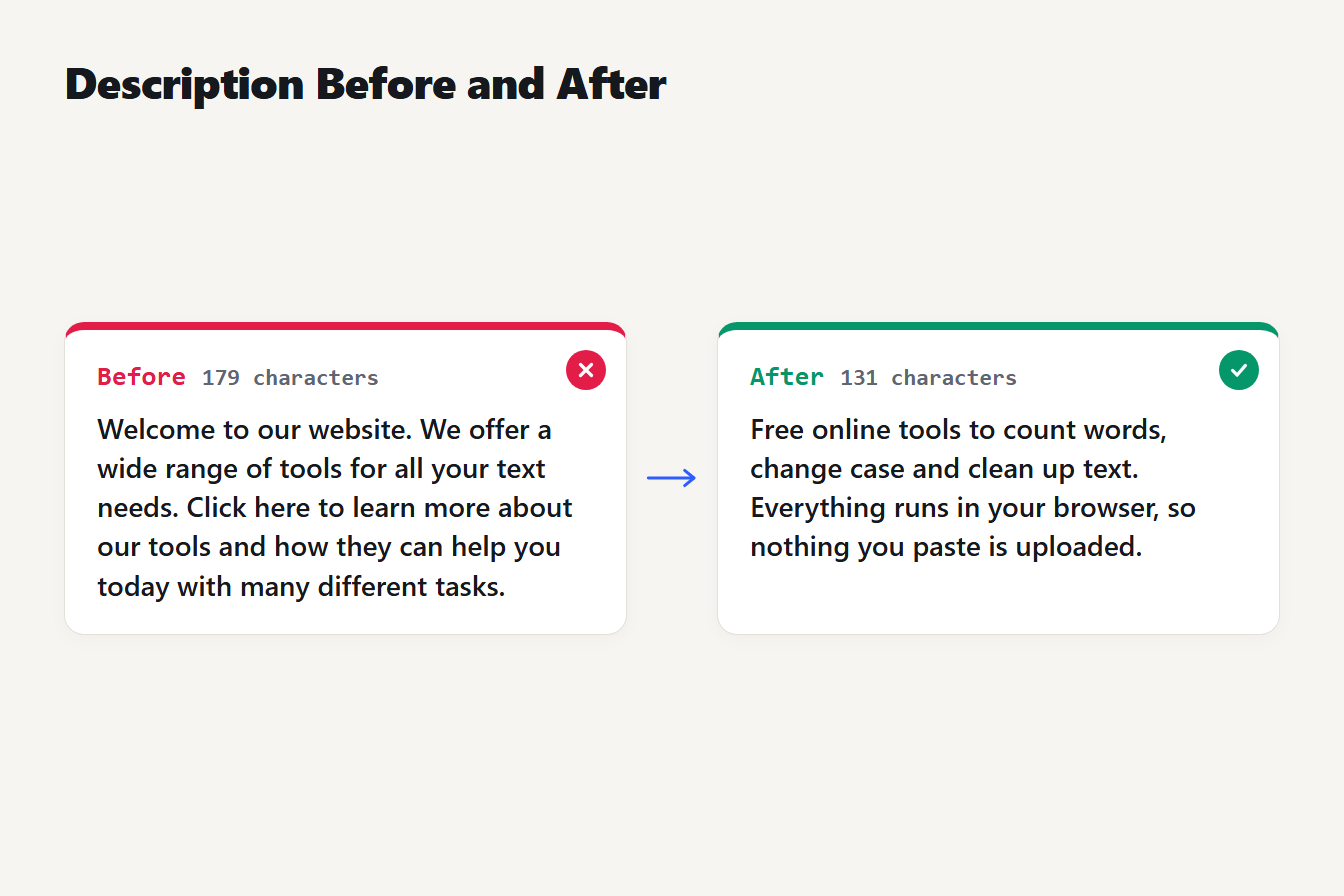
A 179 character description that starts with a welcome message is rewritten as a 131 character one that leads with what the site offers: free online tools to count words, change case and clean up text.
Here is the idea on a real page. This version runs 179 characters and says almost nothing: "Welcome to our website. We offer a wide range of tools for all your text needs. Click here to learn more about our tools and how they can help you today with many different tasks." This one is 131 characters and leads with the point: "Free online tools to count words, change case and clean up text. Everything runs in your browser, so nothing you paste is uploaded."
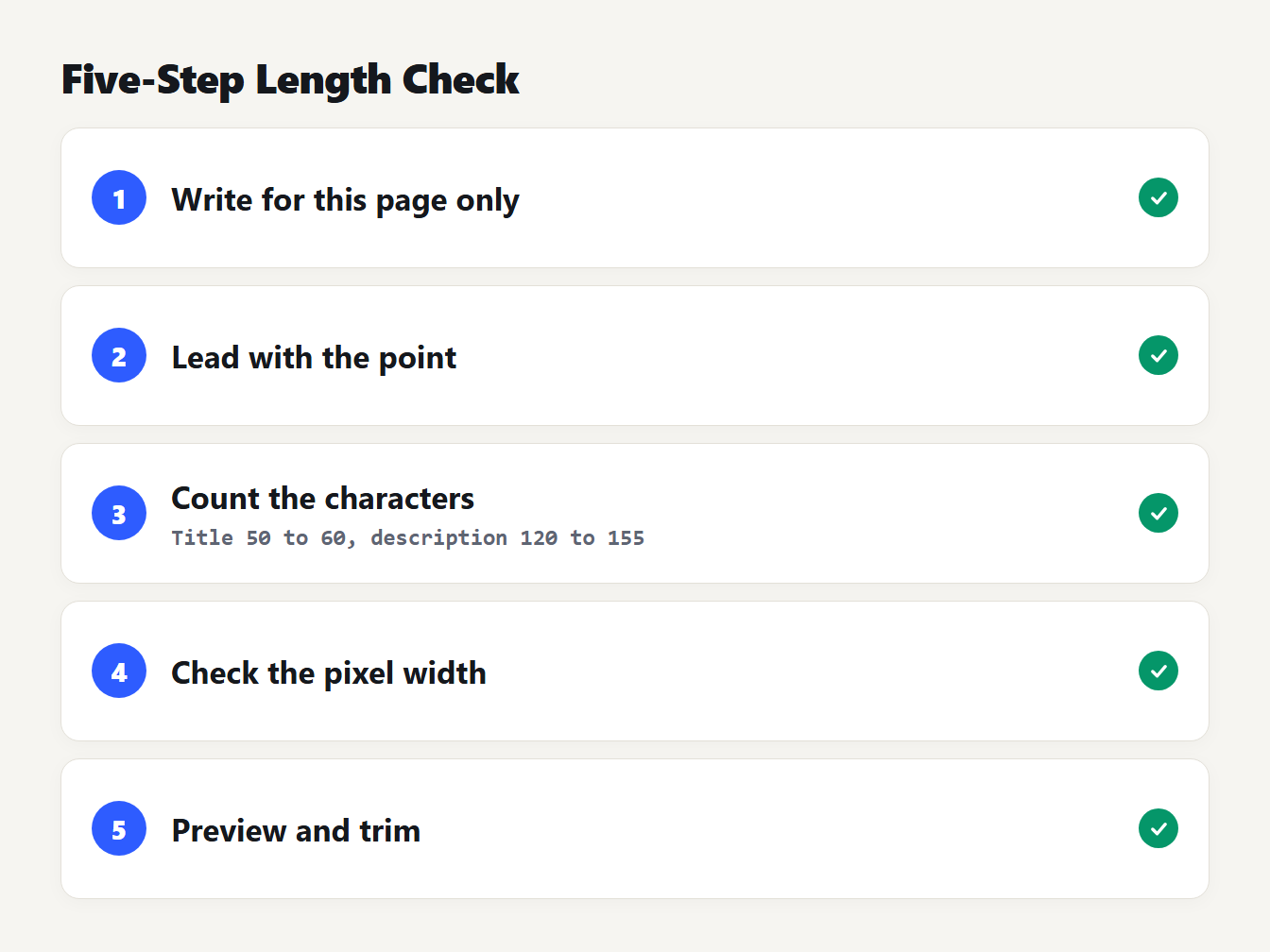
A numbered card with five steps: write for this page only, lead with the point, count characters against the title and description ranges, check pixel width, and preview before you publish.
Check your own with free tools
Three TheTextKit tools help, and each does something a little different:
- Character Limit Checker. The Character Limit Checker has presets for meta titles (60) and meta descriptions (160), with notes that say Google truncates by width.
- Meta Tag Generator. The Meta Tag Generator builds the tags and warns you when a title passes 60 characters or a description passes about 155.
- SERP Preview. The SERP Preview tool mocks up a result and measures the title in pixels with the same model (Arial at 20 pixels against a 600 pixel line), so a title in capitals is flagged when it runs wide. Descriptions and phone titles are still counted in characters, as rules of thumb.
All three run in your browser, so nothing you type is uploaded. Treat their limits as the rule of thumb they are, and use the width table above for the tricky cases.
Mistakes that cost you the snippet
- Writing 300 characters and expecting all of it. The end gets cut, so keep the point early.
- Reusing one description everywhere. Google asks for a unique one per page.
- Stuffing keywords. A list of phrases does not describe a page.
- Counting characters but ignoring capitals. Capitals and wide letters change the width.
- Judging by what Google shows. It may swap in text from your page, and that is allowed.
Frequently asked questions
What is the ideal meta description length?
About 120 to 155 characters is a safe working range, with the main point in the first 100. That is our guideline, not a Google rule. Google says it truncates snippets as needed to fit the device width, so the real cut-off depends on the letters you use.
Is there a hard character limit for meta descriptions?
No. Google's documentation says there is no limit on how long a meta description can be. It shortens the snippet in results as needed, typically to fit the device width. The 155 to 160 characters quoted in SEO guides is a rule of thumb.
How long should a title tag be?
Aim for 50 to 60 characters, under about 600 pixels wide. Google has no title limit either: it truncates to fit the device width. Capital letters and wide characters eat space, so an all-caps title can be cut at around 49 characters.
Why does Google show a different description than mine?
Google says snippets are created automatically from page content and that it only sometimes uses the meta description, when that gives a more accurate description of the page. If your text does not match the query, Google may pull a passage from the page instead.
Can I make Google show a longer snippet?
No tag lengthens it. The max-snippet robots rule only sets a maximum number of characters, and it cannot extend a snippet past what Google would show anyway. The best lever is a clear description plus page content that answers the query.
Write the line, then measure it
Take one page, write its description to lead with the point, and aim for 120 to 155 characters. Paste it into the Character Limit Checker, then compare any title written in capitals against the width table. Then check how Google actually shows it, and adjust.