How to Set Up Bulk 301 Redirects for a Site Move
How to set up bulk 301 redirects for a site move: build the map, catch chains and loops, generate rules for Apache, NGINX or Next.js, and test every one.
By TheTextKit TeamPublished
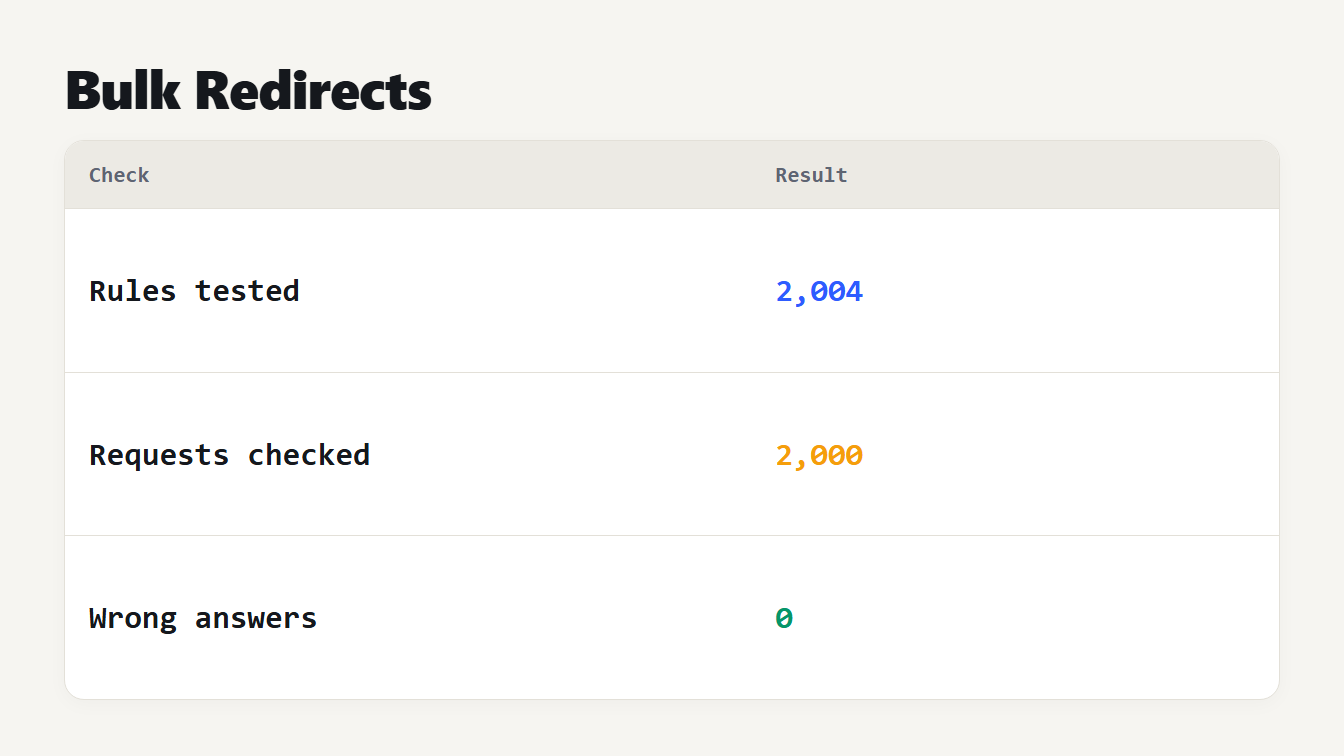
A table of three results from running a 2,004 rule redirect map on a real Next.js server. 2,000 requests were checked for the right status code and destination. There were 0 wrong answers.
Bulk 301 redirects send many old addresses to their new ones at once, and they are the most important part of a site move. Google's guide to redirects calls a server-side redirect the method with the highest chance of being interpreted correctly.
The method has four steps: build a map of old and new paths, check the map for chains, loops and repeated sources, generate the rules for your server, and test a sample of them. We ran a 2,004 rule map on a real Next.js server and checked 2,000 requests: all of them returned the right code and destination. This guide shows each step and the mistakes our new map check catches.
Build the redirect map
A redirect map is a list that pairs every old URL with the new URL that replaces it. Google's guide to site moves with URL changes says it is important to map your old site's URLs to the new ones. It suggests building the list from your sitemaps, your top traffic URLs, your server logs and your CMS, and including images, videos, CSS and JavaScript files.
Write it as one pair per line, the old path then the new path, separated by a space:
/blog/old-post-title /blog/new-post-title
/products/blue-widget /shop/widgets/blue
/about-us /about
Bulk 301 redirects are only as good as the map behind them, and two habits keep the map useful. First, give each old URL its own matching page. Google advises against sending many old URLs to one irrelevant page, such as the new home page, because that doesn't help visitors or search. Second, keep the map in a spreadsheet so it can be reviewed, sorted and checked before it becomes server rules.
Check the map for chains, loops and duplicates
A map that looks fine to the eye can hide four mistakes, and a long map often has some. Our Redirect Generator now checks for them when you paste a list:
| Problem | Example | What to do |
|---|---|---|
| Chain | /a goes to /b, and /b goes to /c | Send /a straight to /c |
| Loop | /a goes to /b, and /b goes back to /a | Break the loop |
| Repeated source | /x is listed twice | Keep one rule |
| Redirect to itself | /s goes to /s | Remove it |
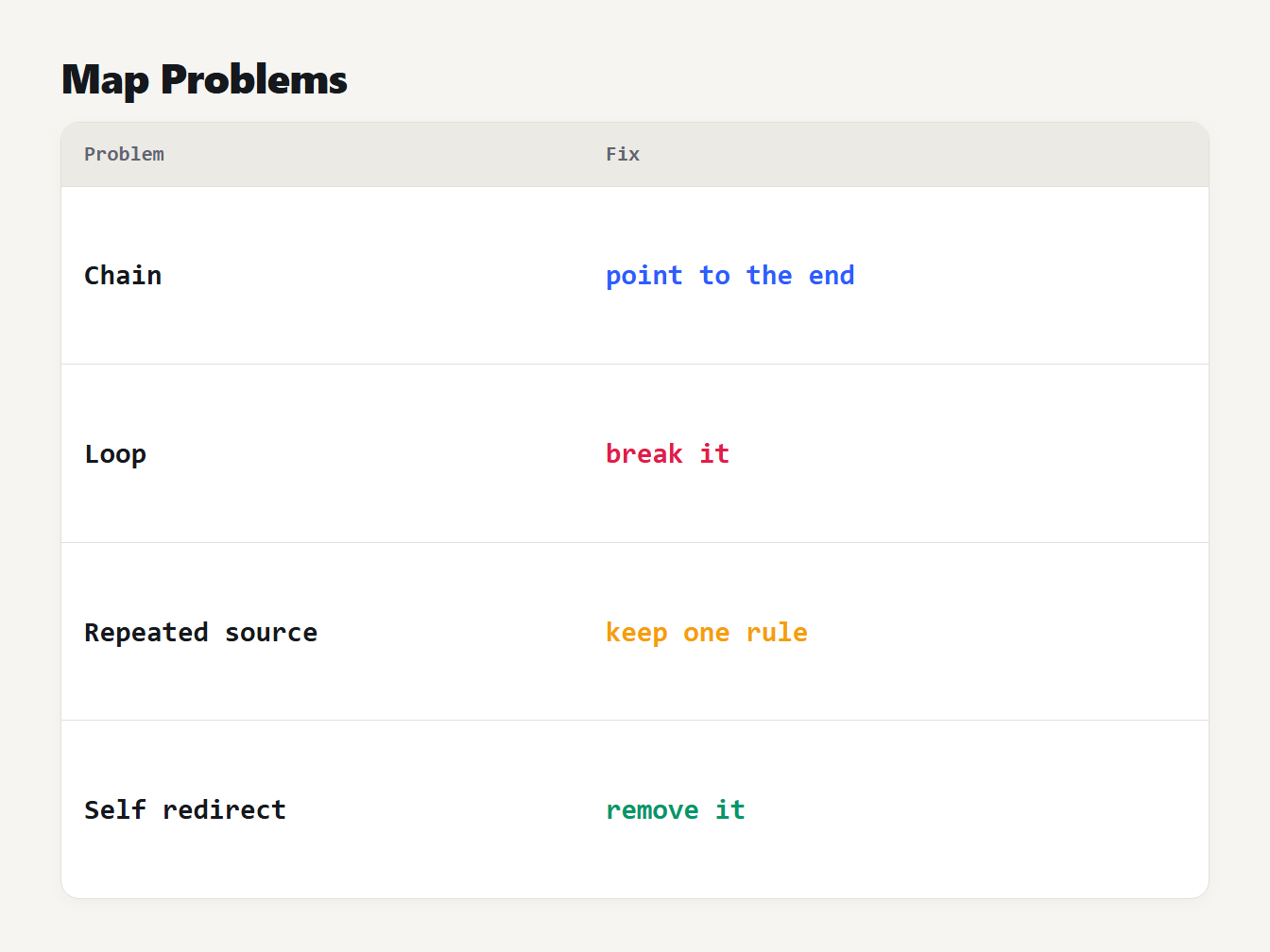
A table of four problems in a redirect map. A chain such as /a to /b to /c should be changed to send /a to /c. A loop should be broken. A source listed twice should keep one rule. A page redirected to itself should be removed.
Google's guide says to point each redirect directly at the final destination, because chained redirects add latency for users. We measured what that means on a real server. A direct redirect took one request to reach the new page. A chain of two took two redirects before the browser got there. On a site move with thousands of pages, chains often appear when a redirect from an earlier redesign is still in place and you add a new one on top.
| Route | Redirects before the page |
|---|---|
| Direct, /a to /c | 1 |
| Chain, /a to /b to /c | 2 |
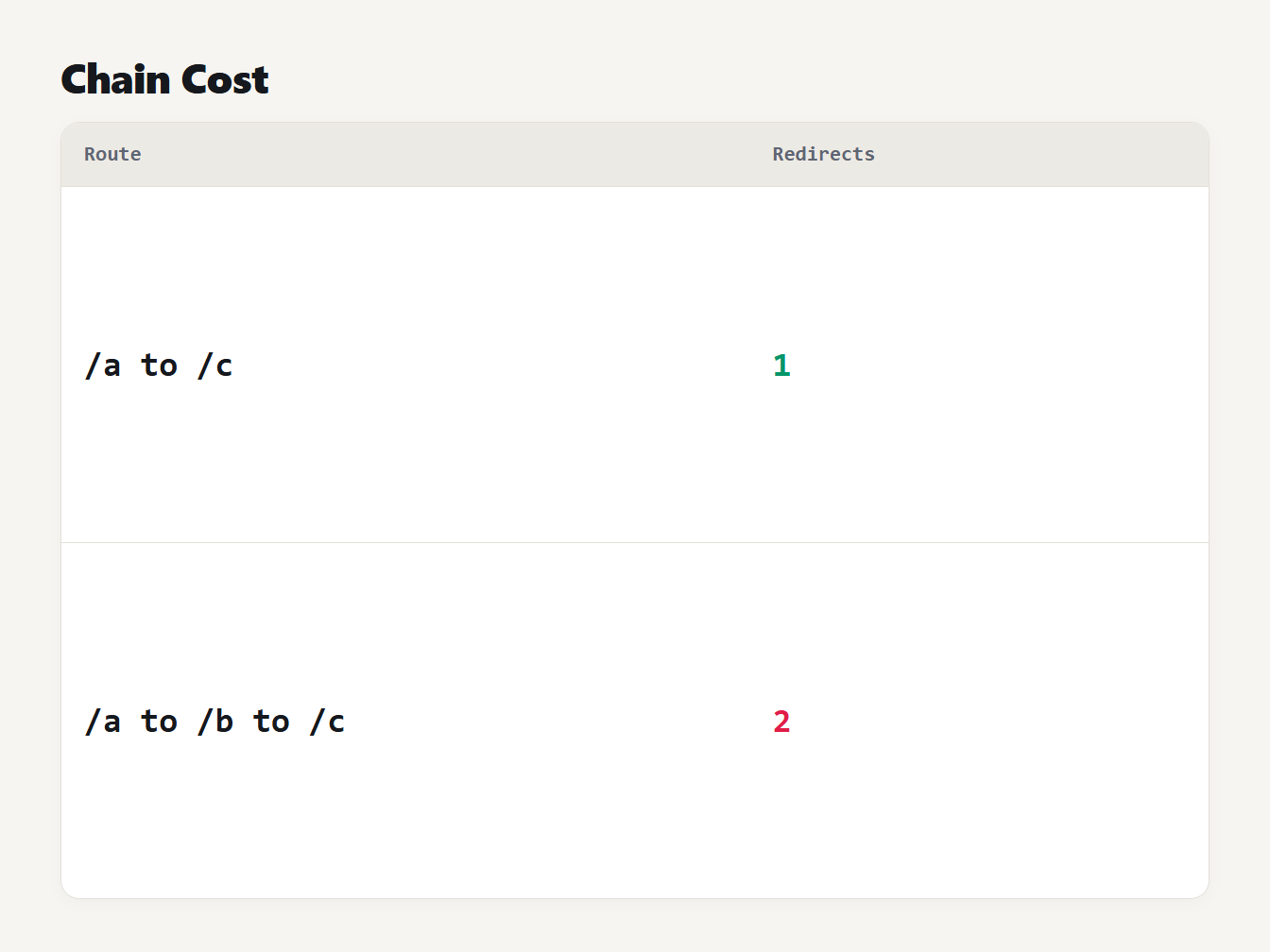
A table comparing a direct redirect with a chain on a real Next.js server. A direct redirect from /a to /c took 1 redirect. A chain from /a to /b to /c took 2 redirects before the page.
We also checked the checker. We made 3,000 random maps with up to 15 pages each, including loops, query strings, anchors and links to other sites. We compared the tool's findings with a second implementation written in Python, and they agreed on every map. The generator ignores a query string or an anchor on a destination when it follows a trail, because a server matches rules against the path.
Set up bulk 301 redirects on your server
Paste the list into the Redirect Generator's bulk box, choose your platform and a status code, and copy the result. For one pair, the four platforms look like this:
| Platform | What the rule looks like |
|---|---|
| Apache | Redirect 301 /old /new |
| NGINX | location = /old { return 301 /new$is_args$args; } |
| Next.js | { source: "/old", destination: "/new", statusCode: 301 } |
| Netlify and Cloudflare Pages | /old /new 301 |
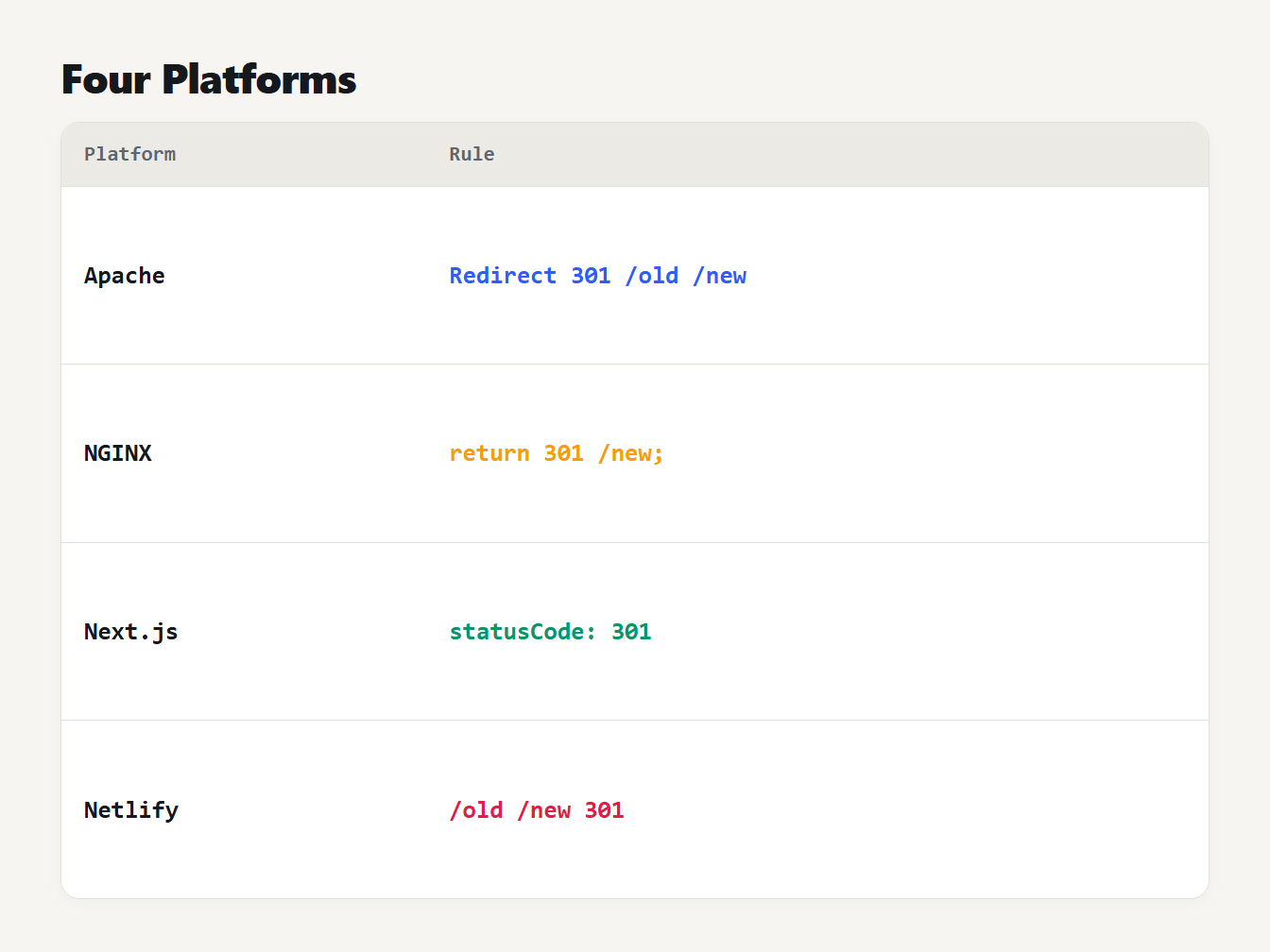
A table showing the same redirect on four platforms. Apache uses a Redirect 301 line. NGINX uses return 301 inside an exact location. Next.js uses a statusCode of 301. Netlify and Cloudflare Pages use a line ending in 301.
Two details matter. NGINX drops the query string on a redirect unless you pass it on, so the generator adds $is_args$args to keep it. And in Next.js, permanent: true sends a 308, not a 301, so the generator writes statusCode to give you the exact code you chose. Google treats 301 and 308 as permanent in the same way. Our guide to the difference between 301 and 302 redirects covers which one to choose.
Test the redirects
Never launch bulk 301 redirects you haven't tested. For a handful of pages you can request the old address from a terminal with curl -I https://example.com/old. The status line should show 301 and the Location header should show the new address.
For a large map, test a sample automatically. We took the 2,004 rules the generator produced and ran them as the configuration of a real Next.js 16.3.6 server. Then we requested 2,000 old addresses, a third of them with a query string added, and checked each answer. Every one returned a 301 with the correct new address, and the query strings were passed through. Building the app with a 10,028 line configuration took 13 seconds. For a repeated source, Next.js used the first rule, but that is a behaviour of one server, which is why the tool tells you to keep a single rule.
| Check | Result |
|---|---|
| Rules in the map | 2,004 |
| Requests checked | 2,000 |
| Wrong status or destination | 0 |
Google's guide also points to the URL Inspection tool in Search Console for testing individual redirected URLs.
After the move
Redirects are not a one-day job. Google says to keep them in place for as long as possible, generally at least one year, and to update your own links and any high-volume external links to the new URLs. It says to submit the new sitemap and then watch the Sitemaps report and the indexing report. For a small or medium site it can take a few weeks for most pages to move, and larger sites take longer, so rankings may move around for a while.
| Item | What Google says |
|---|---|
| How long to keep redirects | At least 1 year |
| Time for a small or medium site to move | A few weeks |
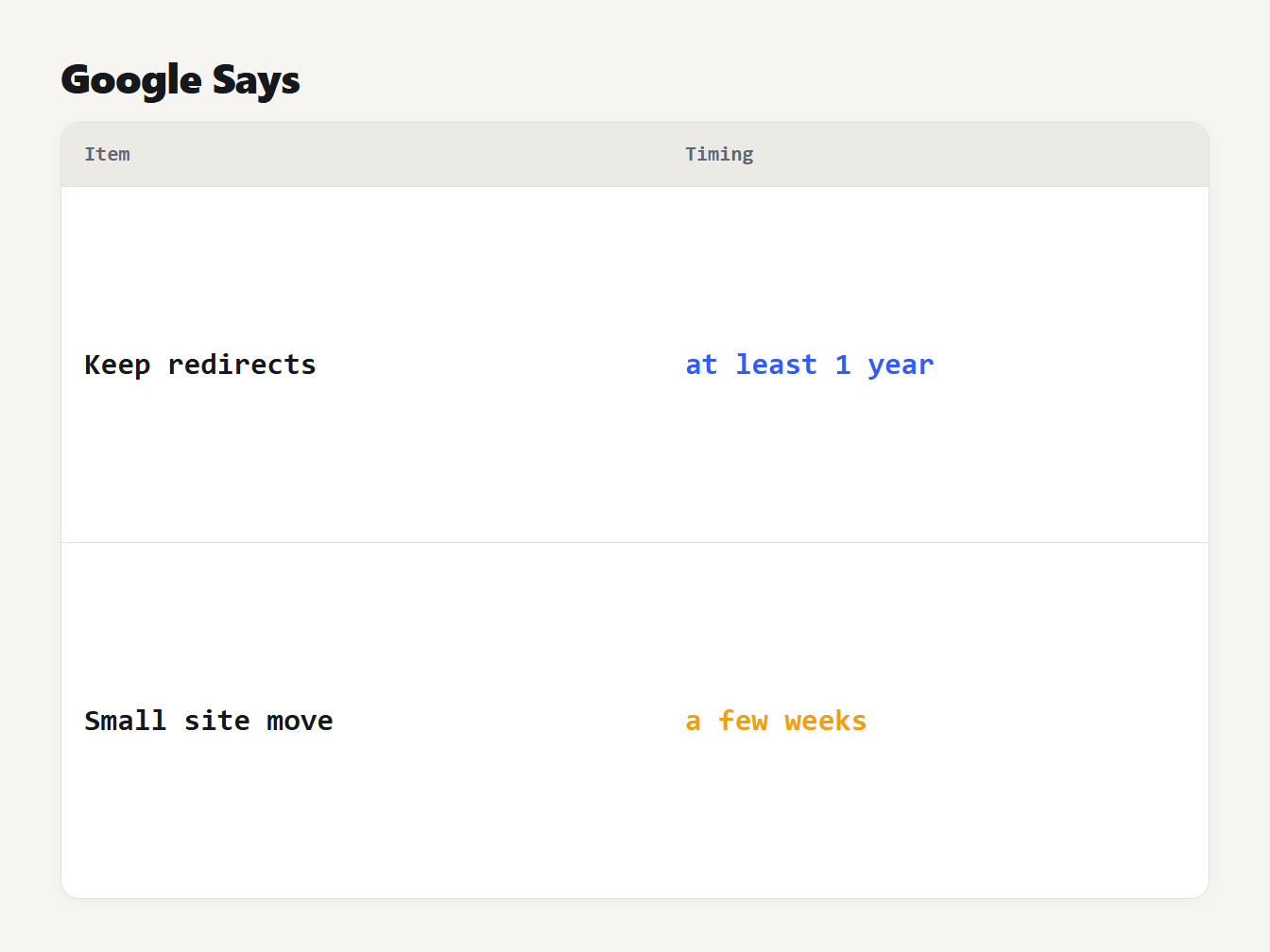
A table of two timings from Google's site move guide. Redirects should be kept for at least 1 year. A small or medium site can take a few weeks for most pages to move.
If you are only moving between www and the bare domain, or from http to https, you don't need a change of address request in Search Console, according to the same guide. A single rule for the whole site is enough in that case, and your host's domain settings are where it usually lives.
Limits
The generator writes bulk 301 redirects, or any other code you choose, for exact paths. It doesn't write pattern rules, such as "everything under /blog/ moves to /articles/", and it doesn't check that the new pages exist or return a 200. The map check follows destinations that are paths, and a destination on another site ends the trail. We ran the real-server test on Next.js only. The Apache, NGINX and Netlify rules follow those products' documentation (Apache, NGINX, Next.js), and you should test them on your own server before launch. Everything runs in your browser.
Frequently asked questions
How do I redirect many URLs at once?
Write one line per page with the old path and the new path, paste the list into a redirect generator and copy the rules for your server. Then test a sample of the old addresses to see the right status code and destination.
What is a redirect chain?
A chain is when one redirect leads to another, such as /a to /b and then /b to /c. Each hop is another request. Google advises pointing every old URL straight at its final destination.
Should I send all old URLs to the home page?
No. Google advises against sending many old URLs to one irrelevant page, such as the new home page. Map each old URL to the new page that matches it, and let only truly retired pages go to a close match.
How long should I keep redirects in place?
Google says to keep them for as long as possible, generally at least one year. Removing them early breaks old links and bookmarks, and the pages they point to lose the signal that they moved.
Do I use 301 or 308 for a permanent redirect?
Either works for search, because Google treats 301 and 308 as permanent. The difference is that 308 keeps the request method. For links people click, which are GET requests, 301 is the common choice.
Generate your redirect rules
Open the Redirect Generator and paste your map to get ready-to-use rules, with a warning for any chain, loop or repeated source. For the pages that stay, a current XML sitemap helps Google find the new addresses. Everything runs in your browser, so your list of URLs is never uploaded.