How to Create UTM Links That Track Correctly
How to create UTM links step by step: the five parameters, why case matters, and the #anchor mistake that makes a link record nothing. Tested on 5,000 links.
By TheTextKit TeamPublished
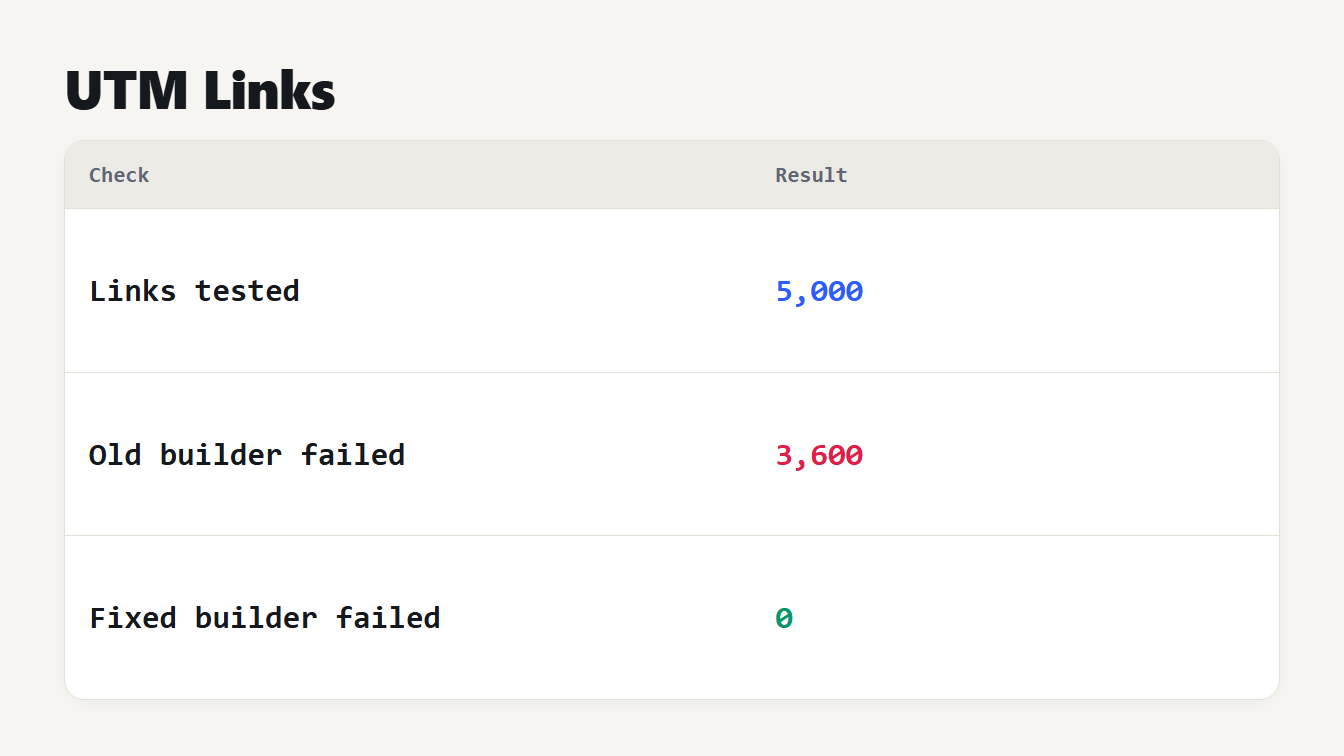
A table of three results for the UTM Builder. 5,000 generated links were parsed with Python. The old builder failed on 3,600 of them. The fixed builder failed on 0.
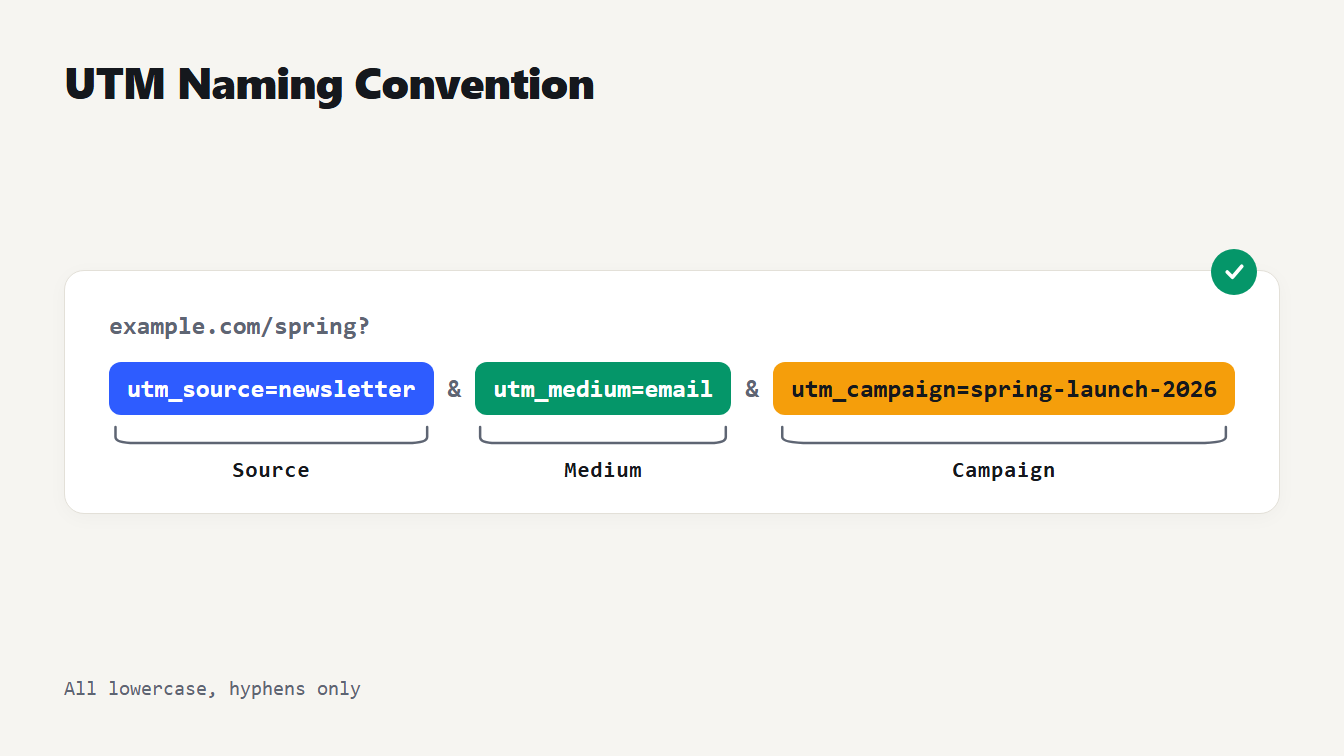
UTM links are ordinary web addresses with a few extra tags that tell your analytics where a visitor came from. A complete one looks like https://example.com/spring?utm_source=newsletter&utm_medium=email&utm_campaign=spring_sale. Three tags are required: the source, the medium and the campaign name. To create UTM links that work, put the tags in the query string before any #section, keep them lowercase and encode special characters. We tested our builder on 5,000 links and found one mistake that silently breaks tracking, which we describe below.
What the five UTM parameters do
Google Analytics 4 documents these campaign parameters: utm_id, utm_source, utm_medium, utm_campaign, utm_source_platform, utm_term, utm_content, plus two that aren't reported yet. The Google Analytics help page says that when you add parameters you should always use utm_source, utm_medium and utm_campaign. Most people only ever need five:
| Parameter | It answers | Example |
|---|---|---|
| utm_source | Where did the visitor come from? | newsletter |
| utm_medium | What kind of channel was it? | |
| utm_campaign | Which campaign or promotion? | spring_sale |
| utm_term | Which paid keyword? (optional) | running_shoes |
| utm_content | Which link or version? (optional) | hero_cta |
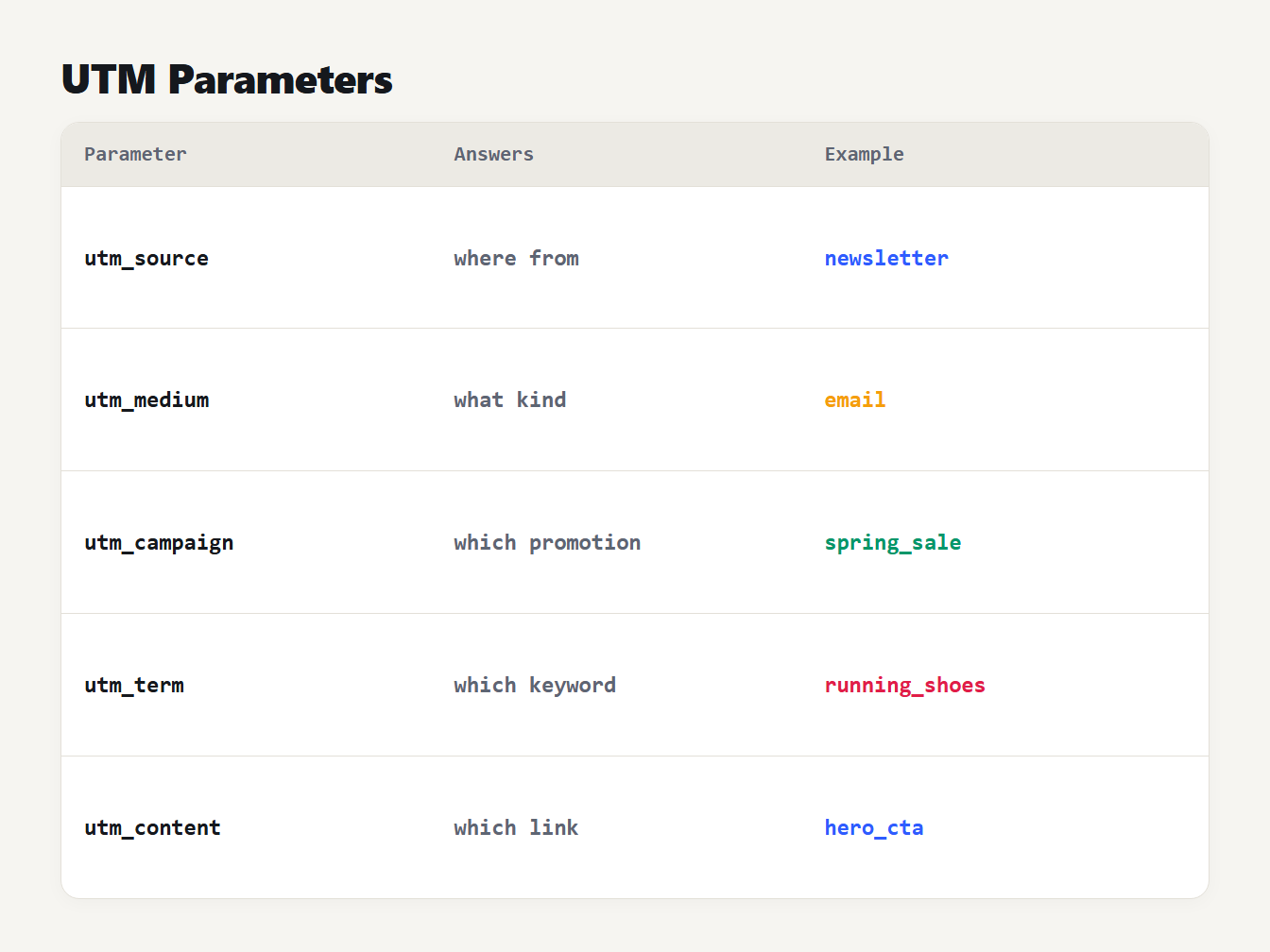
A table of the five UTM parameters. utm_source says where the visitor came from, for example newsletter. utm_medium says what kind of channel, for example email. utm_campaign names the promotion, for example spring_sale. utm_term holds a paid keyword and utm_content tells links apart.
The same page also strongly recommends utm_id and utm_source_platform, because a parameter that is missing leaves a (not set) value in reports.
How to create UTM links step by step
You can build one by hand in about a minute, or let the UTM Builder do it as you type. The steps are the same either way.
- Start with the page you want people to land on. For example
https://example.com/spring. Use the real address, not a shortened one. - Add the source. The place the link will be posted:
newsletter,google,linkedin. - Add the medium. The type of channel:
email,cpc,social. - Add the campaign name. One short name per promotion:
spring_sale. - Add term and content only if they help. Term is for paid keywords, and content tells two links in the same email apart.
- Join them. Start with a question mark, write each tag as a name, an equals sign and a value, and separate the tags with ampersands. Google says the order doesn't matter.
- Click the link yourself. Then check in your analytics that the visit appears under the source and medium you chose.
If the address already has a query string, such as ?ref=1, add the UTM tags after it with an ampersand, so the link has only one question mark.
One campaign, three UTM links
The same campaign usually needs several UTM links, one for each place you post it. Only the source and the medium change. The campaign name stays the same, so that all the visits add up under one campaign in your reports:
| Where it is posted | utm_source | utm_medium | utm_campaign |
|---|---|---|---|
| Weekly email | newsletter | spring_sale | |
| LinkedIn post | social | spring_sale | |
| Google ad | cpc | spring_sale |
Write these three UTM links once, keep the table, and reuse the same words every time. Our guide to UTM naming conventions shows how to keep a team on the same names.
The #anchor trap
This is the mistake we found in our own builder while writing this guide. Many links point at a section of a page, such as https://example.com/page#pricing. The part from the # on is called the fragment. MDN says the fragment is not sent to the server when the address is requested, and that it is the last part of the address, after the query string.
So the tags must go before the #. If they go after it, they become part of the fragment, and the page never sees them. Our old builder simply added the tags to the end of whatever you typed. We checked what a browser makes of the result:
| Builder | Link | Page sees utm_source |
|---|---|---|
| Old | https://example.com/page#pricing?utm_source=newsletter&... | nothing (null) |
| Fixed | https://example.com/page?utm_source=newsletter&...#pricing | newsletter |
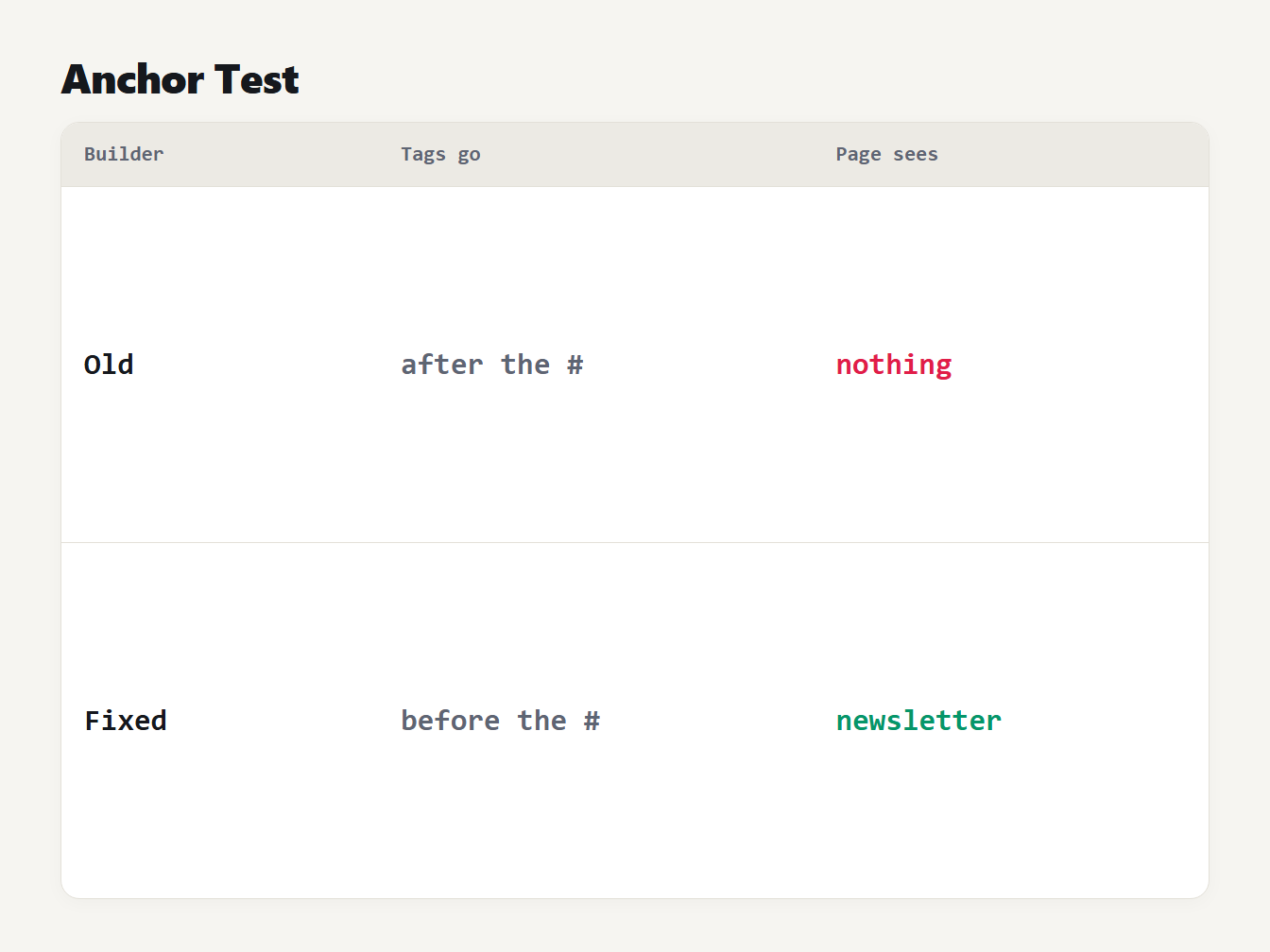
A table comparing two builders on a link that ends in #pricing. The old builder put the UTM parameters after the # and the page saw nothing. The fixed builder puts them before the # and the page sees the source newsletter.
The tracking would have failed without any error message. The link still opens the right page, but the page never receives the campaign tags. The fixed builder splits off the fragment first, adds the tags to the query string and puts the fragment back at the end.
Case, spaces and special characters
Google's help page is clear that parameter values are case sensitive: utm_source=google is different from utm_source=Google. If one person writes Email and another writes email, a single channel appears as two rows in your reports.
| Value | Counted as |
|---|---|
| one medium | |
| a second medium | |
| a third medium |
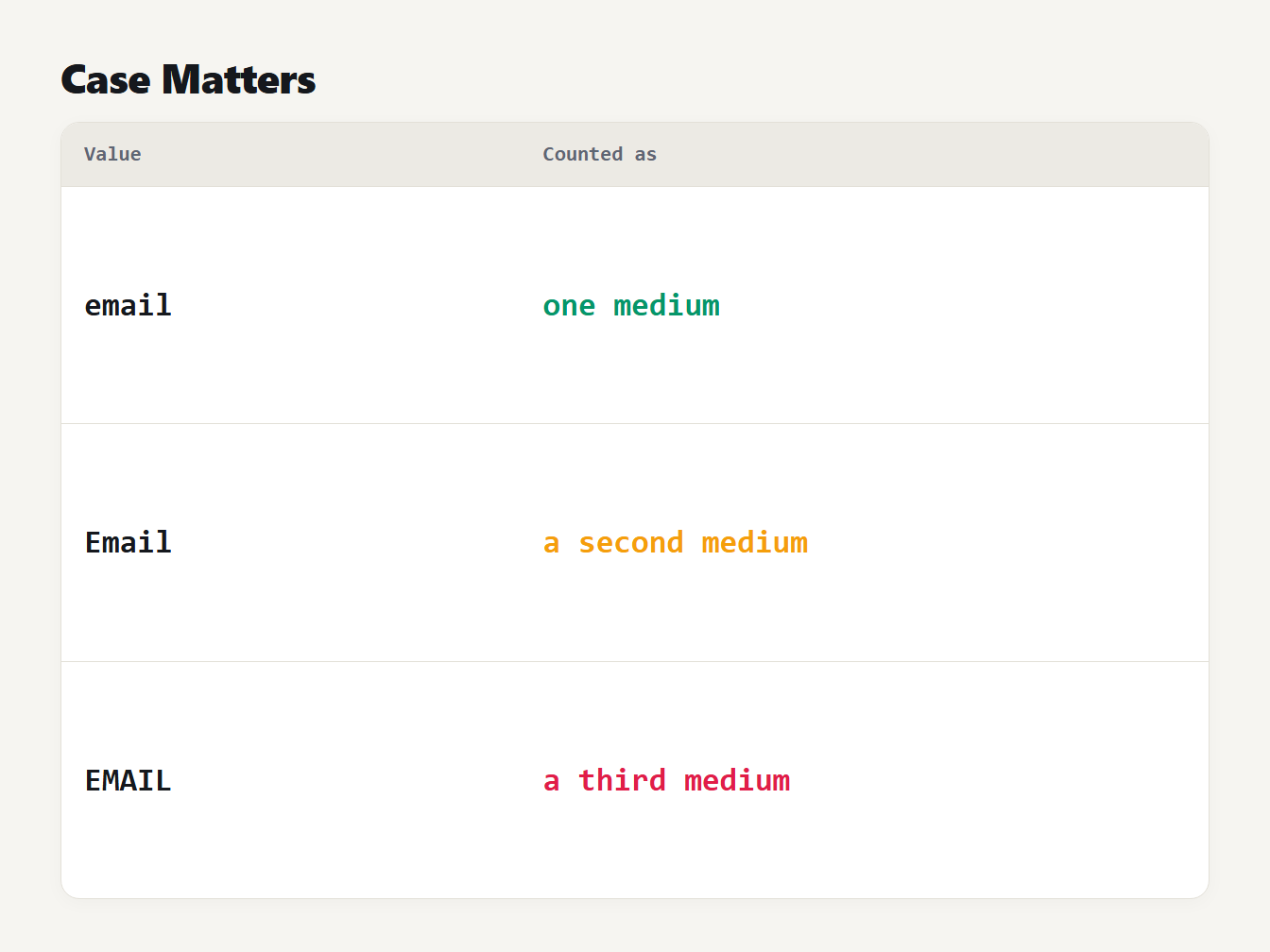
A table showing that Google Analytics counts the UTM medium email, Email and EMAIL as three separate values. The lowercase email is one medium, Email is a second and EMAIL is a third.
Our builder doesn't change your capitals for you, because it shouldn't alter your text silently. It warns you instead. It also warns when one of the three required values is empty, and when the address has no scheme such as https://. Use the Case Converter to lowercase a list of names in one go.
Special characters need encoding. A value such as a&b=c would otherwise end the tag early and create a new one. The builder encodes it as a%26b%3Dc, and spaces become %20. If you need to do this by hand, the URL Encoder does it.
How we tested the builder
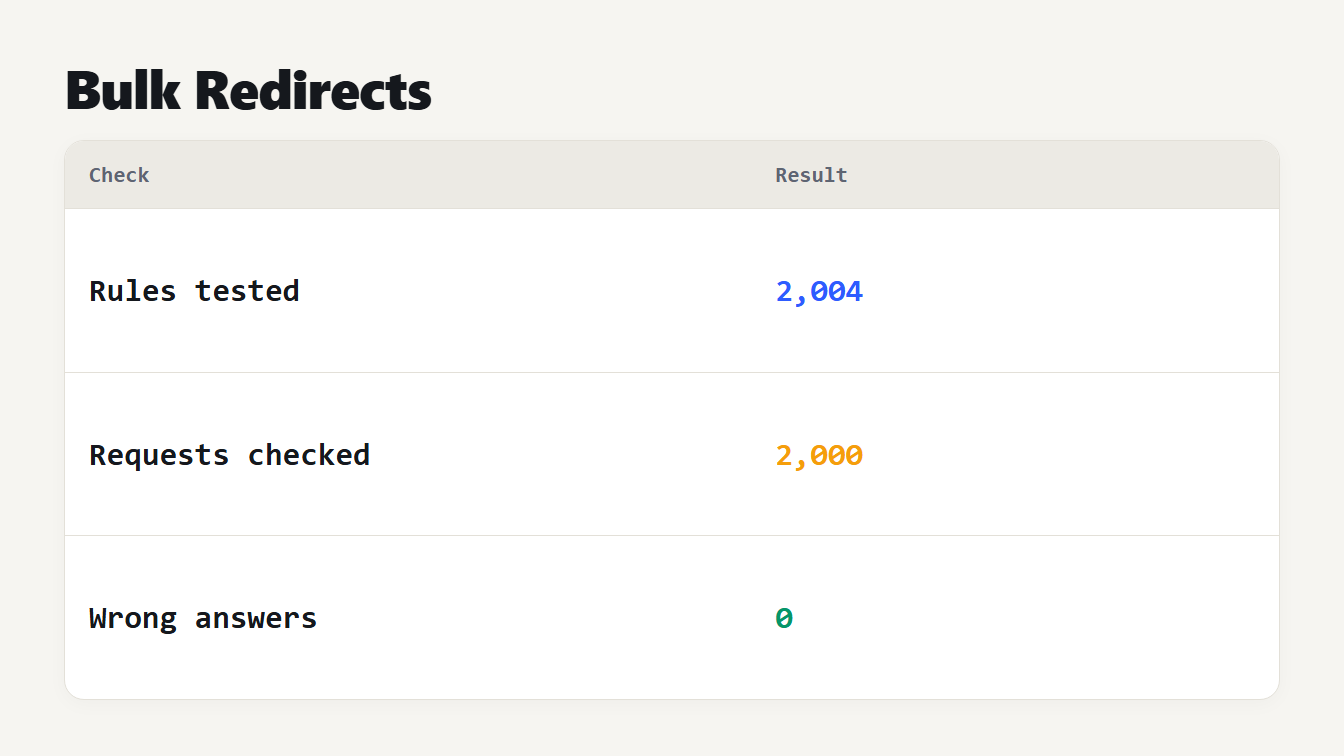
We wrote a generator for 5,000 links. Each had a path, an optional query string, an optional fragment and five values chosen from awkward text: spaces, ampersands, equals signs, hash signs, accents, Chinese characters and percent signs. About two thirds had a fragment, and some already contained UTM parameters. We passed every one through the builder and then parsed the result with Python's urllib, which shares no code with ours. A link passed only if the path was unchanged, the fragment was unchanged, every UTM value came back exactly once, and every other parameter was still there in the same order.
| Problem found | Old builder | Fixed builder |
|---|---|---|
| Tags swallowed by the fragment | 3,314 | 0 |
| UTM parameter repeated | 286 | 0 |
| Links failed in total | 3,600 | 0 |
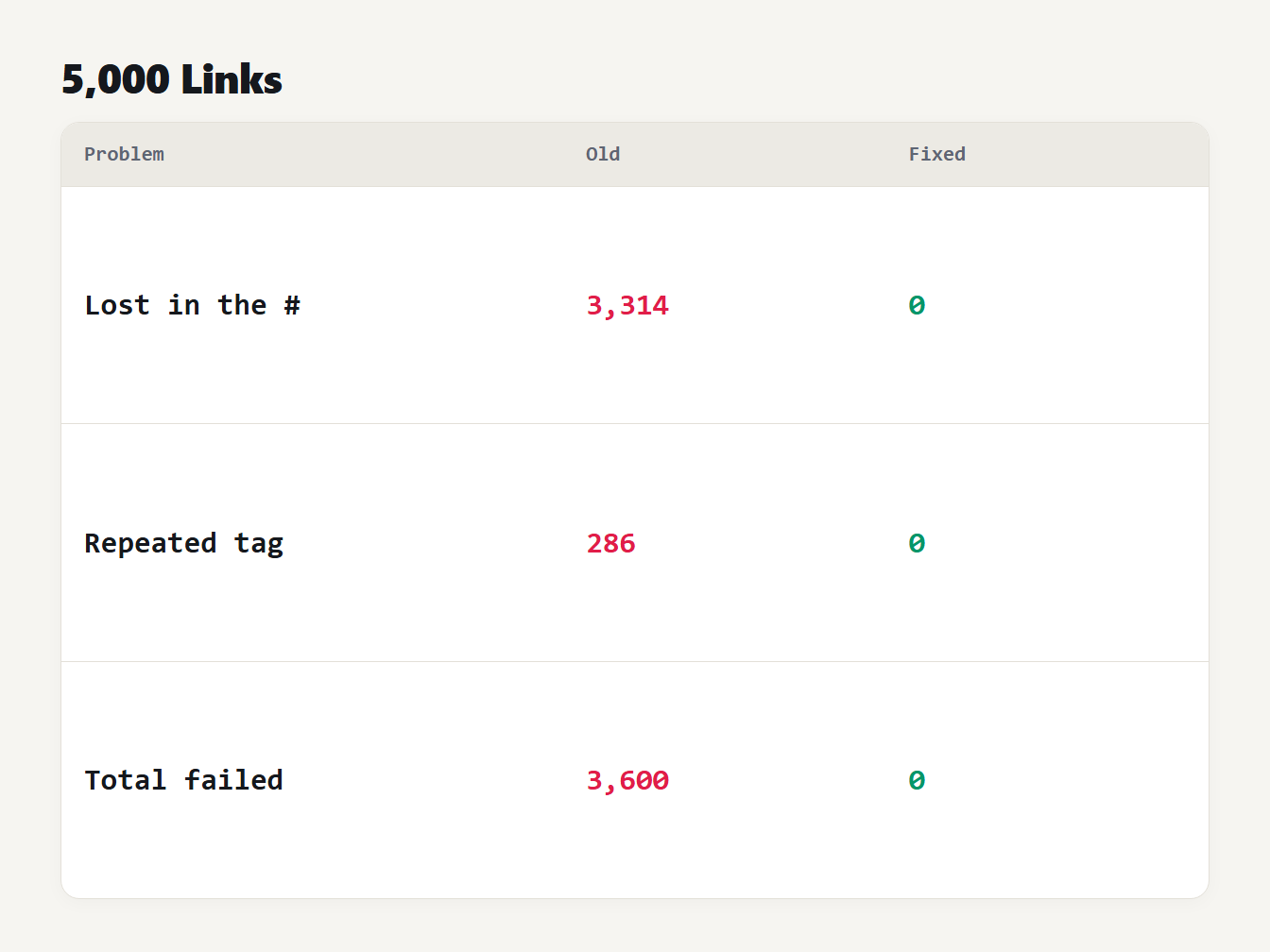
A table comparing the old and the fixed UTM builder on 5,000 generated links. The old builder lost the tags into the fragment on 3,314 links, repeated a UTM parameter on 286 and failed on 3,600 in total. The fixed builder had no failures.
The 286 repeats came from addresses that already had a UTM parameter. The old builder kept it and added a second one, and analytics then has two values to choose from. The fixed builder replaces the old one. Because the test set was made to include many fragments, the percentages aren't a measure of how often real links fail. They show that the fix works.
Limits
The builder writes the three required tags and the two optional ones, term and content. It doesn't write utm_id or utm_source_platform, which Google recommends for some setups. It doesn't shorten links and doesn't check that the address opens. If you tag dozens of links, keep the source, medium and campaign words in a spreadsheet and copy from it, rather than retyping them each time. It only warns about capitals, empty required values and a missing scheme, and doesn't rewrite anything for you. Everything runs in your browser.
Frequently asked questions
Which UTM parameters are required?
Google says to always use utm_source, utm_medium and utm_campaign. The other two, utm_term and utm_content, are optional, and a missing required one shows up as (not set) in your reports.
Are UTM parameters case sensitive?
Yes. Google Analytics treats utm_source=google and utm_source=Google as different values, so one campaign can split into several rows. Use lowercase everywhere and write spaces as underscores or hyphens.
Where do UTM parameters go if the link has a #section?
Before it. The query string comes first and the # fragment comes last. Anything written after the # is never sent to the server, so parameters placed there are not recorded.
Can I add UTM parameters to a link that already has a question mark?
Yes. Add them with an ampersand after the existing parameters, so the link has one question mark in total. The builder does this for you and replaces any UTM parameter already in the address.
Why don't my UTM tags show in the landing page report?
Google says UTM parameters are left out of the Landing page + query string and Page path + query string dimensions. That information appears in the Page location dimension instead.
Build your UTM link now
Open the UTM Builder to create a link with live warnings and a parameter breakdown. To turn the finished link into a scannable code for print, use the QR Code Generator. Everything runs in your browser, so nothing you type is uploaded.