Cron Expression Examples: Syntax, Schedules and the Day-of-Week Trap
Cron expression examples you can copy, the five-field syntax, and the day-of-month and day-of-week trap that runs jobs on days you did not expect.
By TheTextKit TeamPublished
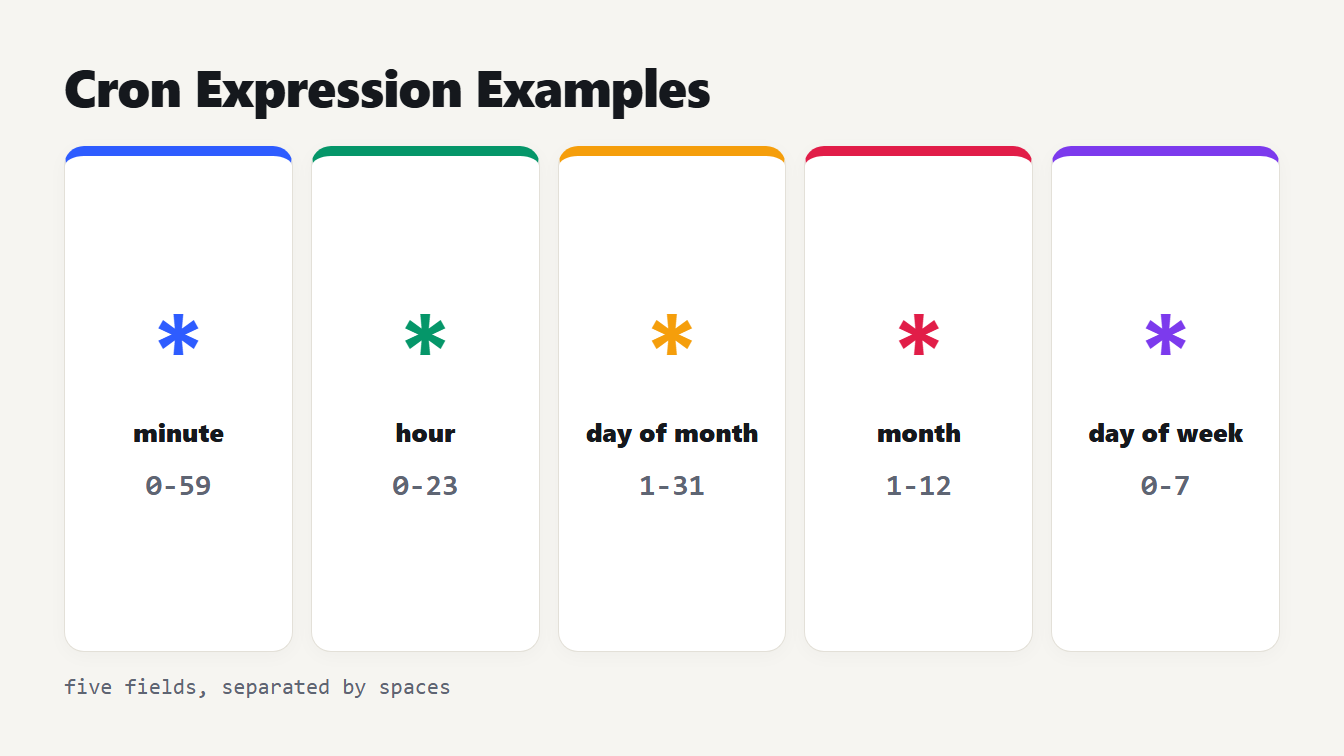
Five boxes for the fields of a cron expression with the allowed values: minute 0 to 59, hour 0 to 23, day of month 1 to 31, month 1 to 12 and day of week 0 to 7.
A cron expression is five fields separated by spaces: minute, hour, day of month, month and day of week. A job runs when the time fields match the clock. */15 9-17 * * 1-5 means every 15 minutes between 09:00 and 17:59, Monday to Friday. Below are cron expression examples you can copy, the syntax behind them, and one rule about the two day fields that makes schedules behave in ways people do not expect.
Cron syntax: the five fields
The crontab manual page defines the fields and their ranges:
| Field | Allowed values | Notes |
|---|---|---|
| Minute | 0 to 59 | |
| Hour | 0 to 23 | |
| Day of month | 1 to 31 | |
| Month | 1 to 12 | Names such as JAN to DEC work |
| Day of week | 0 to 7 | 0 and 7 are both Sunday, names SUN to SAT work |
Four characters build the values. Use a star for every value, from first to last. Write a comma between items for a list, as in 1,15. Join two numbers with a hyphen for an inclusive range, as in 9-17. Put a slash after a range or a star to add a step, so */15 is every 15 minutes and 1-10/3 is 1, 4, 7 and 10. A step needs a star or a range in front of it: cronie rejects 5/10, and 5-59/10 is the way to start at 5.
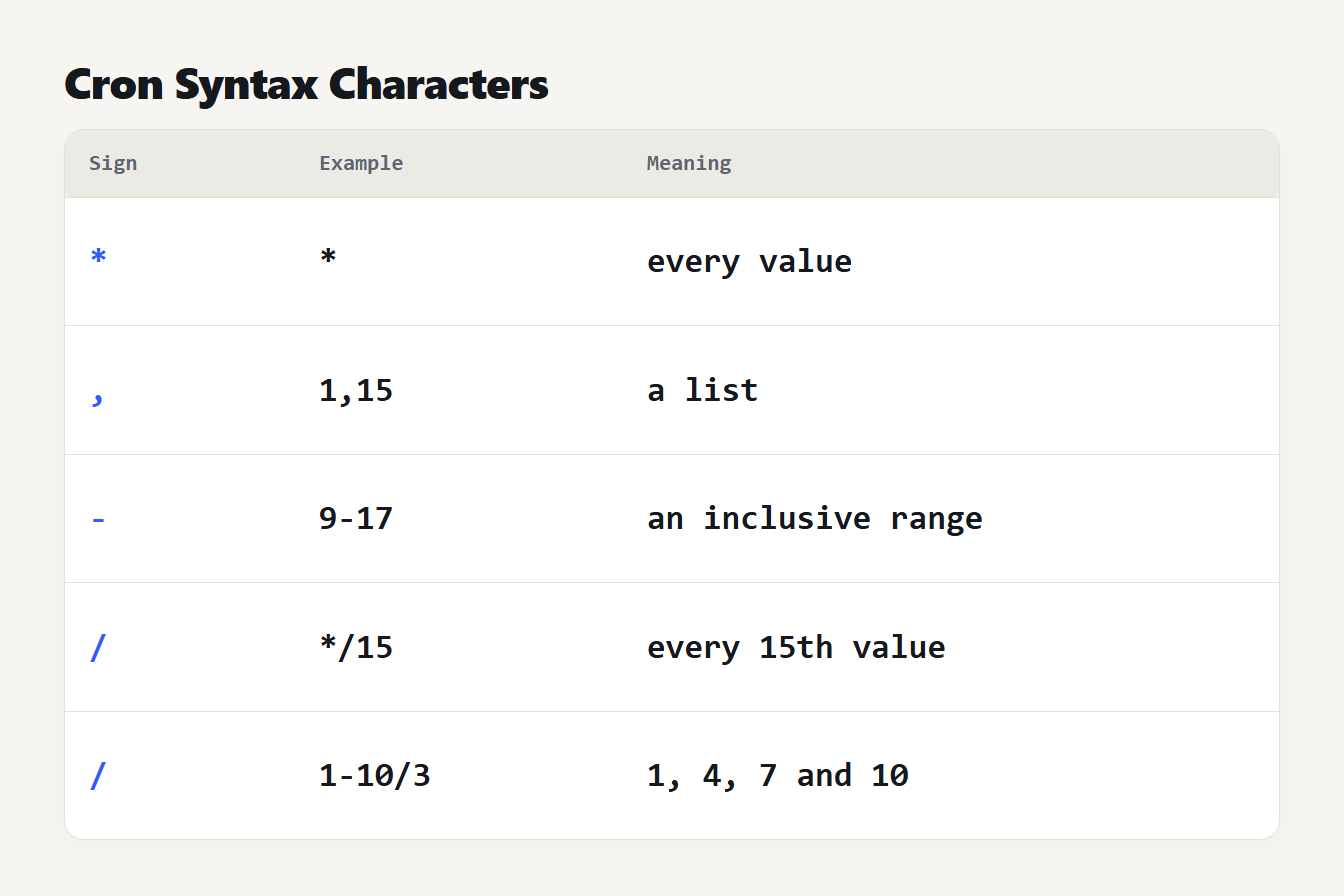
Five rows. A star means every value. A comma makes a list such as 1,15. A hyphen makes a range such as 9-17. A slash adds a step such as */15 or 1-10/3.
The manual also lists shortcuts. Both @yearly and @annually mean 0 0 1 1 *. The shortcut @monthly means 0 0 1 * * and @weekly means 0 0 * * 0. Likewise @daily means 0 0 * * * and @hourly means 0 * * * *. Finally, @reboot runs once at startup and has no repeating schedule.
Cron expression examples you can copy
We ran every expression below through the Cron Expression Generator and Explainer and checked the first run times, counting from 9 October 2026 at 00:00 UTC:
| Expression | What it does | First runs (UTC) |
|---|---|---|
* * * * * | Every minute | 00:01, 00:02, 00:03 |
*/5 * * * * | Every 5 minutes | 00:05, 00:10, 00:15 |
0 * * * * | At the start of every hour | 01:00, 02:00, 03:00 |
0 0 * * * | Every day at midnight | 10 Oct, 11 Oct, 12 Oct |
30 8 * * 1-5 | 08:30 on weekdays | Fri 9 Oct, Mon 12 Oct, Tue 13 Oct |
0 9,17 * * * | At 09:00 and 17:00 | 9 Oct 09:00 and 17:00, 10 Oct 09:00 |
0 3 * * 0 | Sundays at 03:00 | 11, 18 and 25 Oct |
0 0 1 * * | First day of every month | 1 Nov, 1 Dec, 1 Jan |
0 12 15 */3 * | The 15th at noon, every third month | 15 Oct, 15 Jan, 15 Apr |
0 0 * * 6,0 | Midnight on Saturday and Sunday | 10 Oct, 11 Oct, 17 Oct |
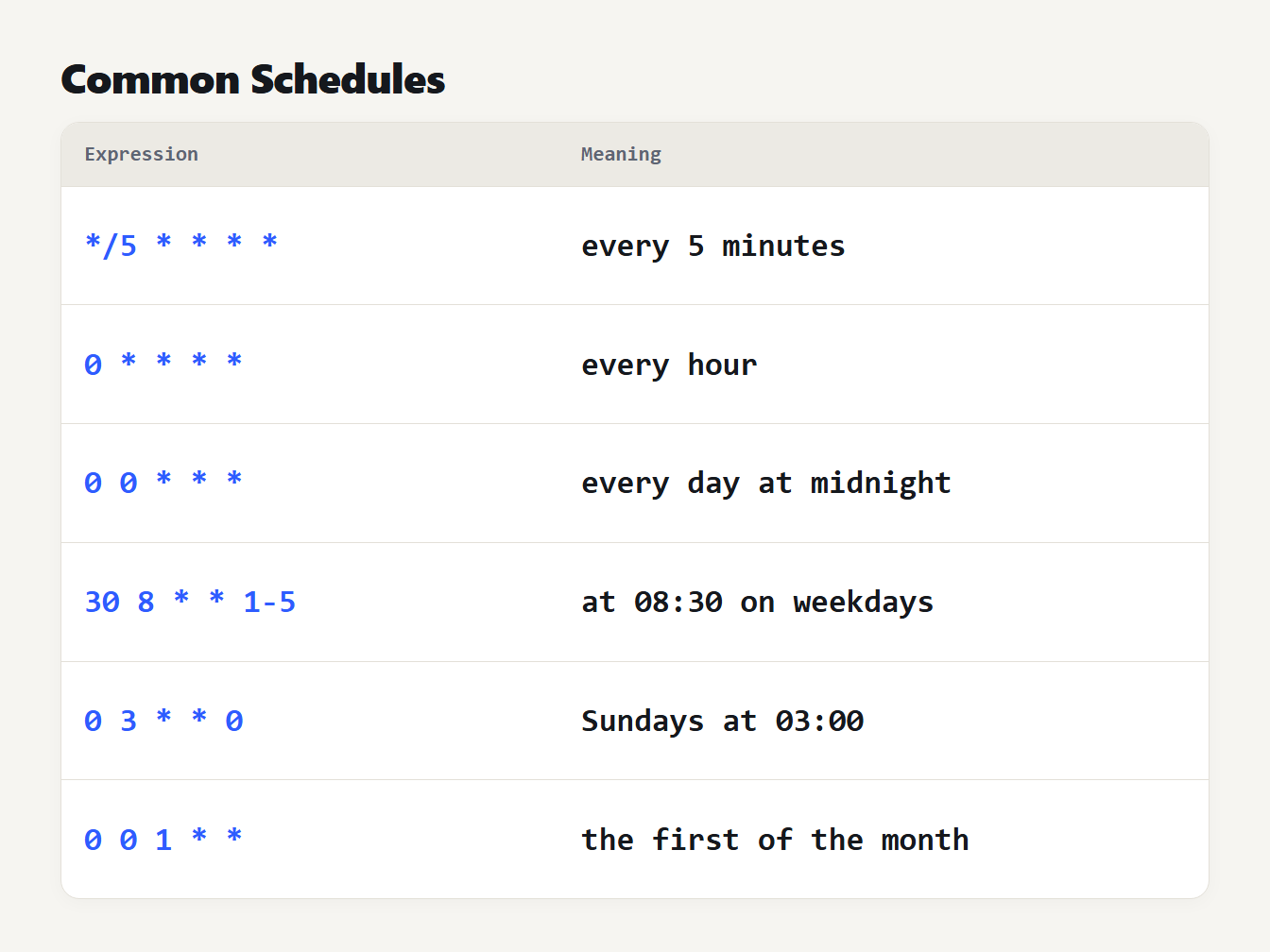
Six rows pairing a cron expression with its meaning: */5 * * * * every 5 minutes, 0 * * * * every hour, 0 0 * * * every day at midnight, 30 8 * * 1-5 at 08:30 on weekdays, 0 3 * * 0 Sundays at 03:00 and 0 0 1 * * the first of the month.
Cron expression examples for typical jobs
| Expression | Typical job | First runs (UTC) |
|---|---|---|
30 2 * * * | Nightly backup at 02:30 | 9, 10 and 11 Oct at 02:30 |
0 8 * * 1 | Weekly report on Monday at 08:00 | 12, 19 and 26 Oct |
15 * * * * | Hourly cleanup at 15 past | 00:15, 01:15, 02:15 |
*/10 8-18 * * 1-5 | Business-hours check every 10 minutes | Fri 9 Oct at 08:00, 08:10, 08:20 |
0 0 1,15 * * | Twice-monthly job, midnight on the 1st and 15th | 15 Oct, 1 Nov, 15 Nov |
0 */6 * * * | Every six hours, on the hour | 06:00, 12:00, 18:00 |
0 6 1 */3 * | Quarterly job at 06:00 on the first | 1 Jan, 1 Apr, 1 Jul 2027 |
A common mistake is to leave the minute as a star when you mean a time of day. * 9 * * * runs every minute from 09:00 to 09:59, which is 60 runs. 0 9 * * * runs once.
The day-of-month and day-of-week trap
Here is the rule that surprises people. The crontab manual says that when both day fields are restricted, which means they do not contain a star, the command runs when either field matches. It is a union, not an intersection.
So 0 0 13 * 5 does not mean Friday the 13th. It means the 13th of any month, and also every Friday. Starting from 9 October 2026 at midnight UTC, its first runs are Tuesday 13 October, then Fridays on the 16th, 23rd and 30th.
The manual's wording is about a star, but the code is stricter. In the cronie source, a job runs only if both day fields match when either one starts with a star. Otherwise it runs when either field matches. So even */2 in the day-of-month field counts as a star. 0 0 */2 * 1 needs an odd-numbered day and a Monday together, and its first runs are 19 October, 9 November and 23 November.
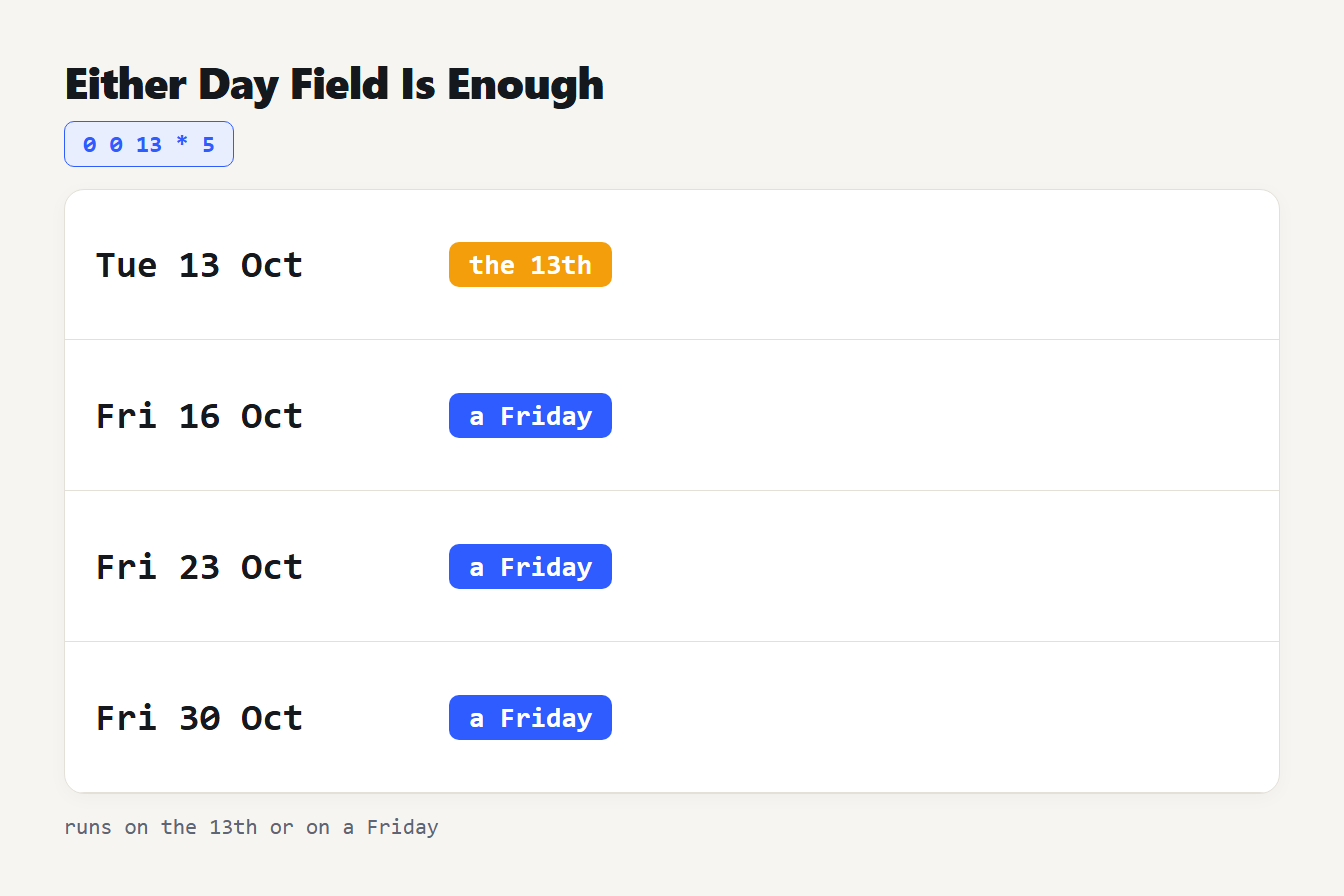
For 0 0 13 * 5 the next runs are Tuesday 13 October, Friday 16 October, Friday 23 October and Friday 30 October, because cron runs when either the day of month or the day of week matches.
How to run a job on the first Monday
0 9 1-7 * 1 looks like the first Monday, but it runs on days 1 to 7 and on every Monday. We listed its runs: Mondays 12, 19 and 26 October, then Sunday 1 November, Monday 2 November, Tuesday 3 November, and so on.
The fix is to schedule every Monday and let the command check the date. The manual says an unescaped percent sign in a crontab command becomes a newline, so escape it:
0 9 * * 1 [ "$(date +\%d)" -le 7 ] && /path/to/job
That runs only when the day of the month is 7 or less. From 9 October 2026 it fires on 2 November, 7 December and 4 January.
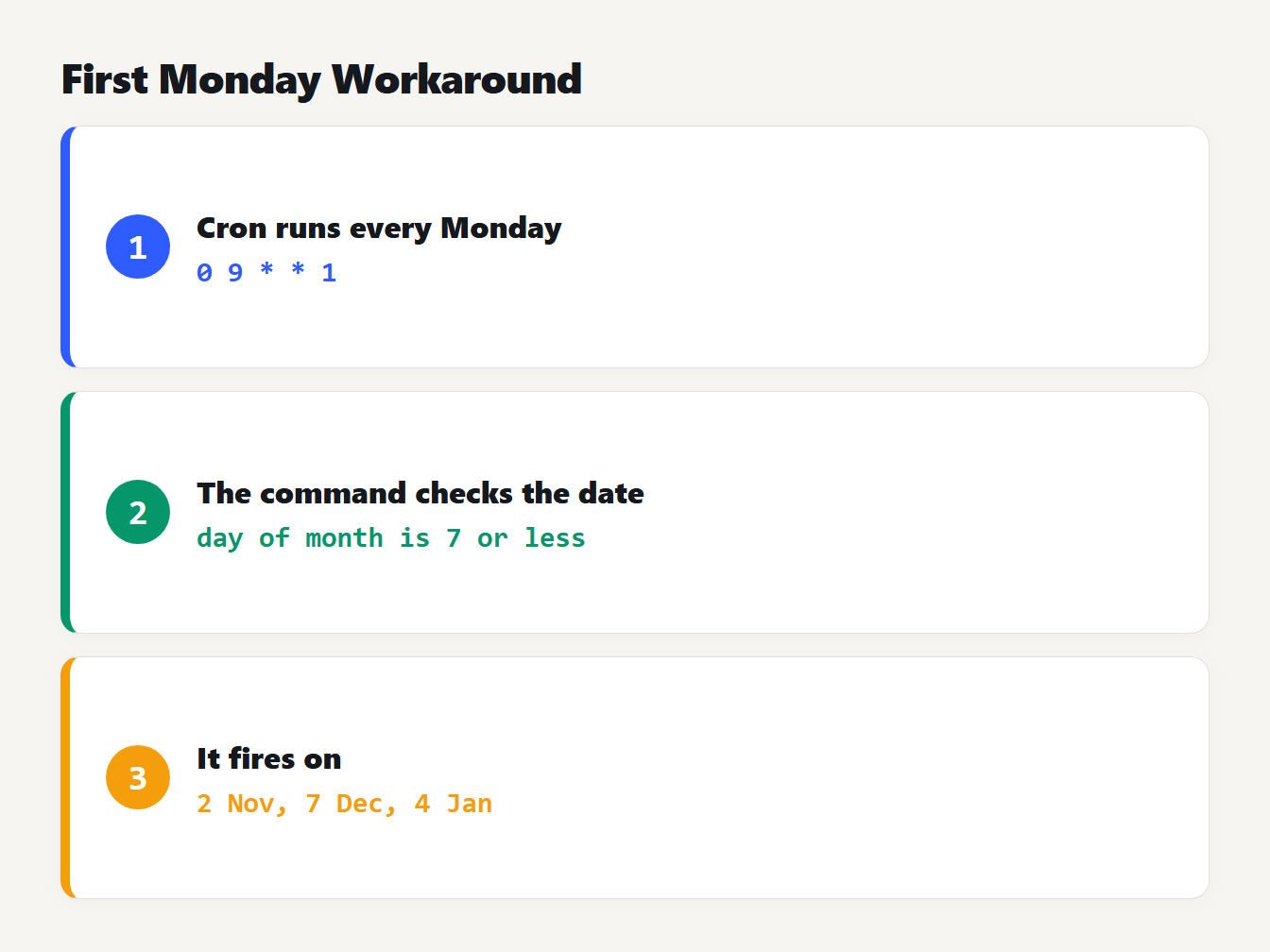
Three steps. Cron runs 0 9 * * 1 every Monday, the command checks that the day of the month is 7 or less, and the job fires on 2 November, 7 December and 4 January.
What standard cron does not support
Standard cron has no seconds field, no year and none of the Quartz extras. A sixth field, or the characters ?, L, W and #, belong to Quartz and Spring schedulers. The explainer rejects them with a message instead of guessing. You also cannot say every other week or the last day of the month in the expression. Use a script check, as above.
Time zones, daylight saving and the crontab line
Cron uses the time zone of the machine it runs on, so a schedule written for 09:00 may fire at another hour for you. The crontab manual adds that times which do not exist, such as the missing hour when clocks go forward, never match, so a job set for that hour is skipped that day. The cron manual for cronie describes a softer rule for changes under three hours. A job set for a specific time in the skipped interval runs right after the change, and nothing runs twice when the clock goes back. Versions differ, so keep servers on UTC or avoid the hour your clocks change.
The explainer lists the next ten runs in UTC or your own zone, which makes both easy to check.
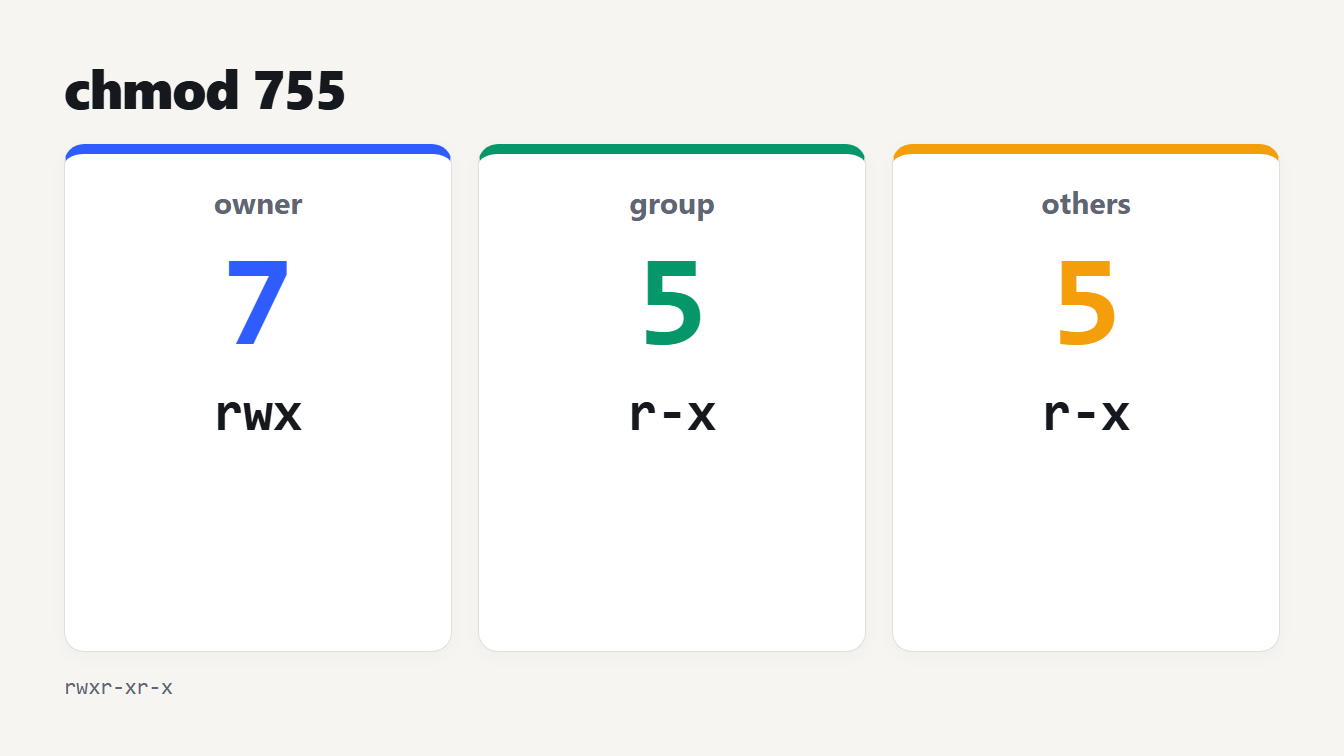
A crontab line is the five fields followed by the command, for example 5 0 * * * $HOME/bin/daily.job >> $HOME/tmp/out 2>&1, which is from the manual. Cron sets only a few environment variables, such as SHELL and HOME, so use full paths. If the job is a script, make sure it is executable: our guide to what chmod 755 means covers it, and the Chmod Calculator writes the command. To read the times a log shows as numbers, the Unix Timestamp Converter and our Unix timestamp guide help.
Frequently asked questions
What does */5 * * * * mean in cron?
It runs every 5 minutes: at minutes 0, 5, 10 and so on up to 55, every hour of every day. The star with a slash and 5 in the minute field means every fifth minute.
How do I run a cron job every 2 hours?
Use 0 */2 * * *. That runs on the hour at 00:00, 02:00, 04:00 and so on. Leave the minute at 0, because a star there would run the job every minute of those hours.
How do I run a cron job on the first Monday of the month?
Standard cron cannot do it in the expression alone, because 0 9 1-7 * 1 runs on days 1 to 7 or on any Monday. Schedule every Monday and add a test in the command that the day of the month is 7 or less.
Does cron have a seconds field?
No. Standard cron has five fields and its smallest unit is a minute. A six-field expression with seconds comes from Quartz or Spring, which use different rules, so it will not work in a normal crontab.
What time zone does cron use?
The time zone of the machine that runs it, which is often UTC on servers. Check the system time zone before you trust a schedule. Different cron versions treat a job set for the hour a daylight saving change skips differently, so keep servers on UTC or avoid that hour.
Check your cron expression examples before you save the job
Before you add a line to your crontab, paste the five fields into the Cron Expression Generator and Explainer and read its plain-English summary aloud. If it does not match what you meant, or the next ten runs look wrong, fix the expression first. It takes ten seconds and avoids the job that ran every minute for a week.