Discovered Currently Not Indexed: What It Means and What to Do
Discovered currently not indexed means Google found a URL but has not crawled it yet. What it means, what we saw on our own new site, and what to do.
By TheTextKit TeamPublished
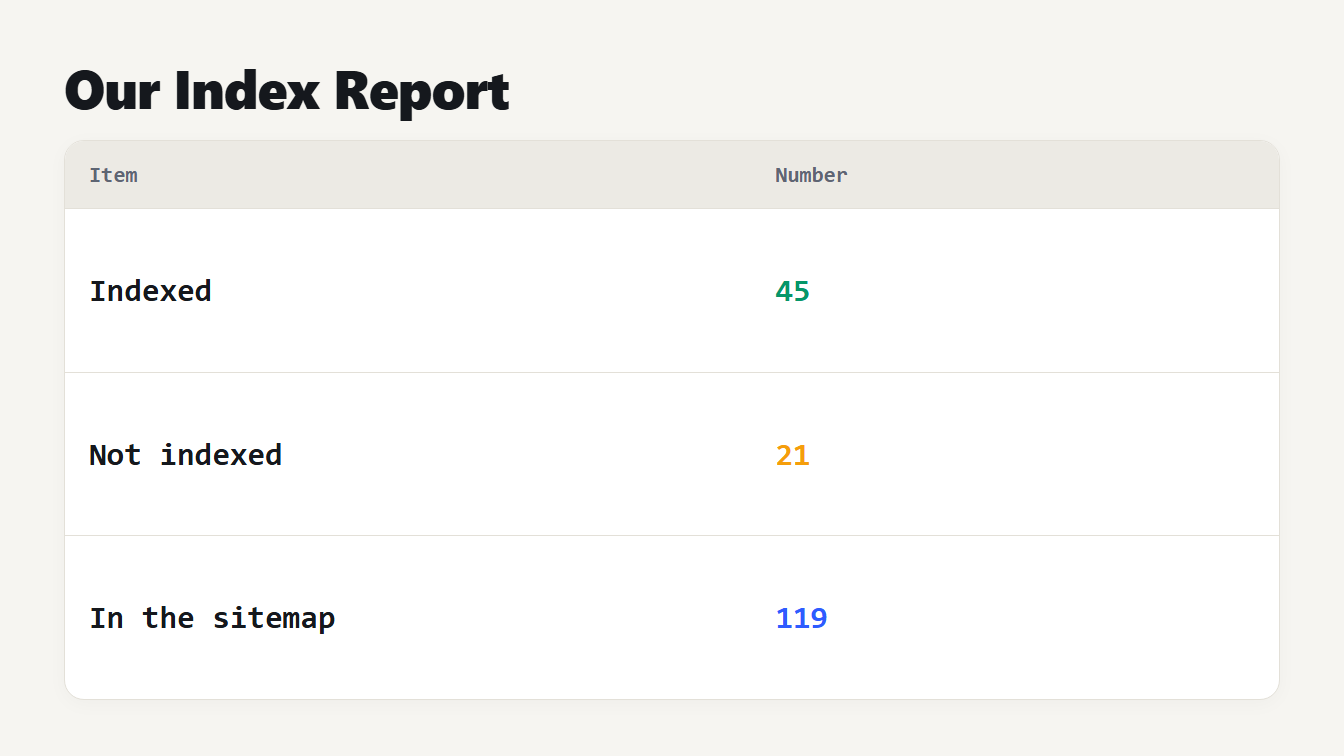
A table of three numbers from the Search Console page indexing report of our own site on 11 October 2026. 45 pages were indexed. 21 were not indexed. The sitemap lists 119 pages.
The discovered currently not indexed status means Google knows a URL exists but has not crawled it yet. It is a waiting status, not an error and not a penalty. We have it on 21 pages of our own new site. This guide uses our real numbers from 11 October 2026 to show what the status means, which checks matter and what to do while Google catches up.
What discovered currently not indexed means
You find it in Search Console, in the Pages report under "Why pages aren't indexed". Google's help page for the report defines it in one sentence: the page was found by Google, but not crawled yet. It adds that Google wanted to crawl the URL, but this was expected to overload the site, so Google rescheduled the crawl. That is why the last crawl date is empty for these URLs.
In our report the source of the discovered currently not indexed reason is listed as "Google systems", not "Website". That suggests the cause is on Google's side, not a fault it found on the page. The help page doesn't give a fix for this status. It says that a page which isn't indexed isn't necessarily a problem and that you should check the reason for each URL. For a new site or page, it suggests waiting a few days before asking Google to crawl.
| Stage | Status |
|---|---|
| Discovered | Yes, Google knows the URL |
| Crawled | Not yet |
| Indexed | Not yet |
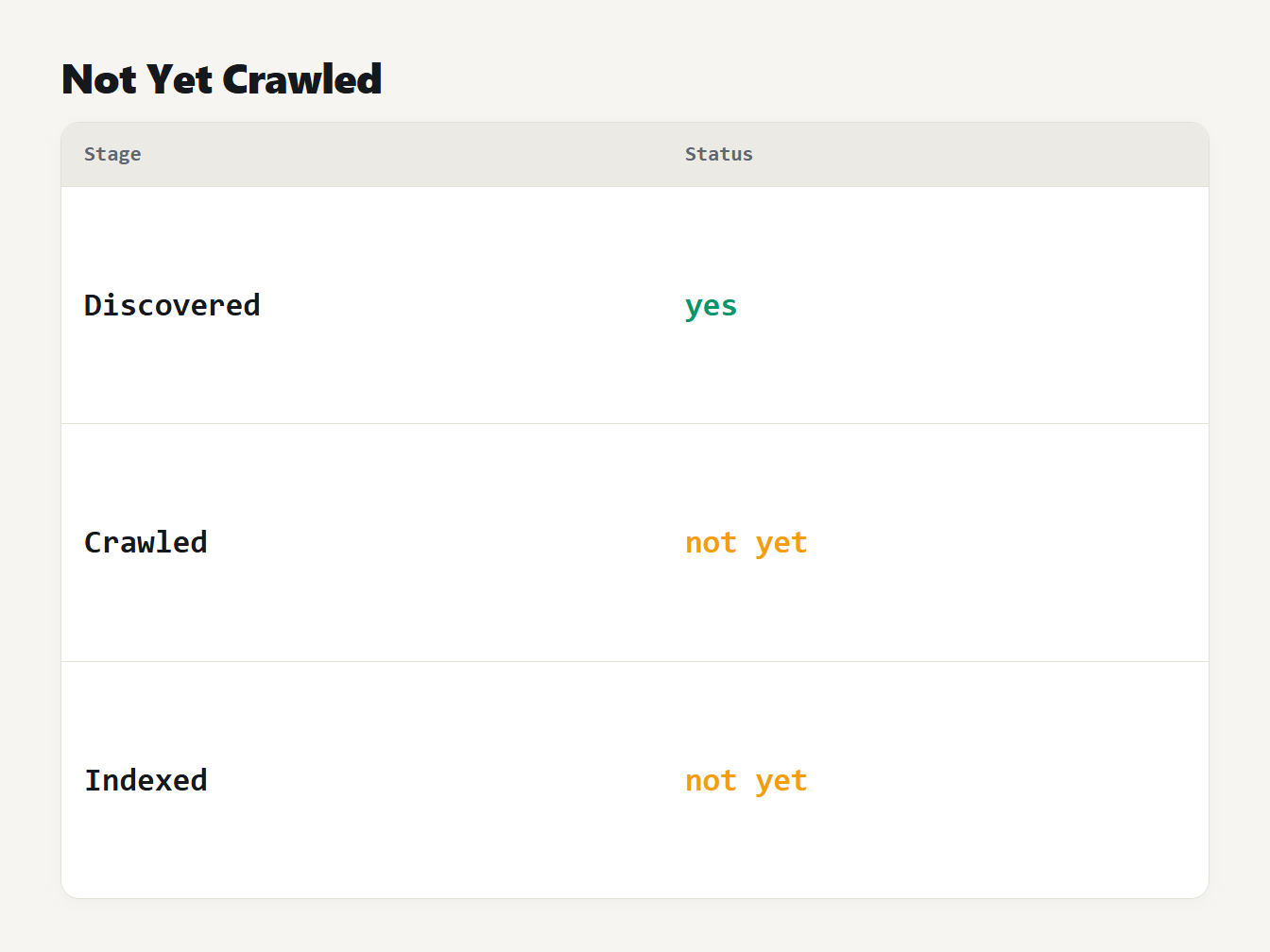
A table of the three stages for a page that is discovered but not indexed. The page is discovered. It has not been crawled yet. It has not been indexed yet.
What we saw on our own site
Our site is a few weeks old in Search Console, with data starting on 22 September 2026 and the sitemap first submitted on 26 September. When we opened the Pages report on 11 October, it looked like this:
| Number | Value |
|---|---|
| Pages indexed | 45 |
| Pages not indexed | 21 |
| Reason for all 21 | Discovered, currently not indexed |
| Pages our sitemap listed that day | 119 |
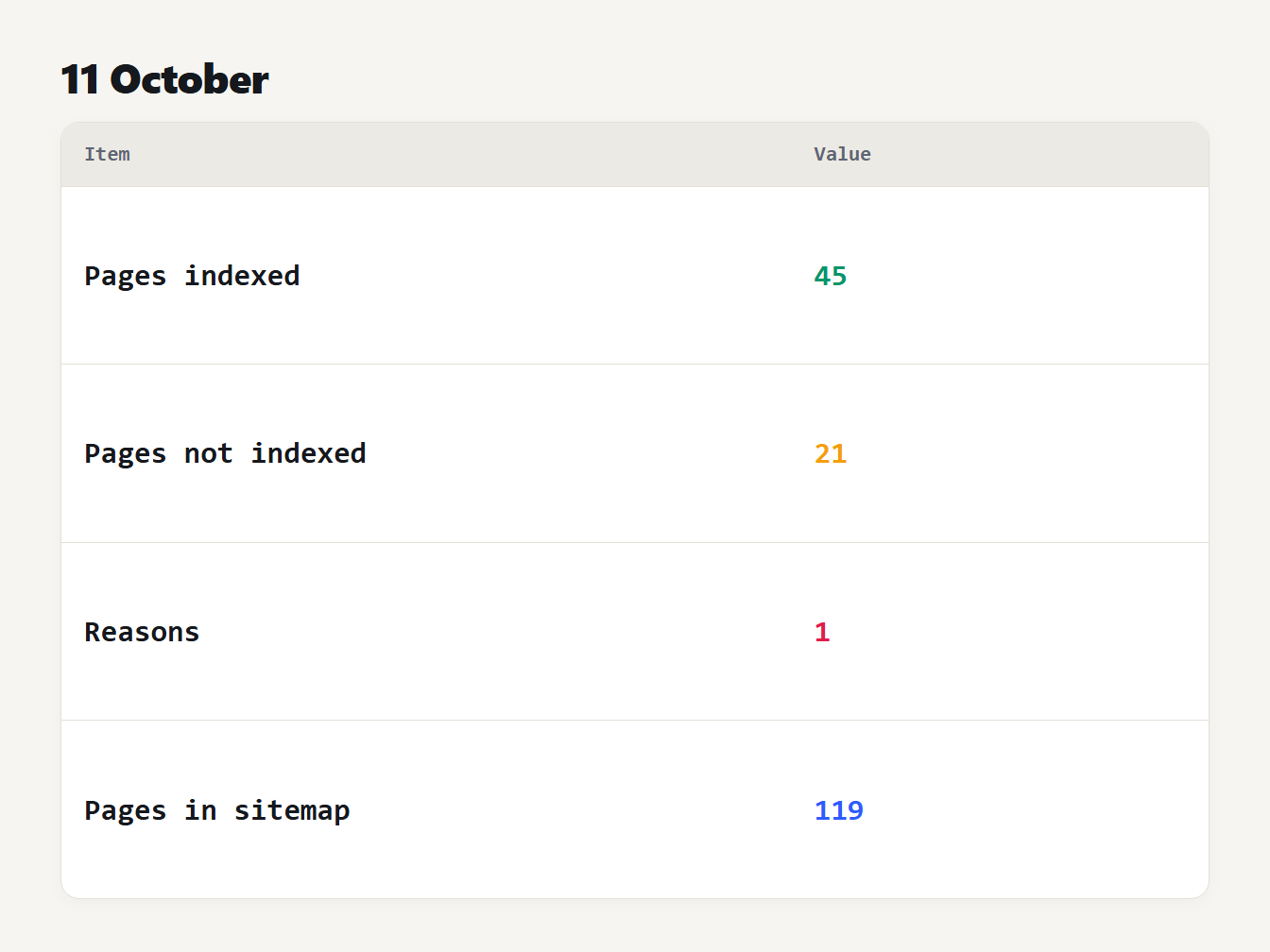
A table of the numbers in our Search Console page indexing report on 11 October 2026. 45 pages were indexed. 21 were not indexed, all for the reason discovered currently not indexed. The sitemap listed 119 pages.
The report knew only 66 pages, because Google had read our sitemap on 10 October and counted 90 pages in it, and the site had grown since. Most of the 21 were early tool pages with generic names, such as a JSON formatter, a case converter and a password generator, plus the Contact page, the /tools index and one category page. Those are generic, widely searched names. Google's guide lists the popularity of URLs as one factor in how much it crawls, but we can't tell whether that applies here.
Why Google waits
Google's guide to managing crawl budget explains what sets how much Google crawls. It names two groups of factors:
| Factor | Group |
|---|---|
| Crawl health: fast, steady responses, no server errors | Capacity |
| Google's own limited resources | Capacity |
| Duplicate or unwanted URLs | Demand |
| Popularity of the URLs | Demand |
| How stale the content is | Demand |
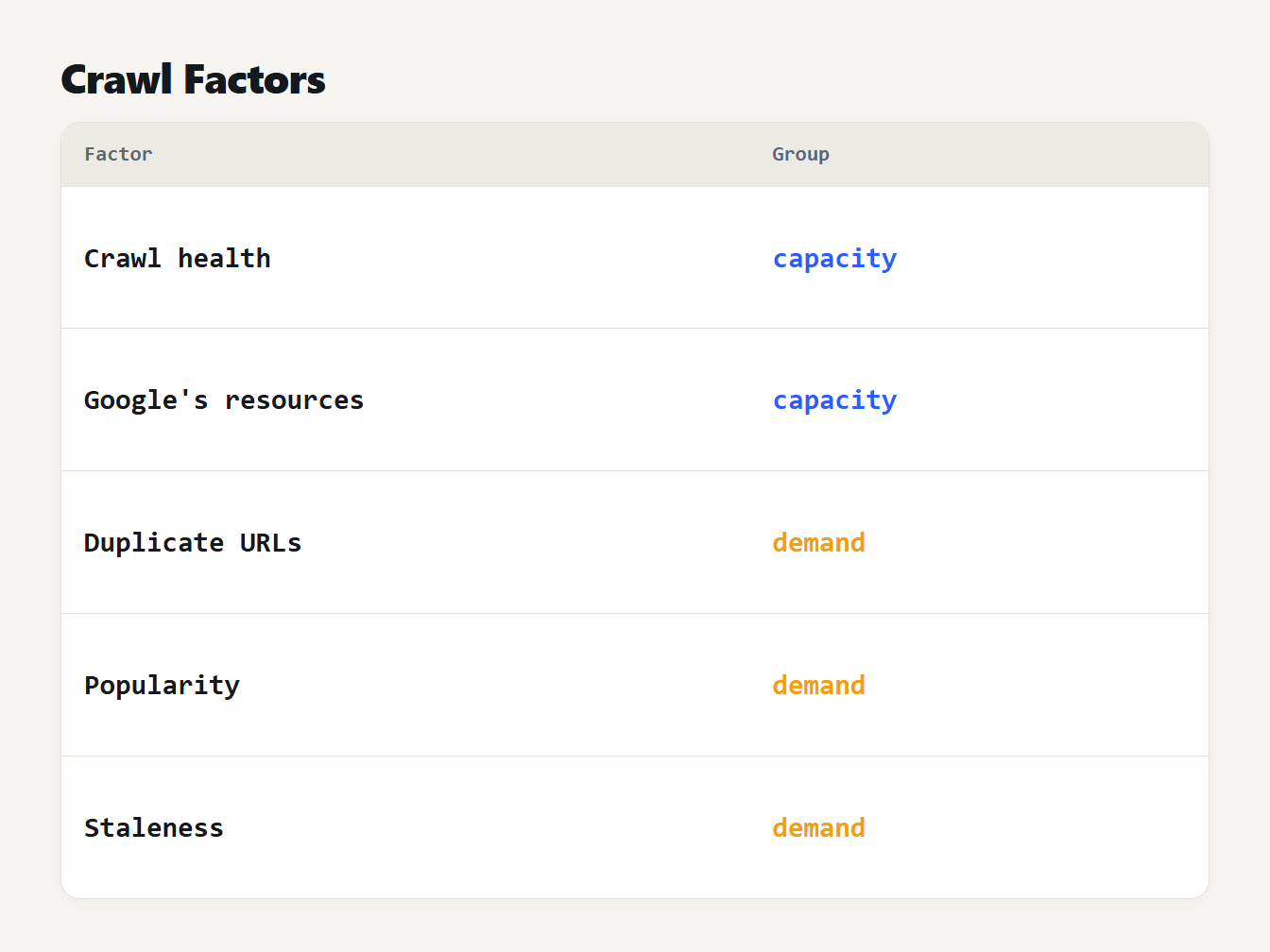
A table of five factors from Google's crawl budget guide. Crawl health and Google's own resources set the capacity. Duplicate or unwanted URLs, the popularity of URLs and how stale the content is set the demand.
The same guide is aimed at large sites. It names roughly a million pages that change weekly, ten thousand that change daily, and sites with many URLs in the discovered currently not indexed status. It says smaller sites don't need to read it, and that for them keeping the sitemap current and checking the Pages report is enough.
Check the parts you control
Two of those factors are yours: how well your server responds and how clean your list of URLs is. We measured both on the live site, with one request per page.
| Check | Our result |
|---|---|
| Pages that returned 200 | 119 of 119 |
| Median time to first byte | 43 ms |
| Slowest time to first byte | 150 ms |
| Pages served from the CDN cache | 119 of 119 |
| Pages with a canonical tag pointing at themselves | 119 of 119 |
| Pages marked noindex | 0 |
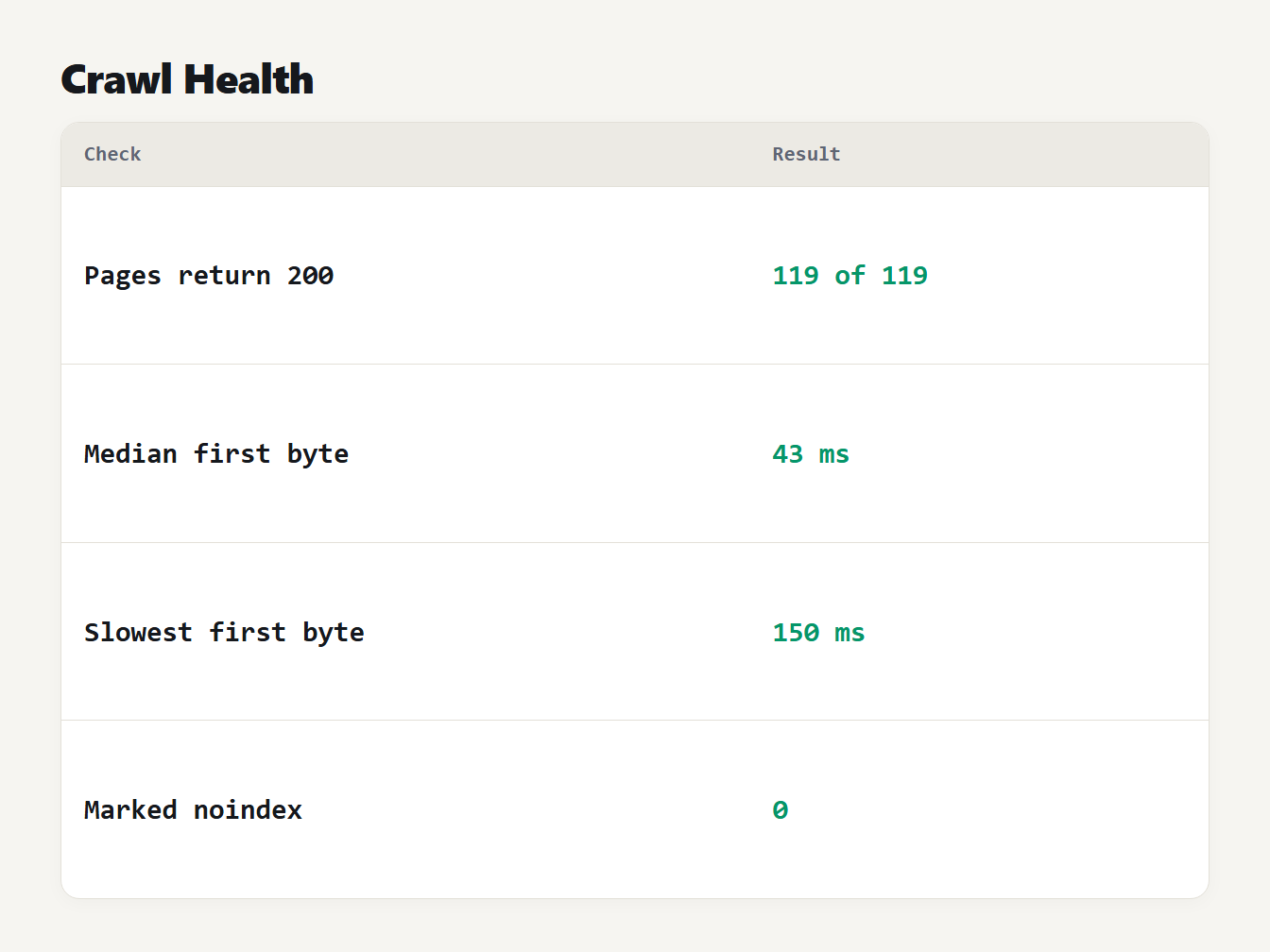
A table of crawl health checks on our site. All 119 pages returned 200. The median time to first byte was 43 milliseconds and the slowest was 150 milliseconds. No page was marked noindex.
Our timings came from one machine and one request per page, so treat them as a snapshot, not a benchmark. The point is that none of the checks gives a reason for Google to hold back. There were no errors and no slow pages, and no duplicate or noindex URLs to waste its time. If your own numbers show 5xx errors, slow responses or a pile of near-duplicate URLs, fix those first, because they directly reduce how much Google is willing to crawl.
What to do while you wait
Five steps are worth the effort, in this order:
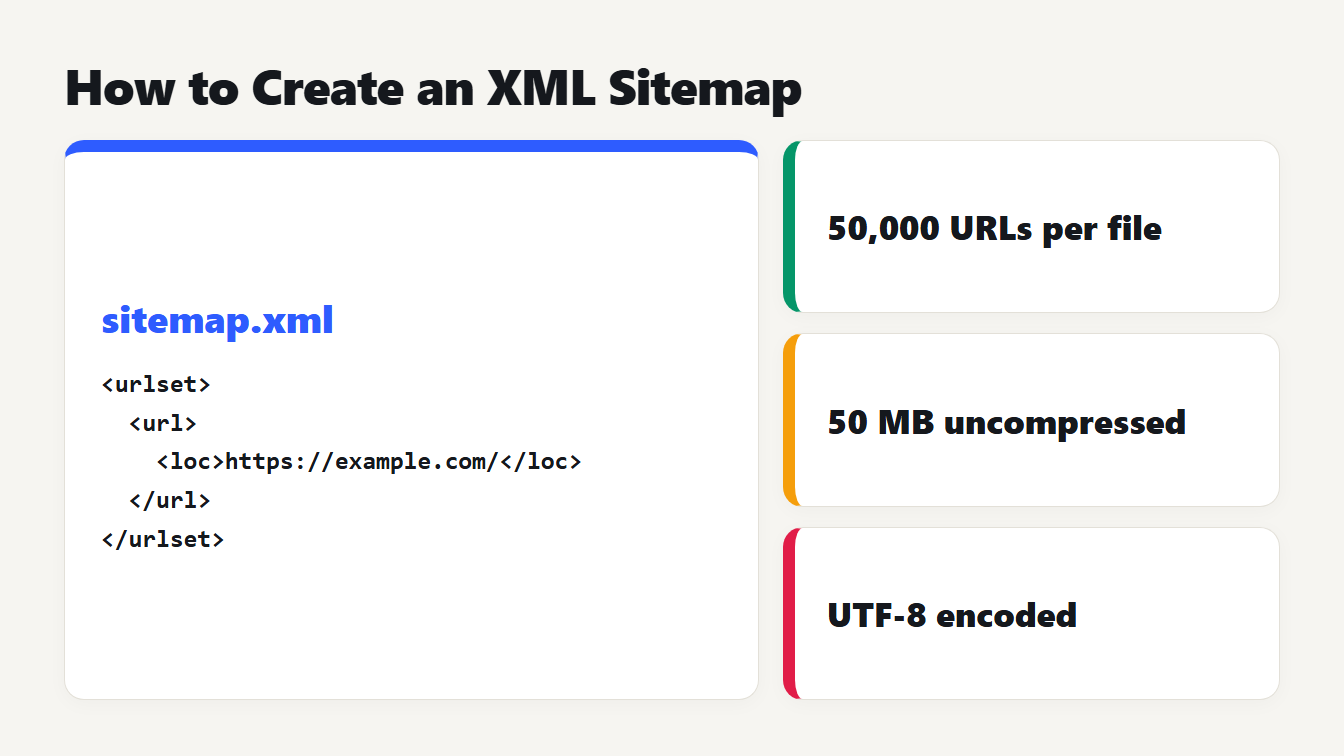
- Keep the sitemap current. Google's recrawl guide says to submit a sitemap when you want to tell it about many URLs at once. We resubmitted ours on 11 October, since Google had last read a version with 90 pages and the site now has 119. Our guide to the XML sitemap shows what to include.
- Link to the pages that matter. Links are how crawlers move around a site, so a page linked from your home page is easy to reach. We changed our home page to link directly to the most useful tools in every category.
- Make sure nothing blocks the crawl. A wrong rule in
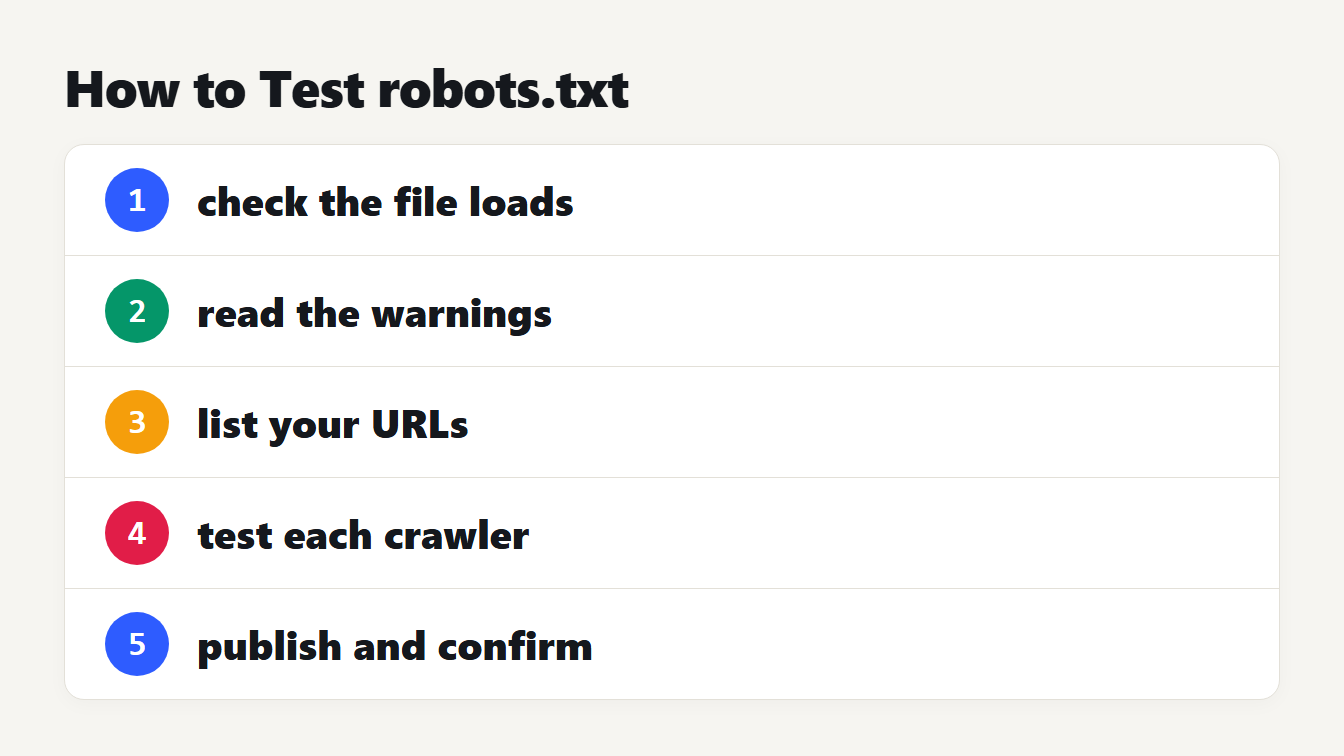
robots.txtcan keep a page out. The Robots.txt Tester shows whether a URL is allowed, and our guide to testing robots.txt explains how. - Request indexing for a few URLs. Use the URL Inspection tool in Search Console. Google's guide to recrawl requests says there is a quota, that asking several times for the same URL won't make it faster, and that a request doesn't guarantee inclusion in results.
- Wait. Google says crawling can take a few days to a few weeks.
| Step | What to do |
|---|---|
| 1 | Keep the sitemap current |
| 2 | Link to key pages from your home page |
| 3 | Check robots.txt allows them |
| 4 | Request a few URLs |
| 5 | Wait a few days to weeks |
What not to do
Don't ask for the same URL again and again, because Google says it won't help. Don't treat the status as a penalty and start rewriting pages that are fine. And don't read it as a verdict on quality: Google's own help page says that a page that is not indexed is not necessarily a problem. If a page stays in this status for weeks while the rest of the site is crawled, it is worth looking at its content and its internal links. Compare the page with similar ones that were indexed, and ask whether it adds something they don't.
To track progress, open the Pages report once a week and write down three things: the number of pages indexed, the number not indexed, and the date Google last read your sitemap. The trend in the first number matters more than any single day's count, and the last date tells you whether Google has even seen your latest changes.
Limits
These numbers are from one site on one day. We don't know yet how long our 21 pages will wait, and we can't see why Google makes its choices, so we have not said what causes the status on our site. We only checked the factors Google lists that we can measure. Our timings are from a single location. Check your own Pages report, because the right action depends on which URLs are affected and what the reason column says.
Frequently asked questions
What does discovered currently not indexed mean?
Google's help page says the page was found by Google but not crawled yet. Google wanted to crawl the URL but expected that to overload the site, so it rescheduled the crawl, which is why the last crawl date is empty.
Is discovered currently not indexed a penalty?
No. It is a status in the page indexing report, listed with Google's systems as the source, not an error Google found on your page. Google's help says a page that is not indexed is not necessarily a problem.
How long does it take to go away?
Google says crawling can take a few days to a few weeks. For a new site or page its help page suggests waiting a few days before asking for a crawl, and it does not promise that every page will be indexed.
Does requesting indexing help?
It can nudge a few important URLs. Google says there is a quota for individual URLs, that asking again for the same URL won't get it crawled faster, and that a request does not guarantee inclusion in results.
Do I need to worry about crawl budget?
Probably not on a small site. Google's guide says it is for sites with a million or more pages, or ten thousand with daily changes, or sites with many URLs in this status. Smaller sites should keep the sitemap current and watch the report.
Build a clean sitemap
Open the XML Sitemap Generator to build a sitemap from your list of URLs, and the SERP Preview to check how a page's title and description will look in results once it is indexed. Everything runs in your browser, so nothing you type is uploaded.