Do UTM Parameters Hurt SEO? What We Tested on 119 Pages
Do UTM parameters hurt SEO? Not when the canonical points to the clean URL. We added UTM tags to all 119 pages of our site and checked what Google would see.
By TheTextKit TeamPublished
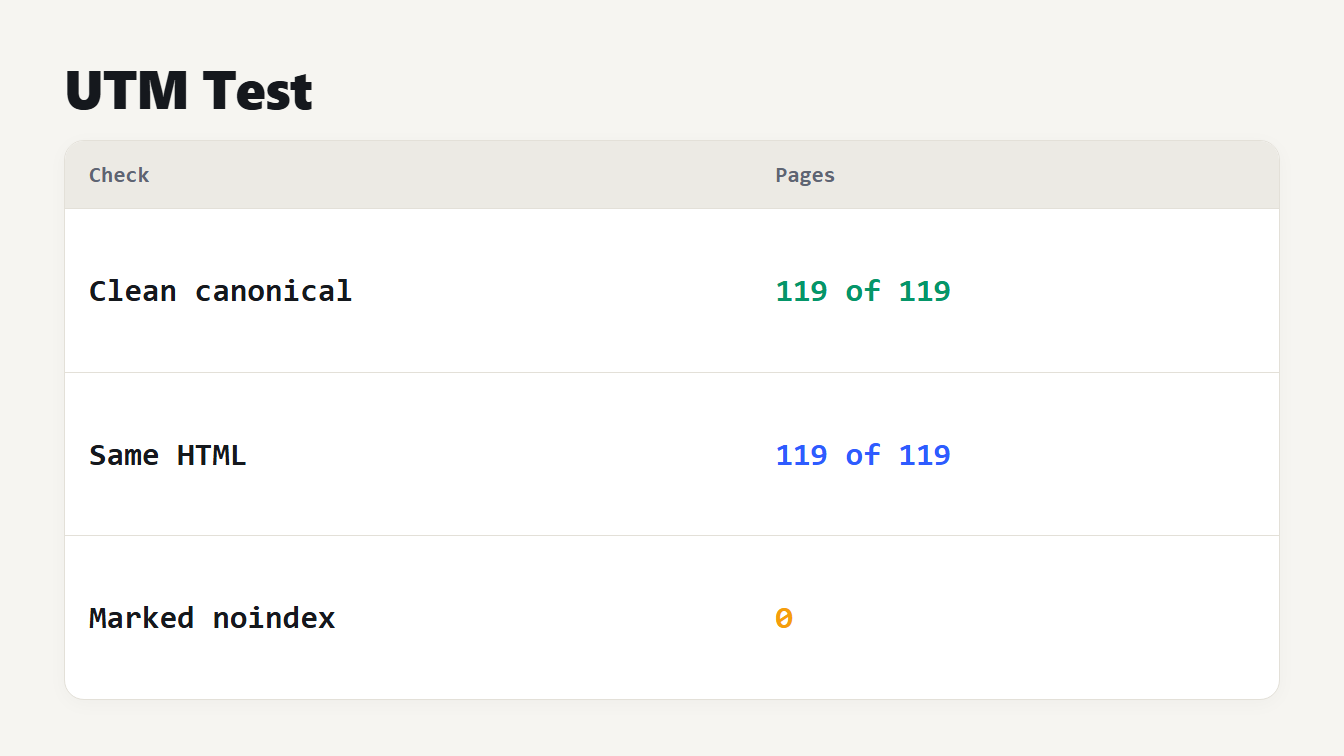
A table of three results from adding UTM parameters to every URL of a 119 page site. The canonical stayed clean on 119 pages. The HTML was identical on 119 pages. No page had noindex.
UTM parameters do not hurt SEO by themselves. A link with UTM tags is another address for the same page, and as long as that page names the clean address as its canonical, search engines know which version to keep. The risk is a site that doesn't: one whose canonical includes the tags, or whose own links point at tagged addresses. To find out where we stood, we added UTM tags to every one of our 119 pages and checked what a search engine would see.
Why UTM parameters hurt SEO only in some setups
Your analytics treats https://example.com/page?utm_source=newsletter and https://example.com/page as one page with two sources, according to Google Analytics help, which documents the parameters. A search engine sees two addresses. Google's guide to consolidating duplicate URLs says to pick a canonical for each page and to use signals that point to it. It calls a rel="canonical" link a strong signal that the specified URL should become canonical, and its own example prefers a clean product address over one with a tracking parameter.
So the question is never whether a UTM link exists. It is whether every tagged address points back at the clean one. That depends on four things you control: the canonical tag, your internal links, whether the tags are placed correctly and whether you block the tagged addresses.
| Address | What search engines should treat it as |
|---|---|
/page | The canonical address |
/page?utm_source=newsletter | A duplicate that points to /page |
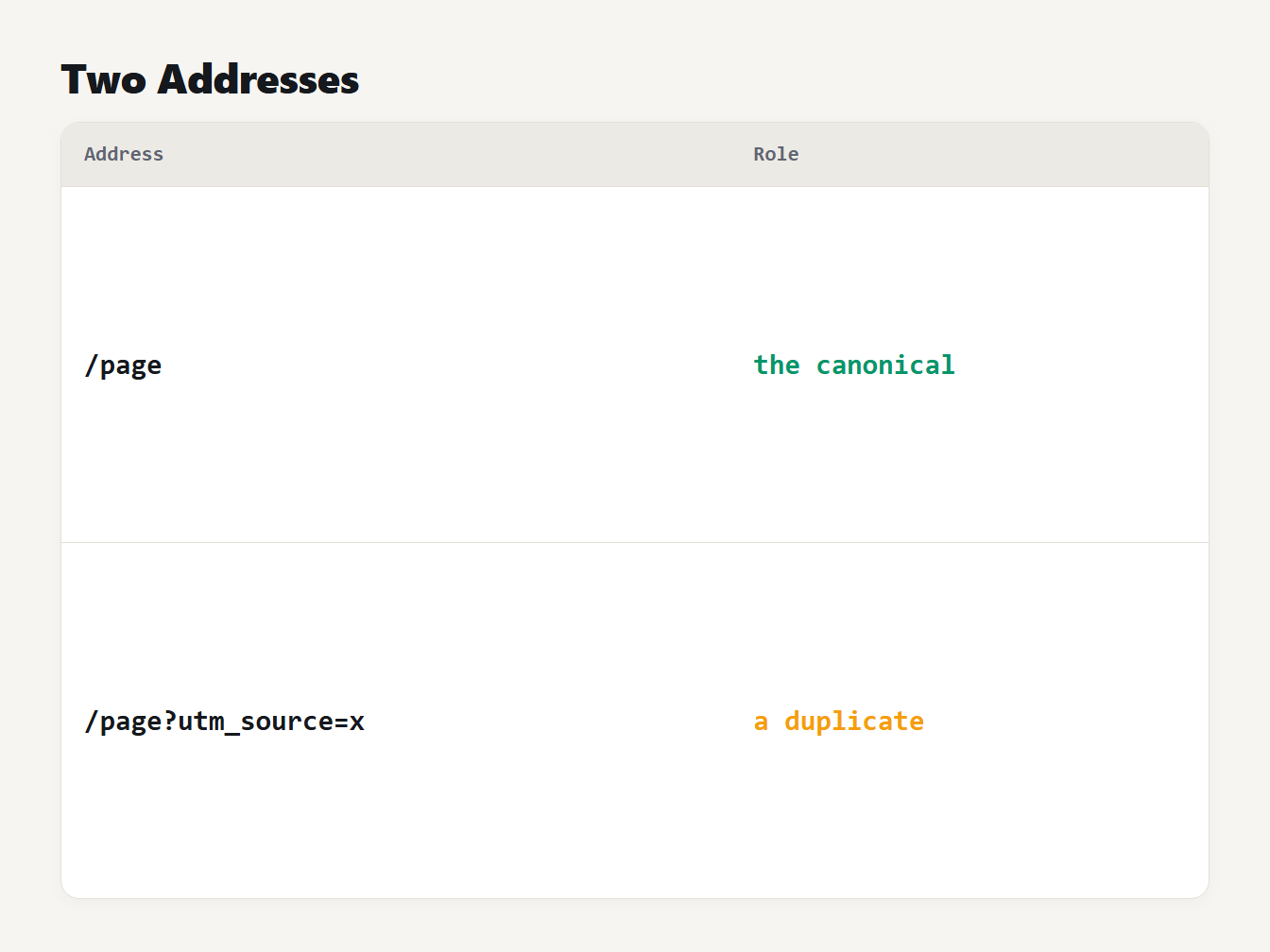
A table of two addresses for the same page. The clean address is the canonical. The address with UTM parameters is a duplicate that points back to the clean address.
What we tested
We took every URL in our live sitemap, 119 in all, and requested it with ?utm_source=newsletter&utm_medium=email&utm_campaign=spring_sale added. For each one we checked whether the page still loaded, whether the HTML was the same as for the clean address, what the canonical tag said and whether anything marked the page noindex.
| Check | Pages |
|---|---|
| Returned 200 | 119 of 119 |
| Same HTML as the clean address | 119 of 119 |
| Canonical stayed the clean address | 119 of 119 |
| Marked noindex | 0 |
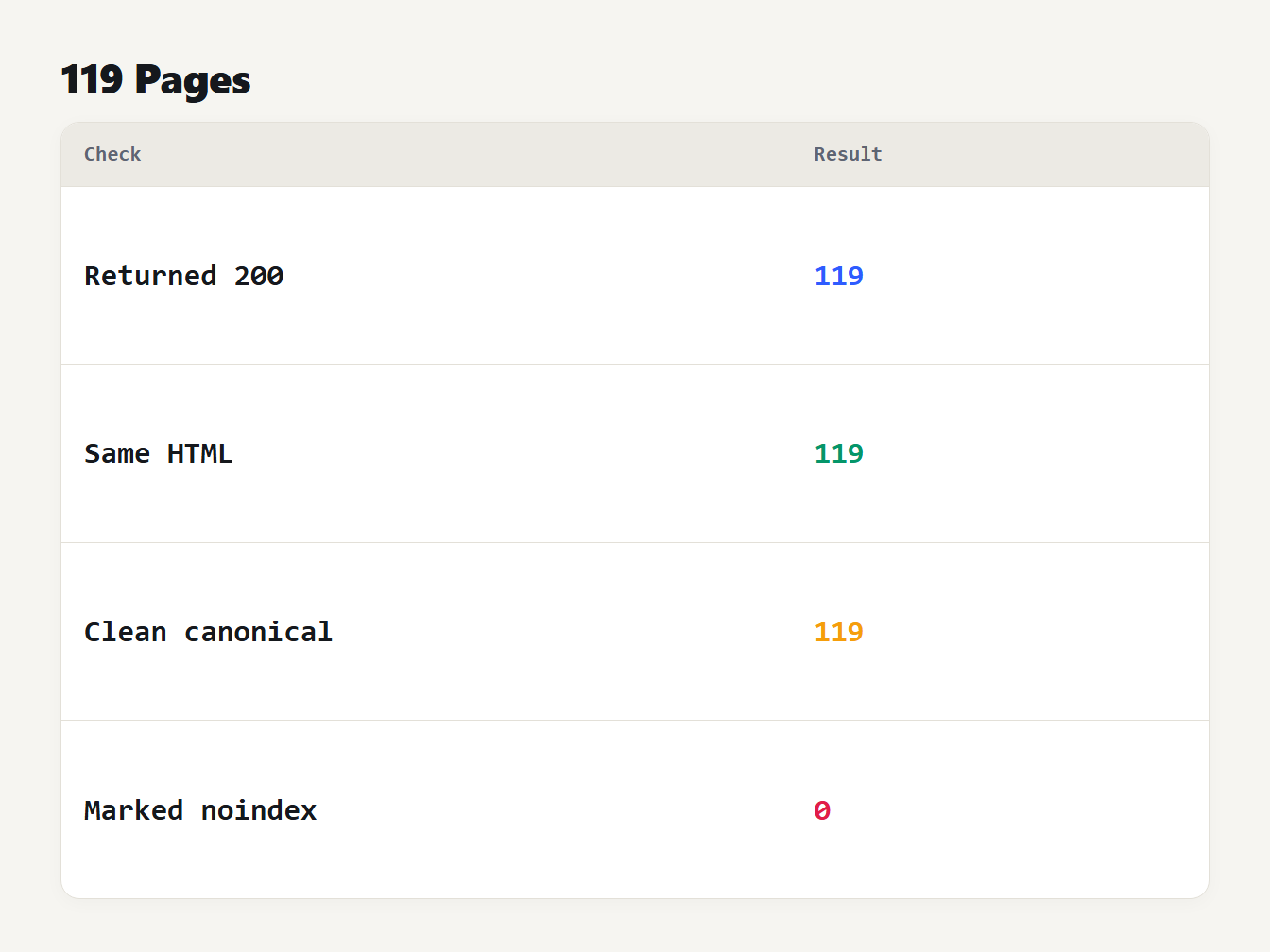
A table of the results of adding UTM parameters to all 119 pages of a site. All 119 returned 200. All 119 gave the same HTML as the clean address. All 119 kept a clean canonical. None was marked noindex.
The result is clean because of how our pages are built. They are static, so the server ignores the query string and sends the same HTML, and the canonical in that HTML is a fixed, absolute address without parameters. A search engine that finds a tagged address reads the canonical and learns that the clean address is the one to keep.
How to make your own site safe
Google's guide lists mistakes that make this go wrong. The ones that matter for tracking links are:
- Use an absolute canonical. Google says to use absolute paths rather than relative ones.
- Put a canonical on the clean page too. Google recommends a self-referencing canonical on the canonical page itself.
- Don't let JavaScript change the canonical. Google lists this as a mistake, so a script that rewrites it from the current address can reintroduce the tags.
- Link internally to the clean address. Google lists linking to duplicate URLs instead of the canonical as a mistake. A tagged link inside your own site is a duplicate.
- Don't use robots.txt for canonicalization. Blocking tagged addresses stops a crawler from reading their canonical.
| Habit | Why |
|---|---|
| Canonical is absolute and clean | It names the one address to keep |
| Canonical is on the clean page too | Google recommends a self-reference |
| Internal links use clean addresses | A tagged link is a duplicate |
| Tags go before any #fragment | Tags after the # are lost |
| No robots.txt block for tagged URLs | The canonical must be readable |
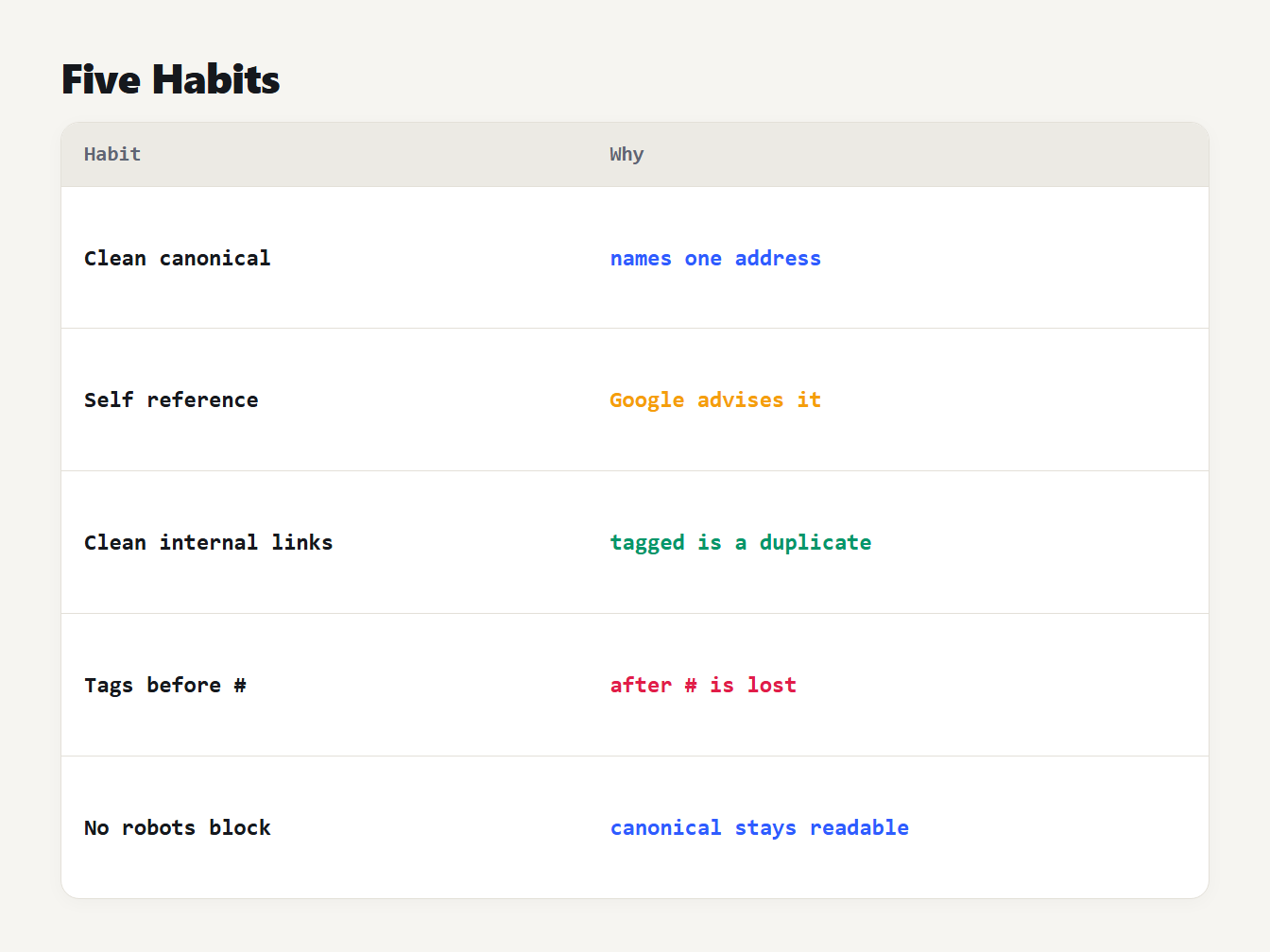
A table of five habits that keep UTM links from causing SEO problems. The canonical is absolute and clean. The clean page has a self-referencing canonical. Internal links use clean addresses. Tags go before any fragment. Tagged URLs are not blocked in robots.txt.
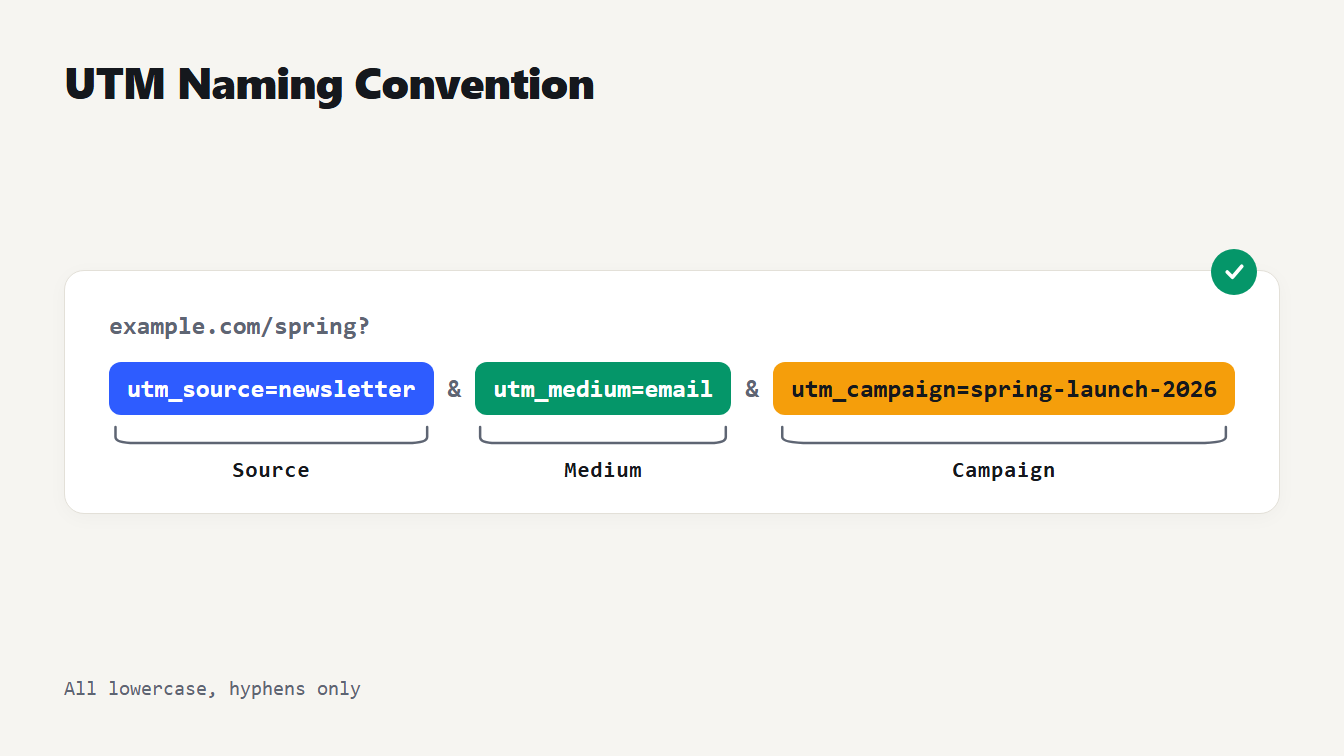
The fourth habit connects to a mistake we found and fixed in our own builder. It once put the tags after a #section, and they were lost entirely. MDN explains why: the fragment is never sent to the server, so your server and its logs never see what comes after the #. The fix was small, but anyone who adds tags by hand can make the same slip when a shared link already ends in an anchor. Our guide to creating UTM links explains the rule. For naming, see UTM naming conventions.
A canonical that goes wrong
Here is the difference between a safe tag and one that causes trouble. On the clean page, and on every tagged copy of it, the head should say:
<link rel="canonical" href="https://example.com/page">
The unsafe version is a template that builds the tag from whatever address was requested, so that the tagged copy says:
<link rel="canonical" href="https://example.com/page?utm_source=newsletter">
Now the tagged address names itself as the main version, and every campaign link becomes its own page in the eyes of a crawler. This is how UTM parameters hurt SEO on sites that generate the canonical from the current URL. The same thing happens when a script rewrites the tag after the page loads, which Google lists as a mistake.
Keep tagged addresses out of the sitemap
The sitemap is a weaker signal than a canonical or a redirect, but it still counts. Google's duplicate URL guide says including a URL in a sitemap helps the URLs in it become canonical, so list only the clean addresses. A tagged address in a sitemap asks Google to prefer the duplicate. Our XML Sitemap Generator removes #fragments and repeated lines, so paste clean addresses and check the list before you submit it.
How to check your own pages
You can run the same test on one page in a minute. Open the tagged address, open the developer tools and run this in the Console:
document.querySelector('link[rel="canonical"]')?.href
The answer should be the clean address, with no utm_ in it. For a whole site, request each tagged address and read the canonical from the HTML, as we did. If the canonical comes back with the tags, or comes back empty, fix the template before you run a campaign. The URL Parser shows the pieces of any address, including its query parameters, which makes it easy to see exactly what a tagged link adds.
Where UTM links show up in reports
UTM tags don't appear everywhere in Google Analytics, and the reason UTM parameters hurt SEO in some setups has nothing to do with reports. Google's help says UTM parameters are left out of the Landing page + query string and Page path + query string dimensions, and that information appears in Page location instead. If you look for them in the wrong report they seem to be missing, though the tracking works.
| Dimension | UTM parameters |
|---|---|
| Landing page + query string | Left out |
| Page path + query string | Left out |
| Page location | Included |
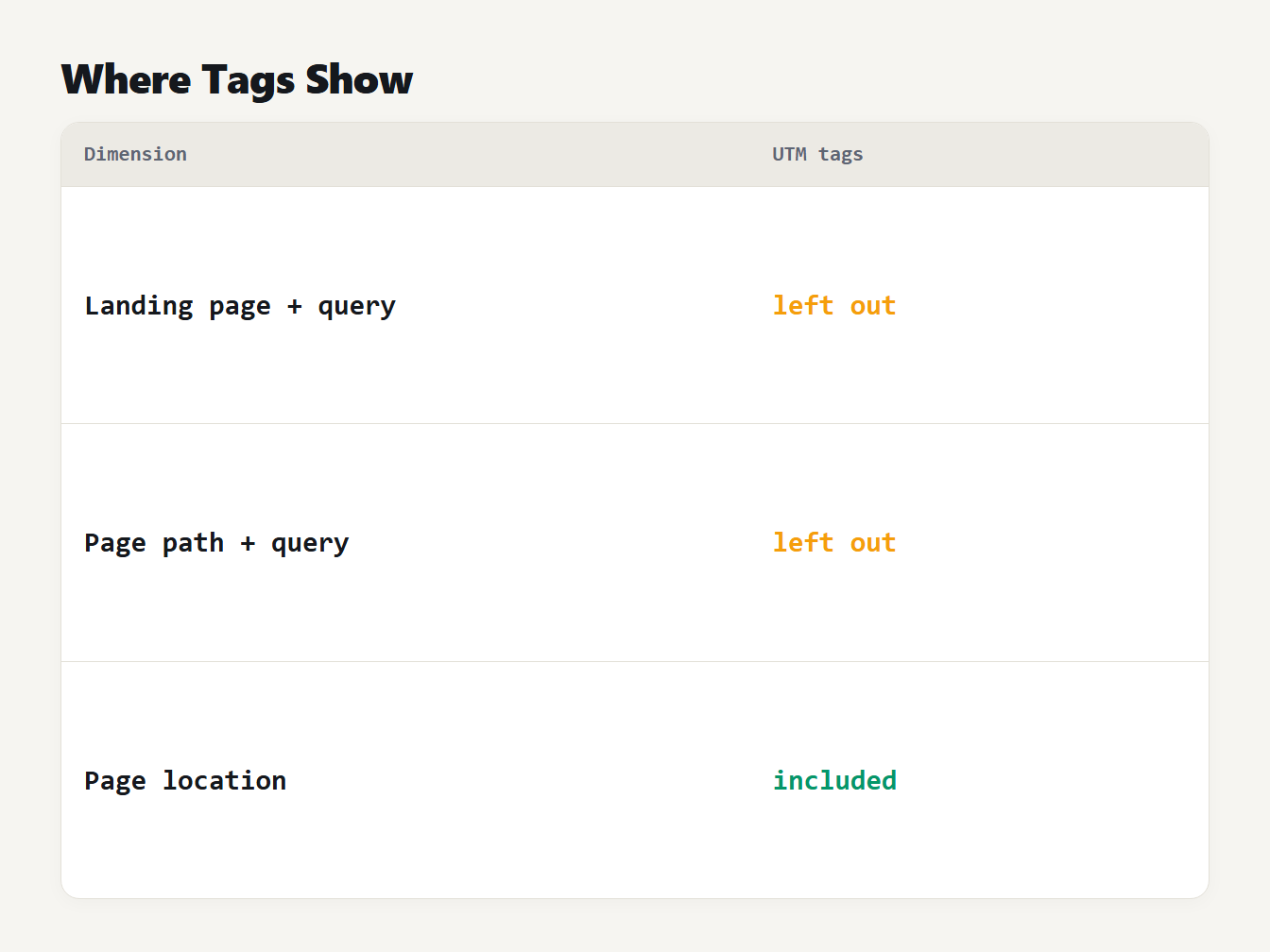
A table of three Google Analytics dimensions. UTM parameters are left out of Landing page plus query string. They are left out of Page path plus query string. They appear in Page location.
Limits
We tested one site, and a static one. A site that builds its canonical from the full requested address, including the query string, would behave differently, so check yours. We looked at what the server sends, not at what Google does with it, and Google doesn't publish a rule for tracking parameters, only the signals above. We can't say how any particular tagged address will be treated in results. What we can say is that every tagged address on our site names the clean one as canonical.
Frequently asked questions
Do UTM parameters hurt SEO?
Not by themselves. A UTM link is another address for the same page, so the page needs a canonical tag that points to the clean address. With that in place, the UTM version is a known duplicate and search signals go to the clean URL.
Should the canonical URL include the UTM parameters?
No. The canonical should be the clean address without any tracking parameters. Google's duplicate URL guide prefers a clean address over one with a tracking parameter in its own example.
Can I block UTM URLs in robots.txt?
It is not a good fix. Google lists using robots.txt for canonicalization as a mistake, because a blocked page cannot be fetched, so its canonical cannot be read. Use a canonical tag instead.
Should my own internal links use UTM parameters?
Link internally to the clean canonical address. Google lists linking to duplicate URLs instead of the canonical as a mistake, and a tagged internal link is a duplicate URL.
Why don't UTM tags show in Google Analytics landing page reports?
Google says UTM parameters are left out of the Landing page + query string and Page path + query string dimensions. That information appears in the Page location dimension instead.
Build and check your links
Use the UTM Builder to create tagged links that keep the tags before any anchor, and the Meta Tag Generator to write the canonical tag for the clean address. Everything runs in your browser, so nothing you type is uploaded.