How to Convert YAML to JSON: Types, Anchors and Multiple Documents
Learn how to convert YAML to JSON in a browser, Python, JavaScript or yq, and what changes on the way: yes and no, anchors, comments and big numbers.
By TheTextKit TeamPublished
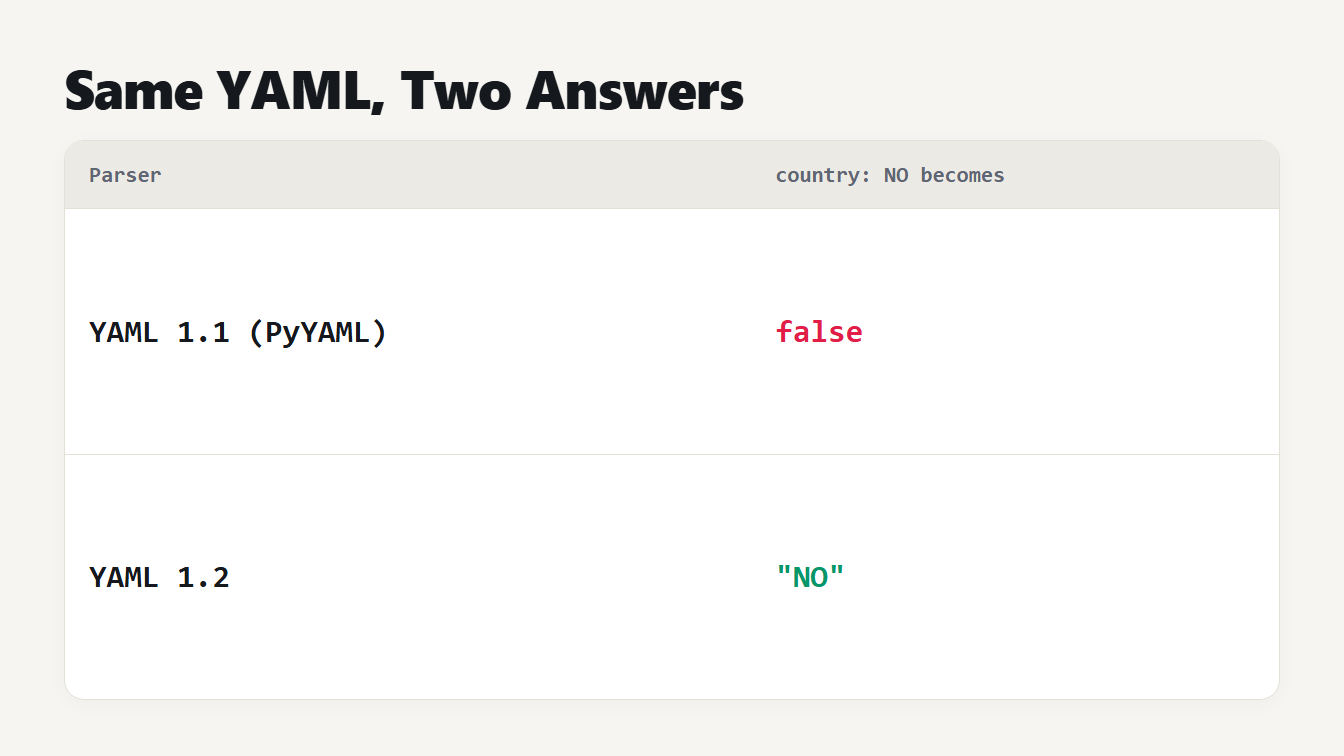
A table showing how one YAML line, country: NO, is read by two parsers. PyYAML, which follows YAML 1.1, gives country false. A YAML 1.2 parser gives the text NO.
To convert YAML to JSON, load the YAML with a parser and write the resulting data out as JSON. Pasting it into a converter does that in one step. The conversion itself is easy. What trips people up is what the parser decides along the way. Is NO a country or false? Is 1.10 a version or a number? What happens to comments, anchors and a file with two documents? This guide shows four ways to convert, then each of those decisions, with results from our own tests.
How to convert YAML to JSON
The method is the same everywhere: parse, then serialize. These are the four common ways.
- In a browser. Open the YAML to JSON converter, paste the YAML, pick 2 spaces, 4 spaces or minified output, and copy the JSON. Nothing is uploaded.
- In Python. Run
import json, yamland thenprint(json.dumps(yaml.safe_load(open("config.yml")), indent=2)). Usesafe_load, notload, because the PyYAML documentation warns thatyaml.loadcan call any Python function on untrusted data. - On the command line. The yq documentation gives
yq -o=json '.' file.yml, which drops comments and expands anchors. - In JavaScript. With the js-yaml package,
JSON.stringify(yaml.load(text), null, 2)works. Its default schema turns a bare date such as2026-10-09into aDateobject, which then prints as"2026-10-09T00:00:00.000Z". If you want the text unchanged, load with the core schema.
Before you convert YAML to JSON with any of them on a real file, run a small sample and read the output. The next sections explain what to look for. If you want to go the other way afterwards, the JSON to YAML converter reverses the steps, and our guide to JSON vs YAML covers when each format fits.
What changes when YAML becomes JSON
JSON can hold objects, arrays, strings, numbers, true, false and null. YAML can say more than that, so some of it has to be dropped, copied or turned into something else. This is what happens to each part:
| In the YAML | In the JSON |
|---|---|
A # comment | Dropped |
An alias such as *base | Replaced by a copy of the anchored value |
Several documents split by --- | One array with a value for each document |
The number 1.0 | 1, because JSON has one number type |
.inf or .nan | null, because JSON cannot write them |
A tag such as !Ref or !!binary | An error, because JSON has nowhere to put it |
| A key that is a list or a mapping | An error, because JSON keys are text |
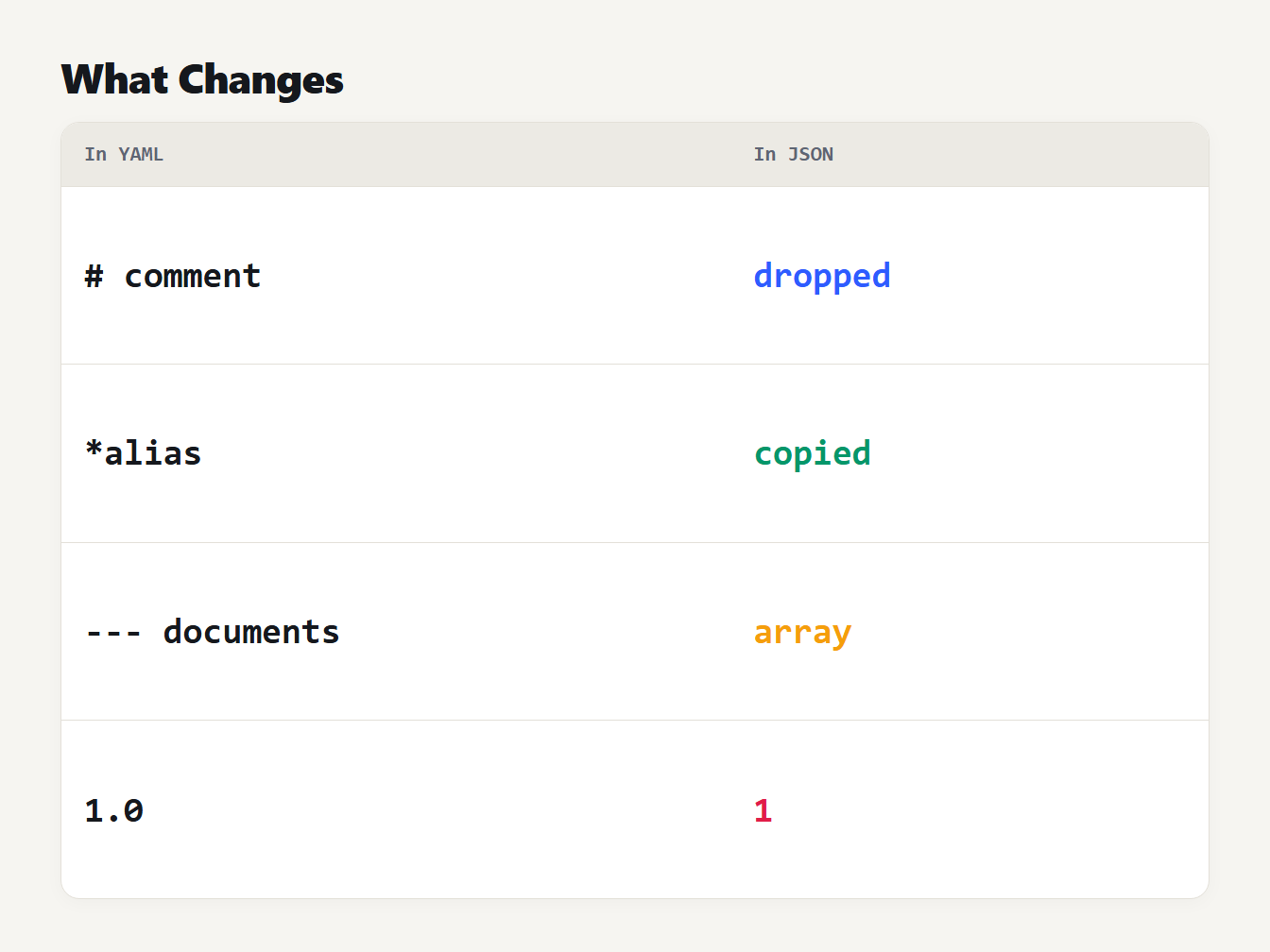
A table of four YAML features and what each becomes in JSON. A comment is dropped. An alias is copied. Several documents become an array. The number 1.0 becomes 1.
Nothing is lost silently by our converter. If a value can only be written as null, a note under the input says how many were changed, and an unsupported tag or key stops the conversion with a message.
Why yes and no depend on the parser
Take this small file:
# service config
name: web
replicas: 3
country: NO
debug: yes
version: 1.10
ports: [80, 443]
Our converter, which follows the YAML 1.2 core schema, gives this JSON (minified here):
{"name":"web","replicas":3,"country":"NO","debug":"yes","version":1.1,"ports":[80,443]}
Two values are worth a look. NO and yes stayed text, and 1.10 became 1.1. A YAML 1.1 parser would have given false and true for the first two. The YAML 1.2.2 specification says in section 10.3.2 that the core schema reads only true, True, TRUE, false, False and FALSE as booleans. The older boolean type of YAML 1.1 listed 22 spellings, which are y, n, yes, no, true, false, on and off in different letter cases.
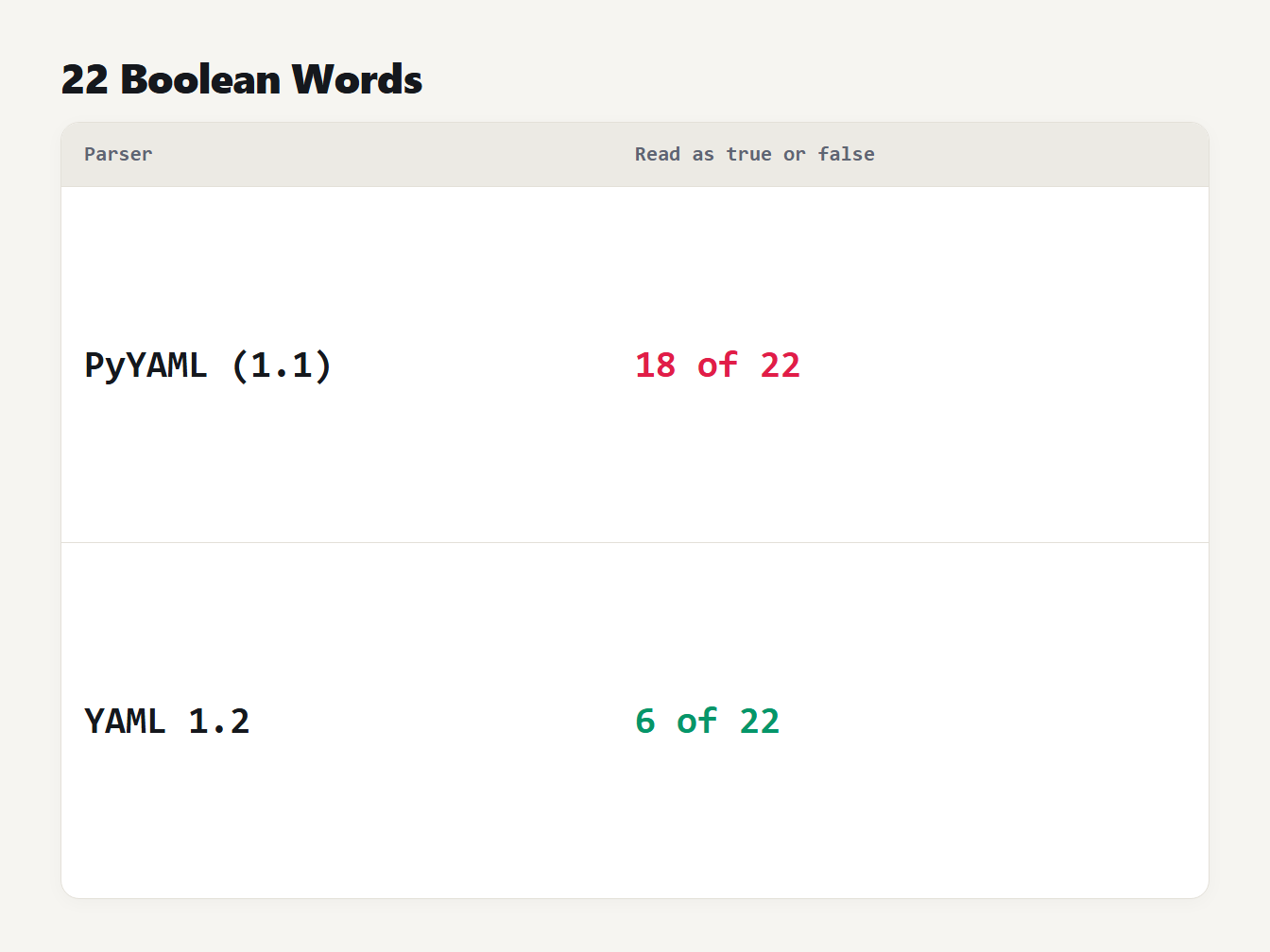
A table of how many of the 22 YAML 1.1 boolean words each parser reads as a true or false value. PyYAML reads 18 of 22. A YAML 1.2 parser reads 6 of 22.
We tried all 22 words in PyYAML 6.0.3. It read 18 as booleans and kept y, Y, n and N as text. Our converter read six. PyYAML's documentation points to the 1.1 specification, so the gap is expected, but it matters: a file converted in Python and the same file converted in a browser can give different JSON. The fix is the same in both. Quote any value that must stay text, as in country: "NO", and the parser has nothing left to decide.
Other values also differ between the two versions, as we found by loading them in both:
| YAML text | PyYAML (1.1 rules) | Our converter (1.2 rules) |
|---|---|---|
010 | 8 | 10 |
0o10 | the text 0o10 | 8 |
12:30 | the number 750 | the text 12:30 |
1_000 | 1000 | the text 1_000 |
2026-10-09 | a date object | the text 2026-10-09 |
1e3 | the text 1e3 | 1000 |
A leading zero is the most dangerous of these. A ZIP code, a phone prefix or a file mode written as 010 becomes 8 in one parser and 10 in the other. Quote anything that is an identifier rather than a quantity.
Anchors, aliases and merge keys
An anchor (&name) labels a value, and an alias (*name) reuses it. JSON has no such feature, so the converter writes the value out each time. A merge key (<<) copies the keys of one mapping into another. Here is a typical use:
defaults: &defaults
  adapter: postgres
  pool: 5
dev:
  <<: *defaults
  pool: 10
The JSON is:
{"defaults":{"adapter":"postgres","pool":5},"dev":{"adapter":"postgres","pool":10}}
The dev mapping got adapter from the defaults and kept its own pool: 10. That follows the merge key draft, which says keys already present in a mapping are never overwritten, and that in a list of merged mappings the earlier ones win. Note that the merge key comes from YAML 1.1 and is not in the core schema of 1.2, so some strict 1.2 parsers will not expand it. Check this if the same file is read by several tools.
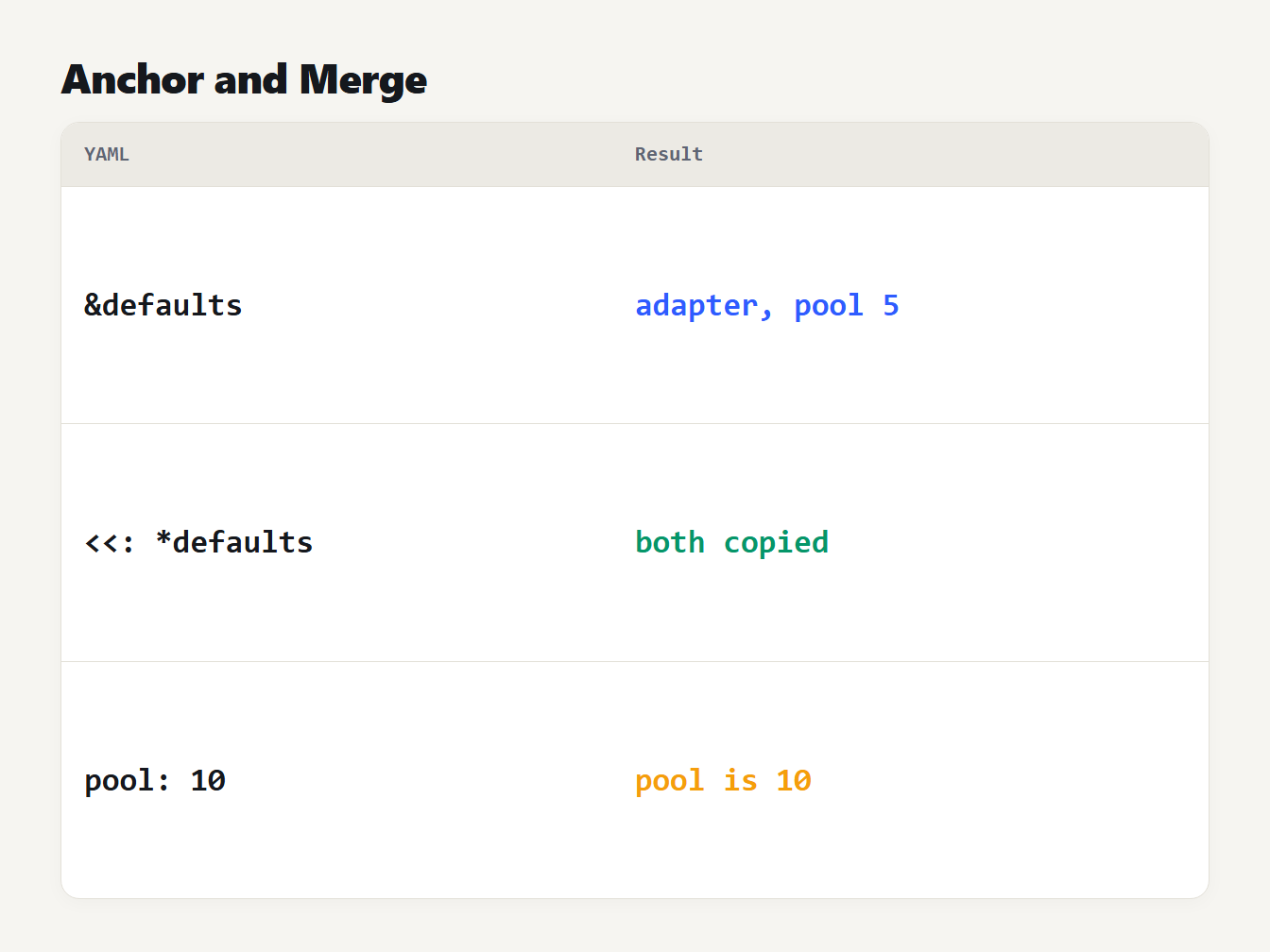
A table of three parts of a YAML snippet and what they give in JSON. The anchor defaults holds adapter postgres and pool 5. The merge key copies both into dev. The line pool 10 in dev replaces pool 5.
Copies add up. A few lines of aliases that refer to each other can expand to billions of values, the same trick as the "billion laughs" attack on XML. Our converter measures the size first and stops above 1,000,000 values with a message, instead of freezing the tab. We tested it with ten layers of nine aliases each, which would expand to over a billion values, and it refused in about 20 milliseconds.
Several documents in one file
A line with three dashes starts a new YAML document. JSON has only one top-level value, so a file with two or more documents becomes an array. This YAML:
a: 1
---
b: 2
gives [{"a":1},{"b":2}]. A file with one document is not wrapped, so a: 1 alone gives {"a":1}. A Kubernetes file that holds a Deployment and a Service is the usual example, and the array has one item for each. Some tools stop at the first document or reject the file, so count the --- lines if your result looks short.
Numbers that JSON cannot hold
Three number cases come up in practice:
- Large whole numbers. JavaScript reads every number as a double, which is exact only up to 2^53 (9,007,199,254,740,992). An ID such as
9007199254740993would come out as...992. Our converter keeps the digits of any whole number it cannot hold in a double, so the JSON has9007199254740993. Whatever reads that JSON next may still round it, which is why IDs are often better sent as strings. - Infinity and not-a-number. YAML writes them as
.infand.nan. JSON has no way to write either, so they becomenull, with a note. - Trailing zeros.
1.0and1.10are numbers, so JSON writes1and1.1. If a version number must keep its zero, quote it.
Fixing common YAML errors
Most failures come from a few mistakes, and the messages tell you where to look:
- Tabs for indentation. YAML forbids them. The error says "tab characters must not be used in indentation" and gives a line number. Replace the tab with spaces.
- Duplicate keys. The spec requires keys in a mapping to be unique. Our converter reports "duplicated mapping key", where PyYAML silently keeps the last one, so check whether the value you wanted is the second.
- A second colon. A line such as
a: b: cis not a nested mapping. The message "bad indentation of a mapping entry" is misleading here. Put the inner value on its own line or in quotes. - Custom tags. CloudFormation's
!Refis a tag. JSON cannot hold it, so the converter reports "unknown tag !Ref". Replace short tags with their long form, such asRef:, before converting. - A list item out of line. A dash that is one space off from its neighbours gives the same "bad indentation" error on that line.
To see exactly which line changed after a fix, put the old and new files side by side in the Diff Checker. To clean up and validate the JSON you get, use the JSON Formatter, and if the JSON will not parse for another reason, our guide to the JSON parse error lists the usual causes.
How we tested it
We wanted an independent check of the parser, so we used PyYAML as the writer instead of our own code. A script built 3,000 random values with nested lists and mappings. They included awkward strings such as yes, null, 0x1F, a: b and 12:30, integers up to 22 digits, floats, multi-line text and non-English characters. It wrote each one with PyYAML in a random style: flow or block layout, width from 10 to 10,000, indent from 2 to 8, and quoted or plain scalars. Our converter then read each document, and we compared the JSON with the original value.
PyYAML could read back 2,997 of its own 3,000 documents. We kept to those, because the other three hit a PyYAML bug with line breaks in double-quoted text. Of the 2,997, our converter matched the original on 2,947. The other 50 all came from the version gap. PyYAML leaves 1e3 and 0o10 as text, but a 1.2 parser reads them as numbers. PyYAML also treats the Unicode line separator (U+2028) as a line break, and 1.2 does not. We found no difference that the version gap did not explain.
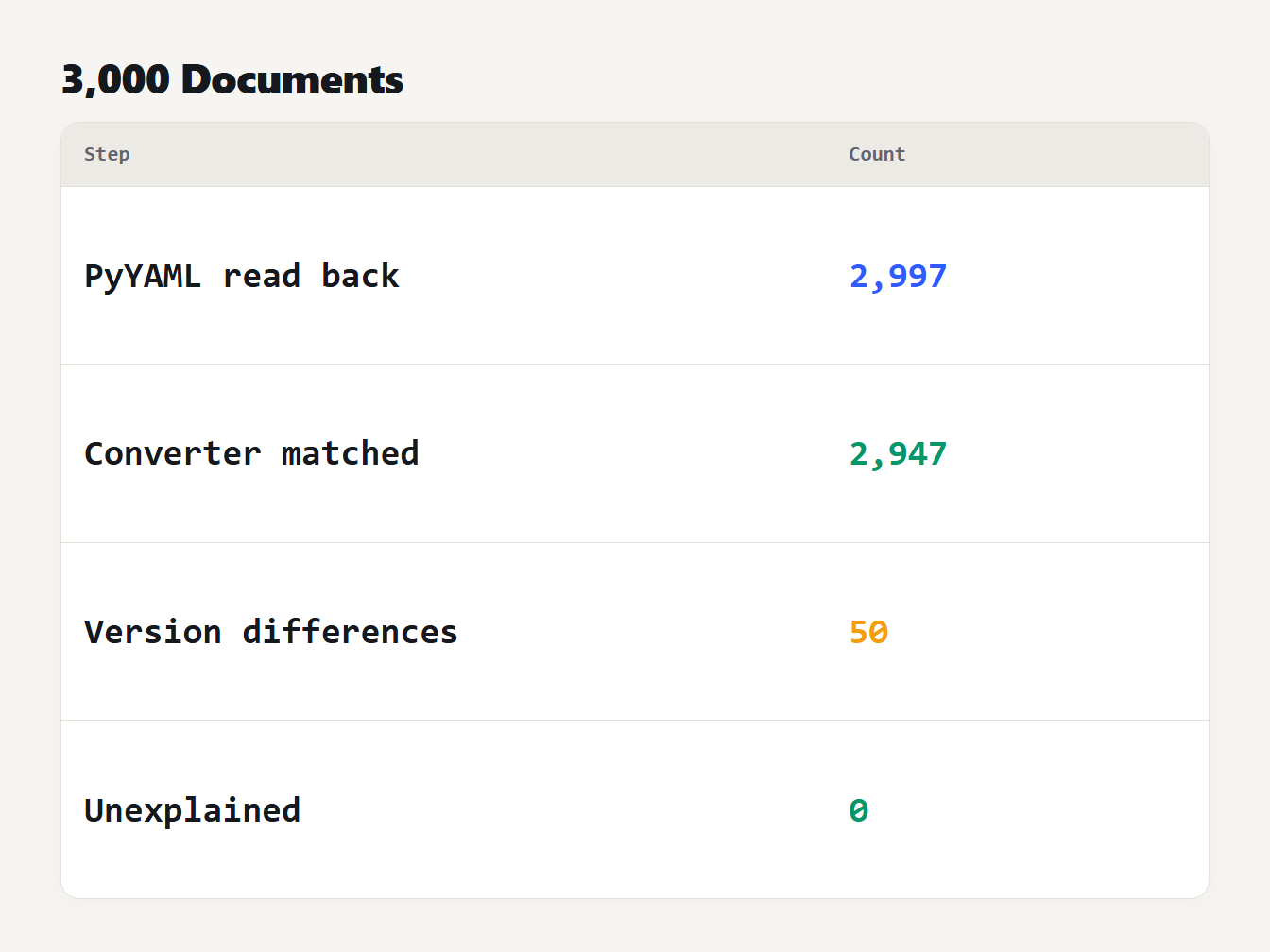
A table of results for 3,000 documents written by PyYAML. PyYAML could read back 2,997. Our converter matched 2,947 of them. The other 50 differed because of YAML 1.1 and 1.2 rules. None were unexplained.
The limit of this test is that it checks the same data both ways. It says the parser agrees with PyYAML, not that every real-world file will convert as you hope. A Helm template, for instance, is not YAML until it has been rendered. The wrong-answer cases in this article, such as NO and 010, are the ones to check by eye.
Frequently asked questions
How do I convert YAML to JSON?
Paste the YAML into a converter, or load it with a YAML library and write it out as JSON. In Python that is json.dumps(yaml.safe_load(text)). On the command line, yq -o=json '.' file.yml does the same. Comments are dropped and anchors are expanded.
Why did my YAML value yes or no turn into true or false?
Because the parser follows YAML 1.1, which reads 22 words such as yes, no, on and off as booleans. YAML 1.2 reads only true and false. Quote the value, as in "NO", or use a 1.2 parser, and check a sample before converting a whole file.
Does converting YAML to JSON lose comments?
Yes. JSON has no comment syntax, so every comment is dropped. The data stays the same, but notes in the file do not. Keep the YAML as the source of truth if the comments matter, and treat the JSON as generated output.
What happens to anchors and merge keys?
They are expanded. Each alias is replaced by a copy of the anchored value, and a merge key copies the keys of the mapping it points to. The JSON is larger than the YAML, but it holds the same data.
Is my YAML uploaded when I convert it?
No. The conversion runs in your browser, and the text is not sent anywhere or stored. That makes it safe to use with configuration files that hold hostnames, keys or internal names, though you should still keep real secrets out of files you paste anywhere.
Convert YAML to JSON now
Paste your file into the YAML to JSON converter, read the output once for yes, no, leading zeros and version numbers, and copy the JSON. It runs in your browser, so your configuration is never uploaded.