How to Find and Remove Repeated Words in Your Writing
How to find repeated words like the the in any text: the spell checker flag, a free finder tool and a tested regex, plus when a repeat is not a mistake.
By TheTextKit TeamPublished
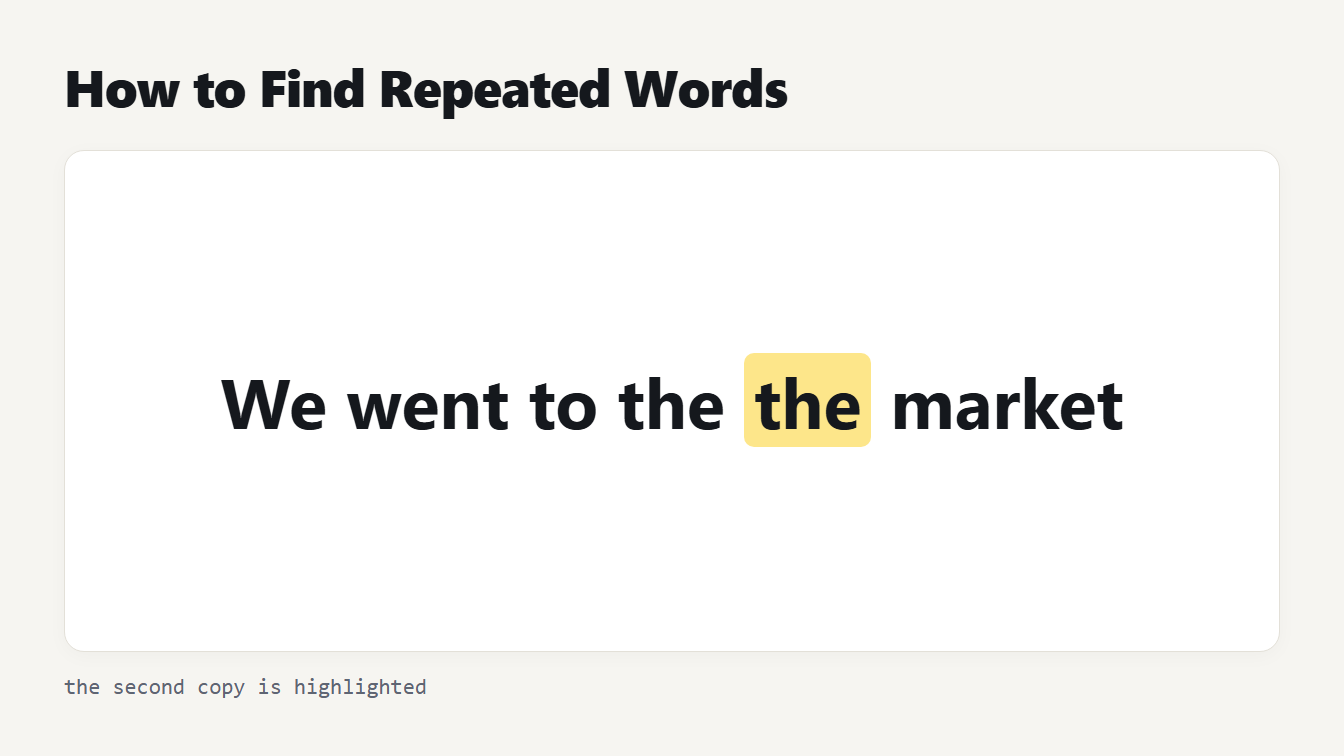
The sentence We went to the the market with the repeated second the highlighted in amber so it stands out.
To find repeated words, search for any word that is followed by itself, such as "the the" or "is is". You can switch on the repeated-words option in your spell checker, paste the text into a finder that lists every repeat with its line and column, or use a regular expression. Each method has limits, and some repeats are correct. This guide shows how to find repeated words with all three, which cases each one misses, and how to remove the doubles safely.
Why it is hard to find repeated words by eye
The mistake is easy to make and hard to see. A doubled word usually appears when you edit a sentence, paste a fragment, or let a word fall at the end of one line and the start of the next. Your eye reads the phrase as one word, so reading the draft again rarely helps. A mechanical check does, because it compares every word with the one before it.
Method 1: Turn on the spell checker's repeated words flag
Microsoft Office has a setting for this. Under File, Options, Proofing, the option Flag repeated words alerts you to repeats. Microsoft's own example, on its support page for proofing options, is that the spelling checker will flag "beep beep" as a mistake. The setting applies to all Office programs.
It works well while you type. It does not give you a list, and it only exists in programs that have that checker, so you cannot use it on text in a form or a chat box.
Method 2: How to find repeated words with a finder
The Repeated Word Finder works on any text. It highlights each word that follows itself, ignores capitals by default, and lists the line and column of every repeat. We tried it on a sample that held three doubles:
We went to the the market on Saturday. It was was crowded, and the stalls sold fresh bread. Later we sat down down by the river.
It found the, was and down, with the line and column of each, and one click on Remove produced a clean paragraph. An Undo button restores the original if you change your mind.
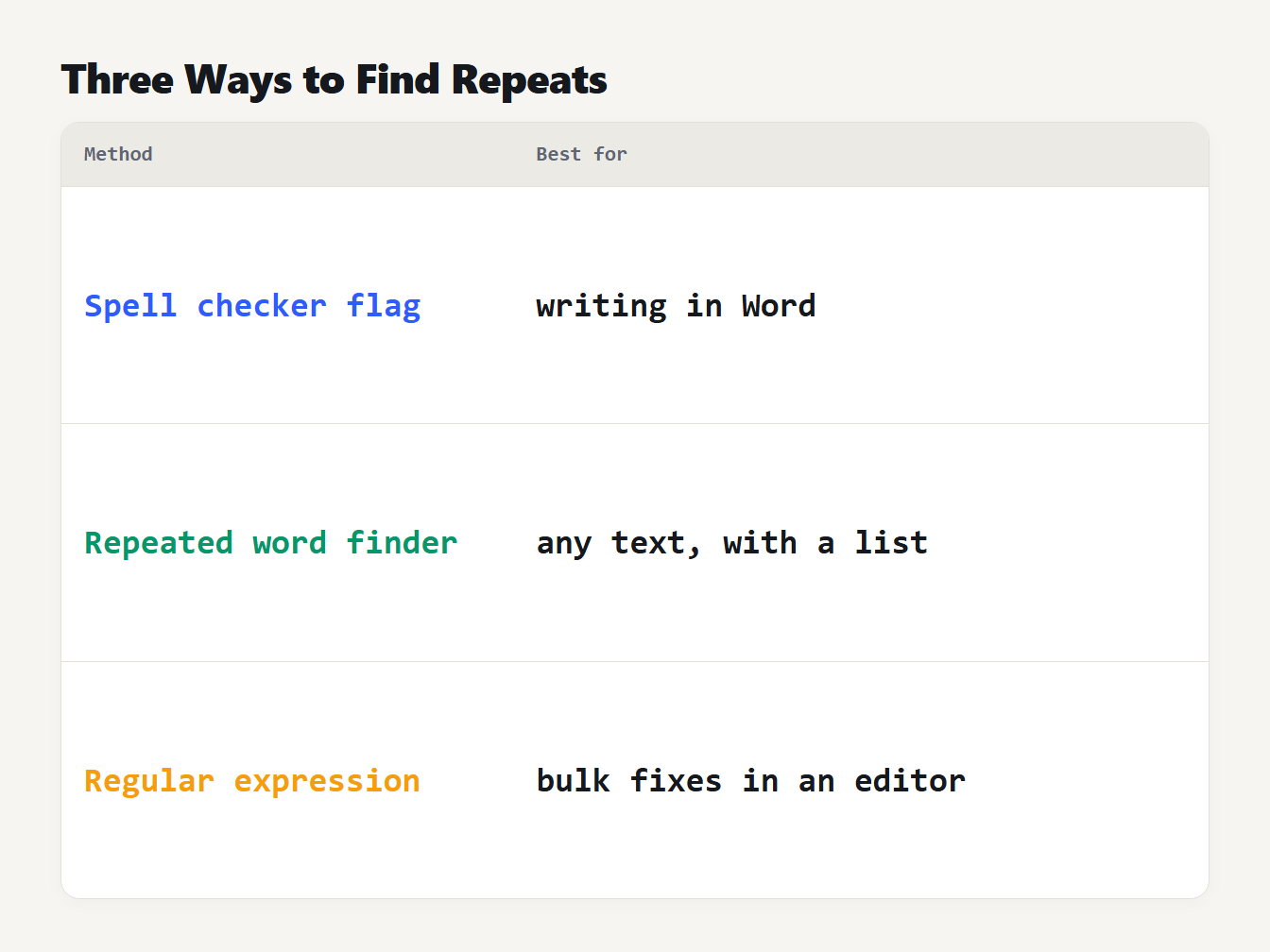
Three rows pairing each method with its best use: the spell checker flag while you write in Word, the repeated word finder for any text with a list of repeats, and a regular expression for bulk fixes in an editor.
Three details matter. Repeats across a line break count, so "the" at the end of one line and "the" at the start of the next is caught. Punctuation breaks a repeat, so "no, no" is not flagged, because the comma shows it was deliberate. And accented letters and apostrophes work, so "café café" and "don't don't" are found.
Here is the same sample before and after:
Before: We went to the the market on Saturday. It was was crowded, and the stalls sold fresh bread. Later we sat down down by the river.
After: We went to the market on Saturday. It was crowded, and the stalls sold fresh bread. Later we sat down by the river.
The finder keeps the first copy and deletes the second together with the space after it, so the spacing stays tidy. That is how to find repeated words and fix them in one pass.
Method 3: Use a regular expression
A regular expression searches for a pattern. This one finds a word followed by the same word, as shown on MDN's page on backreferences:
\b(\w+)\s+\1\b
Run it case-insensitively. The group (\w+) captures a word, \s+ allows spaces or a line break, and \1 demands the same text again. The \b markers keep it to whole words, so "the theme" does not match. To delete the repeat, replace the match with $1, and extend it to \b(\w+)(\s+\1\b)+ to collapse any run, so "a a a b" becomes "a b".
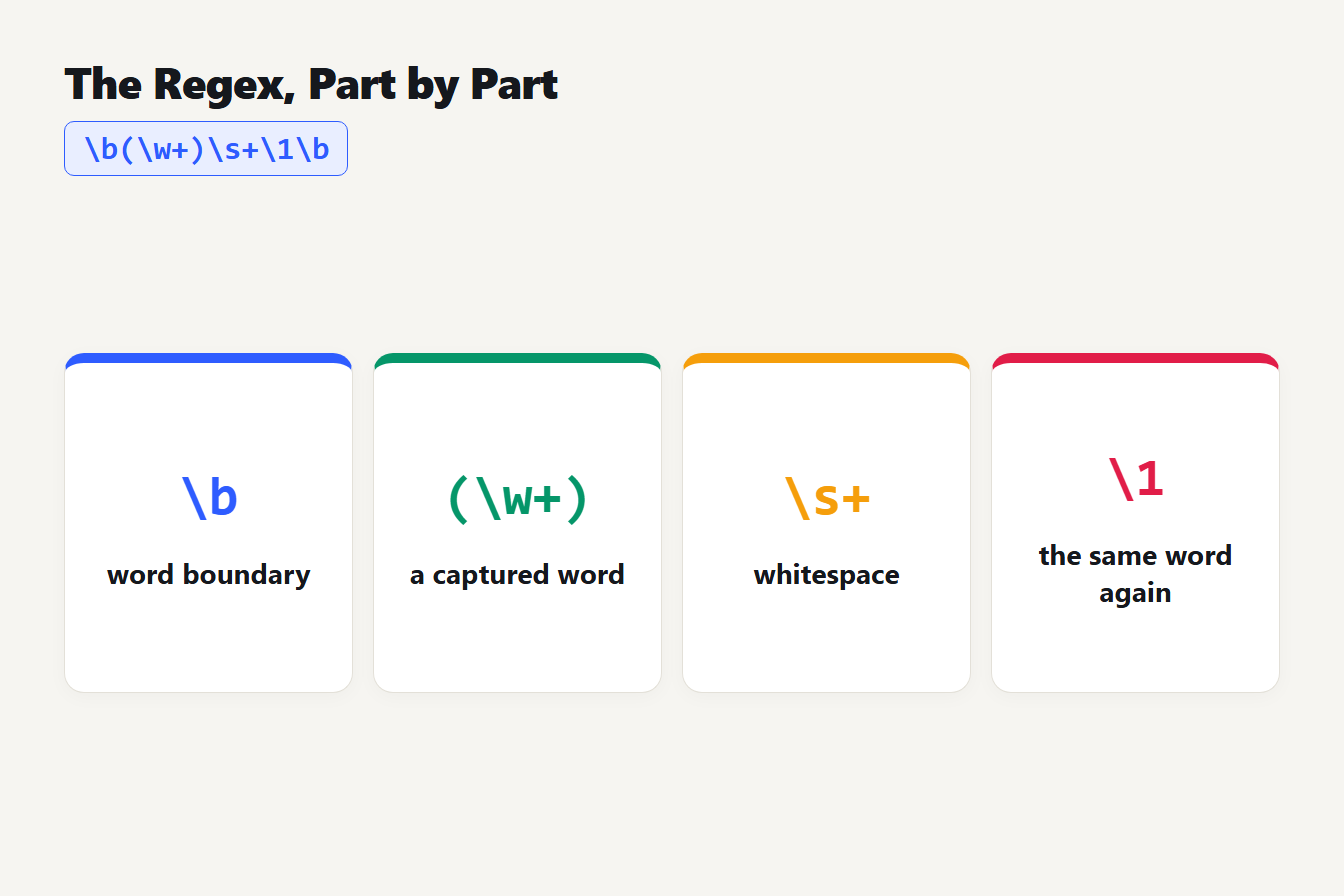
The pattern \b(\w+)\s+\1\b split into four labeled parts: \b a word boundary, (\w+) a captured word, \s+ whitespace and \1 the same word again.
You can run it in our Find and Replace tool: tick Use regular expression, enter \b(\w+)(\s+\1\b)+, and put $1 in the replacement box. We tested that on a sample with five doubles, including one split by a line break, and it returned the cleaned text with all five fixed.
Using the pattern in a code editor
To find repeated words across many files, a code editor's search is the fastest route. Switch on regex mode in Find, paste the pattern, and use Find in Files to scan a whole folder. When you replace, the way you refer to the captured group differs between editors: some write $1 and others write \1, so check which one yours expects before you click Replace All.
Where the simple regex fails
The \w in that pattern means only the ASCII letters, digits and underscore. We compared it with the finder on twelve cases. These seven show the differences:
| Text | Simple regex | Finder |
|---|---|---|
The the cat | Found | Found |
the then a line break, then the cat | Found | Found |
café café au lait | Missed | Found |
don't don't go | Missed | Found |
Zoë zoë | Missed | Found |
no, no way | Not flagged | Not flagged |
the theme | Not flagged | Not flagged |
The accented words are missed because é is not a \w character, and the apostrophe splits "don't" into pieces. A Unicode-aware pattern fixes it, for instance ([\p{L}\p{N}]+)(\s+\1)+ with the case-insensitive and Unicode flags. In our Find and Replace tool, tick Whole word as well, because that is what turns the Unicode flag on, and "café café ok" became "café ok". Neither pattern knows when a repeat is legitimate, which is the next problem.
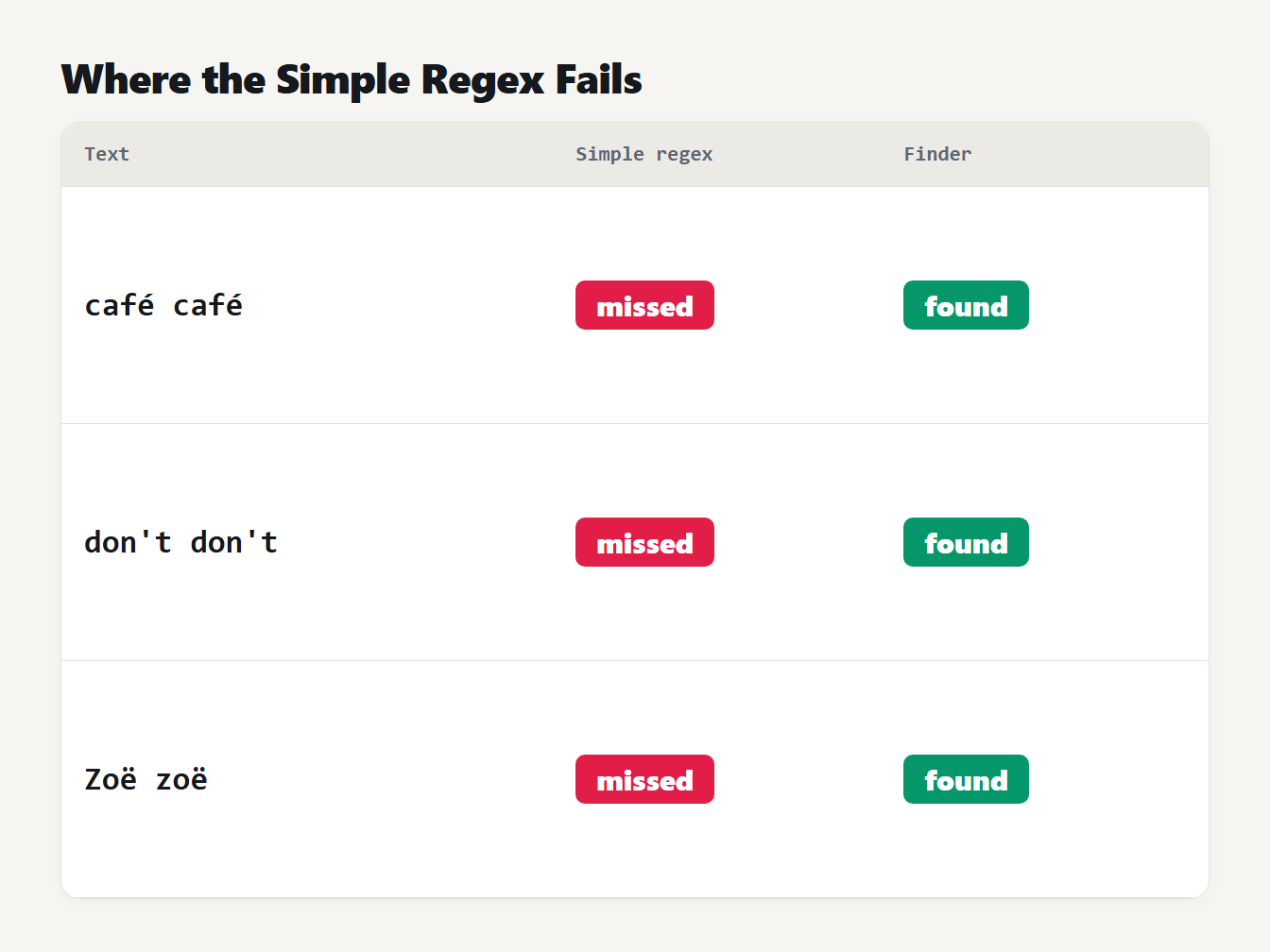
Three test phrases. The simple regex misses café café, don't don't and Zoë zoë, and the repeated word finder finds all three.
When a repeated word is not a mistake
Do not delete every repeat blindly. A few are correct English:
- Had had. "She said she had had enough" is grammatical.
- That that. "I know that that is true" can be correct, though it often reads better rewritten.
- Deliberate repeats. Bye bye, knock knock, so so and very, very are choices.
- Names and numbers. A place name such as Walla Walla, or a table cell that reads 1 1, is data.
That is why the finder shows the second copy and does not rewrite your text for you, and why a comma between the two words stops it flagging.
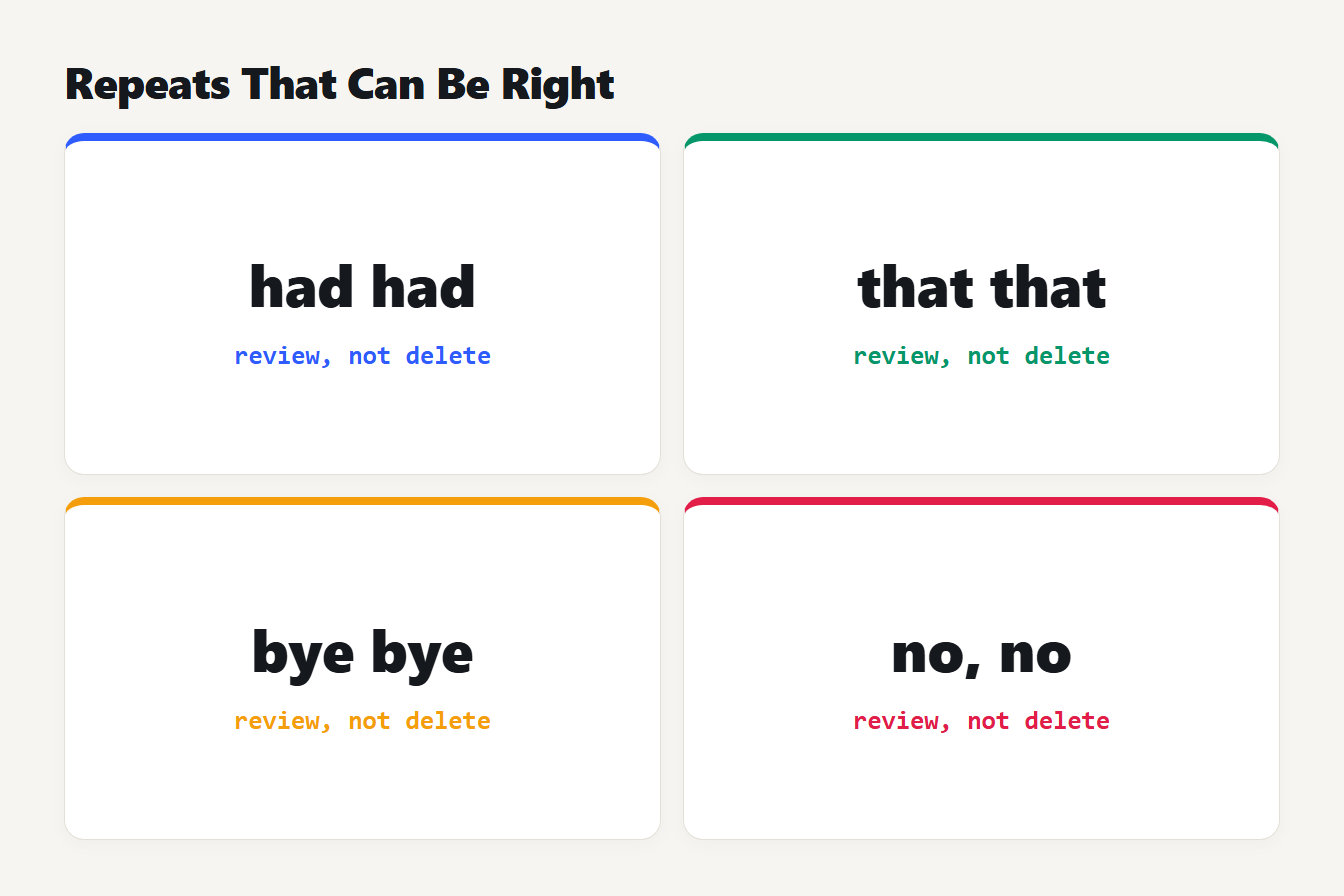
Four examples of repeats that can be right: had had, that that, bye bye and no, no with a comma. Each is marked as review, not delete.
Look for words repeated a few words apart
A doubled word is only one kind of repetition. The same word twice in a short stretch, such as "report" twice in one sentence, makes prose feel padded. The finder can widen its search to 3, 5 or 10 words. It skips short and very common words such as "the" and "and", because they repeat nearby in nearly every sentence. On the tool's built-in sample it found "fresh" twice in "fresh bread, fresh fruit". That wider search is for style, not errors, and it only highlights: removal works on doubled words alone.
For a broader view of overused words, the Word Frequency Counter counts every word, and the Readability Checker lists long sentences, which often hide repeats.
A quick workflow for proofreading
- Turn on the spell checker's repeated-words flag if you write in Word.
- Before you publish, paste the final text into the finder.
- Read the highlighted second copies and decide which are errors.
- Remove the doubled words you want gone, then read that line once more.
- Widen the search once for style.
Frequently asked questions
How do I find repeated words in a Word document?
Open File, Options, Proofing and turn on Flag repeated words. Microsoft's example is that the spelling checker will then flag beep beep. For a quick check outside Word, paste the text into a repeated word finder.
What regex finds repeated words?
Use \b(\w+)\s+\1\b with the case-insensitive flag. The \1 repeats whatever the first group matched. It only handles plain ASCII words, so accented letters and apostrophes need a Unicode-aware version or a dedicated tool.
Is it ever correct to repeat a word?
Yes. Phrases such as had had and that that can be correct, and so can deliberate repeats like bye bye or knock knock. Review each repeat before deleting it rather than removing every one automatically.
Why do I miss repeated words when I proofread?
They are easy to skim past, especially when the two copies sit at the end of one line and the start of the next, or appear after you cut and paste. A tool that lists every repeat with its position removes the guesswork.
Can I remove repeated words automatically?
You can. The Repeated Word Finder deletes the second copy of every doubled word in one click and has an Undo button. Check the highlighted list first, because a few repeats are intentional.
Check your next draft in one minute
Now that you know how to find repeated words, paste your next draft into the Repeated Word Finder, read the highlights and fix the real mistakes. It takes one minute, and it is the cheapest edit you will make today.