HTML Entities: The Common List, Syntax and When You Need Them
HTML entities explained: the three forms, the five characters you must escape, a list of common ones, the missing semicolon trap and a free encoder and decoder.
By TheTextKit TeamPublished
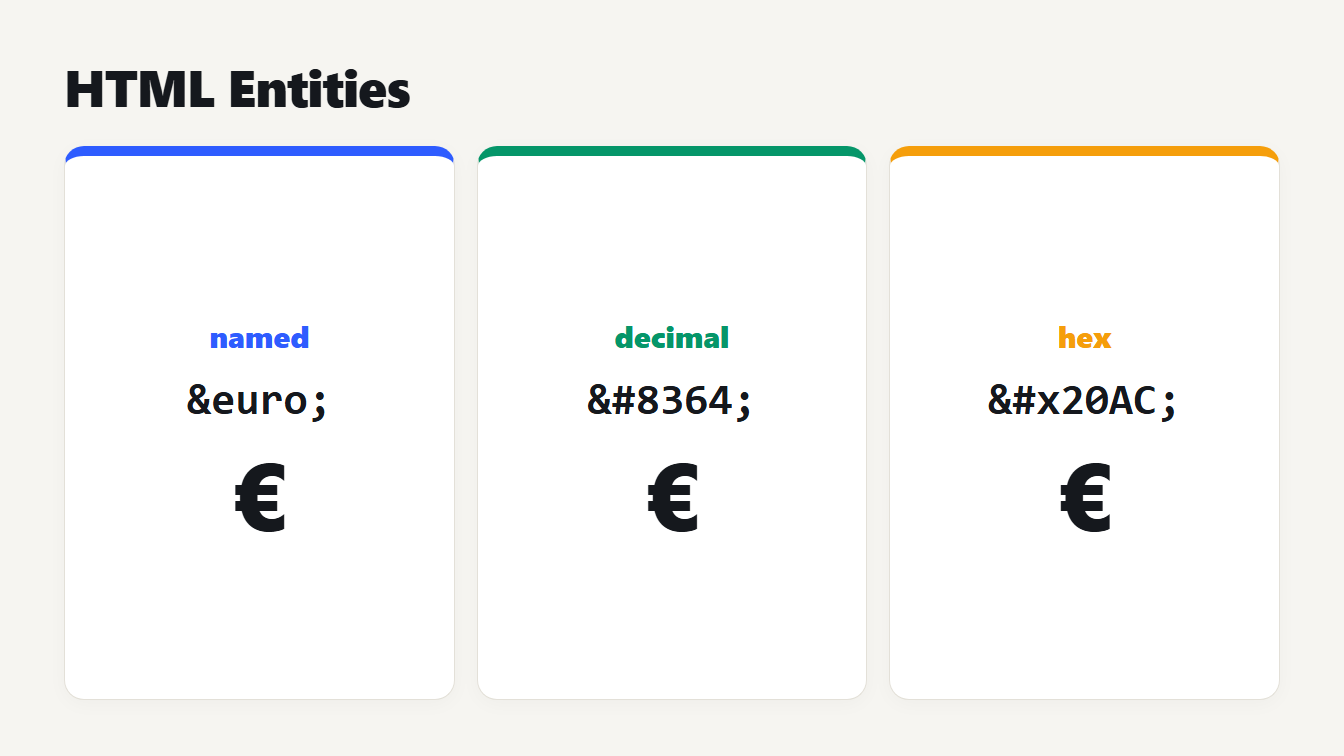
Three cards show the euro sign written as a named reference, euro, a decimal reference, 8364, and a hex reference, 20AC, each wrapped in an ampersand and a semicolon. All three display the same character.
HTML entities are text codes that stand for a single character. They start with an ampersand and end with a semicolon. They let you write characters that would otherwise be read as markup, such as <, or that are hard to type, such as a non-breaking space. The five you must know are &, <, >, " and '. This guide covers the three ways to write an entity and a list of the common ones. It also shows how browsers really treat a missing semicolon, and which mistakes make an entity show up as plain text.
What HTML entities are and the three ways to write them
MDN calls an entity a character reference: an escape sequence that stands for another character on the rendered page. There are three forms. A named reference puts a name between the ampersand and the semicolon. A decimal reference uses &# and the character's Unicode code point in decimal. A hex reference uses &#x and the code point in hex. The three below all mean the euro sign:
| Form | Example | Pattern |
|---|---|---|
| Named | € | &name; |
| Decimal | € | &#number; |
| Hex | € | &#xhex; |
Their results are identical. The decimal 8364 and the hex 20AC are the same number, which you can check with our guide to converting binary to decimal and the other bases it covers.
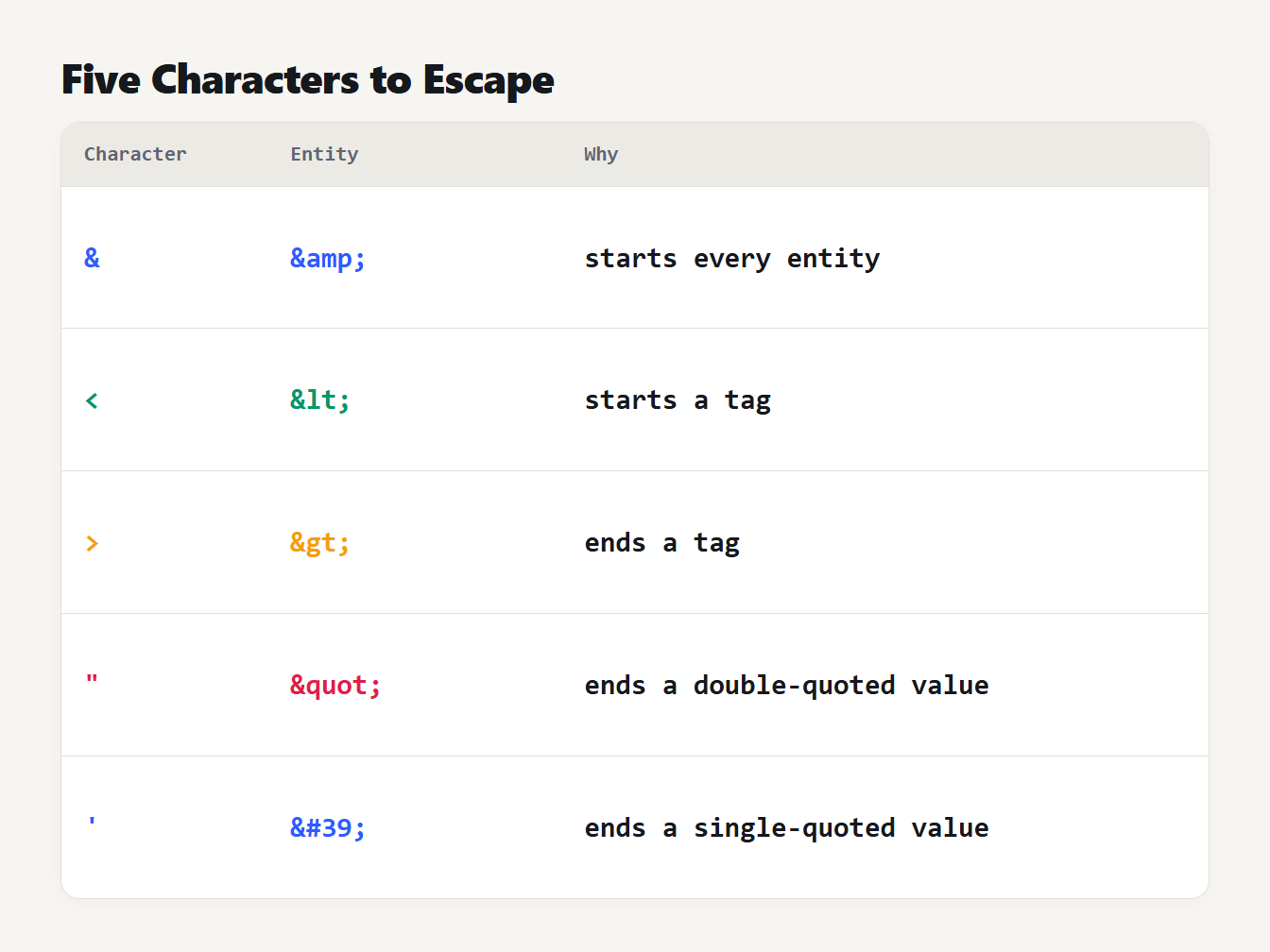
A table of five characters with their entity names: the ampersand is amp, less-than is lt, greater-than is gt, the double quote is quot and the single quote is the number 39.
The five HTML characters you must escape
Five characters have a job in HTML syntax, so writing them as plain text can break a page. The HTML standard says text must not contain a literal < or an ambiguous ampersand, and that a double-quoted attribute value must not contain a literal double quote.
| Character | Entity | Why it needs escaping |
|---|---|---|
& | & | It starts every other entity |
< | < | It starts a tag |
> | > | It ends a tag, so escaping keeps code samples tidy |
" | " | It ends a double-quoted attribute value |
' | ' | It ends a single-quoted attribute value |
The last row uses a number on purpose. ' is valid in HTML5, and we confirmed that a browser reads it as an apostrophe. The numeric form ' has the widest support, so it is what our encoder writes. Escape the ampersand first when you do it by hand, otherwise you will escape the ampersands you just added.
A list of common HTML entities
You will rarely need more than a handful beyond the five. These are the ones people look up most. The names and code points come from our encoder, and the character names are the Unicode names:
| Entity | Decimal | Code point | Character |
|---|---|---|---|
|   | U+00A0 | No-break space |
© | © | U+00A9 | Copyright sign |
® | ® | U+00AE | Registered sign |
™ | ™ | U+2122 | Trade mark sign |
€ | € | U+20AC | Euro sign |
£ | £ | U+00A3 | Pound sign |
… | … | U+2026 | Horizontal ellipsis |
– | – | U+2013 | En dash |
— | — | U+2014 | Em dash |
’ | ’ | U+2019 | Right single quotation mark |
→ | → | U+2192 | Rightwards arrow |
× | × | U+00D7 | Multiplication sign |
° | ° | U+00B0 | Degree sign |
The non-breaking space, , is the most useful of them. It looks like a space but stops a line from breaking there, so "10 km" stays on one line, and it is the one reference people use to hold space. It is better for glue than for layout: use CSS for spacing.
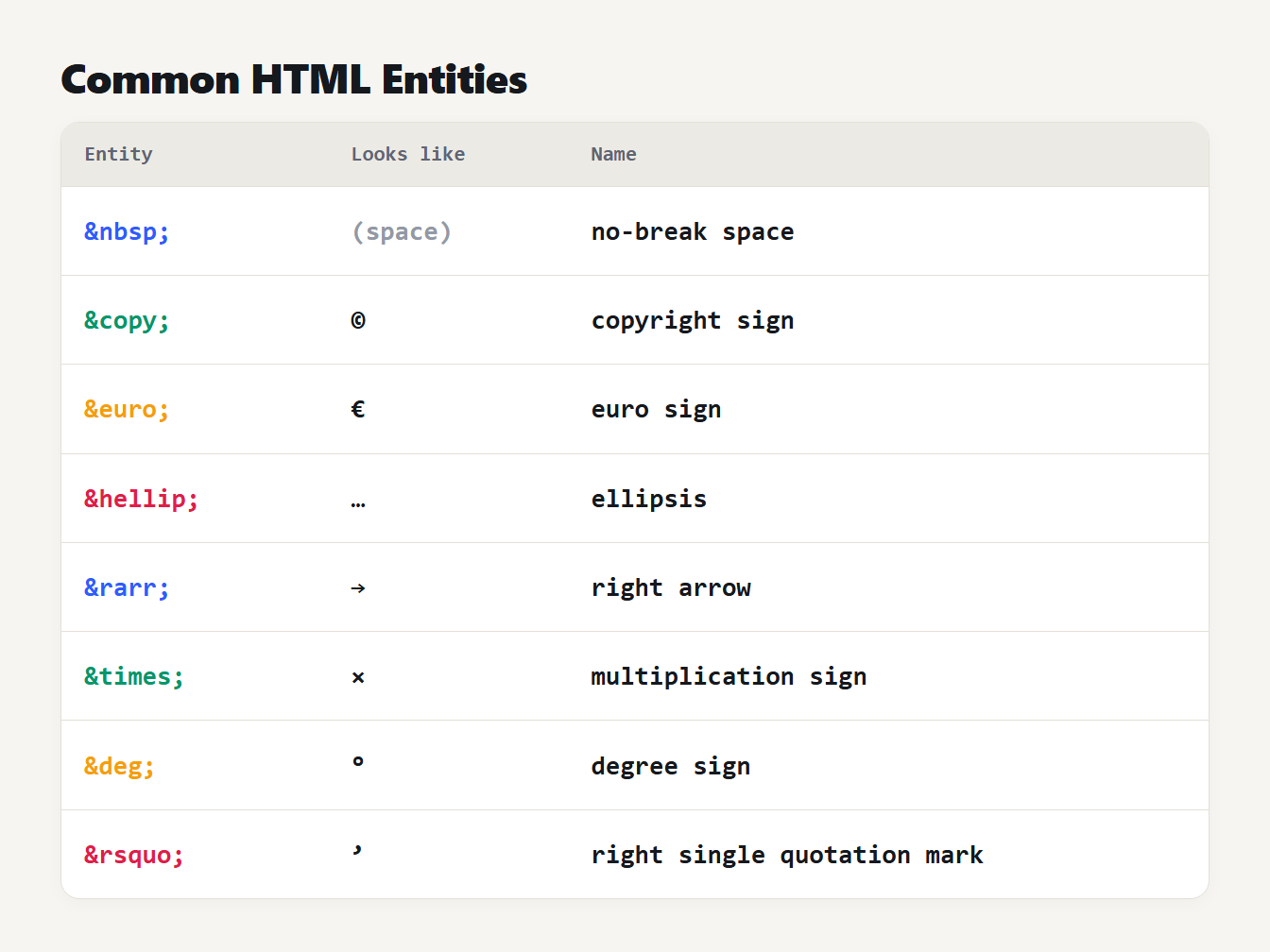
A table of eight entities, the character each produces and its name: nbsp is a no-break space, copy the copyright sign, euro the euro sign, hellip an ellipsis, rarr a right arrow, times a multiplication sign, deg a degree sign and rsquo a right single quotation mark.
Do you still need HTML entities?
Less than you used to. If a page is served as UTF-8, you can type é, the euro sign and most symbols straight into the source. MDN says character references are for reserved characters, for invisible characters such as the non-breaking space, and for characters that are hard to type. That is a fair summary of when they still pay off.
Entities still help in plain-ASCII files and some email systems that can mangle accents. Here is one sample run through our HTML Entity Encoder in each mode, using <p class="note">Café & crème costs €5, "fresh" today</p>:
| Mode | Result |
|---|---|
| Markup characters only | <p class="note">Café & crème costs €5, "fresh" today</p> |
| Every non-ASCII character, with names | <p class="note">Café & crème costs €5, "fresh" today</p> |
| Every non-ASCII character, as hex | <p class="note">Café & crème costs €5, "fresh" today</p> |
An emoji is one reference, not two halves: the grinning face becomes 😀 in decimal or 😀 in hex.
How to escape and unescape HTML entities in code
Python has this built in. The html module converts the ampersand, less-than and greater-than signs with html.escape. By default it also converts both kinds of quote, which is what you want inside an attribute value. For Tom & "Jerry" <b> it's we got Tom & "Jerry" <b> it's. Python writes the apostrophe in hex where our encoder writes ', and both are the same character.
The reverse call, html.unescape, follows the HTML 5 rules. Like a browser, it reads © 2026 as a copyright sign followed by 2026.
JavaScript has no built-in function for escaping. Chain the replacements, and do the ampersand first so you do not escape the ampersands you add:
const esc = (s) => s
.replace(/&/g, "&")
.replace(/</g, "<")
.replace(/>/g, ">")
.replace(/"/g, """)
.replace(/'/g, "'")
Our version printed Tom & "Jerry" <b> it's for the same sample. When you put text on a page from a script, setting textContent is simpler than escaping, because the browser treats it as text and never as markup.
The missing semicolon trap
The standard says a named reference ends in a semicolon, but browsers still accept a few old names without one. The standard itself notes that some names appear with and without the semicolon, and with different capitalizations, for legacy compatibility. We fed these to a browser's own HTML parser:
| You write | The browser reads |
|---|---|
© 2026 | A copyright sign, then " 2026" |
©right | A copyright sign, then the letters "right" |
¬it; | A not sign, then "it;" |
href="?a=1©=2" | The text ?a=1©=2, unchanged |
href="?a=1©=2" | The copyright sign where © was |
So ©right becomes a copyright sign followed by "right", and a link with ©=2 in a query string survives only because browsers treat attribute values more strictly than text. The safe habits are to always finish an entity with a semicolon and to write the ampersands between query parameters as &. Our guides to making a hyperlink and URL encoding show where that matters.
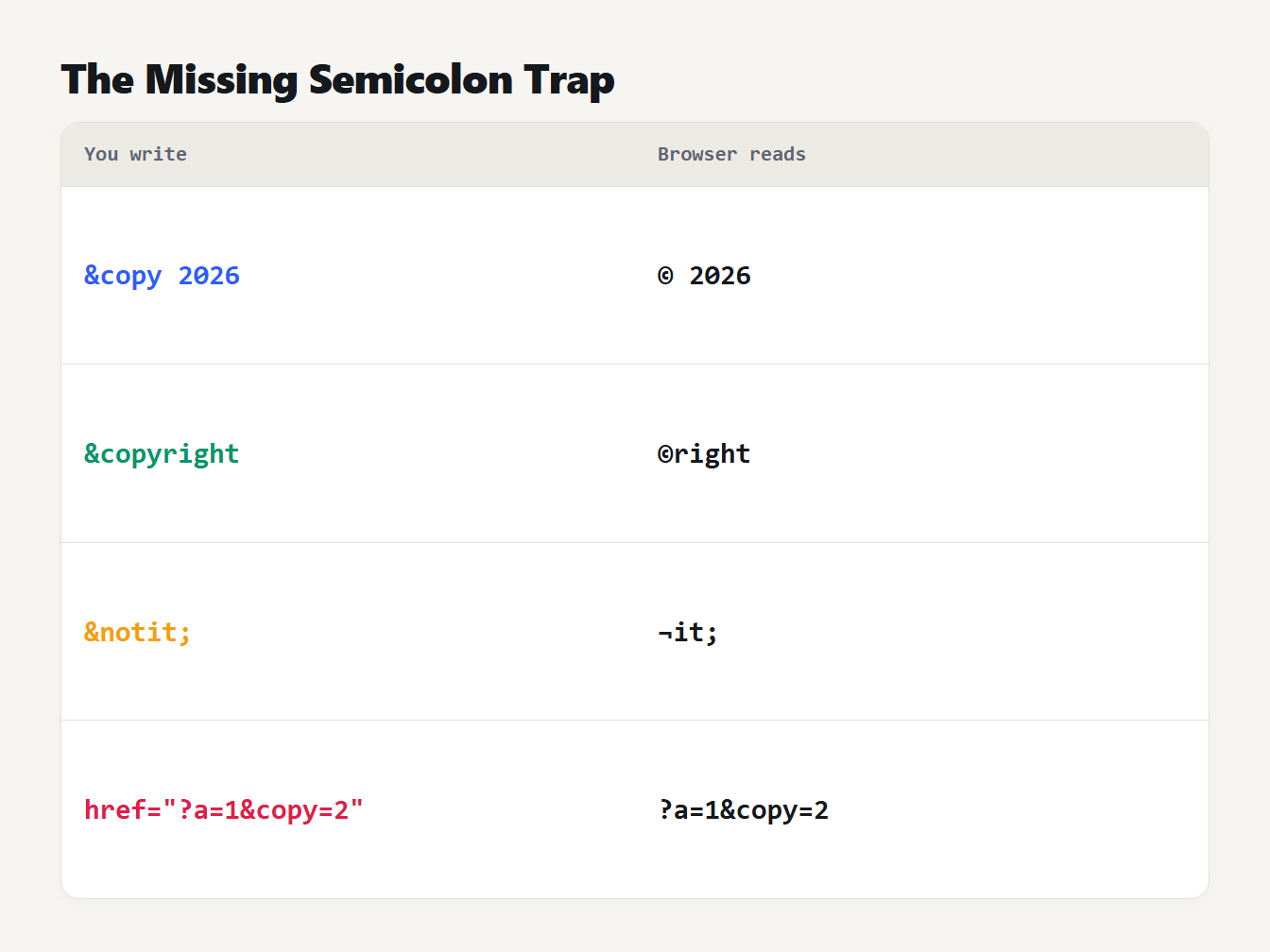
A table of four inputs and what a browser reads. Copy without a semicolon, then 2026, gives a copyright sign then 2026. Copyright gives a copyright sign then right. Notit with a semicolon gives a not sign then it. In an attribute, a query string with copy equals 2 stays unchanged.
More traps: case, numbers and double encoding
Case. Names are case-sensitive, with a few exceptions. We tested that &, <, >, ", ©, ® and ™ all work in a browser, while &Amp; and &NBSP; do not. Our decoder understands the seven upper-case forms too.
Numbers 128 to 159. HTML reads these as Windows-1252 characters, so € is the euro sign and not a control character. We checked it in a browser, and the decoder follows the same rule. A zero, such as �, becomes the replacement character U+FFFD.
Double encoding. Encode text twice and the ampersand of the first entity is itself escaped. In our encoder, "Tom & Jerry" becomes Tom & Jerry the first time and Tom &amp; Jerry the second. A page then displays the literal text &. Encode once, when you write the text into the page.
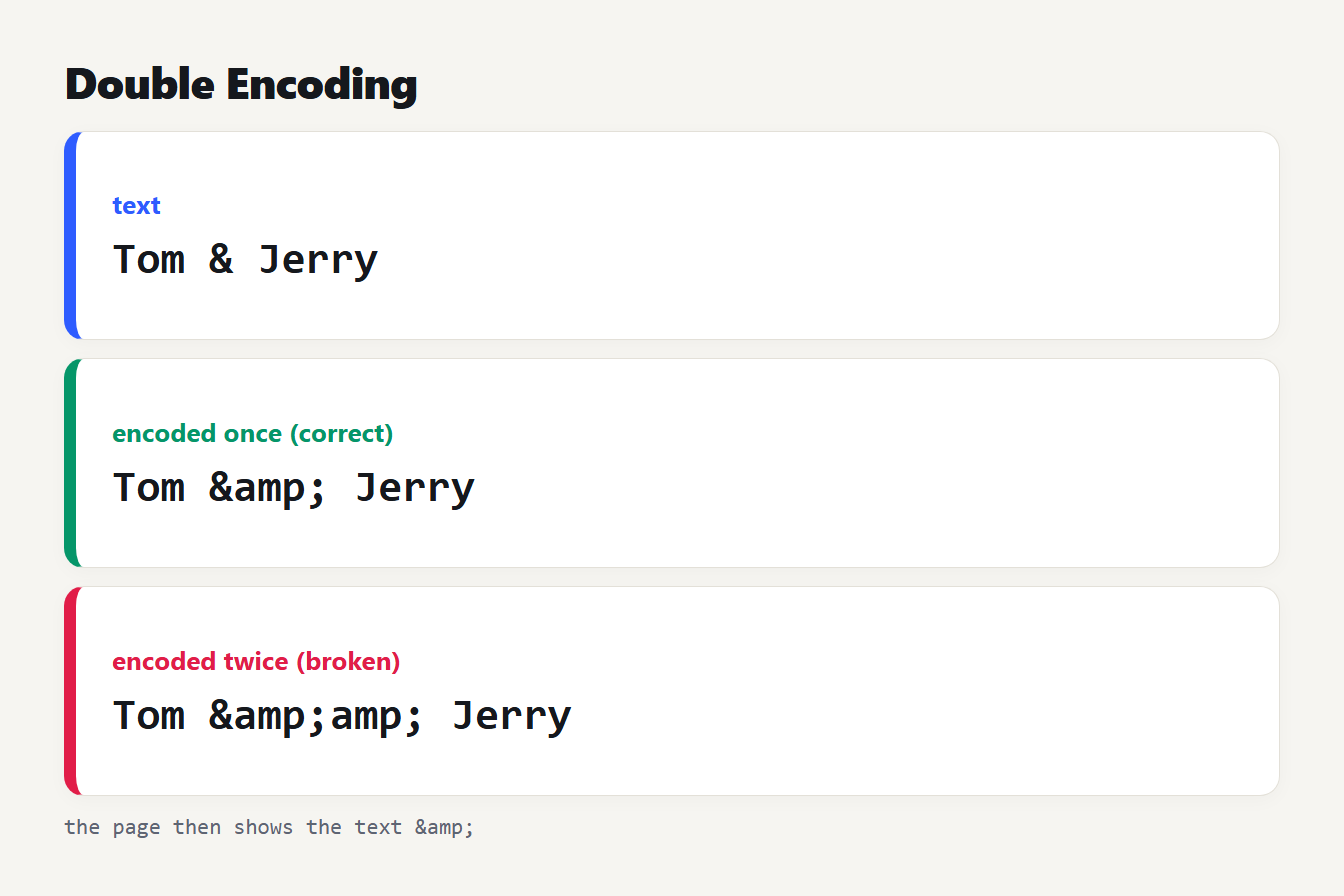
Three steps. The text Tom and Jerry with an ampersand encodes once to the entity amp between the names, which is correct. Encoded a second time it becomes amp twice, and the page shows the literal text amp.
Encode and decode with the HTML Entity Encoder
The HTML Entity Encoder and Decoder works in both directions in your browser. Encoding can stop at the five markup characters or also write every non-ASCII character as a named, decimal or hex reference. Decoding handles 155 named references plus any decimal or hex number, and it lists any name it does not know instead of guessing. It needs the closing semicolon, so © 2026 is left as typed, which is stricter than a browser and easier to reason about.
It helps to know what it is not. Escaping is not sanitizing. When a page is built from untrusted input, use a template engine or sanitizer that escapes by context. If you write Markdown, the Markdown to HTML Converter already turns a raw ampersand into & for you.
Frequently asked questions
What are HTML entities?
They are character references: text that starts with an ampersand and ends with a semicolon and stands for one character. They let you write characters that would otherwise be read as markup, such as the less-than sign, and characters that are hard to type.
Which characters must be escaped in HTML?
The ampersand and the less-than sign must always be escaped in text. In an attribute value, the quote that surrounds the value must also be escaped. Escaping the greater-than sign and both kinds of quote as well is a safe habit.
What is the difference between a named and a numeric reference?
Nothing in the result. A named reference uses a name, such as euro, and a numeric one uses the code point in decimal or hex. All three forms for the same character display the same thing.
Do I still need entities if my page is UTF-8?
Only for the reserved characters and for invisible ones such as the non-breaking space. With UTF-8 declared, you can type accents, the euro sign and most symbols directly.
Why does my entity show as text on the page?
Usually it was encoded twice, so the ampersand of the entity was escaped again. Encode text exactly once, when you write it into the page, and decode it exactly once when you read it back.
Check your next page for HTML entities
Open a template or a snippet you wrote recently and look for a bare ampersand in a link, a missing semicolon, or a pair of &amp; that should be one. Paste it into the HTML Entity Encoder and Decoder to see what the browser will really read. Fixing those three is most of what HTML entities ask of you.