URL Encoding Special Characters: Chart, %20 vs + and What to Encode
URL encoding special characters made clear: the full chart of reserved characters, %20 versus +, UTF-8 for accents and emoji, and how to avoid double encoding.
By TheTextKit TeamPublished
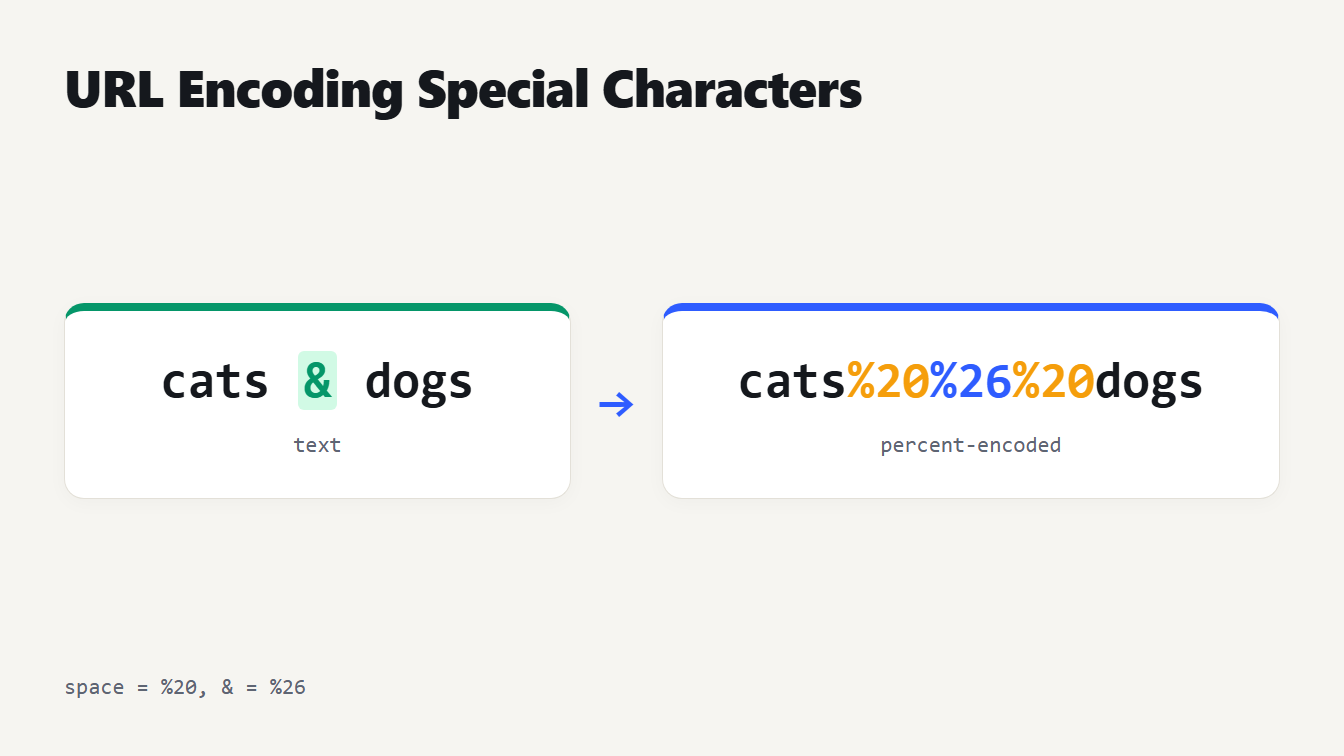
The text cats & dogs on the left and its percent-encoded form cats%20%26%20dogs on the right, with the space and the ampersand highlighted.
URL encoding, also called percent-encoding, replaces each unsafe character with a percent sign and two hex digits, so a space becomes %20 and an ampersand becomes %26. Encode the value you are inserting, not the whole address. In a path a space is always %20. In a query string a plus sign means a space only for form data, so %20 is the safer choice. Below you get the chart of special characters, the rules for spaces, accents and emoji, and the double-encoding trap.
URL encoding special characters: the chart
RFC 3986, the standard for URLs, splits characters into two groups. Unreserved characters are letters, digits, hyphen, period, underscore and tilde, and are never encoded. The 18 reserved characters have a job in the URL's structure, so when one appears as data it must be encoded. JavaScript's encodeURIComponent encodes 13 of them and leaves the five marked with an asterisk alone:
| Character | Code | Character | Code | Character | Code |
|---|---|---|---|---|---|
: | %3A | / | %2F | ? | %3F |
# | %23 | [ | %5B | ] | %5D |
@ | %40 | ! | %21* | $ | %24 |
& | %26 | ' | %27* | ( | %28* |
) | %29* | * | %2A* | + | %2B |
, | %2C | ; | %3B | = | %3D |
Some characters outside that list also cannot appear raw:
| Character | Code | Character | Code |
|---|---|---|---|
| Space | %20 | " | %22 |
% | %25 | < | %3C |
> | %3E | \ | %5C |
^ | %5E | { | %7B |
} | %7D | Vertical bar | %7C |
The percent sign matters most. It starts every code, so a literal percent must itself be written %25.
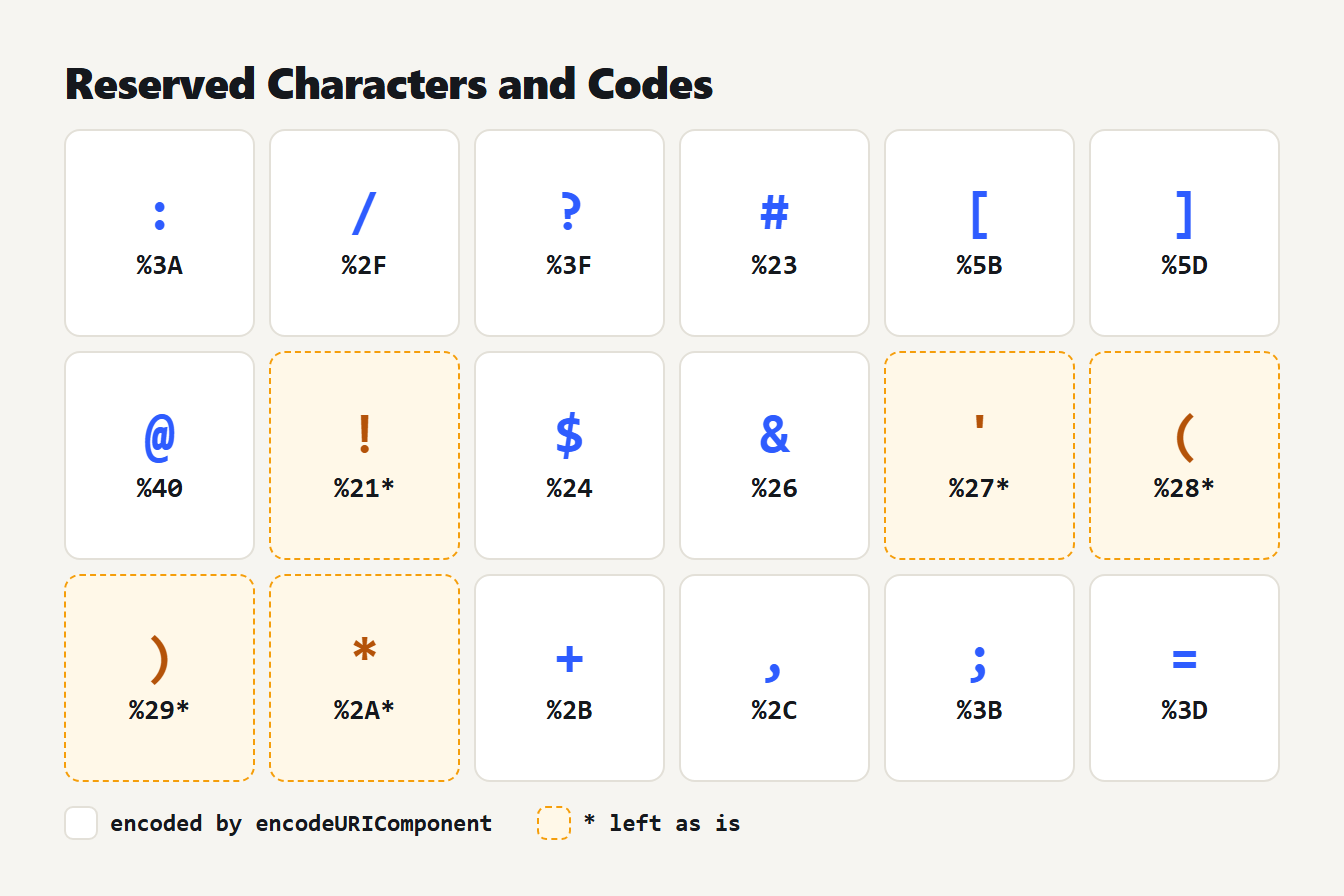
A grid of the 18 reserved characters, each with its percent code. The five characters ! ' ( ) and * are marked because encodeURIComponent leaves them unchanged.
When to encode, and when not to
When URL encoding special characters, encode a character when it is part of the data rather than the structure. In ?q=cats&sort=new, the ?, = and & are structure. In a search for cats & dogs, the ampersand is data and must become %26, or the server will read it as the start of a new parameter.
The practical rule is to encode each value on its own, then join the pieces:
const q = encodeURIComponent("cats & dogs");
const url = "https://example.com/search?q=" + q;
// https://example.com/search?q=cats%20%26%20dogs
If you encode the finished URL as one piece, the structure is destroyed. We ran https://example.com/my file.html?name=Zoë&city=São Paulo through both JavaScript functions:
| Function | Result |
|---|---|
encodeURI | https://example.com/my%20file.html?name=Zo%C3%AB&city=S%C3%A3o%20Paulo |
encodeURIComponent | https%3A%2F%2Fexample.com%2Fmy%20file.html%3Fname%3DZo%C3%AB%26city%3DS%C3%A3o%20Paulo |
The first is a working address. The second is a string you could safely place inside another URL, which is not what you wanted.
%20 or +: how to encode a space
For URL encoding special characters, the standard way to write a space is %20, and it is valid everywhere in a URL. The plus sign is a second convention that only applies to form data. The URL Standard says the application/x-www-form-urlencoded format writes a space as +, while RFC 3986 lists + only as a reserved delimiter and never defines it as a space.
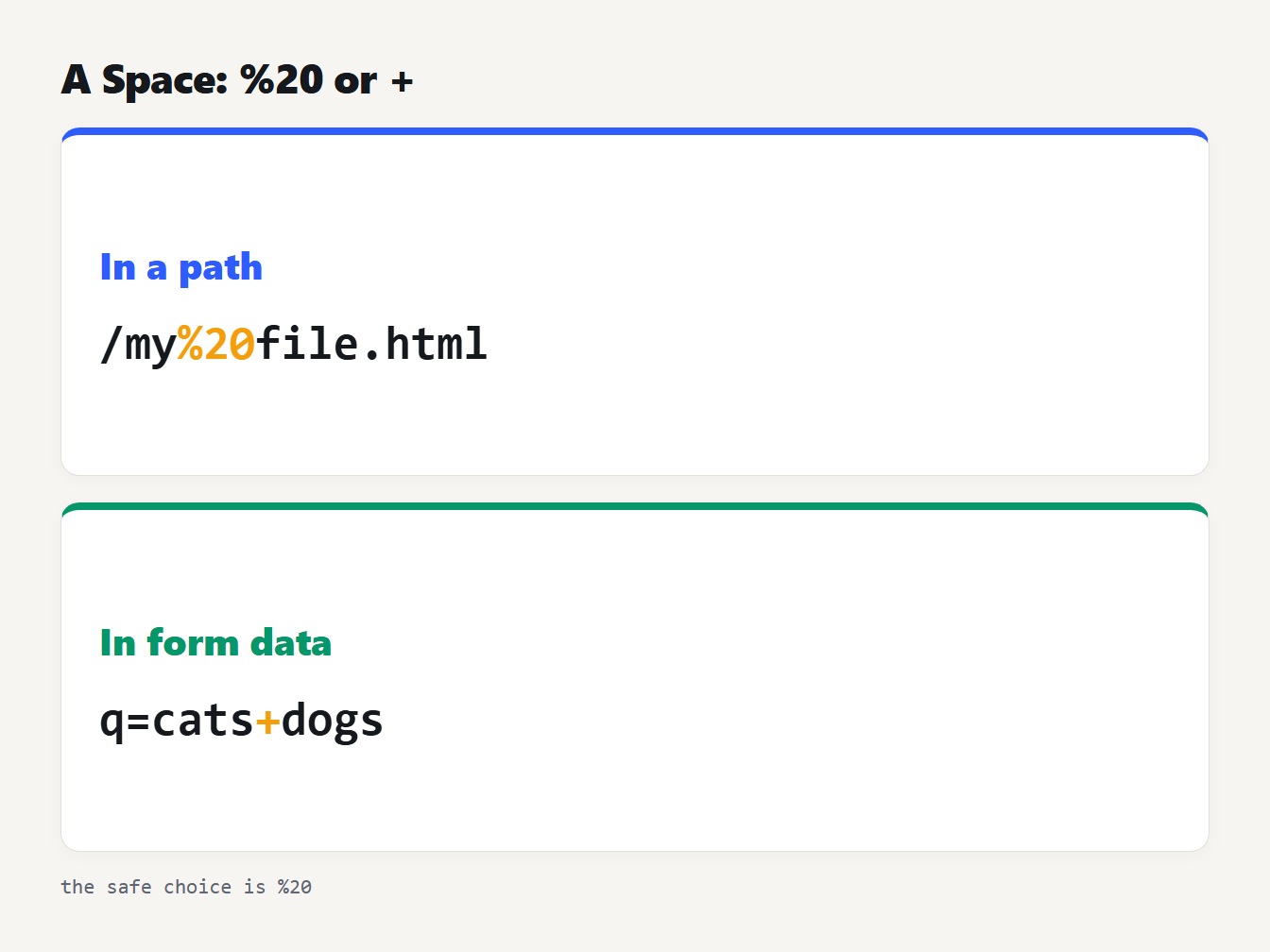
Top panel: in a path a space is %20, as in /my%20file.html. Bottom panel: in form data a space is a plus, as in q=cats+dogs. Footer: the safe choice is %20.
This difference causes real bugs. URLSearchParams follows the form format, so toString() writes q=cats+%26+dogs, and its constructor reads a plus as a space. MDN warns that this can corrupt values such as Base64, which contains plus signs. We checked: parsing bin=E+AXQB+A returns E AXQB A, while building the same pair with append writes bin=E%2BAXQB%2BA. Our guide to Base64 encoding explains why that alphabet clashes with URLs.
The reverse also bites. decodeURIComponent("a+b") returns a+b, because it never turns a plus into a space. To decode a search-box URL such as q=cats+dogs, replace plus signs with spaces first.
How accents, symbols and emoji are encoded
Non-ASCII characters are first converted to UTF-8 bytes, and each byte is then percent-encoded. RFC 3986 section 2.5 describes this two-step process. A character can therefore become several codes:
| Character | UTF-8 bytes | Encoded |
|---|---|---|
| é | 2 | %C3%A9 |
| € | 3 | %E2%82%AC |
| 日本 | 6 | %E6%97%A5%E6%9C%AC |
| 😀 | 4 | %F0%9F%98%80 |
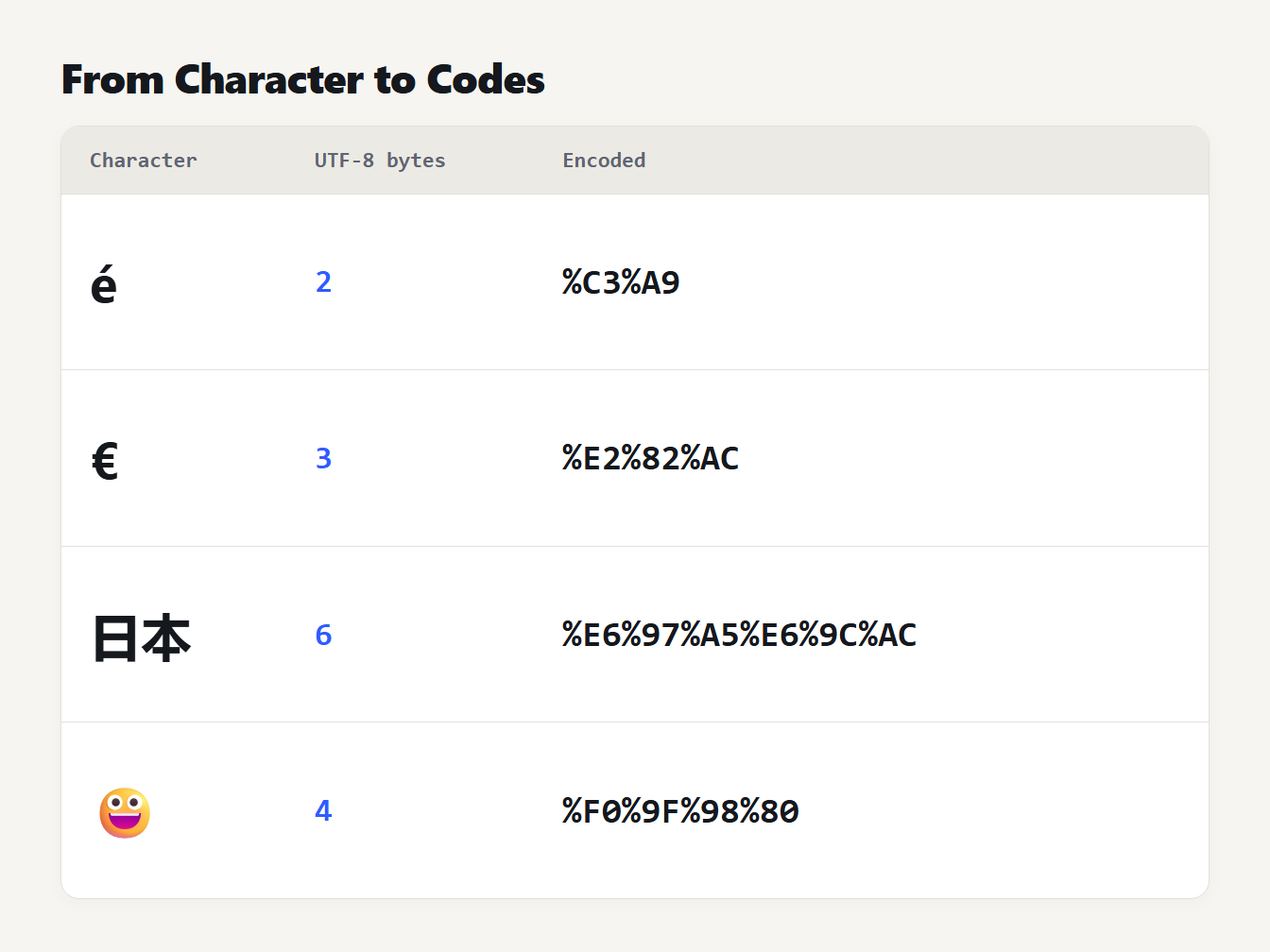
Four rows. The letter é is 2 bytes and %C3%A9. The euro sign is 3 bytes and %E2%82%AC. The two characters 日本 are 6 bytes and %E6%97%A5%E6%9C%AC. The emoji is 4 bytes and %F0%9F%98%80.
Hex digits can be either case. RFC 3986 asks producers to write uppercase, but we confirmed that decodeURIComponent("%c3%a9") returns é all the same.
encodeURI vs encodeURIComponent
The two functions differ in what they leave alone. On the 95 printable ASCII characters we tested, encodeURI leaves 82 unchanged and encodeURIComponent leaves 71. The 11 extra characters encodeURI keeps are ; , / ? : @ & = + $ #, which is exactly the structure of a URL. MDN's page for encodeURIComponent lists what both still leave: letters, digits and - _ . ! ~ * ' ( ).
That last group is the catch. RFC 3986 reserves ! ' ( ) *, yet neither function encodes them. For most URLs it does not matter. If a strict system needs them encoded, MDN suggests a one-line fix: replace each of the five with its code. Applied to it's (50*2)!, the plain function returns it's%20(50*2)! and the fixed one returns it%27s%20%2850%2A2%29%21.
One more difference: both functions throw a URIError on a lone surrogate half, a broken emoji for example, so clean the string first.
Double encoding and decoding errors
Encoding a value twice is the most common mistake. The percent sign from the first pass gets encoded in the second, so a space becomes %20 and then %2520.
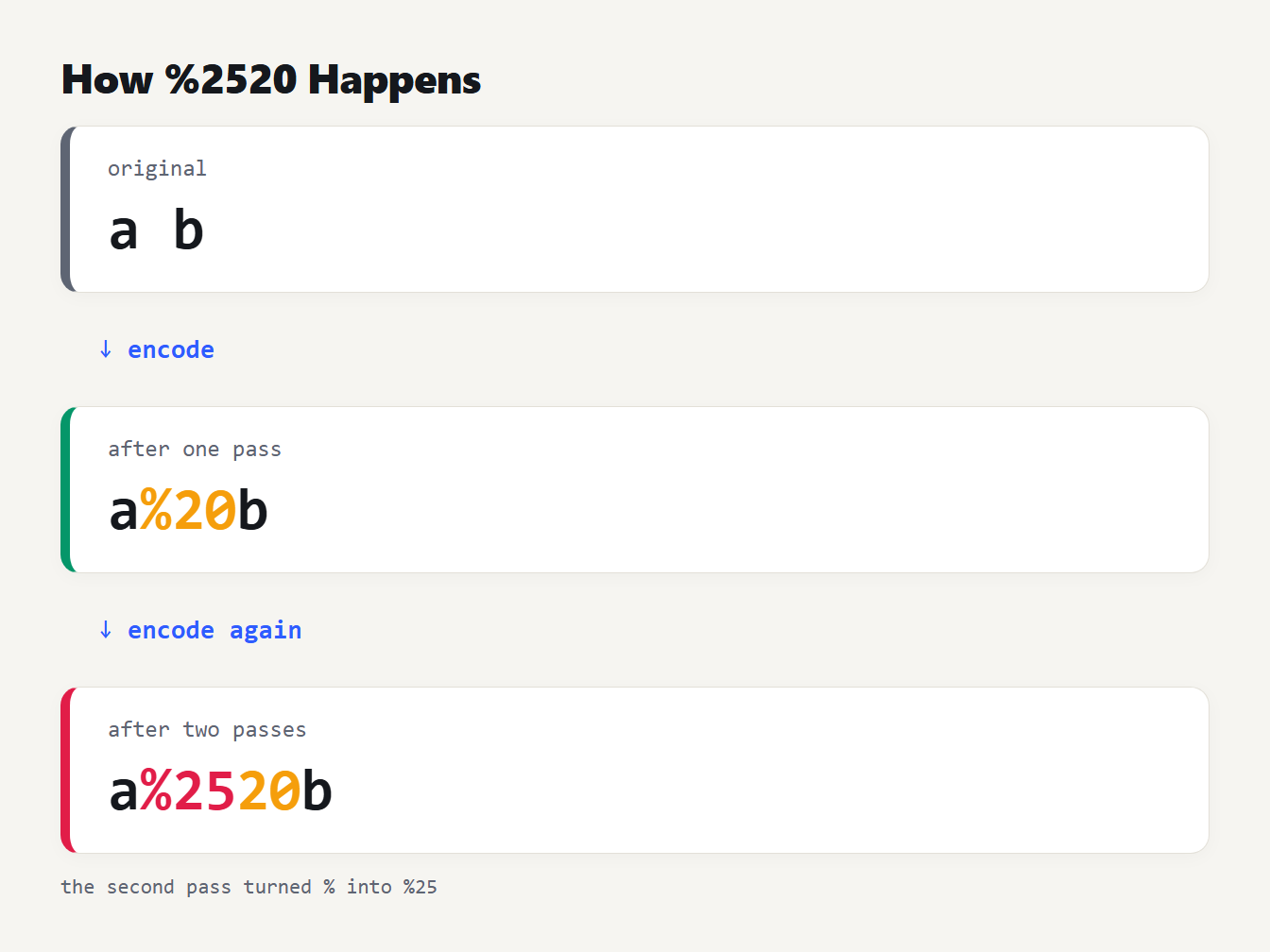
Three steps. The text a b is encoded once to a%20b. Encoding it again turns the percent sign into %25 and gives a%2520b. Decoding twice returns a b.
RFC 3986 section 2.4 says implementations must not encode or decode the same string more than once. If you see %25 followed by two hex digits in a URL, suspect this. Decode it once and check whether the result still contains codes.
Decoding fails on malformed input. We tried %E0%A4%A, a lone %, 100% and %ZZ, and decodeURIComponent threw URIError: URI malformed for each. A raw percent sign in text, such as a discount of 100%, must be encoded as %25 before the text goes in a URL.
URL encoding special characters in JavaScript and Python
Every language offers the same two choices: a function that keeps / and one that does not, and a convention for spaces. Python's urllib.parse never quotes letters, digits and _.-~, and its quote keeps / by default. We compared the calls on cats & dogs/2024:
| Call | Result |
|---|---|
encodeURIComponent(s) | cats%20%26%20dogs%2F2024 |
quote(s) | cats%20%26%20dogs/2024 |
quote(s, safe='') | cats%20%26%20dogs%2F2024 |
quote_plus(s) | cats+%26+dogs%2F2024 |
Python also differs on the five odd characters. quote("~!*()'") returned ~%21%2A%28%29%27, so Python encodes ! * ( ) ' where encodeURIComponent does not. Both treat the tilde as safe.
Python's urlencode uses quote_plus by default, so it writes a plus for each space. Pass quote_via=quote if you want %20. Decoding mirrors this: unquote("a+b") keeps the plus and unquote_plus("a+b") returns a b. The lesson is the same as in JavaScript: know which convention your server expects, and use the same one on both sides.
Encode and decode in your browser
The URL Encoder / Decoder runs encodeURIComponent and decodeURIComponent on your text, so it follows every rule above: space becomes %20, the five characters ! ' ( ) * stay as they are, and nothing leaves your browser. It decodes one layer at a time, which is why a double-encoded string needs two passes. Bad input returns an error message instead of crashing.
It pairs well with the UTM Link Builder, because campaign values with spaces or ampersands must be encoded (see our UTM naming convention guide). The Redirect Rule Generator is another place where a query string has to be written correctly, so encode the parts first. For readable addresses, the URL Slug Generator avoids special characters altogether.
Frequently asked questions
Is a space %20 or + in a URL?
Use %20. It works in every part of a URL. A plus sign means a space only in form data (application/x-www-form-urlencoded), which is what HTML forms and URLSearchParams produce. In a path, a plus is a literal plus.
Which characters need URL encoding?
Anything that is not a letter, digit, hyphen, period, underscore or tilde, when it is meant as data. That includes spaces, quotes, and the reserved characters such as ? & = # and /. Non-ASCII characters are encoded as UTF-8 bytes.
What is the difference between encodeURI and encodeURIComponent?
encodeURI leaves the characters that structure a URL alone, such as : / ? # & and =, so it suits a complete address. encodeURIComponent encodes them, so it suits a single value you will place inside a URL.
Why does my URL show %2520?
It was encoded twice. The first pass turned a space into %20, and the second pass turned the percent sign into %25. Decode once to get %20 back, then find the code that encodes a value that was already encoded.
Should I encode the whole URL or just the values?
Encode each value on its own, then build the URL from the pieces. Encoding a finished URL with encodeURIComponent turns https:// into https%3A%2F%2F and breaks it.
Check your next link before you share it
Before you publish a link with parameters, encode each value, join the pieces, and paste the result into a browser. If you see %25 in the address bar, something encoded twice. Start with the URL Encoder / Decoder and test the awkward values first: spaces, ampersands and accented names. To take a whole link apart, paste it into the URL Parser and Query Editor. It decodes every parameter, warns about double encoding and plus signs, and rebuilds the link with each edited value encoded once.