Regex Cheat Sheet: Syntax, Examples and JavaScript vs Python Differences
A regex cheat sheet where every example was run in JavaScript and Python, with 10 differences between them and how to avoid patterns that freeze.
By TheTextKit TeamPublished
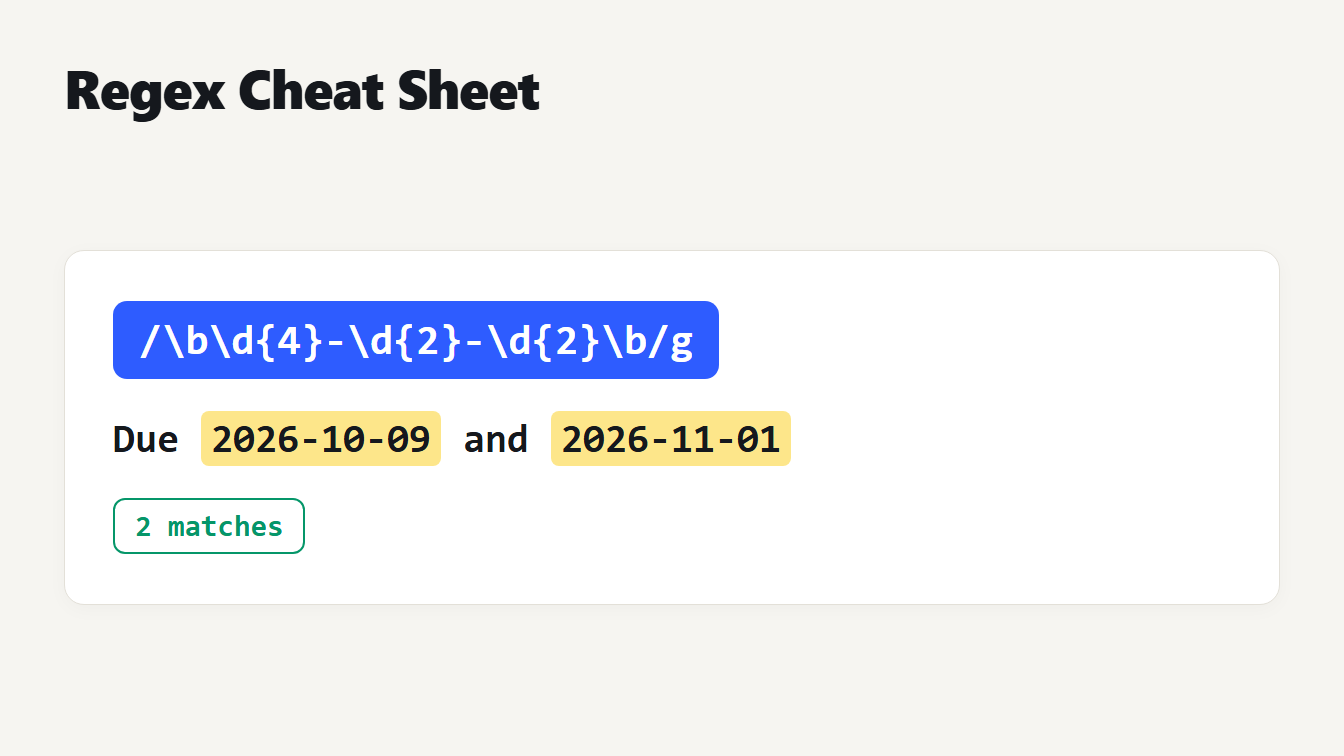
A card shows the pattern slash backslash b backslash d four, hyphen, backslash d two, hyphen, backslash d two, backslash b slash g, above the text Due 2026-10-09 and 2026-11-01 with both dates highlighted and a note saying 2 matches.
A regex cheat sheet is only useful if its examples are right, so we ran every row below in JavaScript (Node 24) and Python (3.14). All 23 syntax examples gave the same matches in both languages. Where the two engines disagree, we list the differences separately, because that is where regexes break when you move them between languages. We also measured how a badly written pattern can take seconds to fail, and what to do about it.
Regex cheat sheet: characters and anchors
| Token | Meaning | Example pattern | Text | Matches |
|---|---|---|---|---|
. | Any character except a line break | c.t | cat cut c and a line break and t | cat, cut |
\d | A digit from 0 to 9 | \d+ | Order 66 and 7 | 66, 7 |
\w | A letter, digit or underscore | \w+ | user_1 ok | user_1, ok |
\s | A space, tab or line break | a\sb | a b a and a tab and b ab | a b, a tab b |
[abc] | One of the listed characters | [abc] | cabbage | c, a, b, b, a |
[^abc] | Any character not listed | [^abc]+ | cabbage | ge |
[a-z] | A character in a range | [a-c]+ | abcdef | abc |
^ | Start of the text | ^\w+ | one two | one |
$ | End of the text | \w+$ | one two | two |
\b | Edge of a word | \bcat\b | cat concat cat. | cat, cat |
Regex cheat sheet: quantifiers, groups and lookaround
| Token | Meaning | Example pattern | Text | Matches |
|---|---|---|---|---|
* | Zero or more | ab* | a ab abbb | a, ab, abbb |
+ | One or more | ab+ | a ab abbb | ab, abbb |
? | Zero or one | colou?r | color colour | color, colour |
{n,m} | Between n and m times | \d{2,3} | 1 22 333 4444 | 22, 333, 444 |
+? | Lazy: as few as possible | <.+?> | <a><b> | <a>, <b> |
(abc) | Capture group | (\d+)-(\d+) | 10-20 | 10-20 (groups 10, 20) |
(?:abc) | Group without capturing | (?:ab)+ | ababab | ababab |
a|b | Either one | cat|dog | hotdog cat | dog, cat |
\1 | Repeat what group 1 matched | \b(\w+) \1\b | the the cat | the the |
(?=…) | Followed by | \w+(?=\.) | file.txt | file |
(?!…) | Not followed by | \d+(?!\d|px) | 12px 34em | 34 |
(?<=…) | Preceded by | (?<=\$)\d+ | cost $42 and 7 | 42 |
(?<!…) | Not preceded by | (?<!\$)\b\d+ | cost $42 and 7 | 7 |
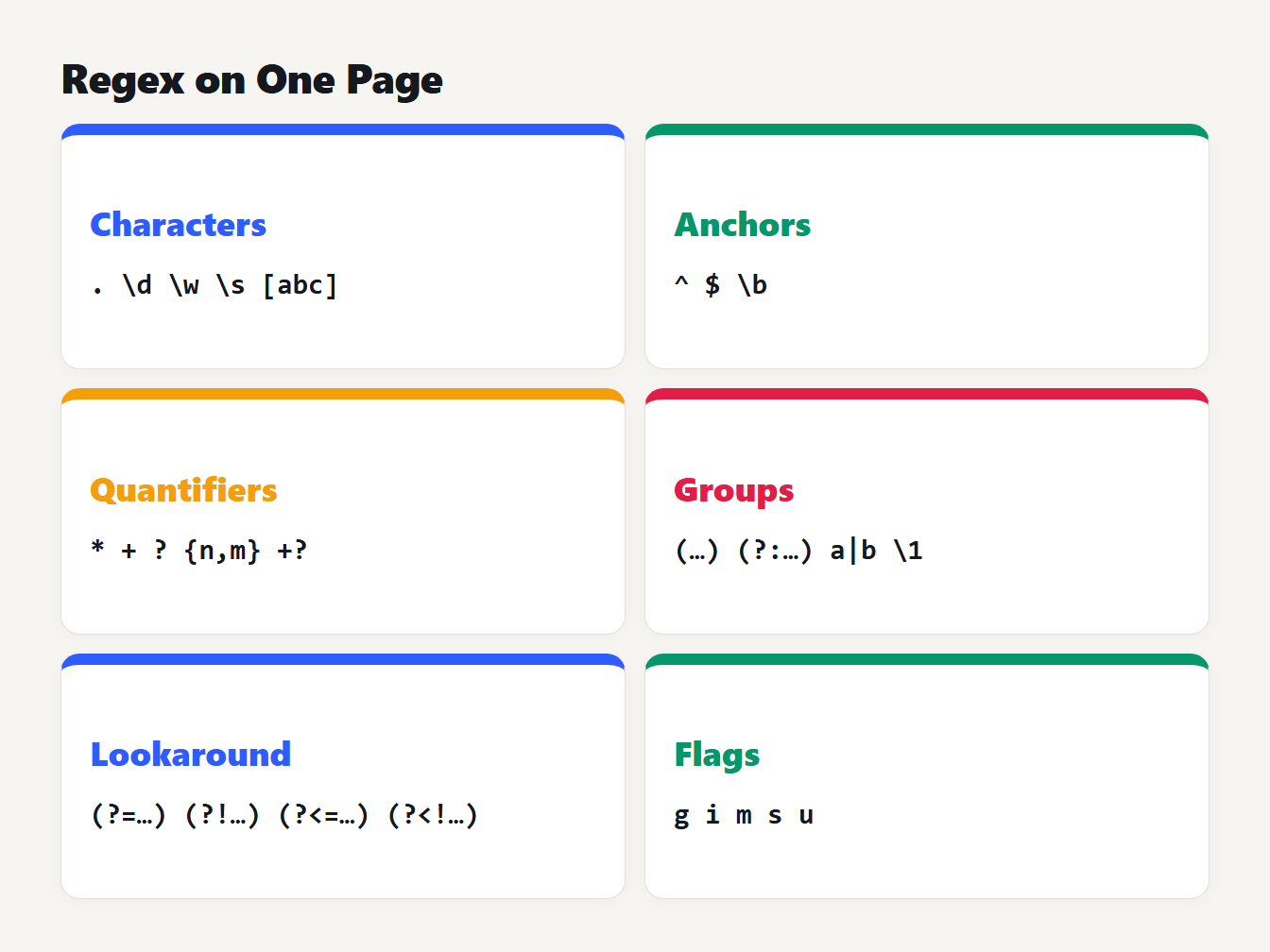
Six cards group the syntax. Characters: dot, backslash d, backslash w, backslash s and square brackets. Anchors: caret, dollar and backslash b. Quantifiers: star, plus, question mark, curly braces and lazy plus question mark. Groups, lookaround and flags follow.
You can try any row in the Regex Tester, which shows the matches highlighted and lists each capture group.
More regex syntax: greedy, escaping and flags
Greedy and lazy quantifiers
Quantifiers are greedy by default: they take as much text as they can. Adding a question mark makes them lazy, so they take as little as they can. The difference shows up as soon as a pattern sits between two delimiters. On the text <a><b>, the greedy <.+> returns the whole string as one match, because .+ runs to the last >. The lazy <.+?> stops at the first > and returns <a> and <b> separately.
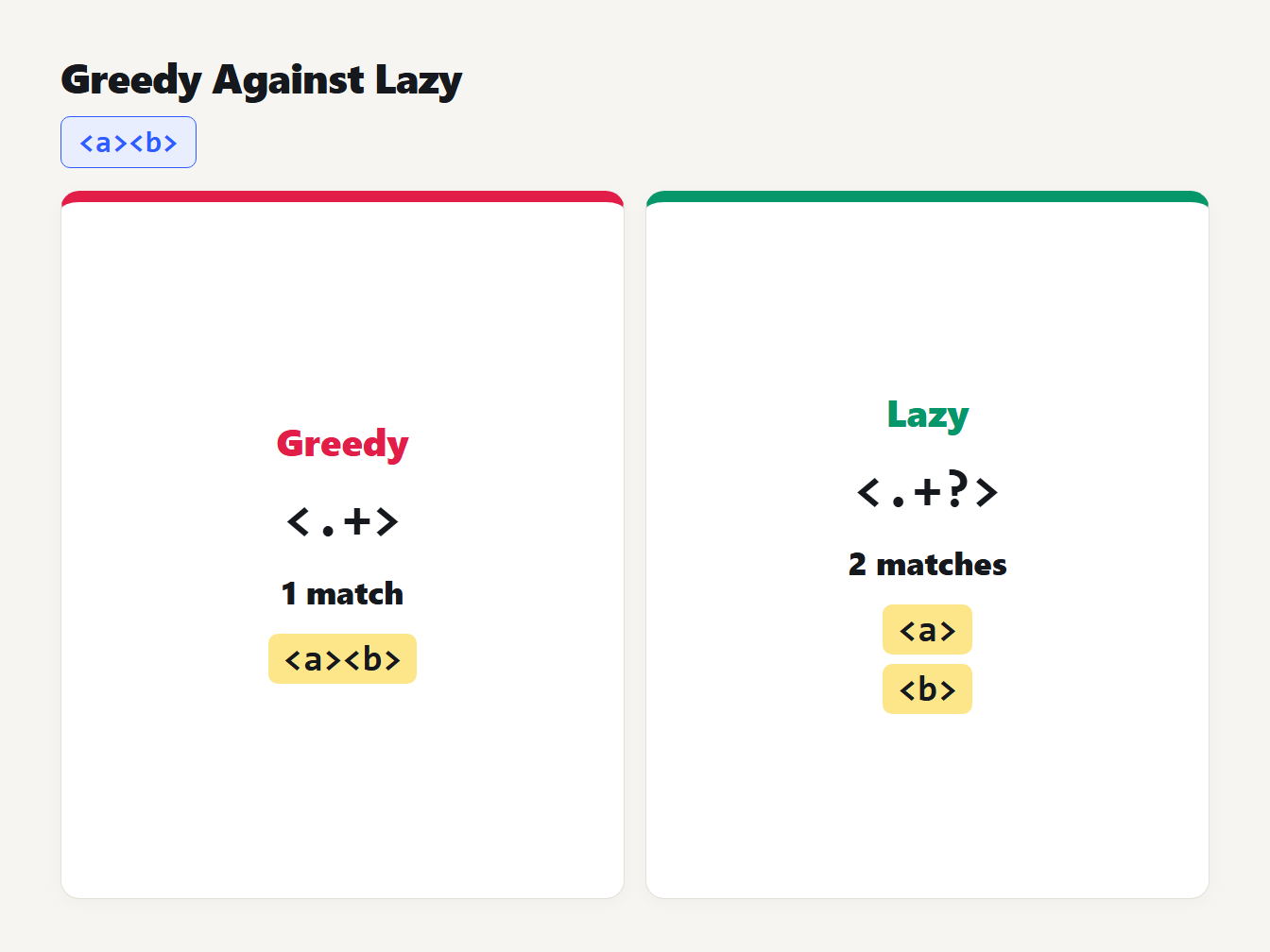
Two cards test the text angle-bracket a angle-bracket angle-bracket b angle-bracket. The greedy pattern angle-bracket dot plus angle-bracket gives one match, the whole text. The lazy pattern with a question mark gives two matches, a and b.
Escaping special characters
A few characters mean something in a pattern: . * + ? ^ $ { } ( ) | [ ] \. To match one literally, put a backslash in front of it, or put it inside square brackets. The difference is easy to miss. We ran these in both languages:
| Pattern | Text | Matches |
|---|---|---|
3.5 | 3.5 and 3x5 | 3.5, 3x5 |
3\.5 | 3.5 and 3x5 | 3.5 |
[.] | a.b | . |
\$\d+ | cost $42 | $42 |
\(\d+\) | call (555) now | (555) |
\d+\+\d+ | 2+3 and 23 | 2+3 |
The unescaped dot in 3.5 matched 3x5. That is a common bug in validation patterns, such as an unescaped dot in a domain name or file extension.
Flags
Flags change how the whole pattern behaves. MDN's regular expressions guide lists the JavaScript ones. Five matter most:
gfinds every match instead of only the first.iignores case.mmakes^and$match at every line.slets.match a line break.utreats the pattern as Unicode, which enables\p{L}and counts an emoji as one character.
Python spells them re.IGNORECASE, re.MULTILINE and re.DOTALL, and it finds every match with re.finditer or re.findall instead of a flag.
Common patterns, tested
These six patterns gave the same matches in both languages:
| Task | Pattern | Text | Matches |
|---|---|---|---|
| A date like 2026-10-09 | \b\d{4}-\d{2}-\d{2}\b | Due 2026-10-09 and 2026-11-01 | 2026-10-09, 2026-11-01 |
| A six-digit hex color | #[0-9a-fA-F]{6}\b | bg #2E5CFF and #fff and #059669 | #2E5CFF, #059669 |
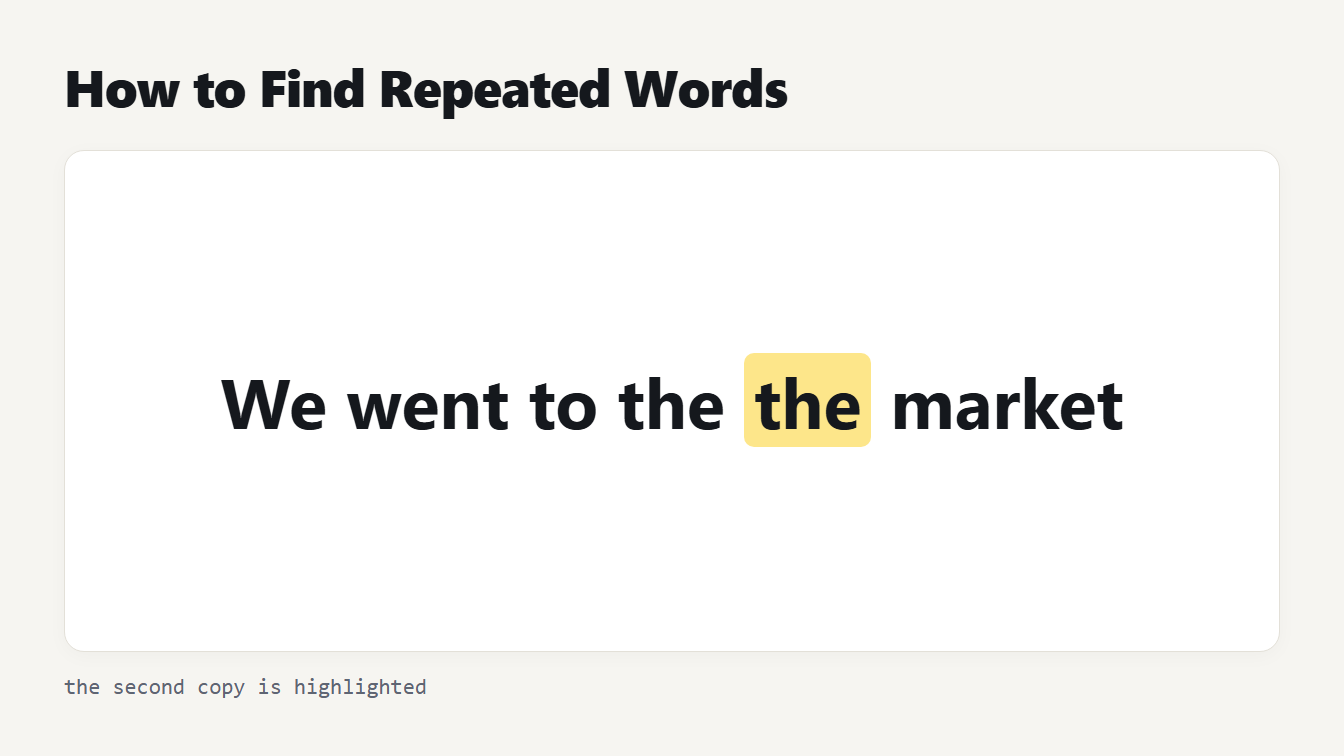
| A repeated word | \b(\w+)\s+\1\b | This is is a test of the the system | is is, the the |
| Spaces at either end | ^\s+|\s+$ | padded | the two runs of spaces |
| A whole number, not a decimal | (?<![\d.])\d+(?![\d.]) | v 3.5 has 12 items and 7 | 12, 7 |
| Text in double quotes | "[^"]*" | say "hi" and "bye" | "hi", "bye" |
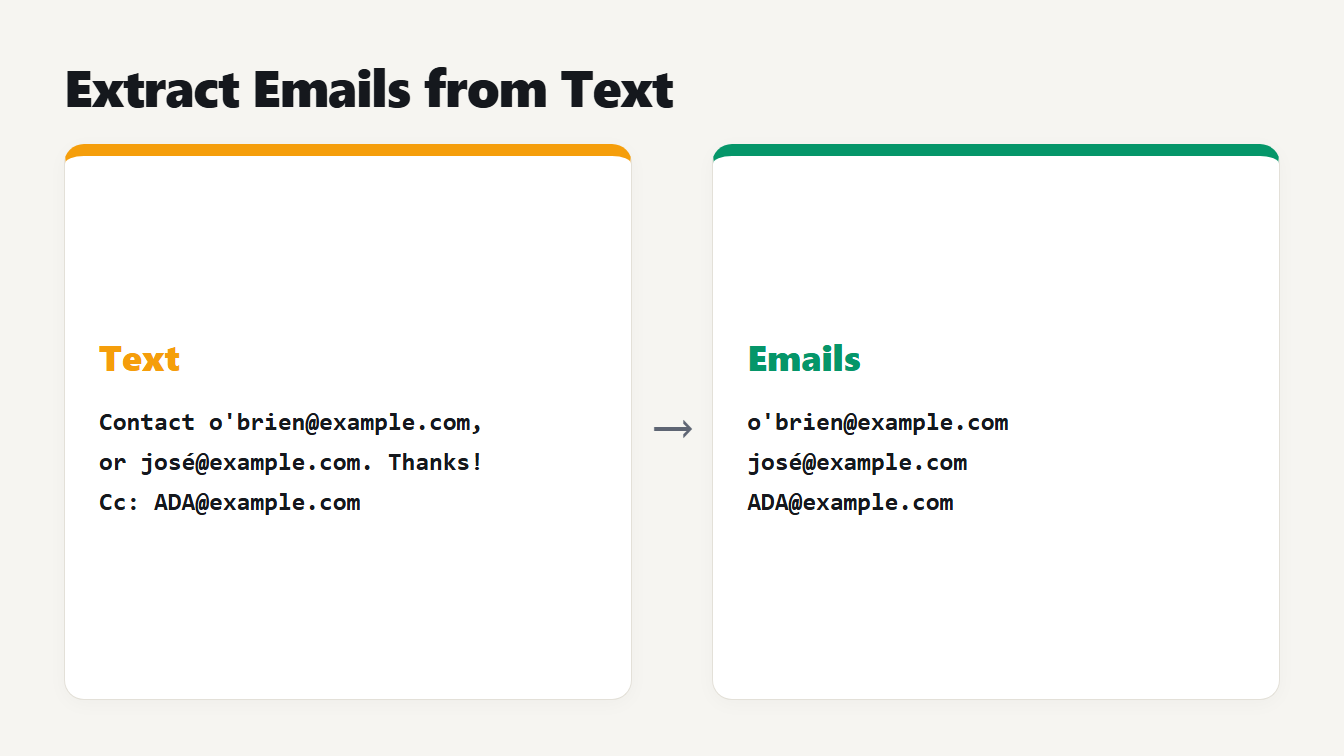
The repeated word pattern is the basis of our Repeated Word Finder. To change matches instead of listing them, the Find and Replace tool is the next step. For one specific task, our guide to extracting email addresses from text shows why a simple pattern for emails needs care.
Regex in JavaScript vs Python: where they differ
The syntax above is shared. The edges are not. We ran each of these in both languages. See the MDN guide and the Python re documentation for the full rules.
| Pattern idea | JavaScript | Python |
|---|---|---|
\d on an Arabic-Indic digit ٣ | No match | Matches, because \d is any Unicode digit |
\w+ on café | Matches caf | Matches café |
\bcafé\b in un café noir | No match | Matches café |
abc$ on abc plus a line break | No match | Matches, because $ also matches before a final line break |
Named group (?<year>\d{4}) | Works | Error: unknown extension |
Named group (?P<year>\d{4}) | Error: invalid group | Works |
Lookbehind (?<=a+)b | Works | Error: look-behind requires fixed width |
\p{L}+ | Works with the u flag | Error: bad escape \p |
Inline flag (?i)abc | Error: invalid group | Works |
\Aabc | Treats \A as the letter A, so no match on abc | Matches at the start of the text |
Possessive a++b and atomic (?>a+)b | Error | Work in Python 3.11 and later |
^.$ on one emoji | No match without u | Matches |
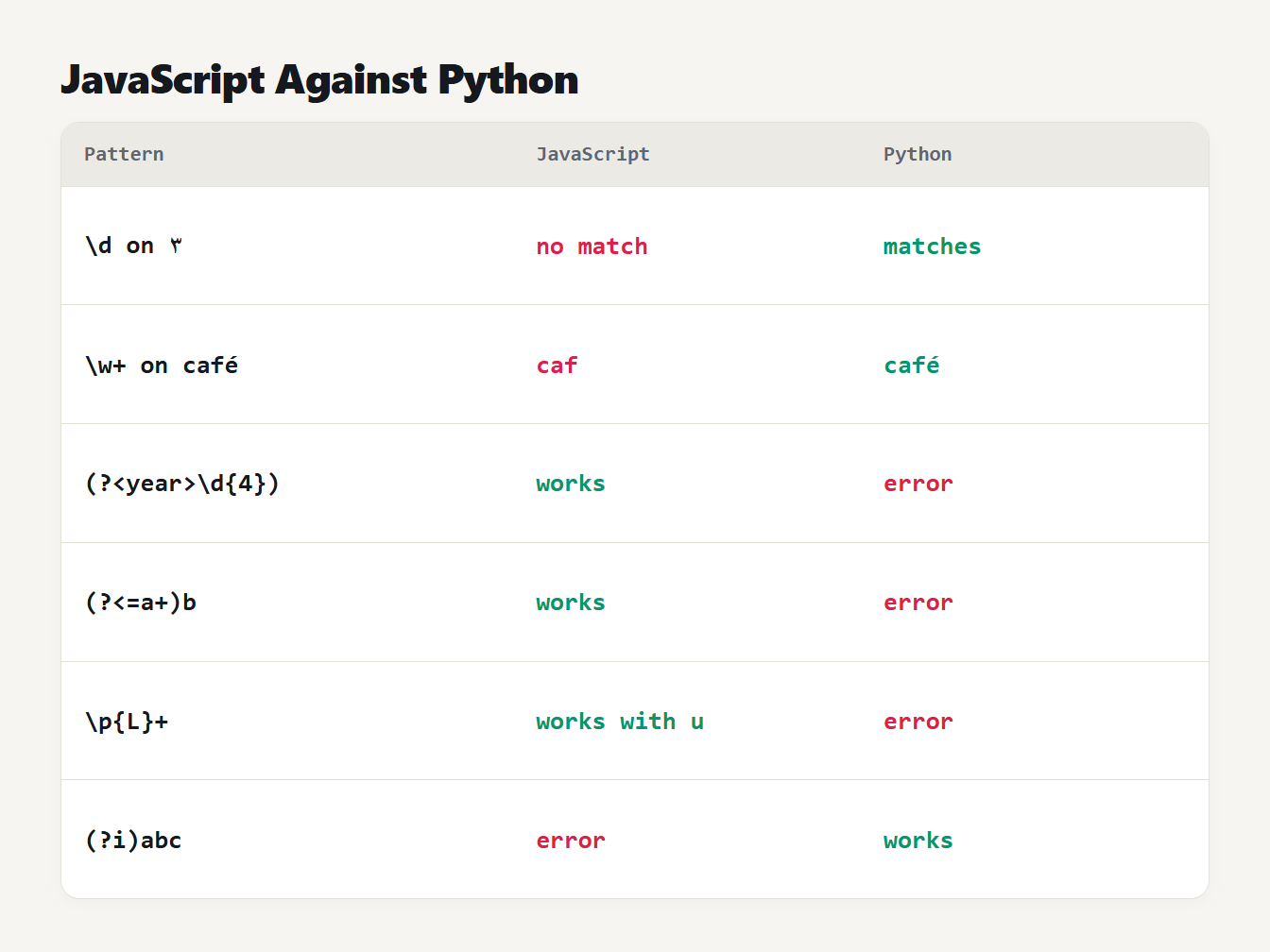
A table of six patterns and how each engine treats them. Digits and accented letters match in Python but not in JavaScript. Named groups, lookbehind, property escapes and inline flags each work in one language and give an error in the other.
A scoped version of the inline flag, (?i:abc), worked in both Node 24 and Python 3.14. An older browser may not support it, so test where you will run it. The replacement text differs too. To turn 2026-10-09 into 09/10/2026, JavaScript uses $3/$2/$1 and Python uses \3/\2/\1. Putting Python's form into a JavaScript replacement leaves it as literal text.
Why a regex can freeze your browser
Some patterns are fast on every input but one. The classic is ^(a+)+$, which looks for a line of a's. On aaaa it matches at once. On aaaa! it has to fail, and it tries every way to divide the a's between the inner and outer repeat. A run of n letters can be divided in 2^(n-1) ways, so 26 letters means 33,554,432 attempts. We timed it, taking the median of three runs, on text made of n a's and then a !:
| Letters | JavaScript | Python |
|---|---|---|
| 22 | 92 ms | 437 ms |
| 24 | 196 ms | 1,461 ms |
| 26 | 788 ms | 7,709 ms |
The safe version, ^a+$, took 0.002 milliseconds on the same text. The timings grow by roughly a factor of two with each extra character, so 40 characters would take far longer than you'd wait.
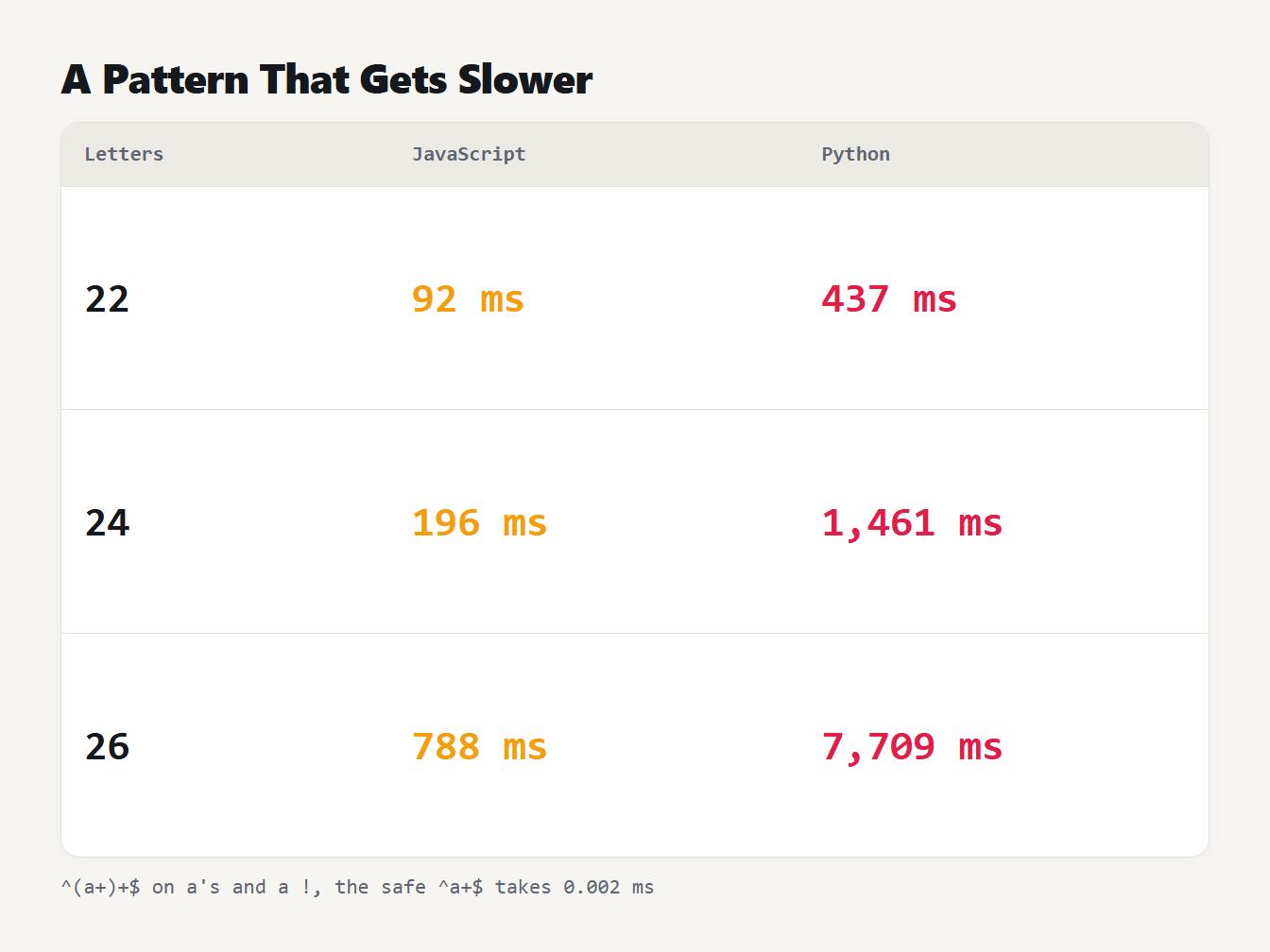
A table of how long the pattern caret, open bracket, a plus, close bracket, plus, dollar takes to fail on 22, 24 and 26 letters. JavaScript: 92, 196 and 788 milliseconds. Python: 437, 1,461 and 7,709 milliseconds. The safe pattern takes 0.002 milliseconds.
This is called catastrophic backtracking. Russ Cox's article on regular expression matching explains that engines which backtrack, including those in Perl, PCRE, Python, Ruby and Java, can take exponential time on patterns like this. Engines that simulate the pattern in a different way, as awk and GNU grep do, take time proportional to the text.
To stay safe, avoid a repeat inside a repeat when both can match the same characters. Write a+ instead of (a+)+. If a user supplies the pattern or the text, give it a time limit. Our Regex Tester runs patterns in a background worker and stops them after one second, with a message, so your page doesn't lock up.
How to test and debug a regex
- Start small. Match one piece of the text, then add the rest.
- Test lines that should not match. A pattern that finds the right text can also match text you didn't intend.
- Check the flags. A missing
greturns only the first match, and a missingmmakes^and$match only at the ends of the whole text. - Look at the groups. The tester lists what each capture group caught for every match.
- Run it in your target language. Use the table above to check any feature that might differ.
When a regex is the wrong tool
A regular expression reads text from left to right and can't count how deeply brackets are nested. That makes it a poor fit for formats with nesting, such as HTML, JSON and code. Use a parser instead: the JSON Formatter reads JSON properly and tells you where it breaks. A regex is a good fit for flat patterns in text, such as dates, codes, IDs, repeated words and the shape of a line in a log file. If you find yourself writing a pattern with six nested groups, it is usually time to switch tools.
Frequently asked questions
What is the difference between greedy and lazy quantifiers?
A greedy quantifier such as .+ matches as much as it can, and a lazy one such as .+? matches as little as it can. On the text <a><b> the pattern <.+> returns the whole string, while <.+?> returns <a> and <b> separately.
How do I match any character including a newline?
Turn on the dotAll flag: s in JavaScript or re.DOTALL in Python. Without it, a dot matches everything except a line break. A class like [\s\S] also works in both languages without a flag.
Is regex the same in every programming language?
No. The core is shared, but details differ. In our tests JavaScript and Python disagreed on how \d and \w treat non-English characters, named group syntax, lookbehind, inline flags and the \A anchor. Test your pattern in the language you will use.
What is catastrophic backtracking?
It happens when a pattern with nested repeats, such as ^(a+)+$, fails on text that almost matches. The engine tries every way to split the text, and the time roughly doubles with each extra character. In our test, 26 characters took 0.8 seconds in JavaScript and 7.7 in Python.
How do I find repeated words with a regex?
Use a capture group and a backreference: \b(\w+)\s+\1\b. On the text This is is a test of the the system it finds is is and the the.
Try your pattern now
Paste a pattern and some sample text into the Regex Tester, switch on the flags you need and check the matches and groups. Keep this regex cheat sheet open next to it, and test any pattern in the language where it will actually run.