How to Convert HTML to Markdown Without Losing Lists, Tables or Code
Learn how to convert HTML to Markdown: what each tag becomes, why regex converters break lists and tables, and what Markdown can't keep. Tested on 2,000 pages.
By TheTextKit TeamPublished
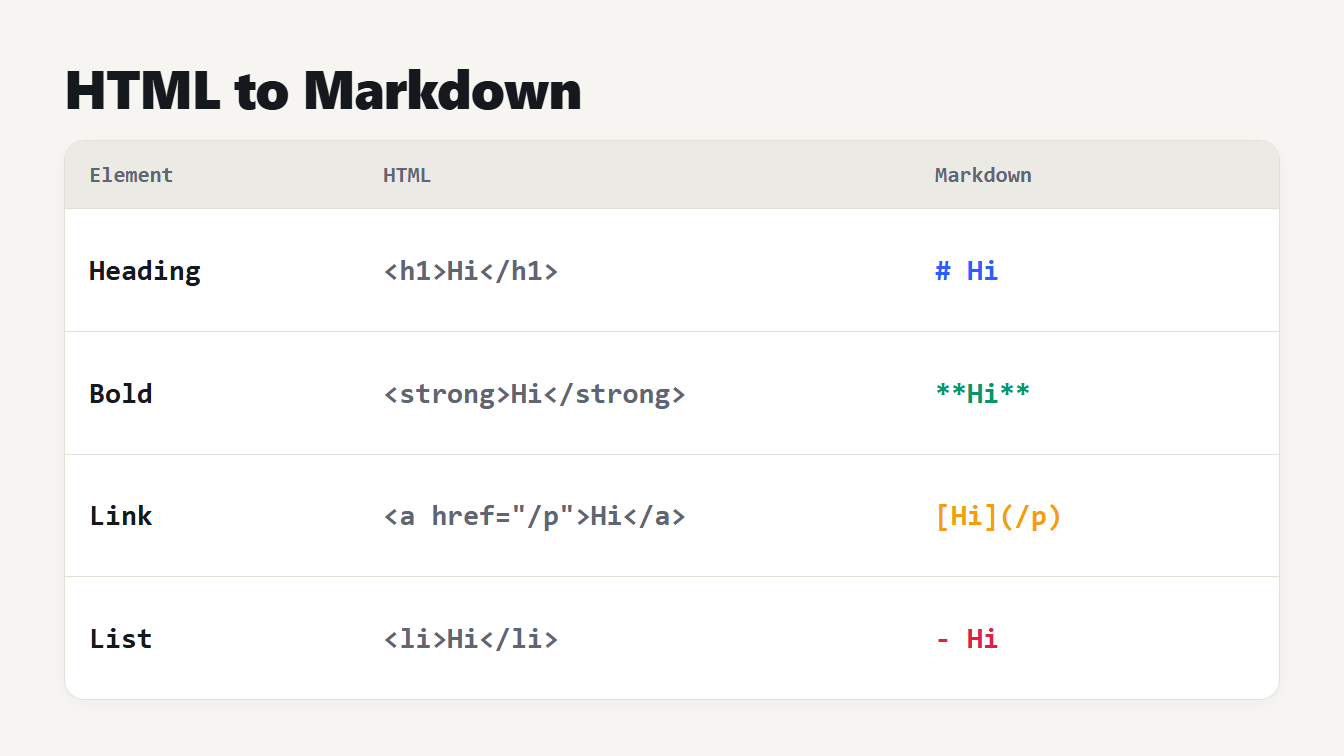
A table with three columns shows four pieces of HTML beside the Markdown each becomes. An h1 element becomes a hash and a word. A strong element becomes double asterisks around a word. An anchor element becomes square brackets followed by a link in parentheses. A list item becomes a dash and a word.
Here's how to convert HTML to Markdown: paste the markup into a converter that reads it with a real HTML parser, then check the lists, tables and code blocks in the result.
Headings, bold text, links and images map one to one. The trouble starts with nesting. A pattern that swaps each <li> for a dash flattens a nested list, and one that deletes tags it doesn't know glues two <div> blocks into a single run of words. We found this out when we tested our own converter: it kept 1 of 12 common features intact. This guide shows what each tag becomes, where converters go wrong, and what Markdown can't hold at all.
How to convert HTML to Markdown
- Open the HTML to Markdown converter and paste your HTML. A full page, a snippet from a CMS or an email all work.
- Read the output as it updates. Nested lists should be indented, and tables should be lines of cells between pipes.
- Tick Keep sup, sub, u, mark and ins as HTML if the text uses superscripts or highlights, because Markdown has no syntax for them.
- Choose Copy Markdown and paste it into your editor, repository or notes app.
- Scan for leftovers such as menu links or footers, and delete them. If you paste a whole page, you get everything in its body.
That's the whole job for most pages. The rest of this guide explains the choices the converter makes, so you can trust the result or fix it by hand.
What each HTML element becomes
Most elements have a direct Markdown form. These are the ones you'll meet every day:
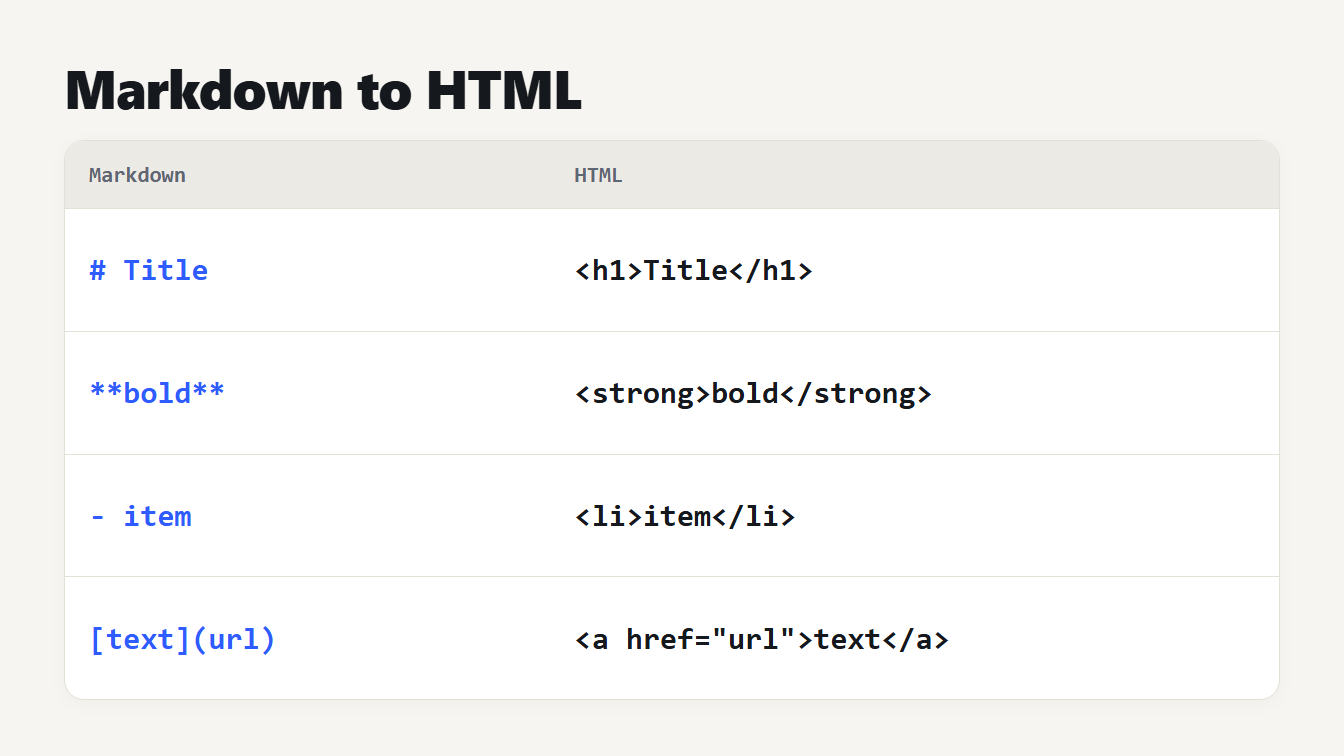
| HTML | Markdown |
|---|---|
<h1>Title</h1> to <h6> | # Title to ###### Title |
<p> | a paragraph, with a blank line after it |
<strong> or <b> | **bold** |
<em> or <i> | *italic* |
<del> or <s> | ~~struck~~ |
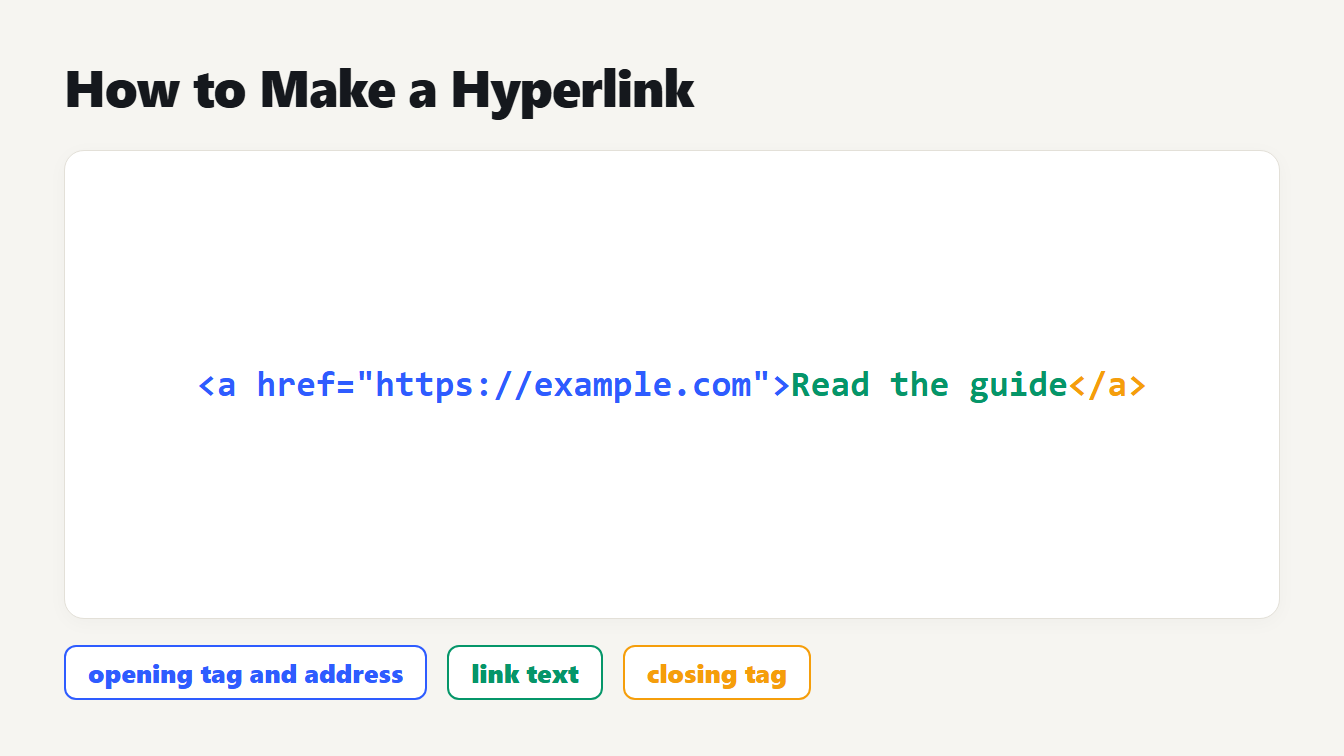
<a href="/p" title="T"> | [text](/p "T") |
<img src="a.png" alt="A"> |  |
<ul> and <ol> | - item and 1. item |
<blockquote> | > quote |
<pre><code class="language-js"> | a fenced block that starts with three backticks and js |
<code> | `code` |
<table> | a pipe table |
<hr> | --- |
<br> | a line that ends with two spaces |
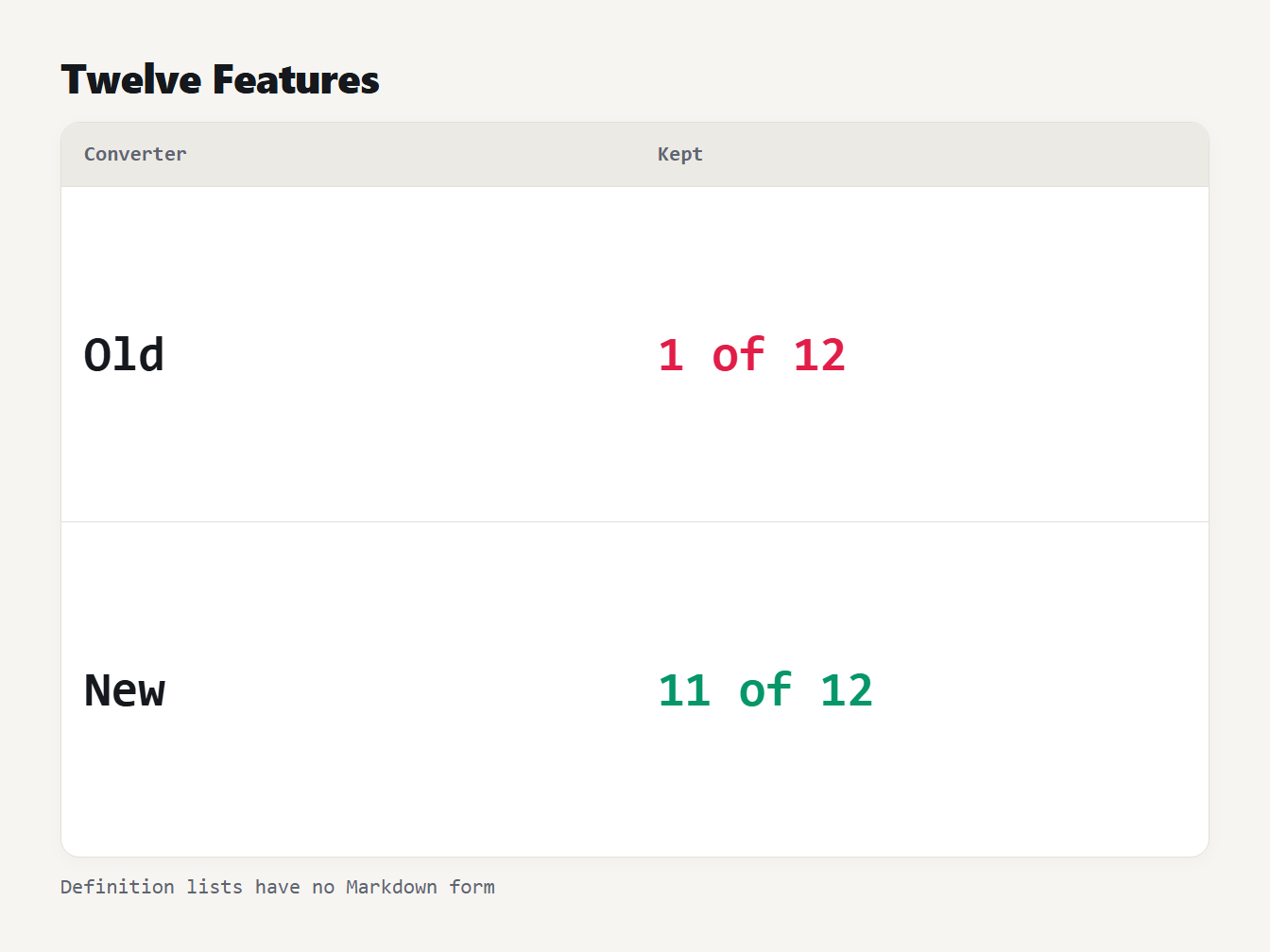
A table with two rows. The old converter kept 1 of 12 HTML features when its Markdown was rendered again. The new converter kept 11 of 12. The one it can't keep is the definition list, which Markdown has no syntax for.
If you publish the result as a page, check the heading outline with the Heading Tag Analyzer and read our guide to heading tags from H1 to H6.
Why regular expressions break on HTML
Our old converter was a chain of regular expressions, which is how most quick converters start. It handled the sample text.
To measure it, we built a check: convert the HTML, render the Markdown back to HTML with micromark and its GitHub extension, and compare the structure of the two. Twelve small inputs made a first test. The old converter kept the structure for one of them, a code block, and lost the other eleven. It turned a nested list into the lines - ab, - c and d, a table into the text NameQtyPen3, and two <div> elements into the single word onetwo. It ignored every attribute written with single quotes, so a link lost its address.
Then we ran the same check on 2,000 documents we generated: random mixes of headings, lists, tables, quotes, code, links and images, nested up to three levels deep. Those documents are ours, and so is the checker, so read the numbers as a measure of structure surviving, not as a general score.
| Generated documents | Old converter | New converter |
|---|---|---|
| Plain words only | 583 of 2,000 | 2,000 of 2,000 |
Words plus symbols such as *, _ and [ | 404 of 2,000 | 2,000 of 2,000 |
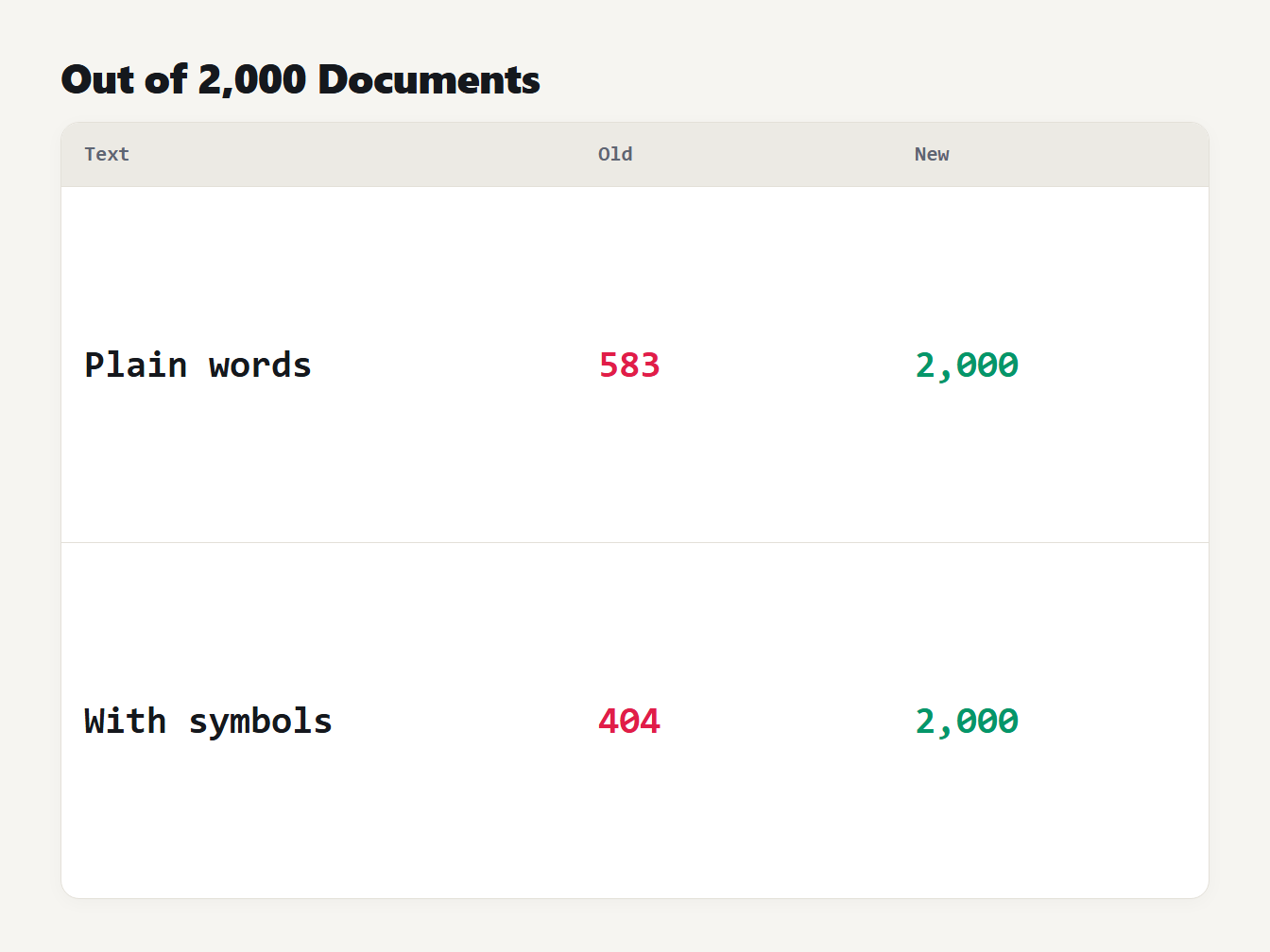
A table with two rows of 2,000 generated documents each. With plain words, the old converter kept the structure of 583 and the new converter kept 2,000. With symbols such as asterisks and brackets added, the old converter kept 404 and the new converter kept 2,000.
The new converter takes a different route. It doesn't match tags in the text. Your browser's own HTML parser builds the page first, and the converter walks that tree. The HTML Standard defines how a parser repairs bad markup, so <p>one<p>two becomes two paragraphs and <li>a<li>b becomes two list items, the same way a browser would read them. After the first version passed, we kept generating documents and fixing every mismatch. The final code then matched on a further 18,000 documents.
Lists, tables and code blocks
Three structures cause most of the damage, and each has a rule behind it.
Lists. A nested list is indented by the width of its parent's marker: two spaces under - , three under 1. . An ordered list keeps its start number. The CommonMark spec says an ordered list can interrupt a paragraph only if it starts at 1. So a nested list that starts at 0 needs a blank line before it, or it becomes part of the paragraph. Two lists next to each other would merge into one, so the second uses * instead of -.
Tables. The GitHub Flavored Markdown spec requires the header row to have the same number of cells as the delimiter row, and a pipe inside a cell must be written \|, even inside code. The converter takes the first row as the header and reads alignment from align attributes or text-align styles. A cell with colspan becomes extra empty cells, and rowspan is ignored, because Markdown can't merge cells. A list inside a cell is flattened to text.
Code. A fenced block needs a fence longer than any run of backticks inside it, so code that contains three backticks gets a four-backtick fence. The language comes from a class such as language-js, and the indentation stays exactly as it was. Our old converter trimmed the whole block, which would shift the first line of Python or YAML that begins indented.
Text that looks like Markdown
The reverse problem is plain text that Markdown would read as formatting. If a paragraph starts with 1. or - , the converted file would show a list. If it contains [a](b), it would show a link. The converter escapes only what it has to:
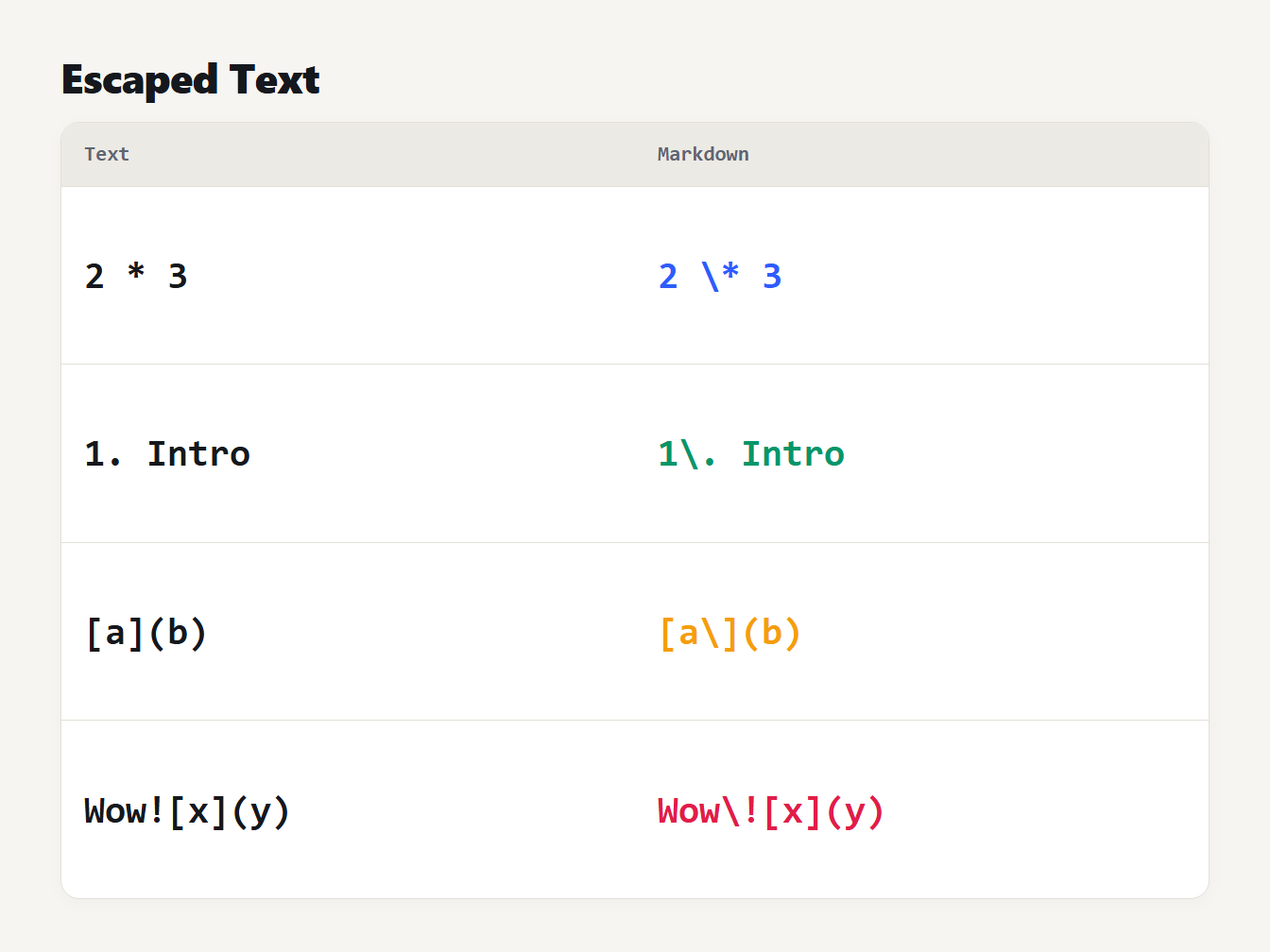
A table of four pieces of plain text and how each is written in Markdown. A star between numbers, a line starting with 1 and a full stop, a bracket pair followed by parentheses, and an exclamation mark before a link each get a backslash.
Bold and italic have a quieter trap. The CommonMark spec says a closing run of asterisks can't follow whitespace, and when it follows punctuation it must be followed by whitespace or punctuation. In **world <**itemx the closing marks follow a symbol and precede a letter, so a Markdown renderer prints the asterisks as text. Rather than hand you broken output, the converter writes <strong>world <</strong>itemx for those pairs. Markdown allows inline HTML, so every renderer shows it as bold.
What Markdown can't keep
John Gruber, who created Markdown, wrote that it is "not a replacement for HTML", and his page says to use HTML for anything the syntax doesn't cover. That's the rule to apply here: some HTML has nowhere to go.
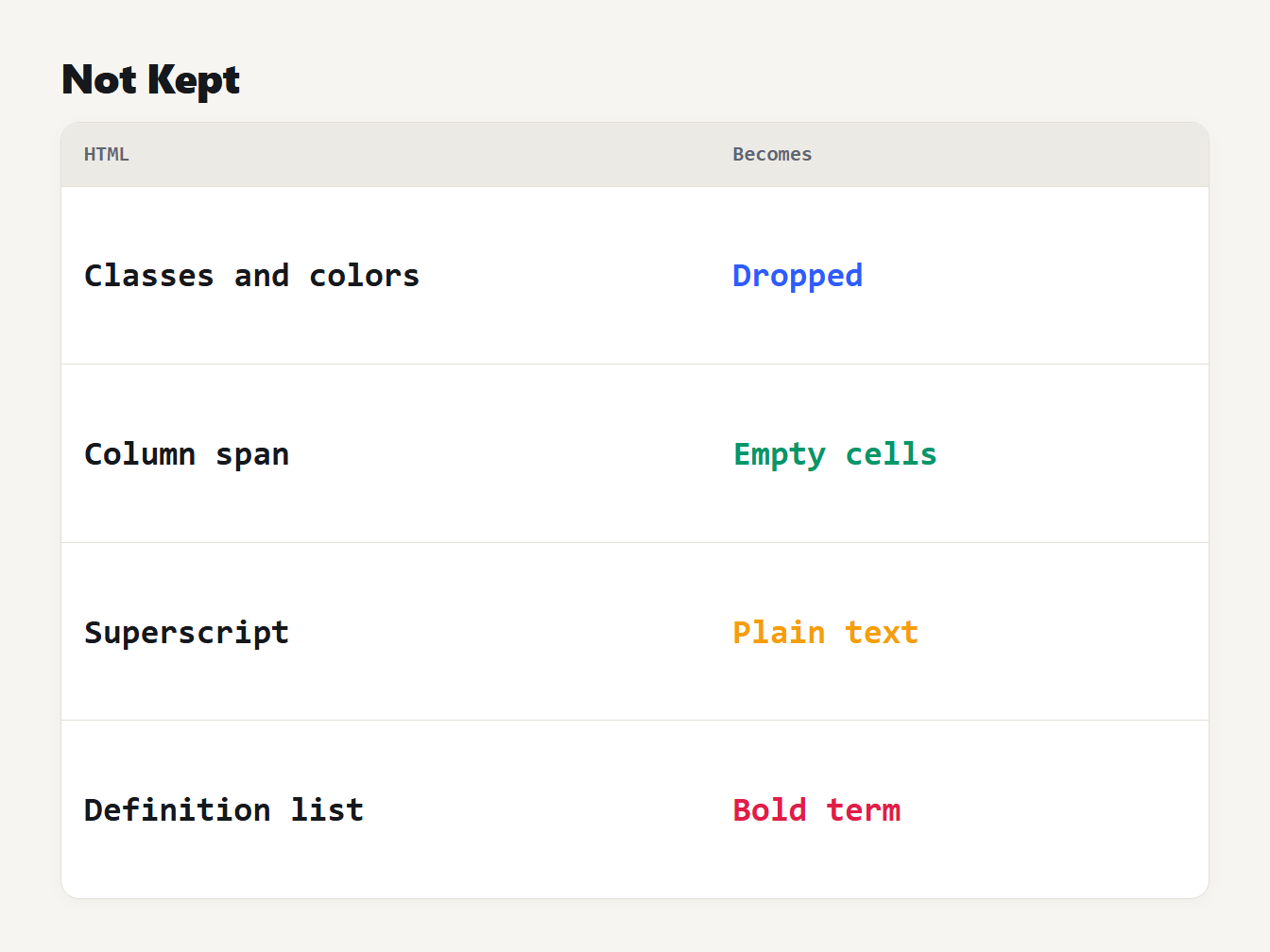
A table of four HTML features and what happens to each. Classes, ids and colors are dropped. A column span becomes empty cells. Superscript and highlight become plain text, or stay as tags if you tick the option. A definition list becomes a bold term and a paragraph.
- Classes, ids and colors describe appearance, so they're dropped. The exceptions are a code language in a class,
text-alignon table cells, and the bold, italic and strikethrough that Google Docs and Word set with astyleattribute. - Superscript, subscript, underline and highlight become plain text, so
x<sup>2</sup>turns intox2. The checkbox keeps them as tags. - Definition lists have no Markdown form. The term becomes a bold line and the definition a paragraph.
- Lists that aren't lists stay paragraphs. If a document fakes bullets with styled paragraphs instead of
ulandli, nothing marks them as a list.
Is it safe to paste HTML from anywhere?
The tool reads your HTML and never puts it on the page. MDN says a document made by parseFromString has scripts disabled and doesn't fire event handlers, and it adds that such a document may still fetch resources named in img and iframe elements. MDN's page on parseFromString explains the details. We tested that in Chromium with an image, a frame, a stylesheet link and a video in the pasted markup, plus onerror handlers and a script. The browser made no request for any of them, and nothing ran. We didn't test other browsers. The converter also drops the link from any javascript: address and keeps its text.
Convert your HTML now
Now you know how to convert HTML to Markdown and what to check afterwards. Paste your markup into the HTML to Markdown converter, check the nested lists and tables, and copy the result. To go the other way, use the Markdown to HTML converter and read how Markdown becomes HTML. If the text has odd symbols after conversion, the guide to HTML entities explains where they come from.
Frequently asked questions
Can I convert a whole web page to Markdown?
Yes, but you get everything in the page body, including the menu, sidebar and footer. Paste only the part you want, such as the article element, or delete the extra lines afterwards. Scripts, styles, forms and icons are left out.
How do I convert an HTML table to Markdown?
Paste the table into the converter. The first row becomes the header, the next line holds the column alignment, and each row follows as a line of cells separated by pipes. Markdown tables can't merge cells or hold lists, so those are flattened.
Why does the Markdown have backslashes in it?
A backslash stops text that looks like Markdown from being read as Markdown. A line that starts with 1. or a lone asterisk would otherwise become a list or italics. The backslash doesn't show when the Markdown is displayed.
Does it keep bold and italic text from Google Docs?
Yes. Google Docs and Word mark bold and italic with a style attribute on a span instead of a strong or em tag. The converter reads font-weight, font-style and line-through in that attribute and writes the matching Markdown.
Is my HTML uploaded anywhere?
No. Your browser parses the HTML and builds the Markdown on your device. Nothing is sent to a server, and nothing in the pasted markup is run.