Markdown to HTML: How It Works and What Trips Up Converters
Markdown to HTML explained: the CommonMark rules, what GitHub adds, and the mistakes simple converters make, tested on all 652 official examples.
By TheTextKit TeamPublished
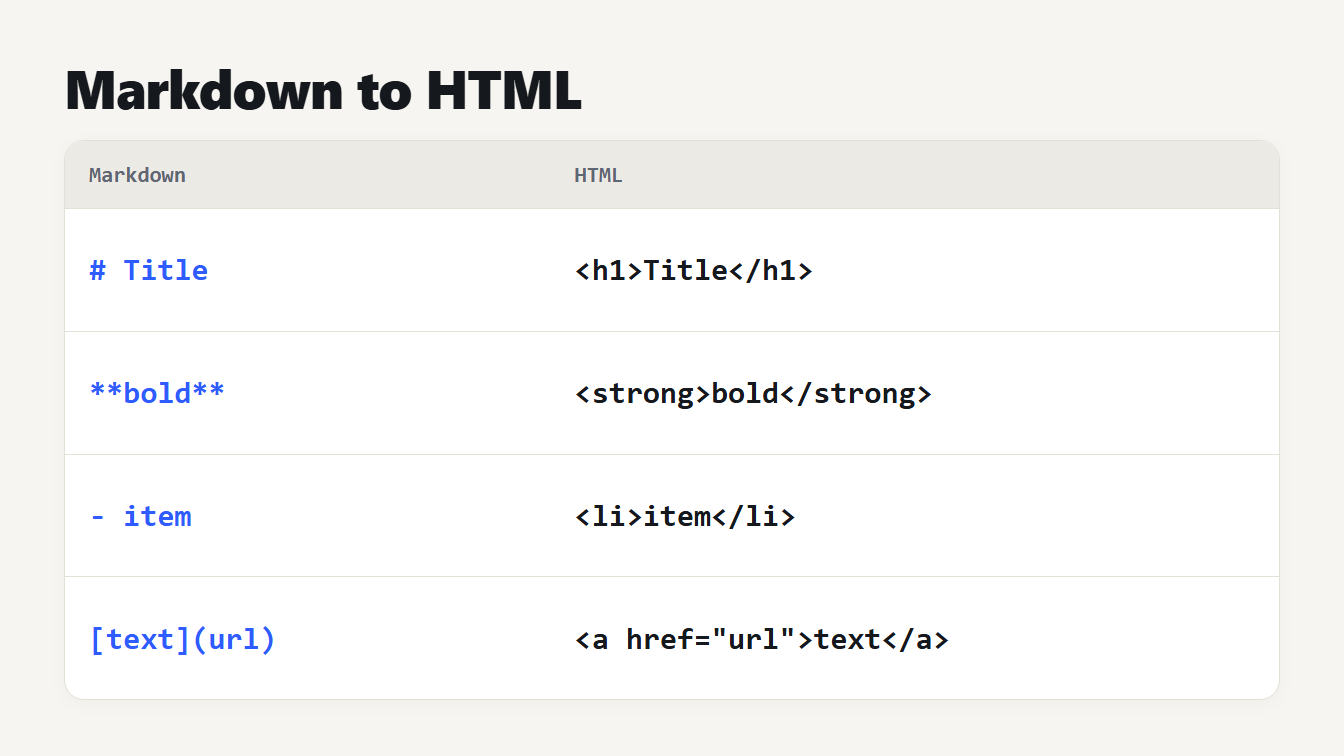
A card with two columns shows four pieces of Markdown beside the HTML each produces. A hash and a word become an h1 element. Double asterisks around a word become a strong element. A dash and a word become a list item. Square brackets and a link become an anchor element.
Markdown to HTML conversion turns plain text such as # Title and **bold** into the markup a browser displays: <h1>Title</h1> and <strong>bold</strong>. It looks simple, and a few regular expressions can handle the easy cases. The hard cases are where converters differ: nested lists, underscores inside words, line breaks, tables and raw HTML. This guide explains the rules that decide the output, the two standards behind them, and how we tested our own converter on the official examples. It passed only 138 of 652 before we replaced it.
Markdown to HTML: what each piece becomes
Most Markdown maps to one HTML element. These are the ones you will use every day, with the output of our Markdown to HTML converter:
| Markdown | HTML |
|---|---|
# Title | <h1>Title</h1> |
###### Small | <h6>Small</h6> |
**bold** | <strong>bold</strong> |
*italic* | <em>italic</em> |
`code` | <code>code</code> |
[text](https://example.com) | <a href="https://example.com">text</a> |
 | <img src="a.png" alt="alt" /> |
- item | <ul><li>item</li></ul> |
1. item | <ol><li>item</li></ol> |
> quote | <blockquote><p>quote</p></blockquote> |
--- | <hr /> |
Plain text becomes a paragraph, and a blank line separates one paragraph from the next. Headings matter for search, so if you publish the result, check the outline with the Heading Tag Analyzer and read our guide to heading tags from H1 to H6.
Two standards: CommonMark and GitHub Flavored Markdown
John Gruber released Markdown 1.0.1 on 17 December 2004, and his Markdown page still describes it as a text-to-HTML conversion tool. The trouble is that the description left details open. The CommonMark specification says Gruber's description "does not specify the syntax unambiguously", so one document could render differently in different programs, and nothing in Markdown counts as an error, so the difference often goes unnoticed.
CommonMark, by John MacFarlane, fixes that with an exact set of rules and hundreds of worked examples. The current version, 0.31.2, is dated 28 January 2024. The GitHub Flavored Markdown spec is version 0.29-gfm from April 2019 and calls itself a strict superset of CommonMark. It lists five extensions:
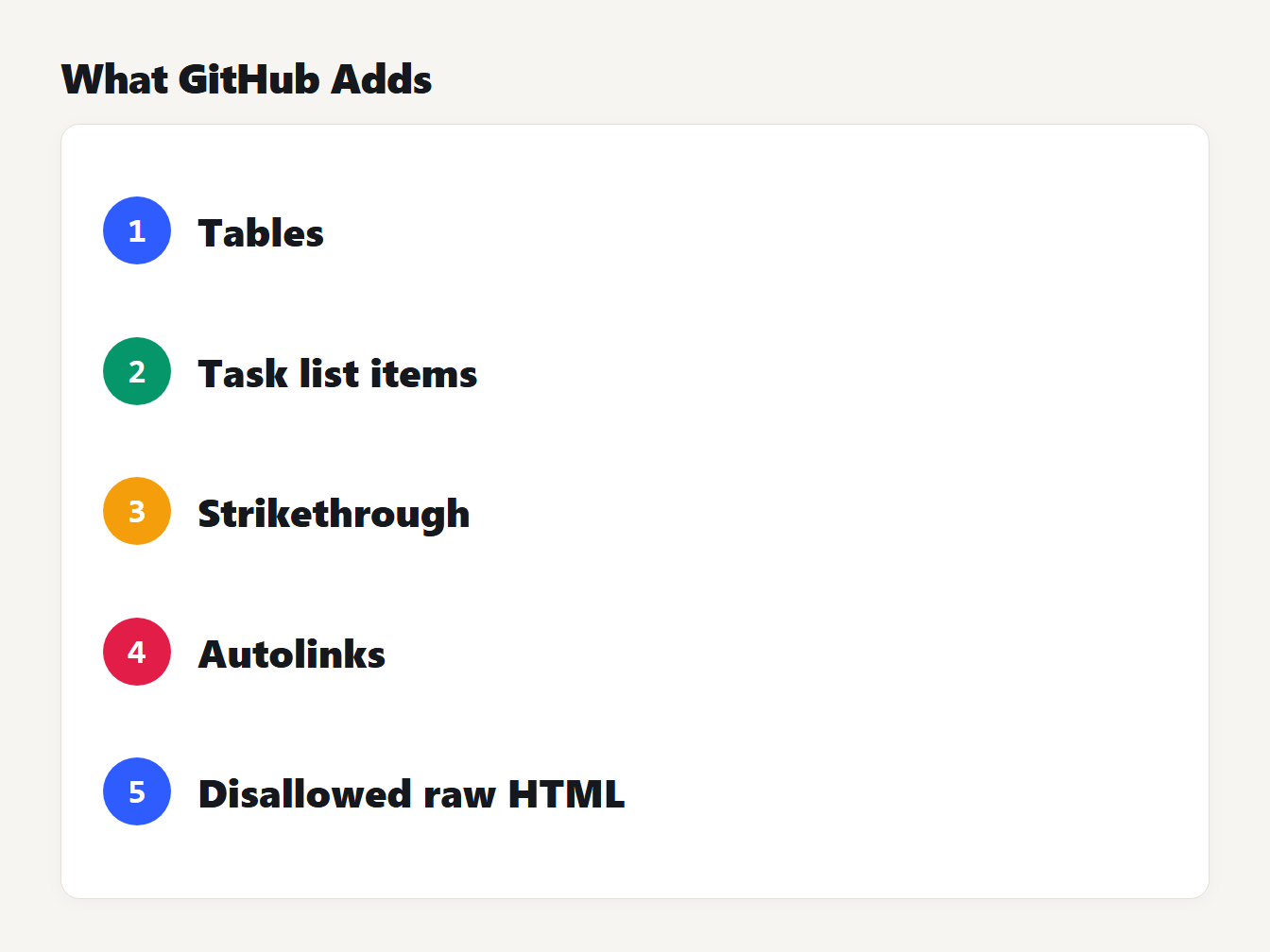
A list of the five extensions in the GitHub Flavored Markdown spec. Tables. Task list items. Strikethrough. Autolinks. Disallowed raw HTML. Each has a numbered badge.
If your Markdown has a table or a task list, you need the GitHub version, and a converter that follows only CommonMark will show it as plain text. If it has neither, the two give the same output.
Rules that surprise people
Most conversion surprises come from a handful of rules. All of these follow from the CommonMark spec, and we confirmed each one by running it through the converter:
- A single line break is a space.
oneandtwoon separate lines give one paragraph. To force a break, end the line with two spaces or a backslash, which gives<br />. A blank line starts a new paragraph. - Text under a list item joins the item. Write
- a,- band thentexton the next line, andtextbecomes part of the second item. Put a blank line before it. - A list can interrupt a paragraph.
textfollowed directly by- agives a paragraph and then a list, with no blank line needed. An ordered list can do that only if it starts at 1. - The first number of an ordered list counts.
2. twoand3. threeproduce<ol start="2">, so the list does not start again at 1. - Four spaces make a code block. Indent a line by four spaces and it becomes
<pre><code>, even if you meant it as a paragraph. - Underscores inside a word are plain text.
a_b_cstaysa_b_c. Asterisks around spaces, as in2 * 3 * 4, are not emphasis either. - A backslash escapes a symbol.
1986\. A great yearkeeps the full stop from starting a list, and\*gives a plain asterisk. - HTML blocks end at a blank line. Inside a
<div>, Markdown is ignored until a blank line separates it, so*text*becomes emphasis only when it sits on its own between blank lines.
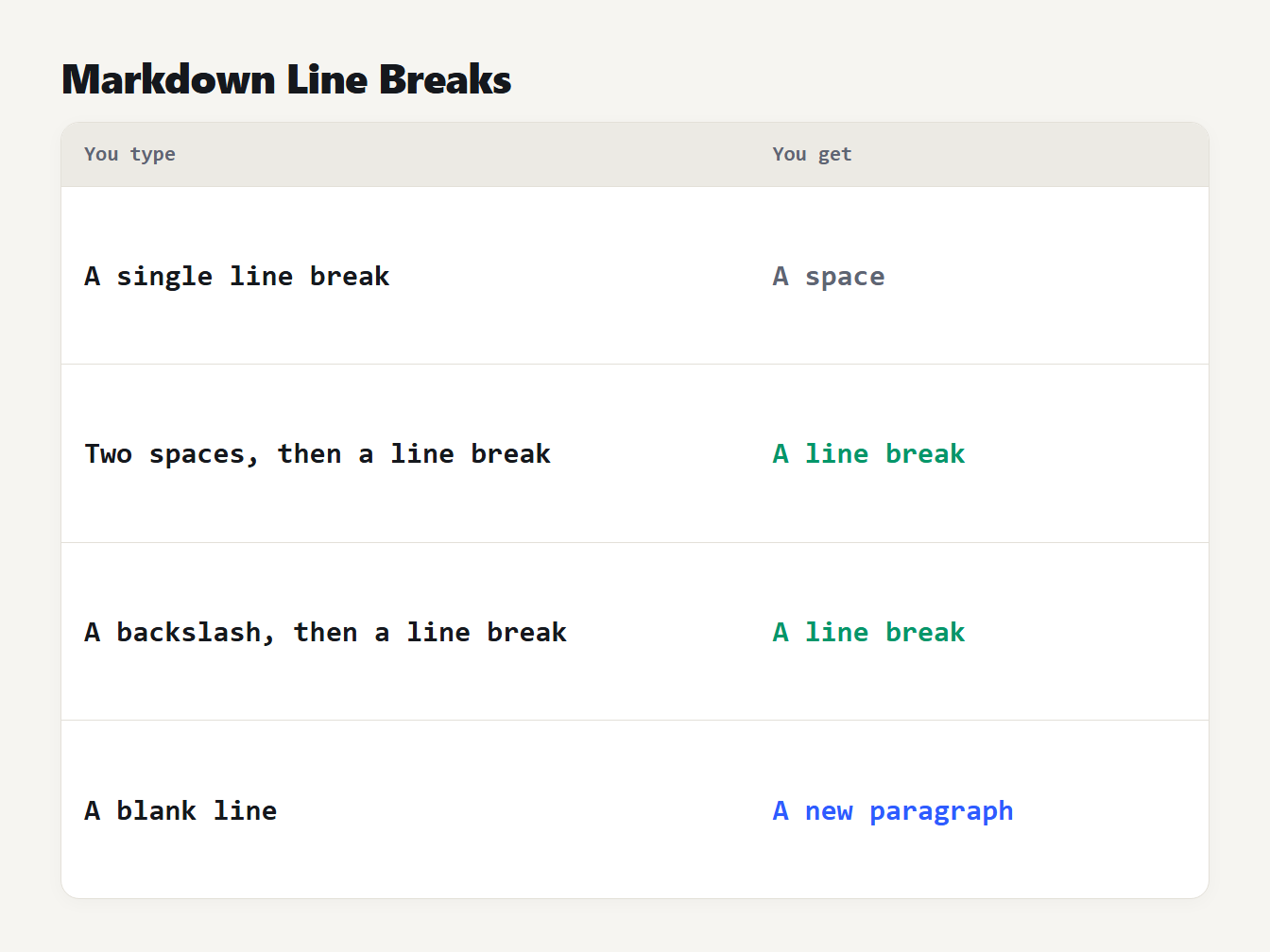
A table of four things you can type at the end of a line and what each gives. A single line break gives a space. Two spaces then a line break give a line break. A backslash then a line break give a line break. A blank line gives a new paragraph.
What simple converters get wrong
Our old converter was a chain of regular expressions, a common way to write one. It looked fine on the sample text. To measure it properly, we ran the 652 examples in the CommonMark 0.31.2 spec through it, after ignoring the white space between tags. It produced the expected HTML for 138, which is 21 percent. The sections it failed hardest were tabs, indented code, images, setext headings and block quotes. It passed 54 of the 132 examples on emphasis, and a sentence with a few underscores is enough to break it.
Everyday input shows the same problems:
| You write | Old converter | Correct |
|---|---|---|
| Two lines in one paragraph | Two paragraphs | One paragraph |
snake_case_name | snake<em>case</em>name | snake_case_name |
2 * 3 * 4 | 2 <em> 3 </em> 4 | 2 * 3 * 4 |
| A table with pipes | Lines of text | A <table> |
| A nested list | A broken list | A nested list |
3. three | A list starting at 1 | <ol start="3"> |
| A link with brackets in the address | Plain text | A link |
It also put the converted HTML straight into the page for the preview, so an image with an onerror handler in the pasted text could run code in the page. The cause of all this is that Markdown is not a pattern that a regular expression can follow. A list item can contain a quote that contains a list, and emphasis depends on the characters around it. Passing the text through a parser that follows the spec is the reliable fix.
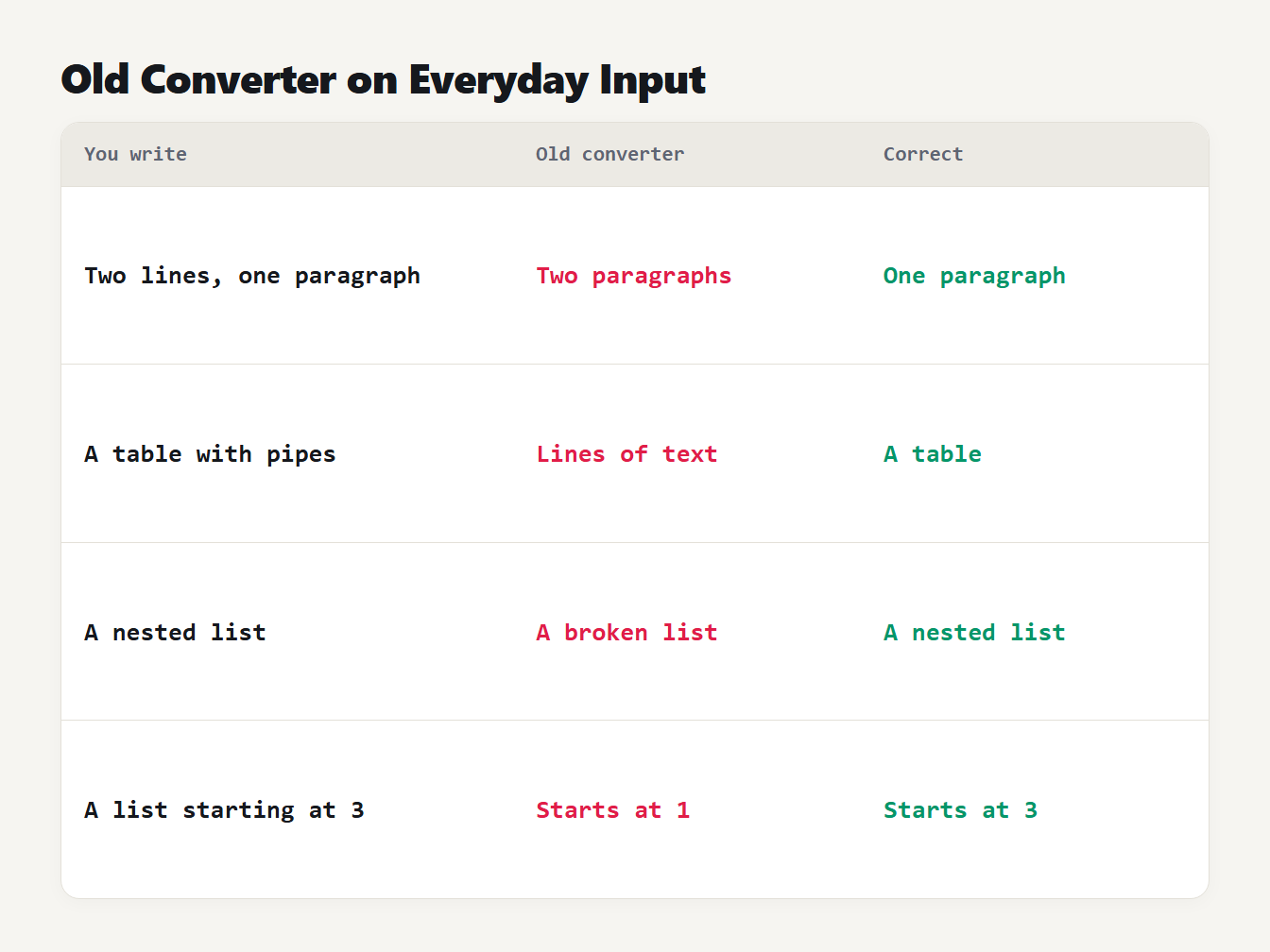
A table of four everyday inputs. Two lines in one paragraph became two paragraphs instead of one. A table with pipes became lines of text instead of a table. A nested list became a broken list instead of a nested list. A list starting at 3 started at 1 instead of 3.
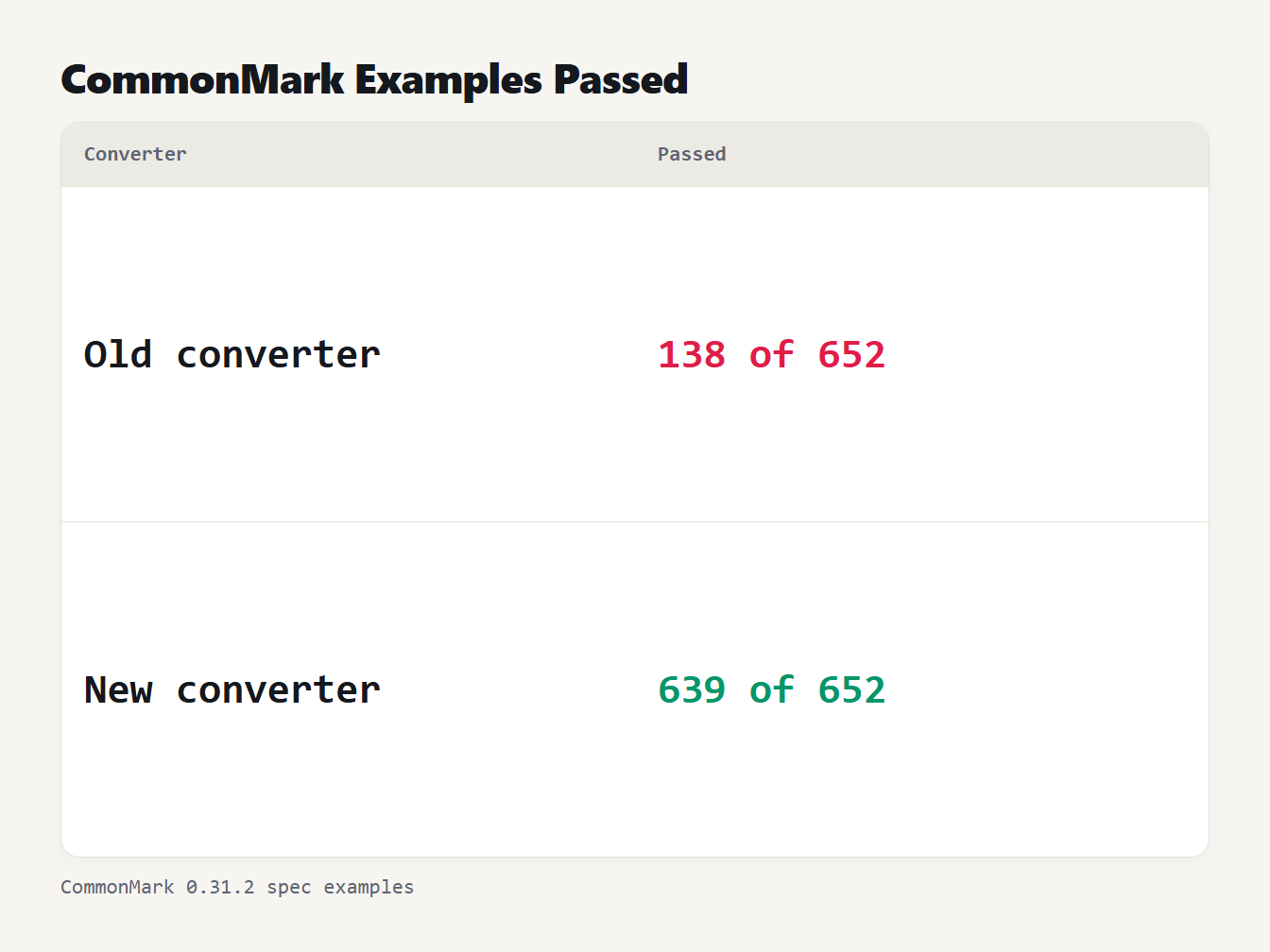
A table with two rows. The old converter produced the expected HTML for 138 of the 652 CommonMark examples. The new converter produced it for 639 of 652 with GitHub Flavored Markdown switched on.
The new converter uses micromark, the CommonMark parser that MDX is built on, with the GitHub extension. With the extension off it matches the spec on 648 of the 652 examples. The four that differ are links with an unusual address such as localhost:5001/foo, which the converter leaves empty on purpose. With the extension on, 639 match, and the other nine differences are the GitHub extensions themselves: five examples of script, style or textarea tags that GitHub escapes, and four automatic links. We counted a difference only when the HTML changed after whitespace between tags was ignored.
Is the HTML safe to publish?
CommonMark passes raw HTML through, so a Markdown file can contain a script, an image with an onerror handler or a link that starts with javascript:. For your own writing that is fine. For text written by other people, treat the output as untrusted. Our converter takes four precautions. It empties links with an unsafe address, and GitHub Flavored Markdown escapes script and style tags. A Keep raw HTML option escapes all HTML in the input, and the preview runs in a sandboxed frame where scripts cannot run. Before you show converted text from strangers on a page, you should still sanitize it with a tool made for that job.
How to convert Markdown to HTML
- Paste your Markdown into the Markdown to HTML converter.
- Leave GitHub Flavored Markdown on if you use tables, task lists or strikethrough.
- Check the sandboxed preview, then choose Copy HTML.
- Paste the result into your template or CMS. It contains body content only, so the page around it needs its own head and styles.
- For the other direction, the HTML to Markdown converter turns markup back into Markdown.
To write links by hand, see our guide on how to make a hyperlink. The HTML entities guide explains why an ampersand in your text becomes & in the output.
Frequently asked questions
What is the difference between Markdown and HTML?
Markdown is a plain-text way of writing headings, emphasis, lists and links that a converter turns into HTML. HTML is the markup language that browsers read. You write Markdown because it is quicker and easier to read, and you publish the HTML it produces.
Is Markdown the same everywhere?
No. The original description by John Gruber left details open, so tools disagreed. CommonMark is a specification that settles them, and GitHub Flavored Markdown adds tables, task lists, strikethrough and automatic links on top of it. A converter should say which one it follows.
How do I make a line break in Markdown?
End the line with two spaces or a backslash, and the converter writes a br element. A single line break on its own is treated as a space, and a blank line starts a new paragraph.
Do I need GitHub Flavored Markdown?
Only if you use tables, task lists, strikethrough or bare web addresses that should become links. These are not part of CommonMark, so with them switched off a table is shown as plain text.
Is HTML made from Markdown safe to publish?
Not automatically. CommonMark lets raw HTML pass through, so Markdown from an untrusted source can contain scripts. Escape the HTML or sanitize the result before you show content written by other people.
Convert your Markdown now
Paste your text into the Markdown to HTML converter, pick your options and copy the HTML. It follows the CommonMark spec, adds GitHub tables and task lists when you want them, and runs entirely in your browser, so your text is never uploaded.